Question

Supplier payment details - approval of change

  • September 15, 2022
  • 11 replies
  • 627 views

Forum|alt.badge.img+9
  • Sidekick (Partner)

Hi

Does IFS have any kind of approval process for changes to supplier bank accounts. 

We are searching for a method, where two users must approve a change of a bank account, before it is being valid to use.

11 replies

Chirantha
Hero (Partner)
Forum|alt.badge.img+8
  • Hero (Partner)
  • September 15, 2022

Hi, 
You may use IFS Standard Documentation Approval process for this purpose, if you are looking to a introduce a further control over this process.

However, if you are looking forward such a functionality for meeting a legal requirement of a customer ( specially including such approver details in files for meeting a banking requirement ), better you report it as a new request to R&D.

Best regards,

Chirantha.


Forum|alt.badge.img+13
  • Sidekick (Customer)
  • July 18, 2023

@BRSA Did you manage to do this? We need to implement something similar into our system and I am not sure the best way to implement?


Want all Supplier Bank Detail Creations and Amendments to have to be approved before the change is committed.

Thanks, 


Forum|alt.badge.img+9
  • Author
  • Sidekick (Partner)
  • July 19, 2023

Hi.

No, we have not found a proper solution yet. We have set up an event, sending emails when changes are made, but it is not a fantastic and valid solution. We will look in to the Documentation Approval process functionality, but it looks to be a complicated setup. IFS should look in to this problem, as it is a general requirement, to have an approval process. 

Brian


Neill M
Do Gooder (Employee)
Forum|alt.badge.img+3
  • Do Gooder (Employee)
  • July 20, 2023

Hi 

There is no standard process for this.

That said you can use custom events to handle it. One user creates or amends the record, on saving the record, the custom event sets the blocked for use flag, thereby ensuring the new details cannot be used until approved. 

Second user goes in as the approver to unset the blocked flag which together with the use of custom fields allows for the recording of who did what for audit purposes.

Correct permissions obviously required.


Forum|alt.badge.img+9
  • Author
  • Sidekick (Partner)
  • July 31, 2023

Hi Neill

Thanks for you reply.

I hope IFS will make a standard solution for this, as it is a normal requirement in most companies?

I do not fully understand you suggestion concerning the custom event?

The “Blocked for use” flag can be manually changed. So, your suggestion is that the first user doesn't have permissions to change the “Blocked for use” bottom?

Only the second user have this right?  

If so, It is not a fantastic solution, as most companies just want to ensure that at least two people have approved the change! Have you got other ideas?

Regards Brian


Eranda
Hero (Partner)
Forum|alt.badge.img+11
  • Hero (Partner)
  • August 1, 2023

We normally do this bank account approval using DocMan approval process and then use custom events to control the validations (New and Modify). For an example, when an existing bank account is modified, we have to make sure that No payment will be made to this supplier before approving the account details. We generally use Blocked for Payment check box for this validation and it is automatically triggered when electronic payment address is inserted or modified. Once the approval is process is completed,  the Blocked for Payment check box will be unchecked through an event.


Forum|alt.badge.img+9
  • Author
  • Sidekick (Partner)
  • August 1, 2023

Hi Eranda

Thanks for your reply. It sounds like a usable solution. However, there is quit some specification and setup to do, for it to work. 

Can you help us by sharing some more details of the events and solution you made? 


Regards Brian


Forum|alt.badge.img+6
  • Do Gooder (Customer)
  • July 16, 2024

Look like this is something IFS need to address in a more simple format -


I too am looking for a way to record auditable changes to the Supplier Bank Account details - I want to record - Employee, when the change was actioned, and what it was and what it was changed to.  I do not want to use Document Management - that is a Sledge Hammer to crack a nut - we really need to be able to set up auditable fields and somehow use this screen to record changes.  I also do not want to create a Spec and Custom Events to do this.


This should be bread and butter the IFS RnD.   Must be some good IFS Consultants on here that can take this back to the business - or tell me this is fixed in Cloud :). 


Ralph Gericke
Superhero (Employee)
Forum|alt.badge.img+14
  • Superhero (Employee)
  • July 18, 2024


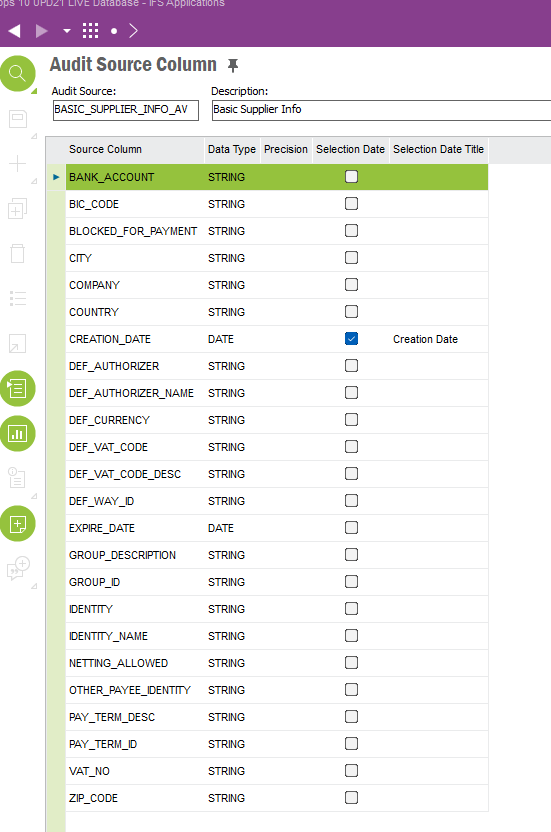
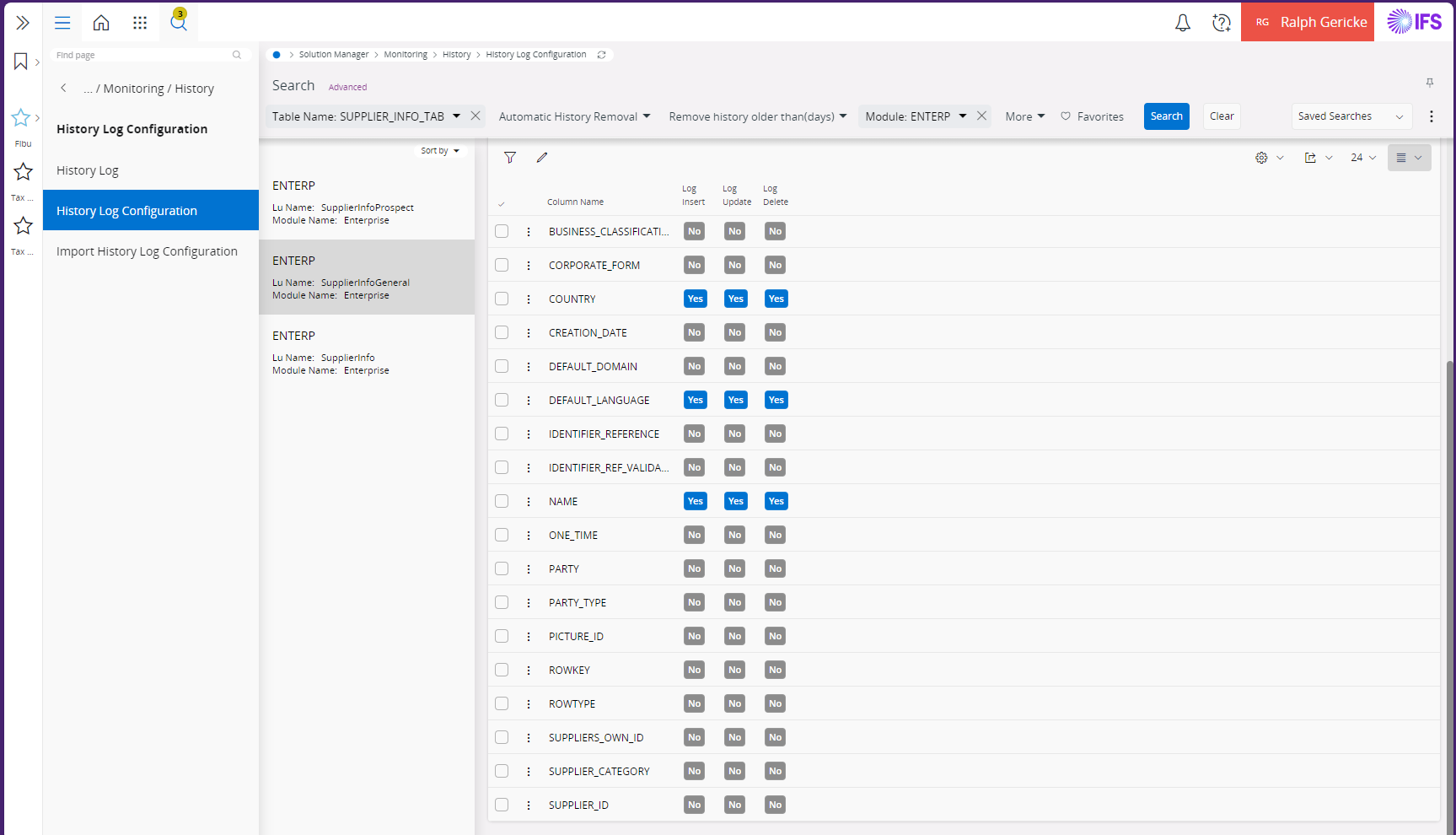
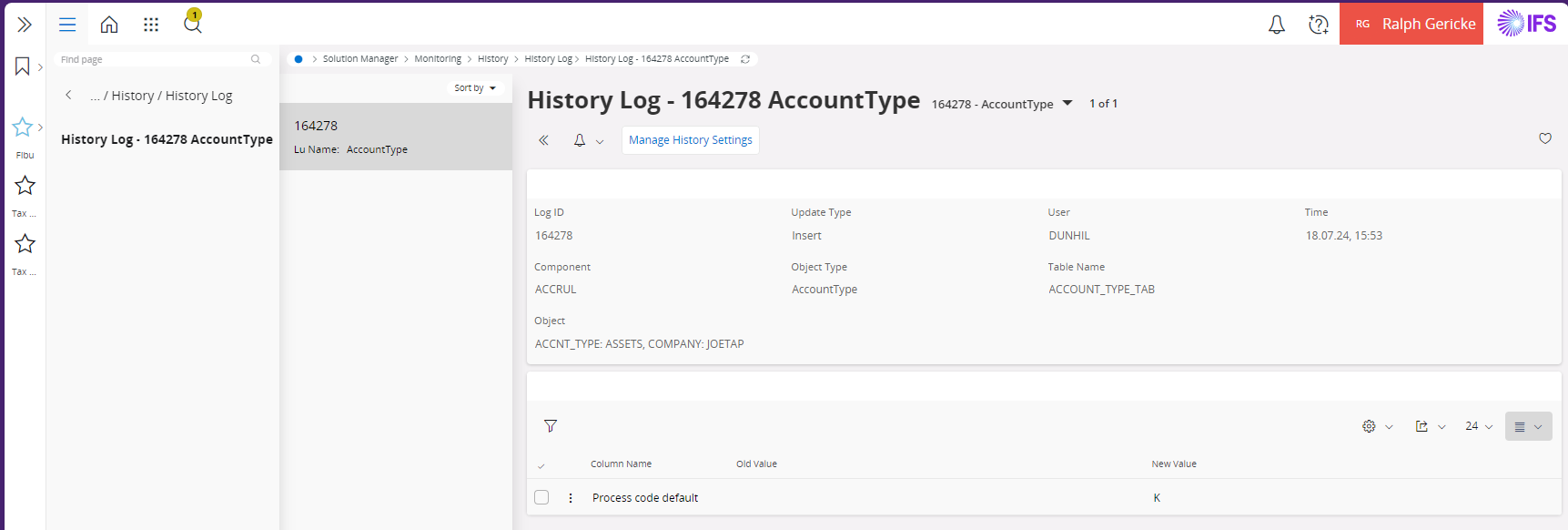
For logging the changes on a field history logging can be setup for the information to be logged.

Changed information is provided as a History log entry with the following information.


I would recommend  to log only basic data changes not transactional data.


  • Do Gooder (Customer)
  • August 28, 2026

Look like this is something IFS need to address in a more simple format -


I too am looking for a way to record auditable changes to the Supplier Bank Account details - I want to record - Employee, when the change was actioned, and what it was and what it was changed to.  I do not want to use Document Management - that is a Sledge Hammer to crack a nut - we really need to be able to set up auditable fields and somehow use this screen to record changes.  I also do not want to create a Spec and Custom Events to do this.


This should be bread and butter the IFS RnD.   Must be some good IFS Consultants on here that can take this back to the business - or tell me this is fixed in Cloud :). 


Good Afternoon, 


Were you successful in finding a way to set up an approval flow for supplier payment address changes? Although the custom event and document management are feasible solutions. I agree its cumbersome to set up and having a functionality where information cannot be used until two users approve it (similar to manual voucher workflow) would be treamendously useful. 


Thank you

Angela


Forum|alt.badge.img+20
  • Superhero (Employee)
  • August 28, 2026

The solution had been presented previously. 

I’ll explain - 

The IFS module for Document Management contains a very commonly used process called an approval routing. An approval routing can be configured to be used on any / almost any IFS screen.  To enable you use the same / similar process for set up as enabling document attachments on various IFS screens.   So, its system wide.  

Once you have approval templates and the screen is enabled for the object connections to allow approval routing, you would assign an approval template or simply note the steps and the people to approve. Approvers would approve, and you have your history.  

The downside (minor) is that “out of the box” the approval template / process does not stop any IFS record processing, so as previously described, the way we have worked the downside is to have a custom event (or BPA for Cloud) that will stop IFS process such as saving a record without the approval. In other words, is approved allow save, else, produce a message.   

The approval routing functionality is typically set up by a user, maybe IT enables this for the various IFS screens (same as ability to attach documents) and the IT would create the custom event or BPA.  All very easy to do, once training has been completed. 


The entire solution could / should contain, 1) History tracking (setup by IT), 2) Enable Approval routings in object connections (done by IT), 3) Custom event (by IT), and the approval routings functionality & approvers would be set up by someone familiar with approval routings in IFS document management. It sound difficult, it’s not.   But then you have a flavor of solution that can work across IFS. 


Best regards, 

Thomas