

Question

Pre Posting M65

  • October 8, 2026
  • 3 replies
  • 19 views

audreyS
Sidekick (Partner)
Forum|alt.badge.img+10


Hello

We have a customer requirement to have project pre-posting enabled on the M65 form.

We would like to understand how project pre-posting can be included in the M65 form using the standard configuration.


Is it possible to configure the standard settings so that the “Pre-posting” field is set to “Yes” by default for the M65 form?


Could you please confirm whether this can be achieved through standard configuration, or if any customization is required?


Thank you for your guidance.
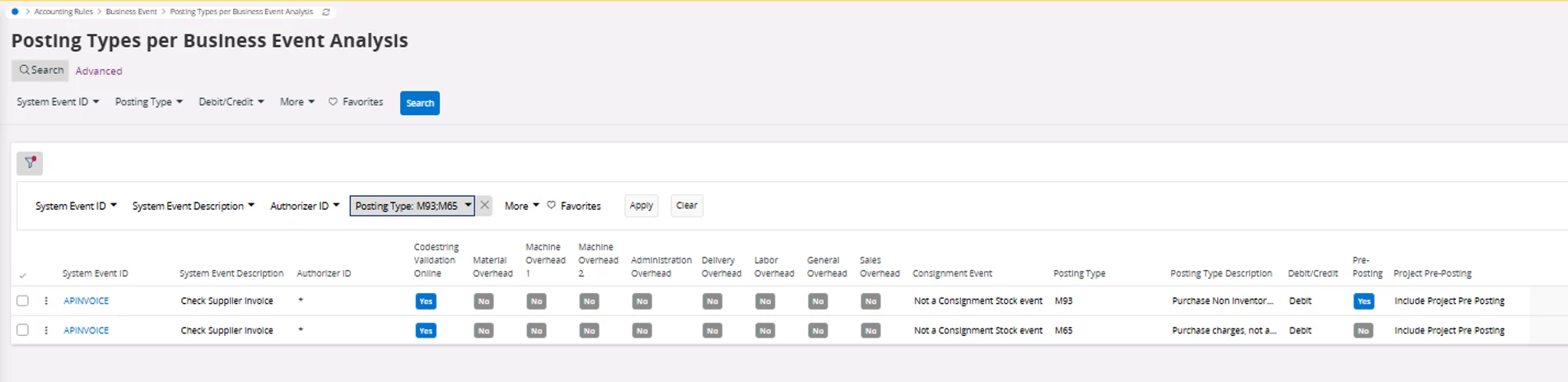


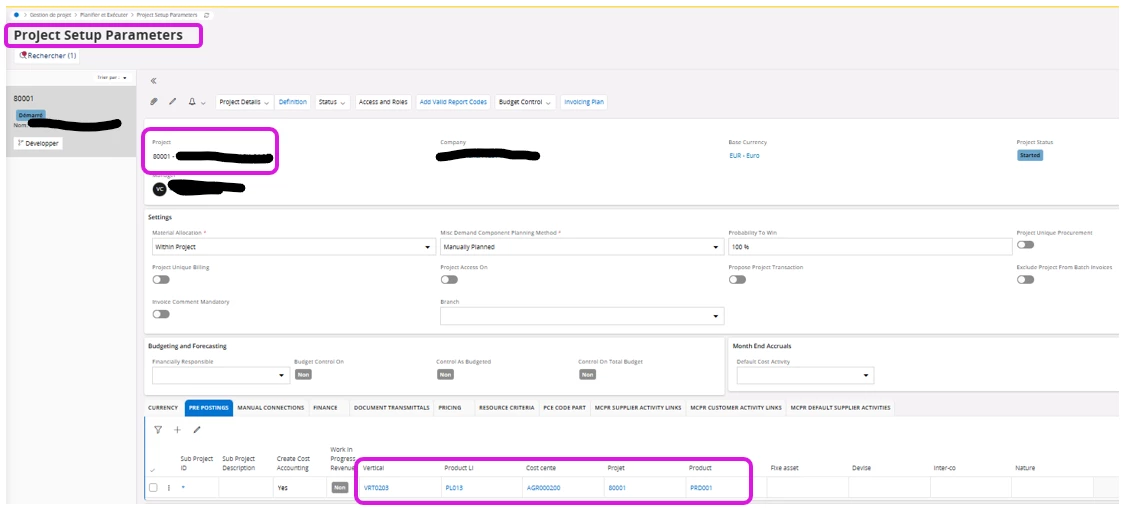
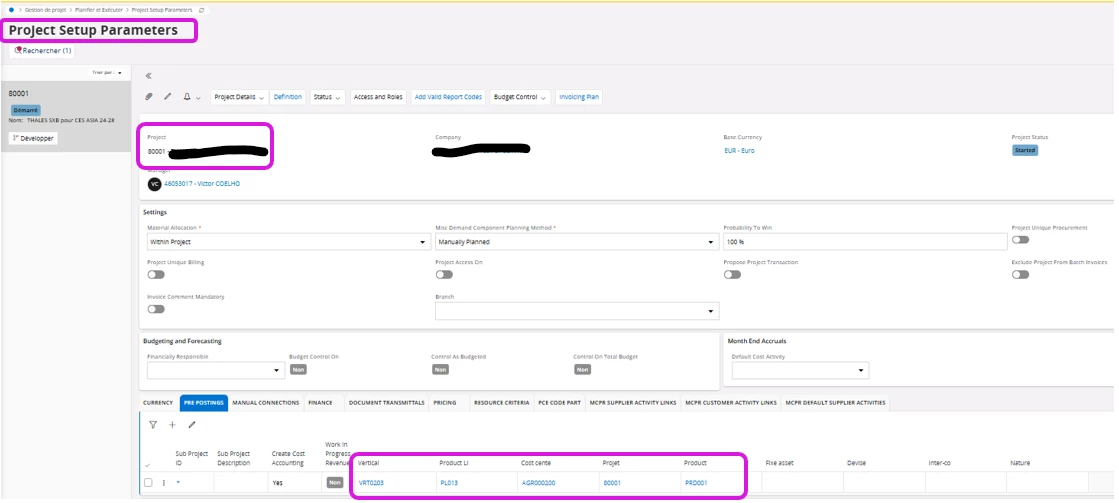
Pre posting for Project ID 80001


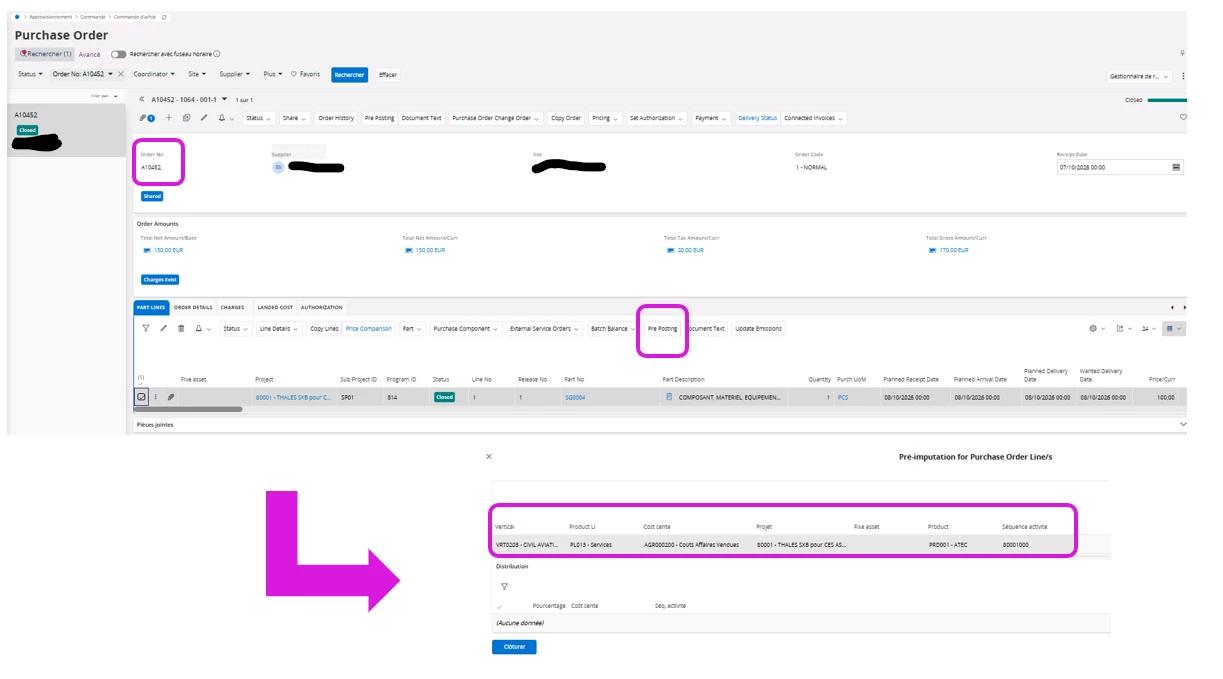
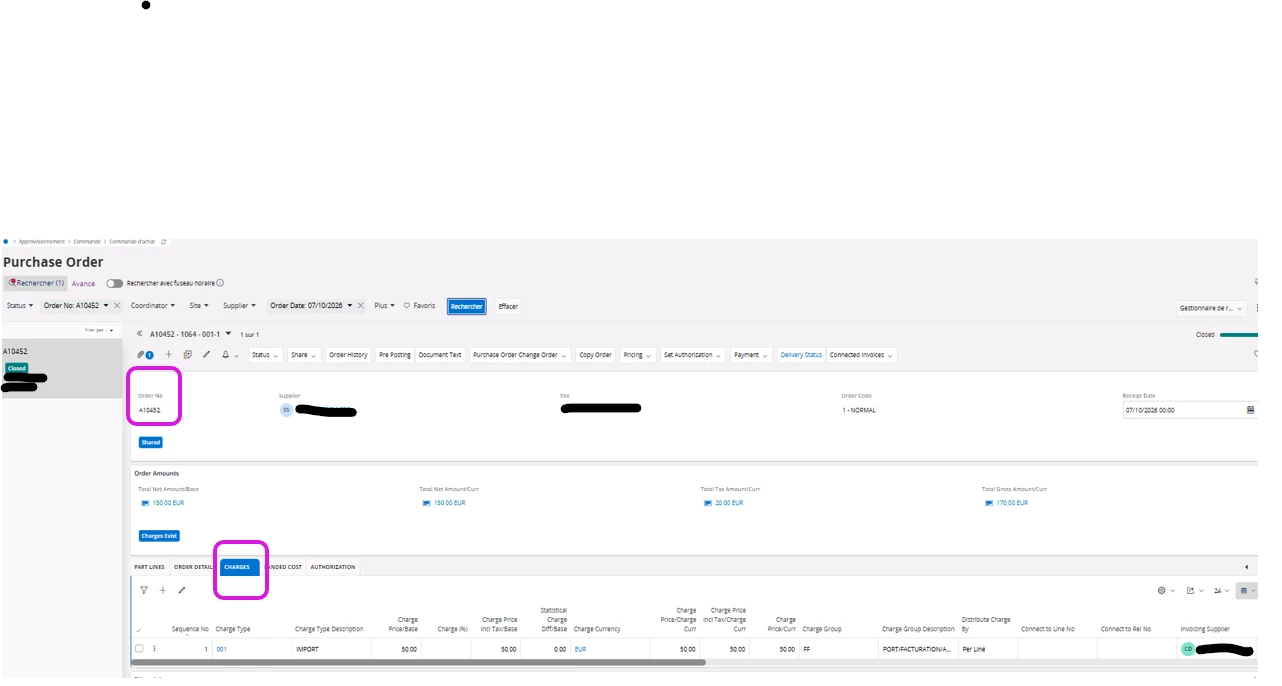
Purchase order with charges
 

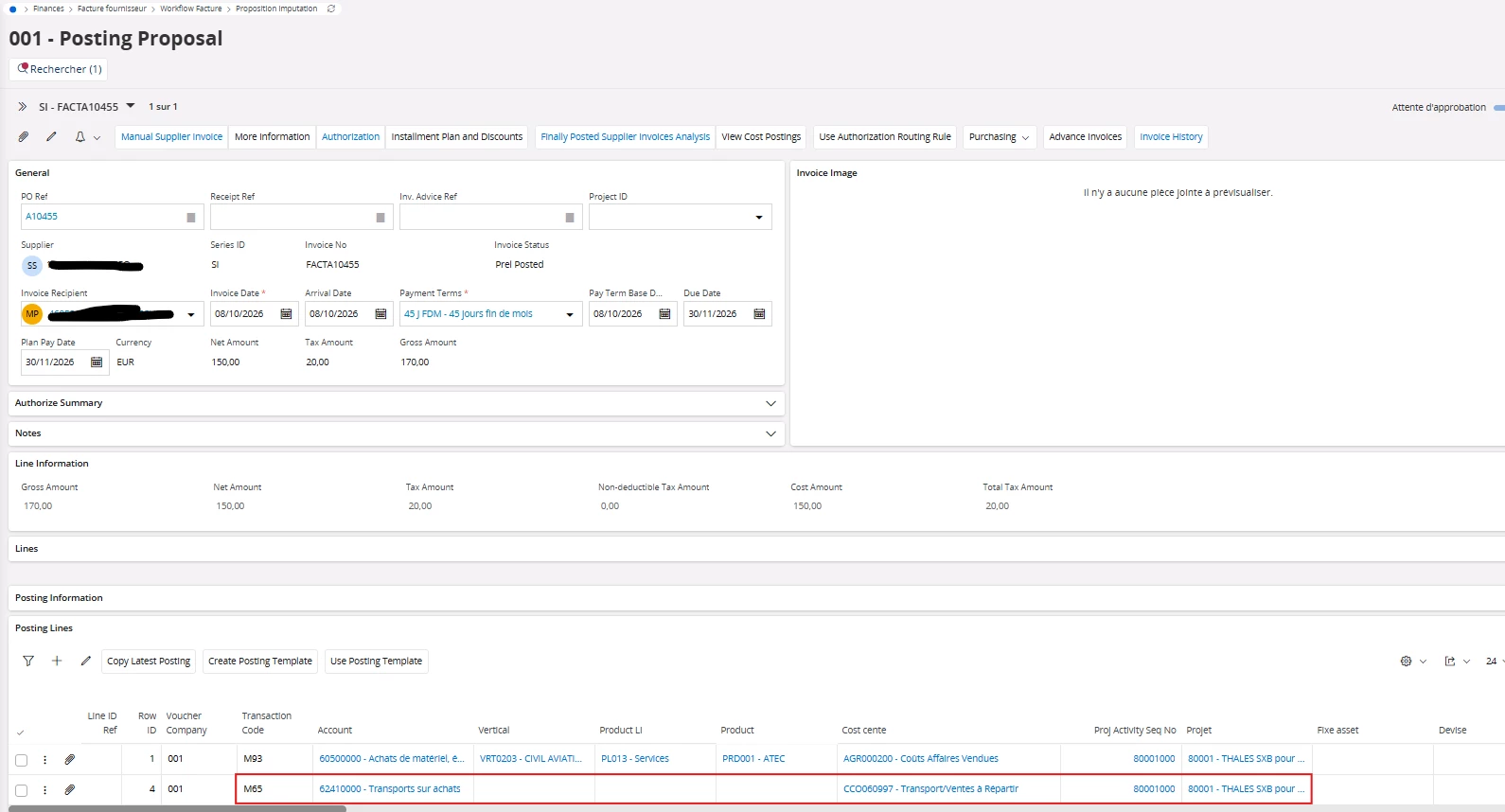
When I invoice a purchase order that includes charges, the project pre-posting does not appear on the M65 form
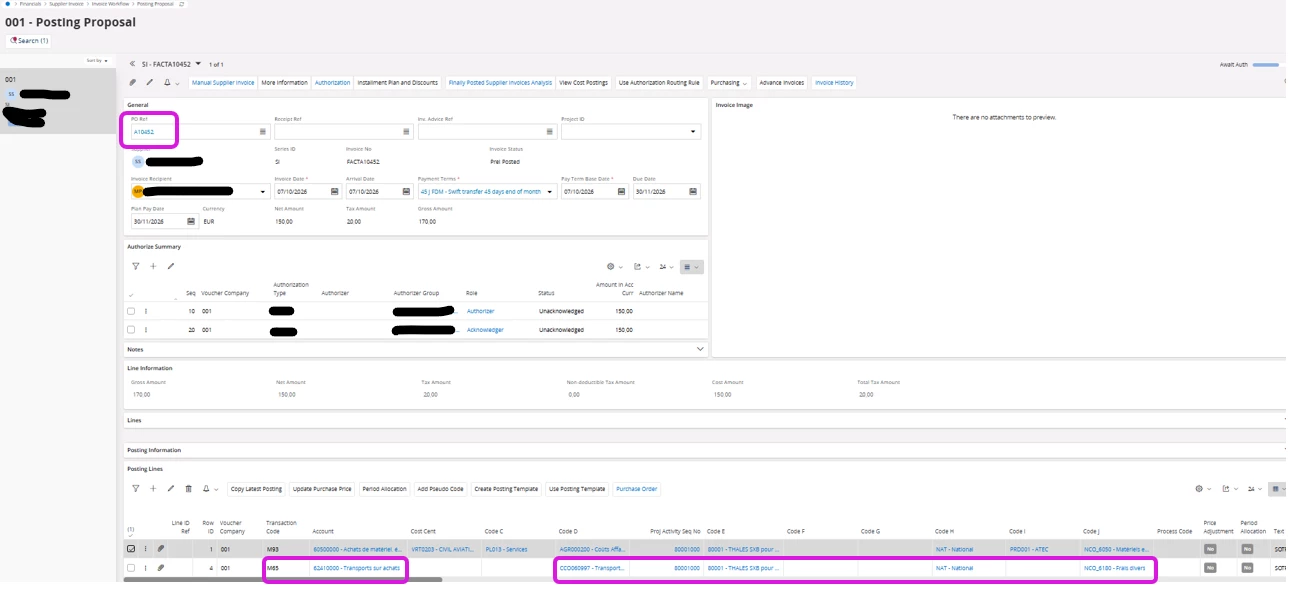
 

Can you please help me?

3 replies

Furkan Zengin
Ultimate Hero (Partner)
Forum|alt.badge.img+21
  • Ultimate Hero (Partner)
  • October 8, 2026

Hello ​@audreyS 

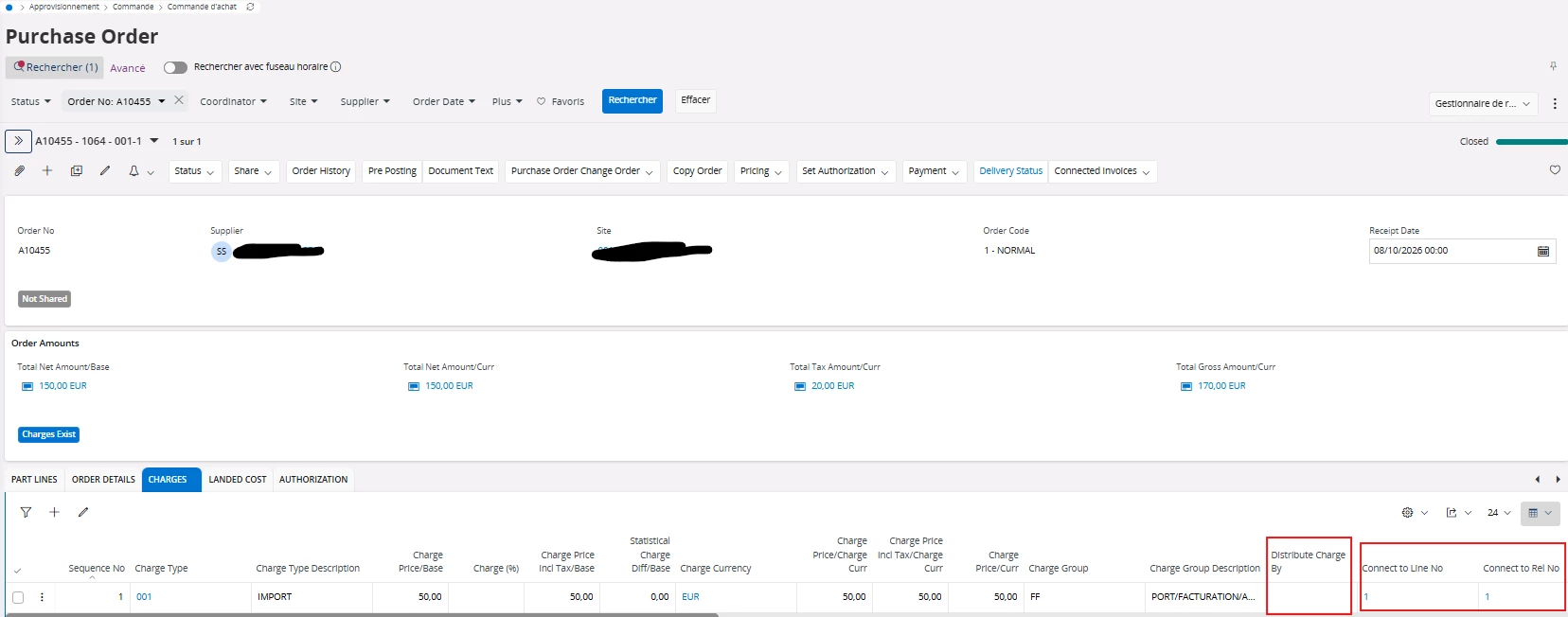
In the charges section, change distribution charge by and set blank, then enter connect to line and connect to release no fields to select specific PO line.

Preposting should be inherited from purchase order line for charges automatically

Hope this helps


audreyS
Sidekick (Partner)
Forum|alt.badge.img+10
  • Author
  • Sidekick (Partner)
  • October 8, 2026

Hello Furkan 


I just tested it with the settings you told me to use, and unfortunately, it doesn't apply the pre posting to the project.


Pre posting for Project ID 80001


Forum|alt.badge.img+20

Hi, 

This did not sound normal, so I tested. 

In my tests the M65 generated postings to the project.   


Did your PO line(s) have project connections, and did the charges lines have connections to the PO lines?     Double check this. 


Best regards, 

Thomas