Solved

Inventory Part Copy part

  • February 5, 2024
  • 2 replies
  • 176 views

audreyS
Sidekick (Partner)
Forum|alt.badge.img+10

Hello,

I would like to know how to remove the copy of the item cost when copying a stock item, as this is causing problems for my customer. on cloud version 23.1.2


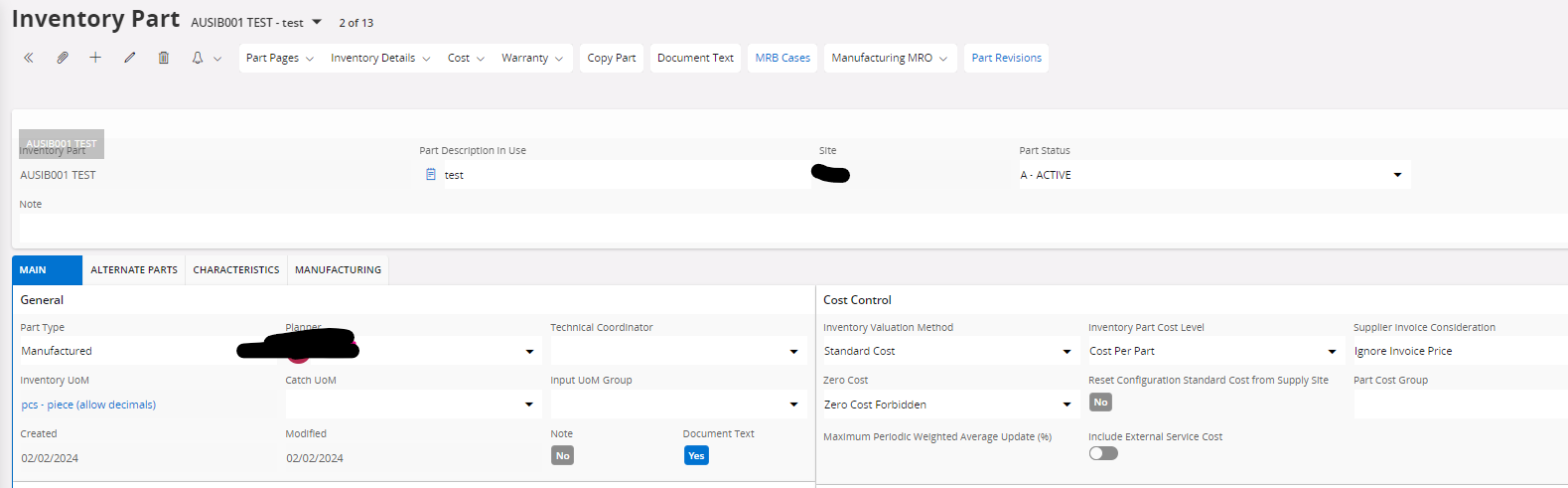
Here is my article


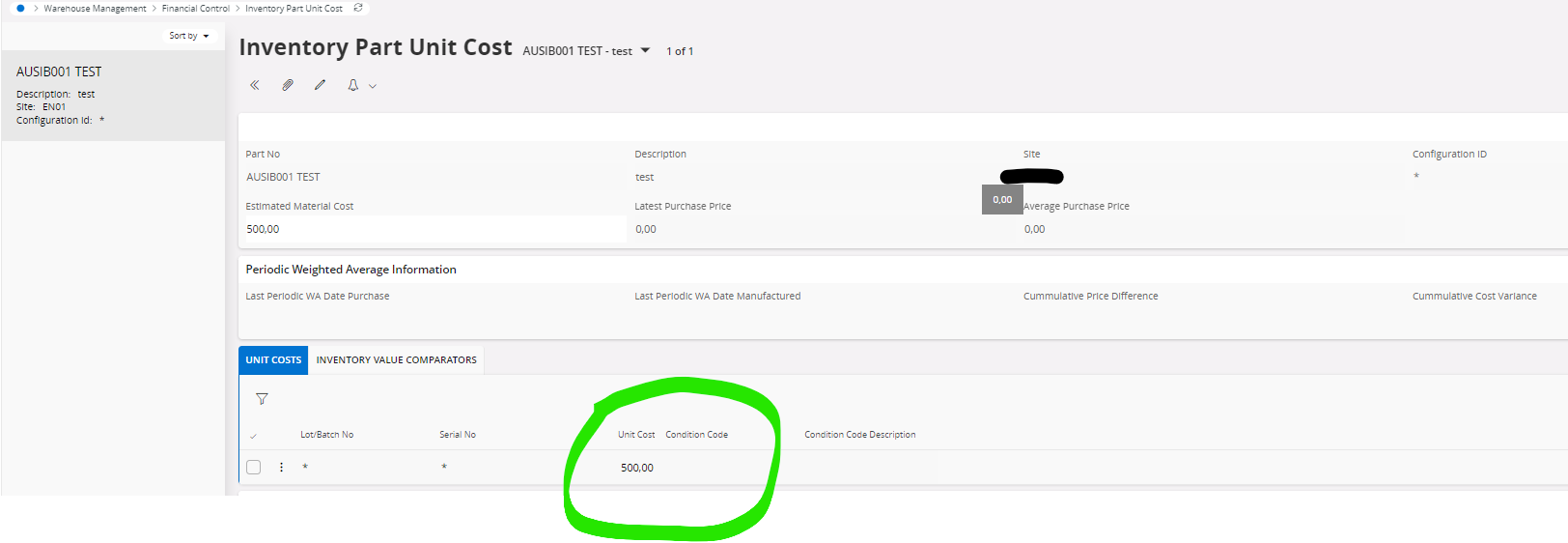
it came to put me the cost of the article I copied and I do not want 

Thanks

Best answer by Marcel.Ausan

@audreyS AFAIK if the new part is Standard Cost and Cost per Part, the system will use what you put in Estimated Material Cost as the initial cost.

Then the business would need to run Cost Calculation once they’ve setup the cost buckets/elements/groups and then this cost will be updated with real data coming from Work Center / Labor Class (for mfg parts).

I’m afraid, if an estimated material cost is available when you copy the Inventory Part, then this info will also be copied. There’s no option in the Copy Part assistant to disable the copy of the Unit Cost.

Maybe this could be submitted to R&D as an idea?

2 replies

Marcel.Ausan
Ultimate Hero (Partner)
Forum|alt.badge.img+22
  • Ultimate Hero (Partner)
  • Answer
  • February 5, 2024

@audreyS AFAIK if the new part is Standard Cost and Cost per Part, the system will use what you put in Estimated Material Cost as the initial cost.

Then the business would need to run Cost Calculation once they’ve setup the cost buckets/elements/groups and then this cost will be updated with real data coming from Work Center / Labor Class (for mfg parts).

I’m afraid, if an estimated material cost is available when you copy the Inventory Part, then this info will also be copied. There’s no option in the Copy Part assistant to disable the copy of the Unit Cost.

Maybe this could be submitted to R&D as an idea?


audreyS
Sidekick (Partner)
Forum|alt.badge.img+10
  • Author
  • Sidekick (Partner)
  • February 5, 2024

hi @Marcel.Ausan 

yes, I think it would be good to have it up because it causes errors.  

Thanks