Question

Invalid value for property 'Country'

  • June 4, 2025
  • 2 replies
  • 96 views

Hello All,

When attempting to change the country to Netherlands for a company in IFS Cloud, I get the following error message:
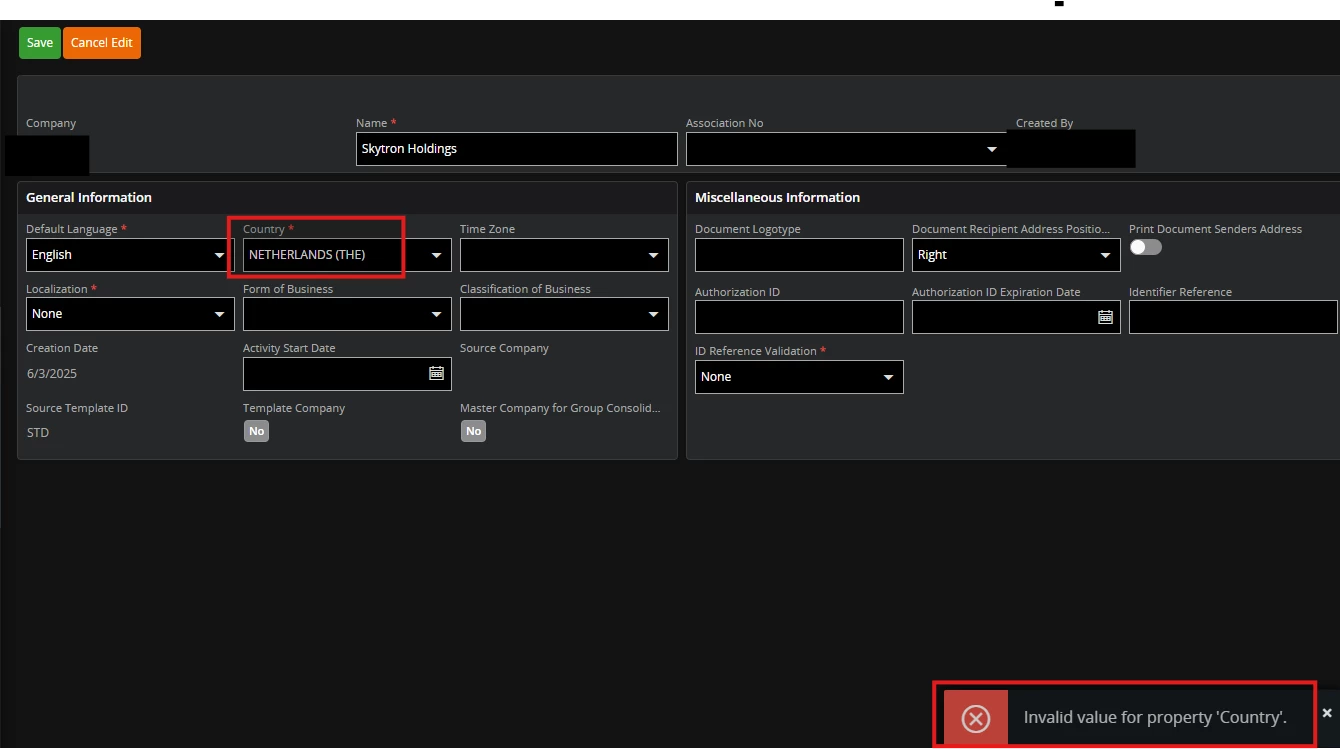
 

Thinking the ISO basic data needed to be configured, I went to the following window:
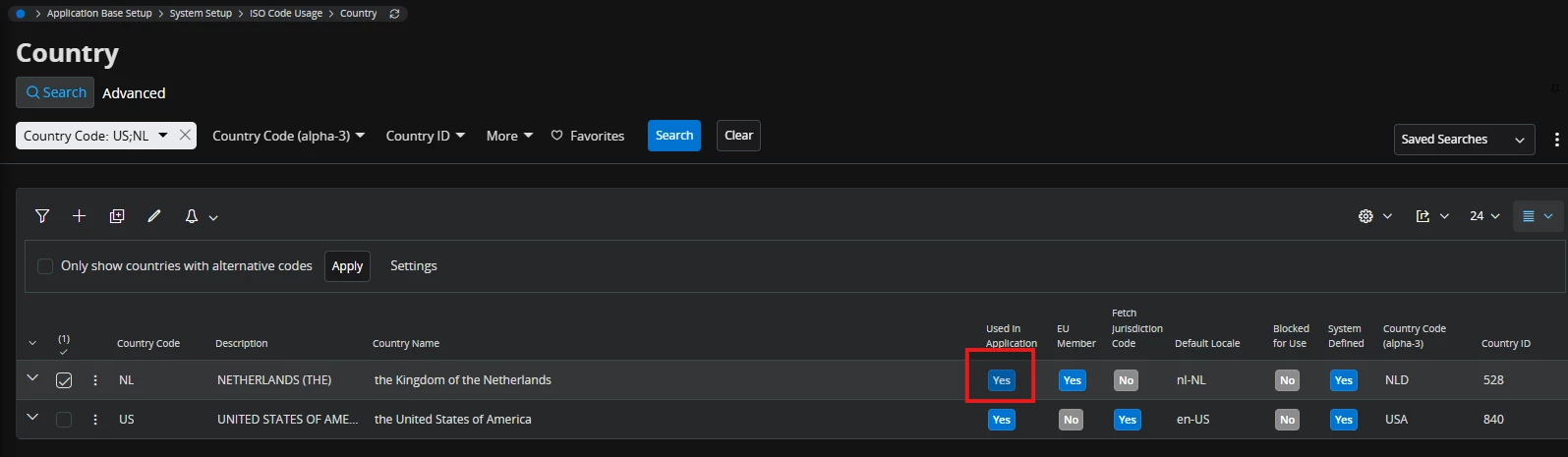
I made sure the “Used in Application” toggle was on, yet I still get the error.  What am I missing?


Thanks,

2 replies

  • Do Gooder (Partner)
  • March 18, 2026

tick off the used in application and tick on agian and maybe work


jbush0419
Do Gooder (Customer)
Forum|alt.badge.img+3
  • Do Gooder (Customer)
  • March 18, 2026

@ddecker 

I just tried it with an unused country and at first it didn’t work (similar to your situation) 

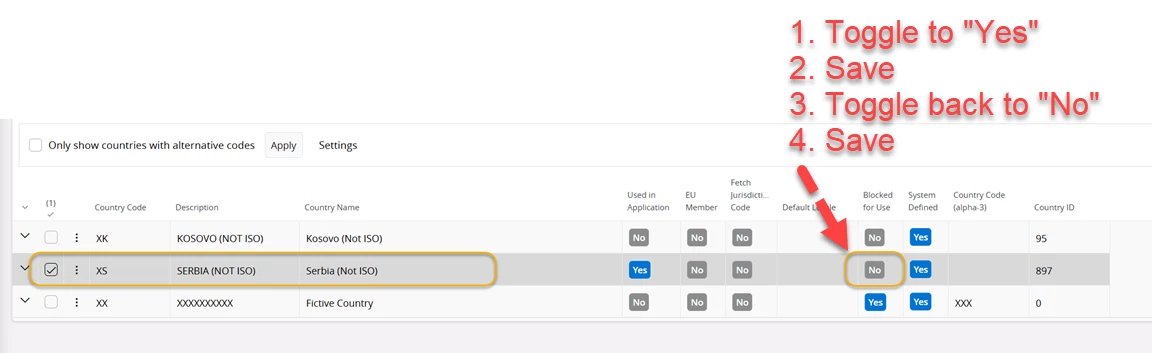
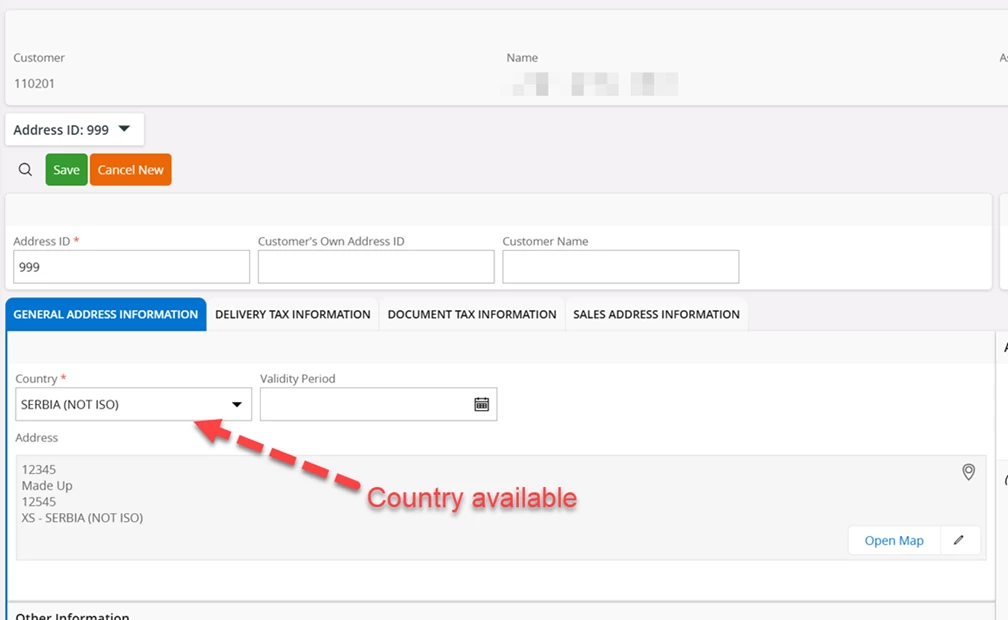
So I went back and I enabled "Blocked for Usage" field (changed to “Yes”), saved the record, then I disabled "Blocked for Usage" and tried entering an address again. This time it worked fine. I think that the just forced the refresh the validation cache.

then I was able to add the address:


Steps I used to fix:

  1. Filter for country code "XS" (yours is obviously “NL”)
  2. Click the edit icon
  3. Verify "Used in Application" is Yes (You already did this)
  4. Change "Blocked for Usage" to Yes
  5. Save the changes
  6. Change "Blocked for Usage" to No

The error message you're seeing is the system's way of saying the country value isn't available in the valid list, which is controlled by these two flags working together.

Let me know if that solves it for you. 

-jason