Solved

IFS cloud : Directory path for currency rates importation

  • December 1, 2022
  • 3 replies
  • 129 views

Ines
Sidekick (Partner)
Forum|alt.badge.img+9
  • Sidekick (Partner)

Hi,


where can I set the directory path for currency rate in input?

Thanks


Best answer by Link

Hi @Ines 

I see. Then the approach must be different in IFS Cloud.


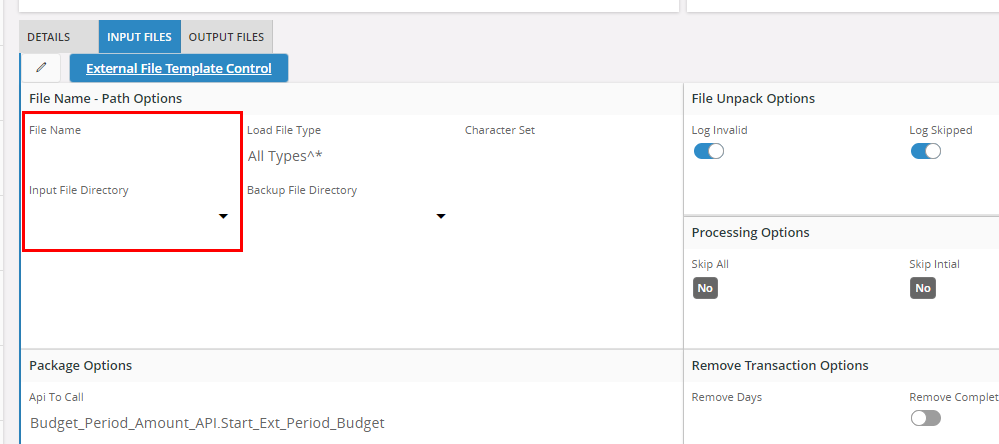
In Aurena 10 the input field is also there. Maybe there is something in basic data.
 

3 replies

Link
Superhero (Customer)
Forum|alt.badge.img+23
  • Superhero (Customer)
  • December 1, 2022

Hi @Ines 

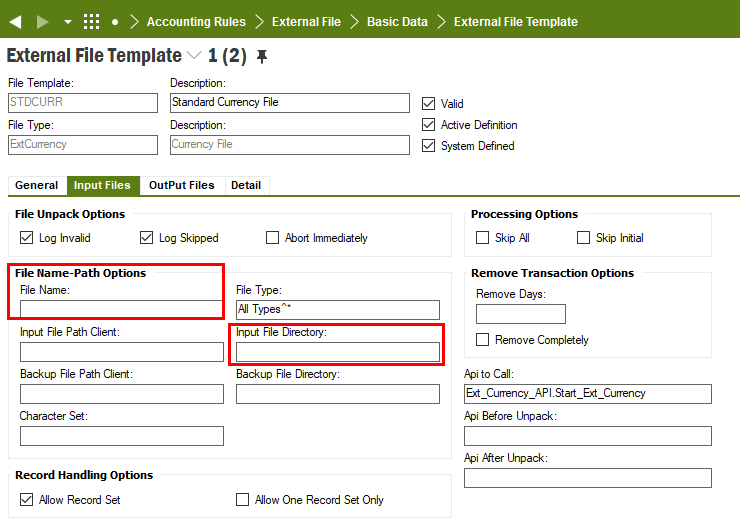
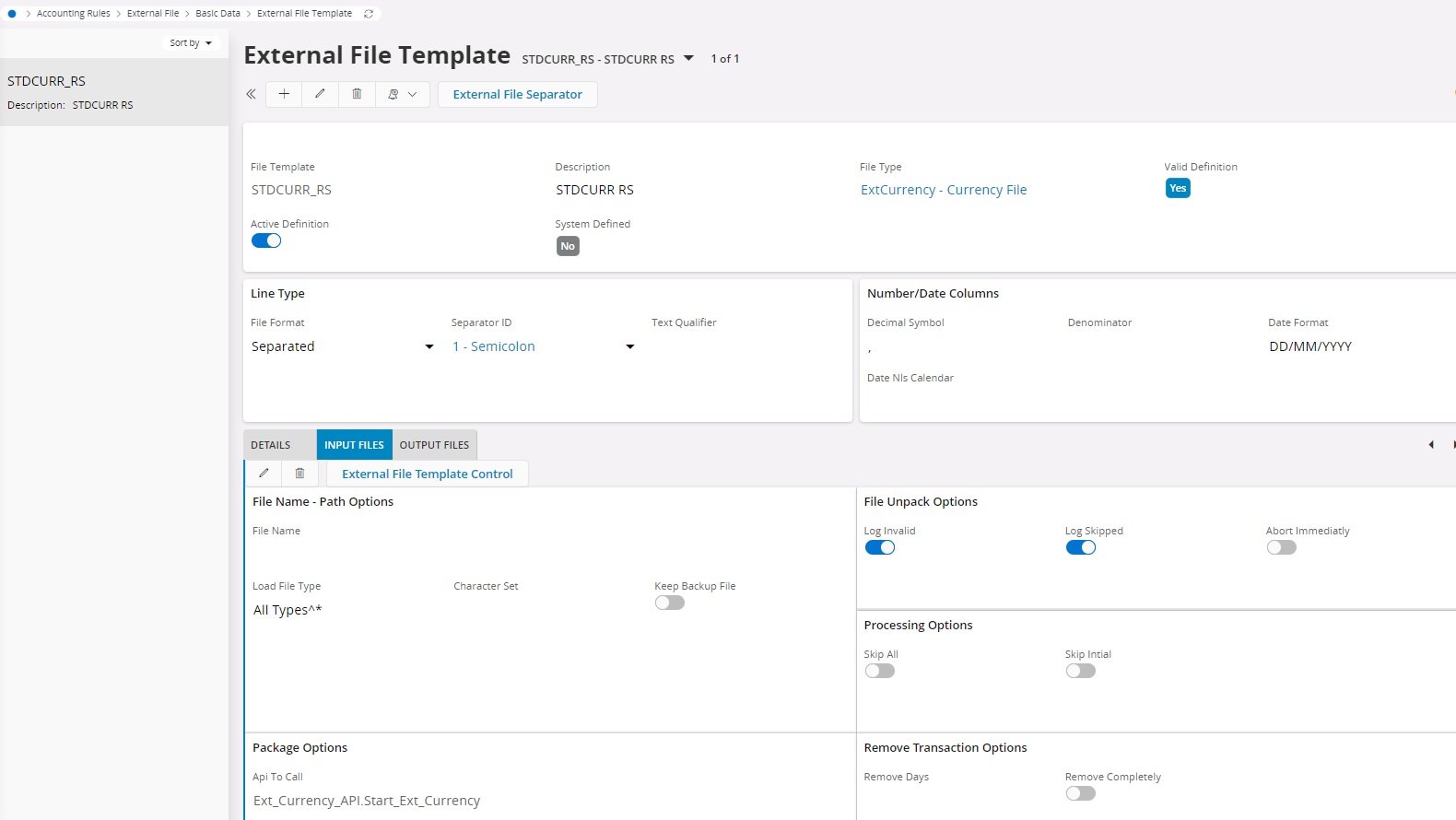
at first you need an external file template for currencies:


Make a copy and change it there.


Ines
Sidekick (Partner)
Forum|alt.badge.img+9
  • Author
  • Sidekick (Partner)
  • December 1, 2022

Hi Link,

you are on IFS10, on cloud, there is no directory , why the question


Link
Superhero (Customer)
Forum|alt.badge.img+23
  • Superhero (Customer)
  • Answer
  • December 2, 2022

Hi @Ines 

I see. Then the approach must be different in IFS Cloud.


In Aurena 10 the input field is also there. Maybe there is something in basic data.