Question

IFS Cloud 25R2 SU5 - Modify External File Templates STDVOU/STDVOU2

  • September 22, 2026
  • 5 replies
  • 28 views

Forum|alt.badge.img+9

Hi Finance experts,

We have added Identity Type (Customer/Supplier type) and Identity(Customer ID/Supplier ID) to voucher_row_tab via a Modification.
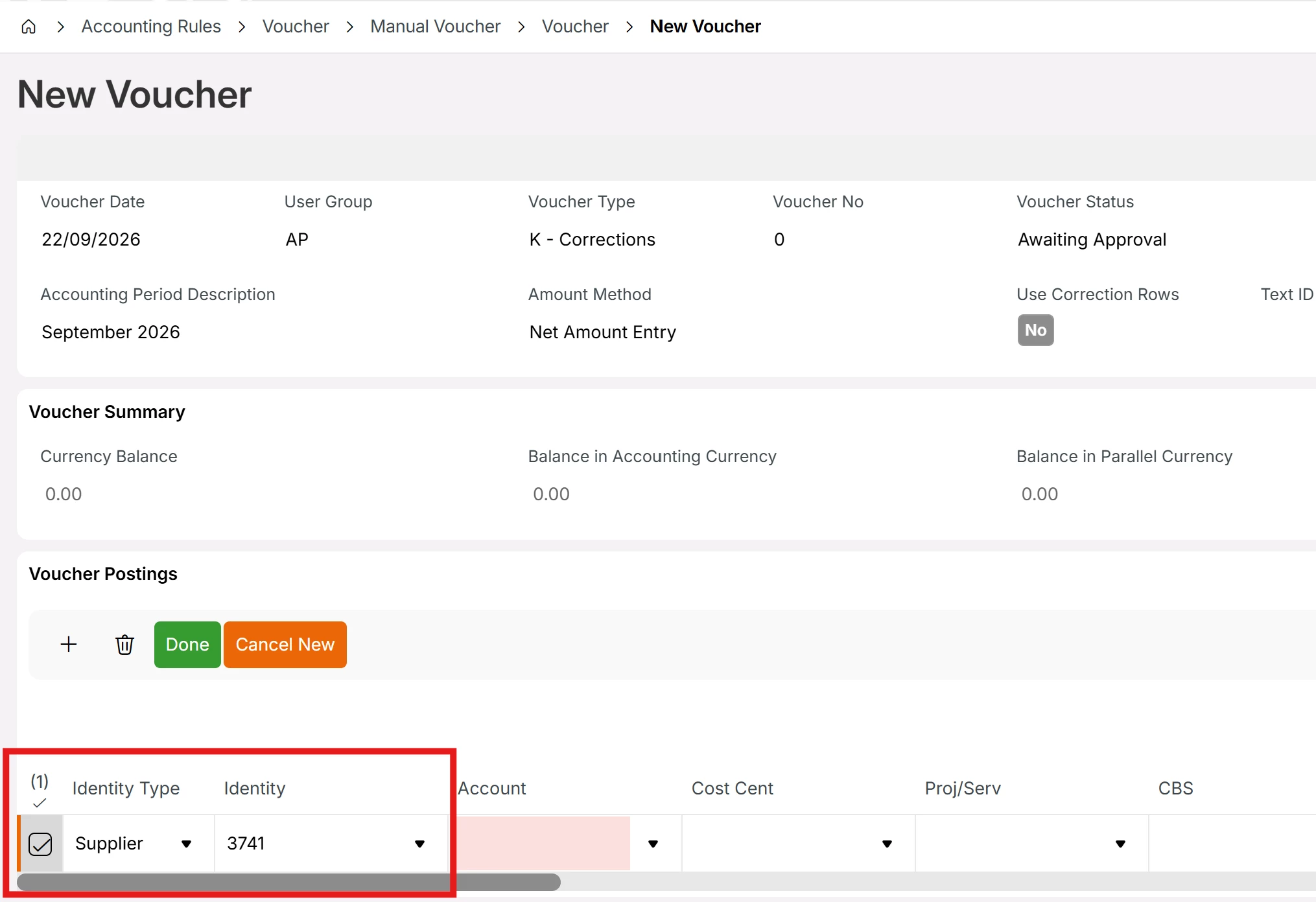


Now there is a requirement to modify External File Templates STDVOU/STDVOU2 to update above values.
I believe this is a Modification but I would like to know
1. Is this a complex modification requires changes in multiple places?
2.Is it a good practice to change STDVOU/STDVOU2 templates?
3. Do we have any other alternative options like Configuration instead of a Modification to achive this?

5 replies

Furkan Zengin
Ultimate Hero (Partner)
Forum|alt.badge.img+21
  • Ultimate Hero (Partner)
  • September 22, 2026

Hello ​@GaSoGB 

What is the purpose of adding those fields into voucher entry window or having them on external supplier invoice window?


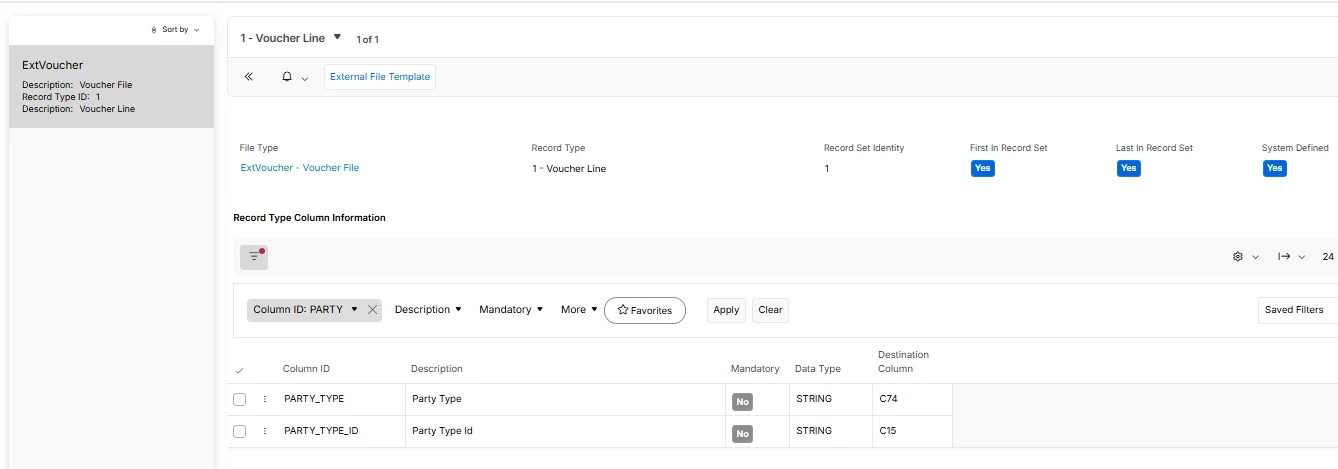
Btw, in the file type you have already those 2 fields. You don’t need any modification. Just add to your file template and upload your voucher


Hope this helps


Forum|alt.badge.img+9
  • Author
  • Sidekick (Partner)
  • September 22, 2026

Hi ​@Furkan Zengin ,

I believe Customer wants to import Supplier/Customer from external files when creating vouchers.
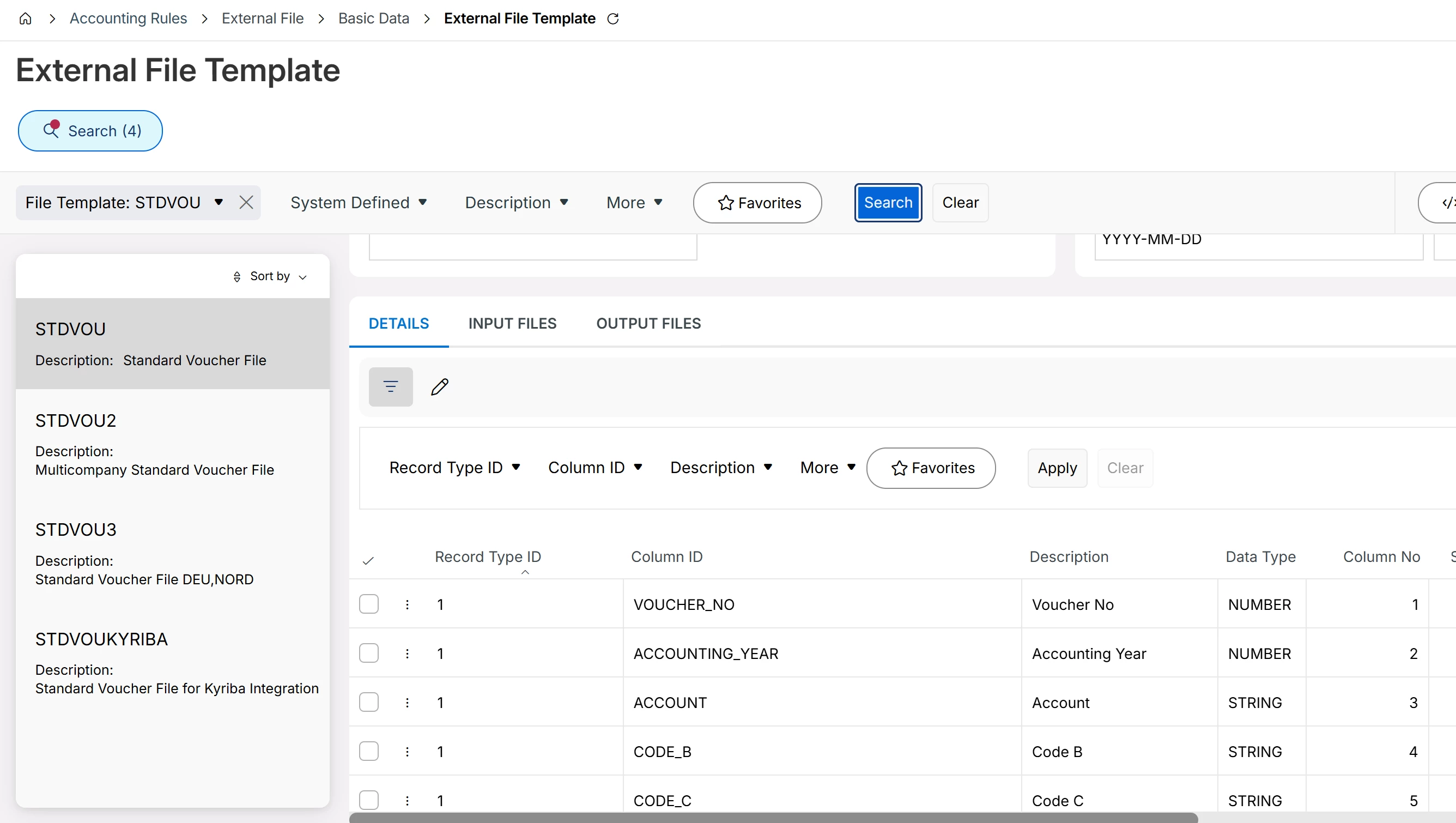
May I know how to add any data field to External File Templates? There is no + icon to add new data columns.
Further, there are no data fields in Voucher Row or business logic to have Identity in voucher_row_tab so I do not think  it is possible without changing business logic of associated methods of file templates.


Furkan Zengin
Ultimate Hero (Partner)
Forum|alt.badge.img+21
  • Ultimate Hero (Partner)
  • September 22, 2026

Hello ​@GaSoGB 

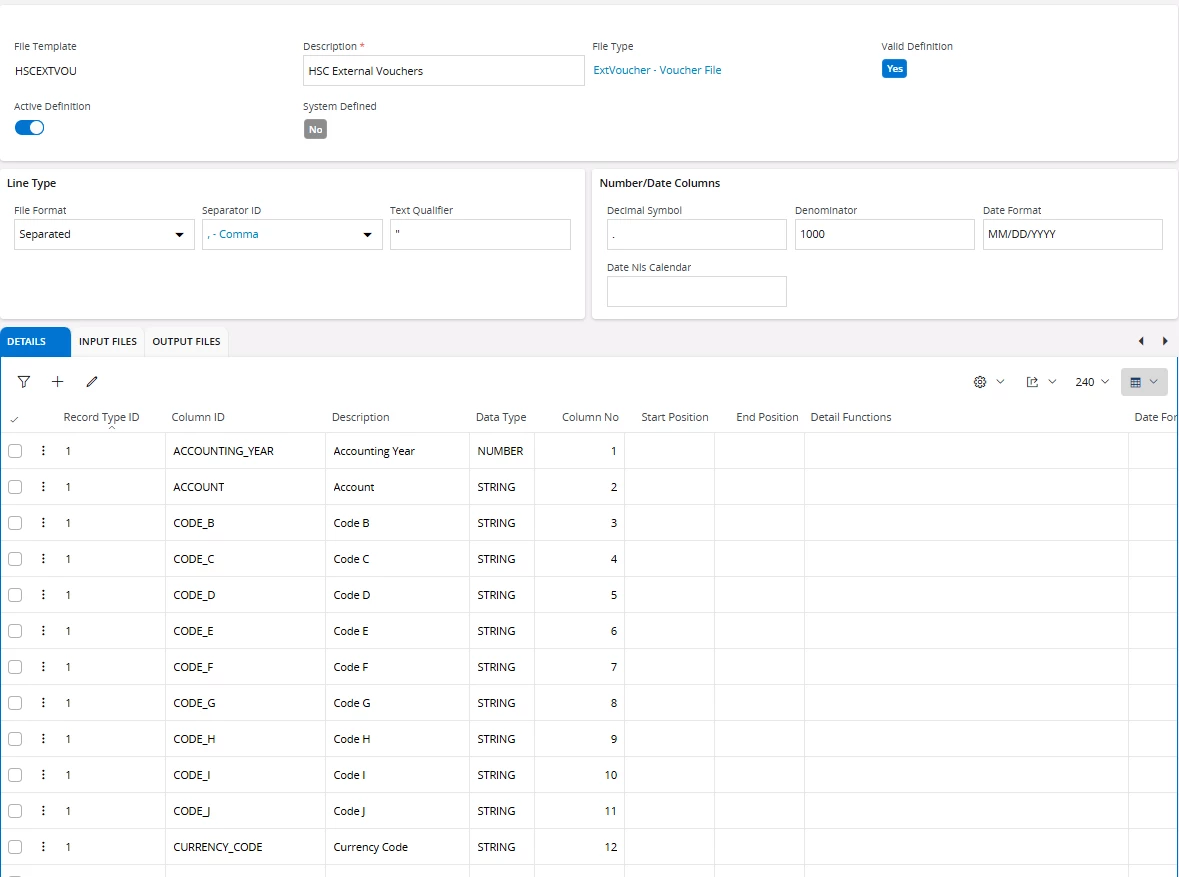
You need to create a new file template  and add your columns into it. Something similar to this.


You know that it gives nothing to them when them import customer/supplier IDs. They are manual vouchers only and no ledger transaction is created. Meaning that they are not visible on supplier/customer analysis etc.

Thanks

Furkan


Forum|alt.badge.img+9
  • Author
  • Sidekick (Partner)
  • September 22, 2026

Many thanks ​@Furkan Zengin for your valuable input.
I will do some experiments with your inputs :)


Forum|alt.badge.img+20
  • Superhero (Employee)
  • September 22, 2026

Very easy process, go to external file templates (with the S). This lists all templates. Then use the option to copy the template. Call it template XYZ (or anything you want) and modify that template.   Add columns, remove columns, change the separator ID, In template control add a process to skip the header records. 

The revised template should include the attributes you need, for example account, amount, text and anything else you need. Remove the columns you don’t want / don’t need.  Ive created VOU templates with as little as 3 or 4 attributes. 

None of this requires a mod.  


Best regards, 

Thomas