Question

How to use a parked payment on an Advanced Invoice?

  • October 4, 2024
  • 5 replies
  • 54 views

Forum|alt.badge.img+8

We have a parked payment (CUPOA) and would like to apply it to an advanced invoice. Can we do this via customer offset? Or should it be done some other way?


I would appreciated any help/advise on this. Thank you.

5 replies

Forum|alt.badge.img+3

Hi, I’m facing a similar issue. Did you receive any feedback, or how did you manage to resolve this in IFS Cloud? Thank you in advance for your response.


Forum|alt.badge.img+16
  • Hero (Customer)
  • November 25, 2025

Yes, I think CUPOA can be used to pay advance invoice via customer offset, manual customer payment  or mixed payment. There should be no problem with that. 
As a result of advance invoice payment, CUPIA open item should be created. 


Forum|alt.badge.img+3

Hi Adame, 

thank for your answer, but it didn´t help to me :-)

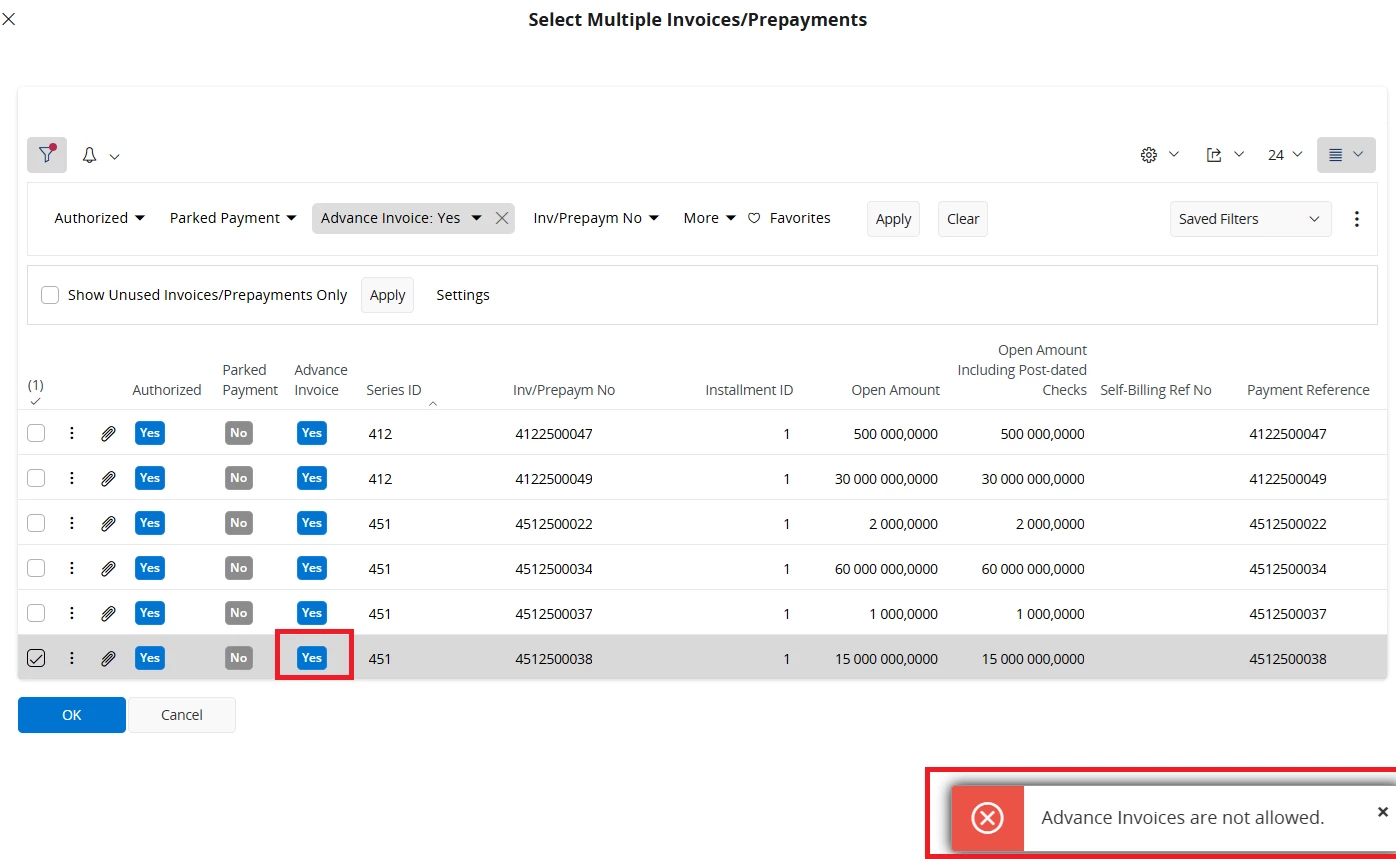
I’m trying this in the “AP/AR Netting” job → Netting. I want to offset an advance invoice with a CUPOA payment. Unfortunately, I can’t select the advance invoice at all; IFS Cloud shows an error. 


When I try to use diffrent jobs:

  1. “Customer Offset Proposals”, mistake message is same “Advance Invoices are not allowed”.
  1. “Mixed payment”: advance invoice is OK, but  CUPOA payment  is not offer in the “Enter Customer Payment” row of a mixed payment.


Forum|alt.badge.img+16
  • Hero (Customer)
  • November 27, 2025

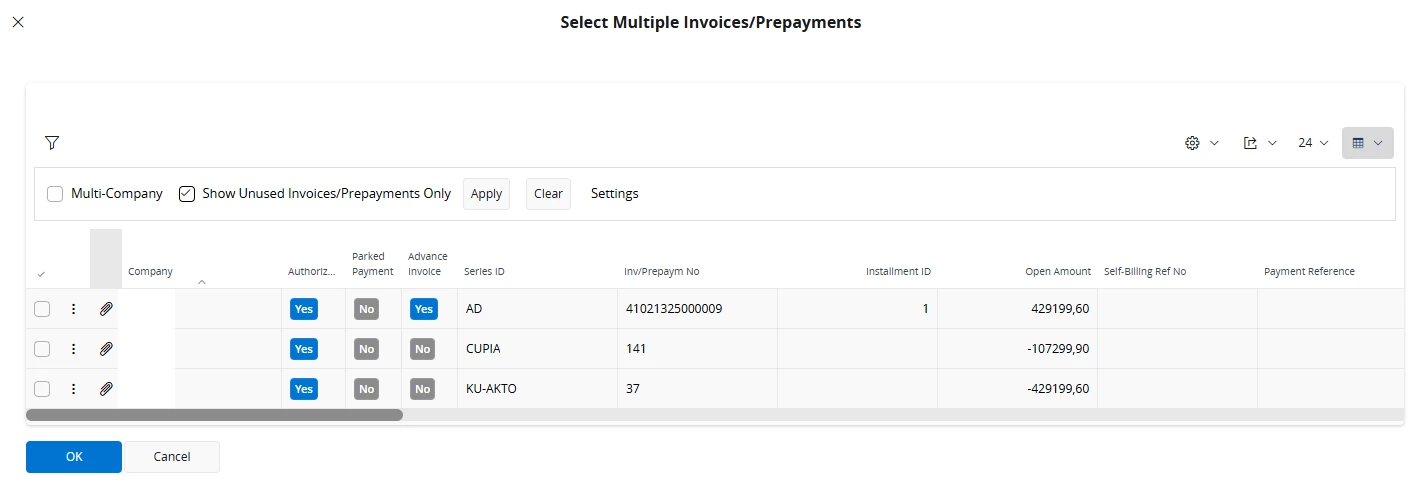
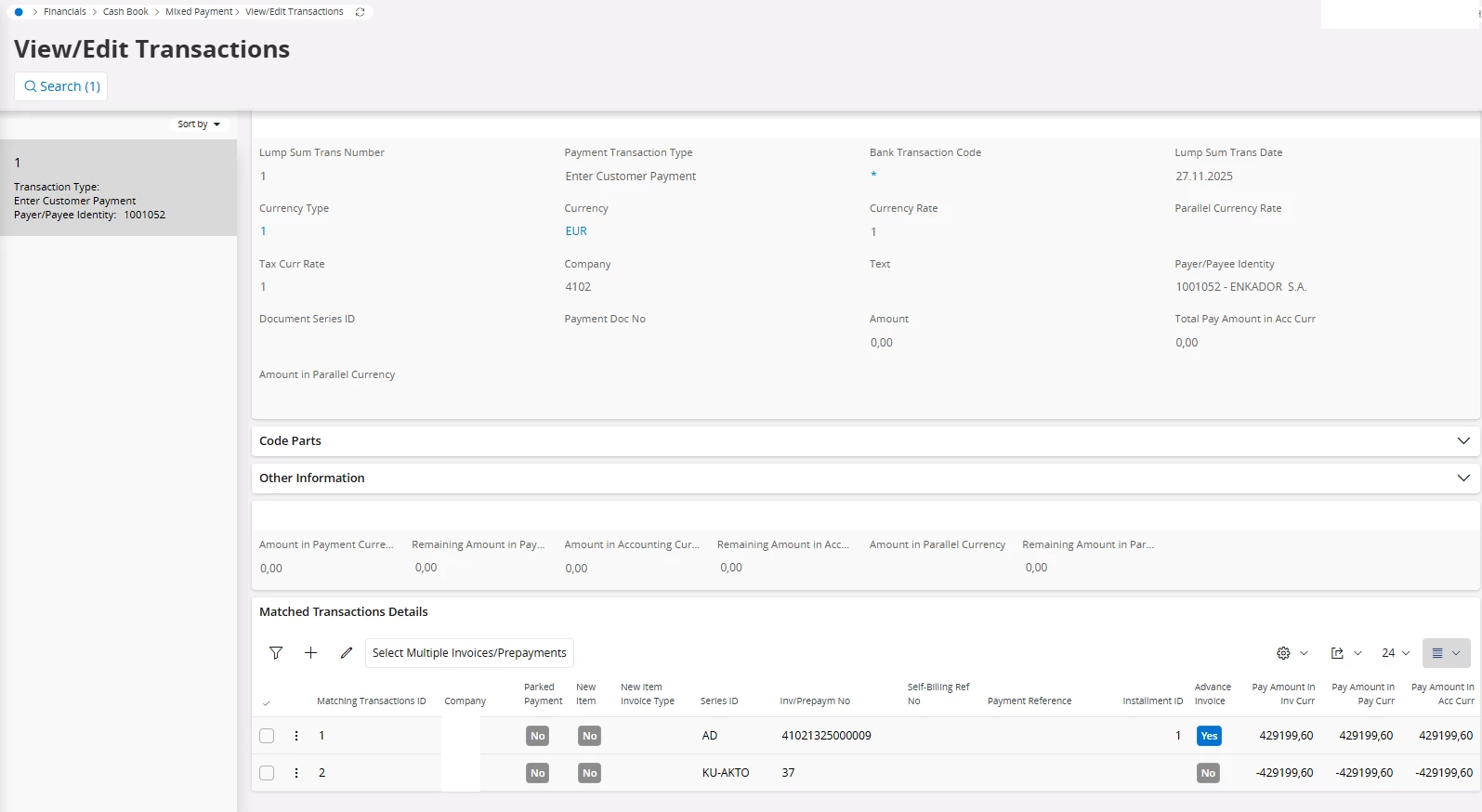
OK, In cloud indeed there’s no manual customer payment and advance invoices are not allowed in offset. 

However it should work in Mixed payment. In my case both advance invoice and customer payment on account can be selected (KU-AKTO is series for customer payments on account, CUPOA equivalent):


Forum|alt.badge.img+16
  • Hero (Customer)
  • November 27, 2025

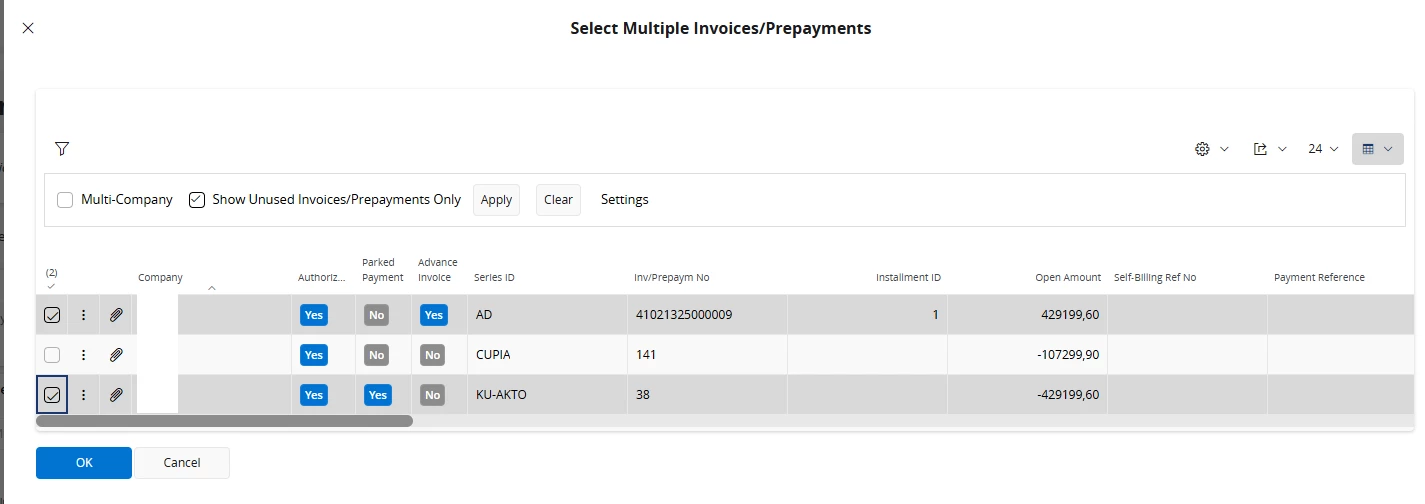
And with parked payment (unknown customer) it works as well: