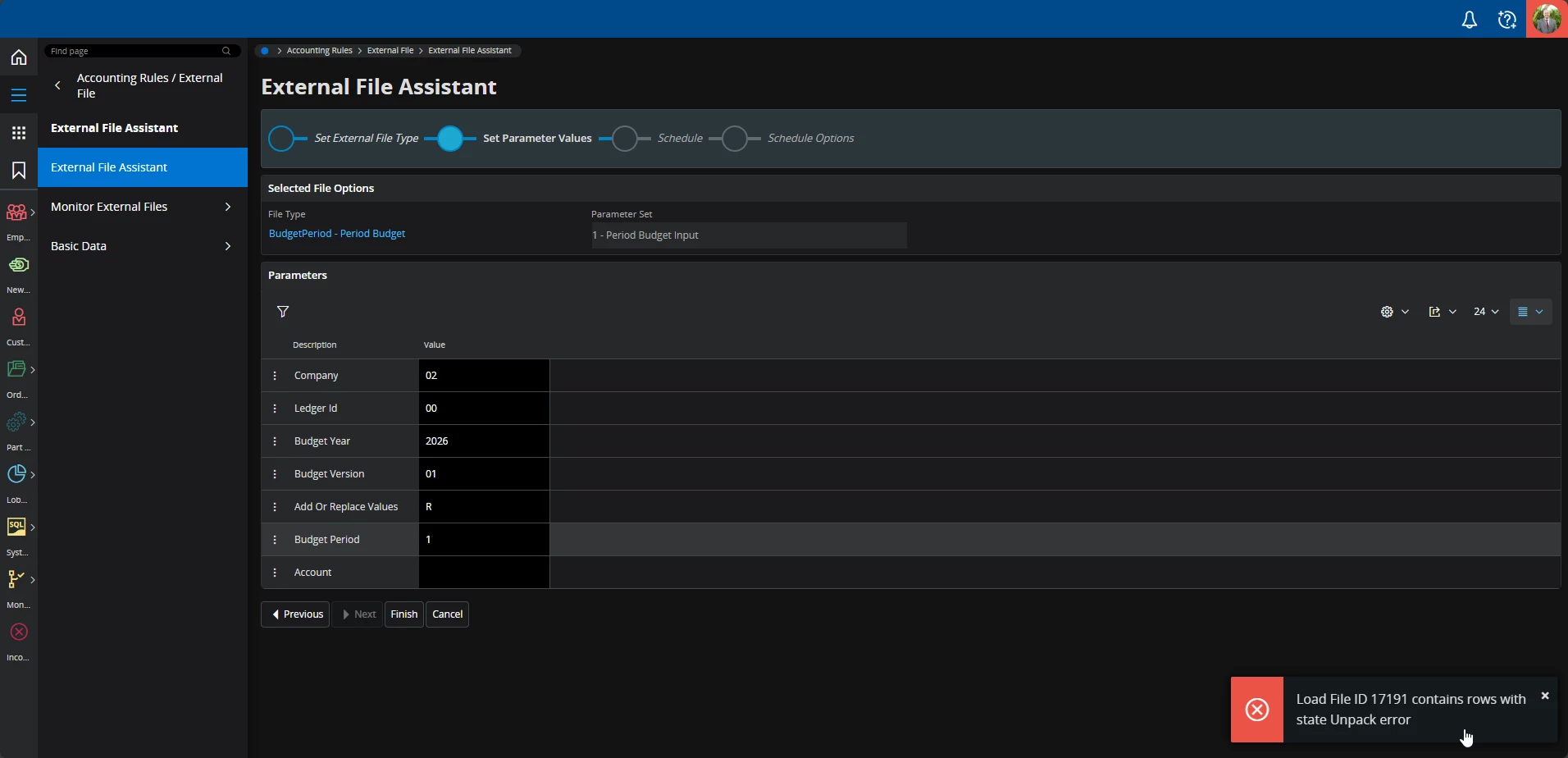
I am attempting to upload a budget period using the external file assistant and a template that has been provided. When clicking finish I get an error stating the load file “contains rows with state Unpack error” -
Error Received after clicking “Finish”
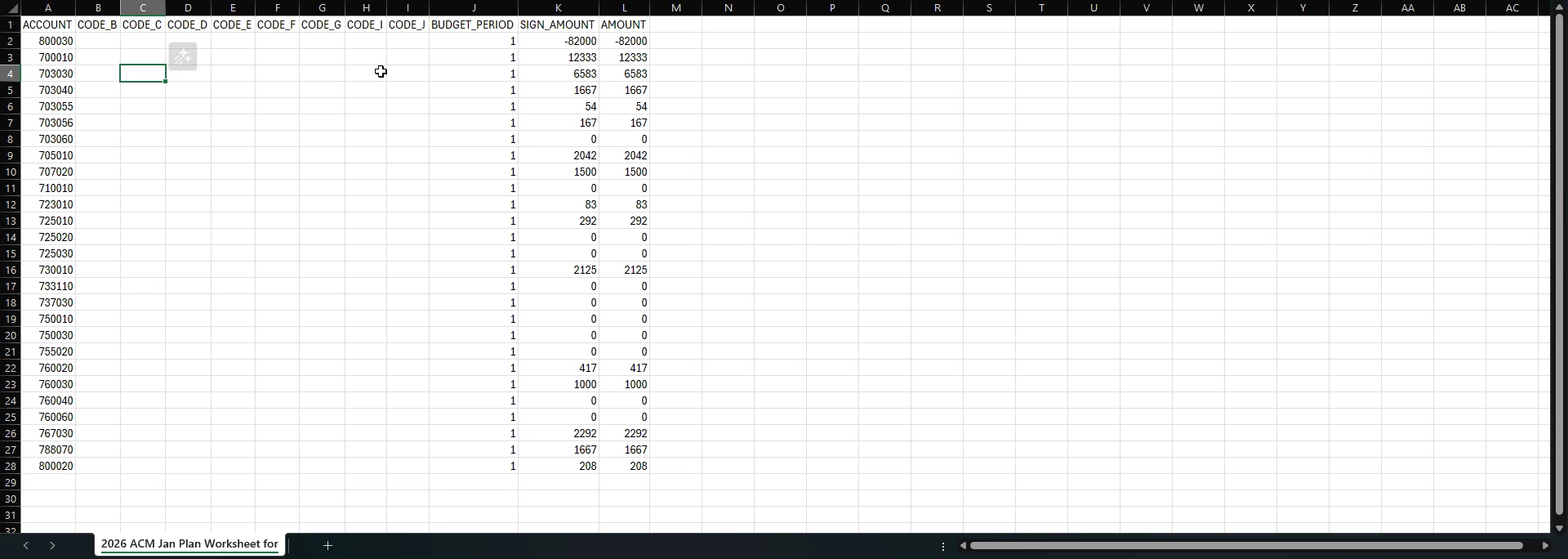
Below is a screenshot of the file I am attempting to upload -
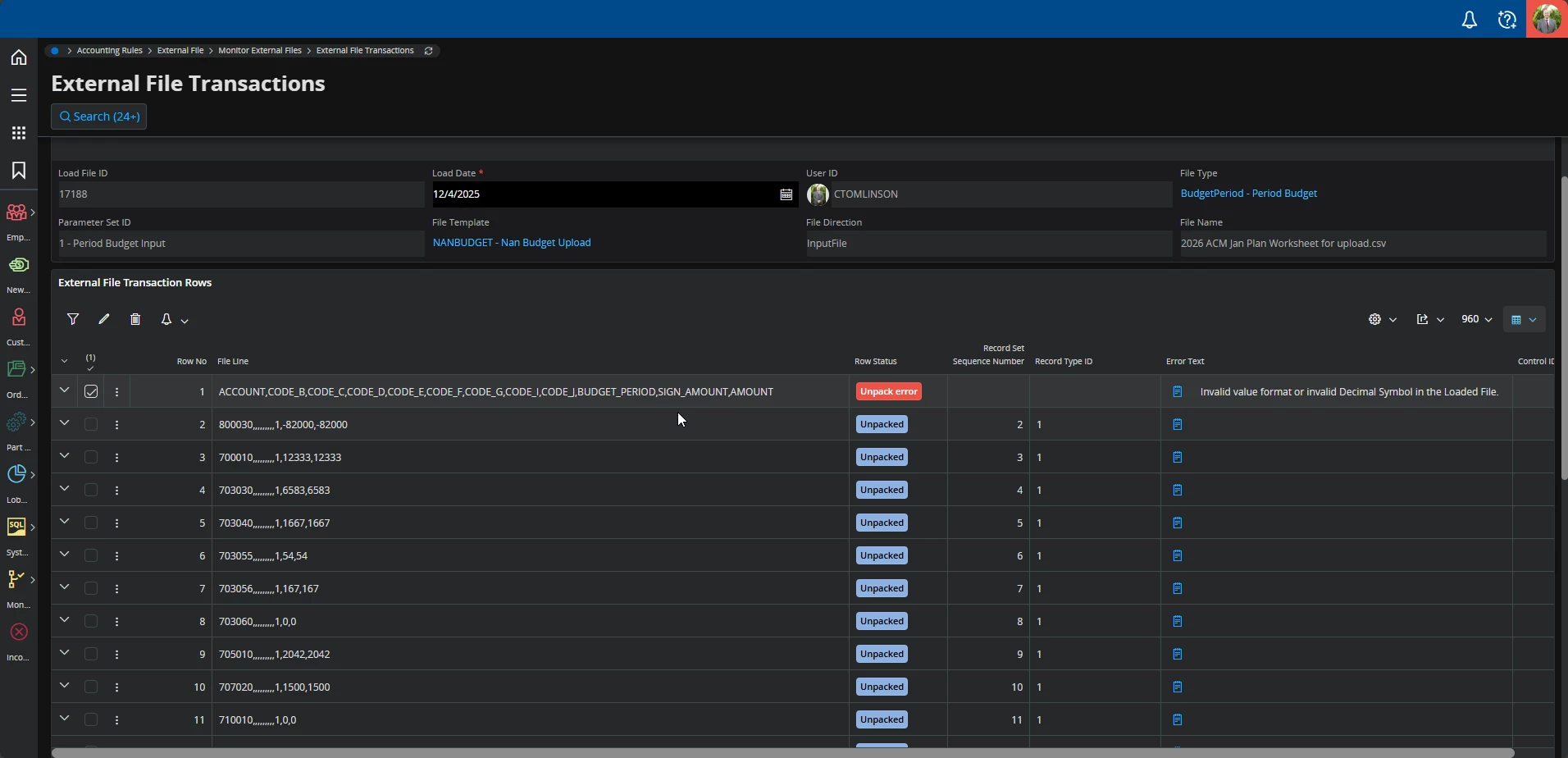
When I go and view the external file transaction for the failed load, I see that row 1 is the source of the unpack error. Specifically, it states “Invalid value format or invalid Decimal Symbol in the Loaded File.” -
Screenshot showing row 1 with an Unpack error stating “Invalid value format or invalid Decimal Symbol in the Loaded File.”
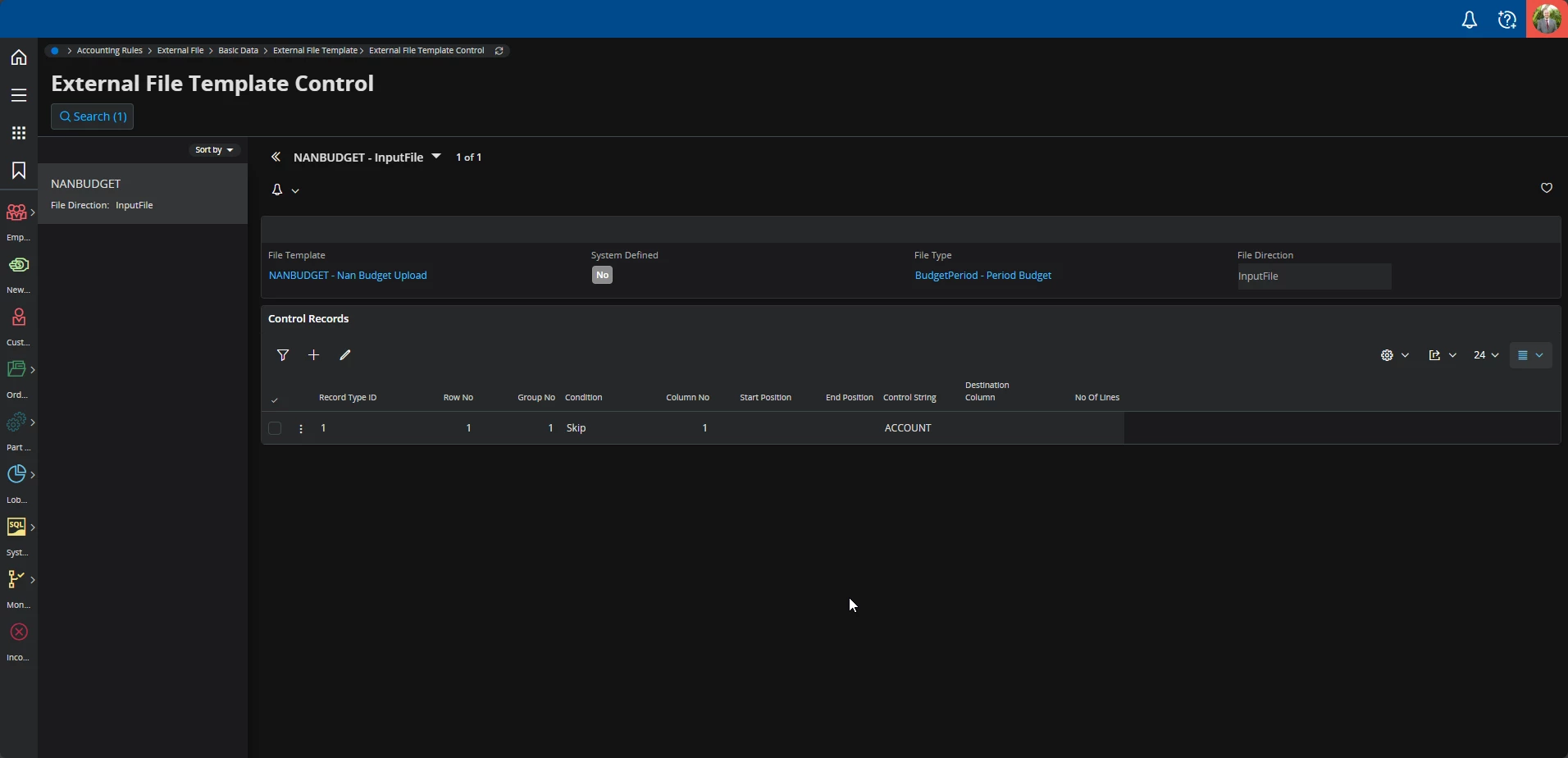
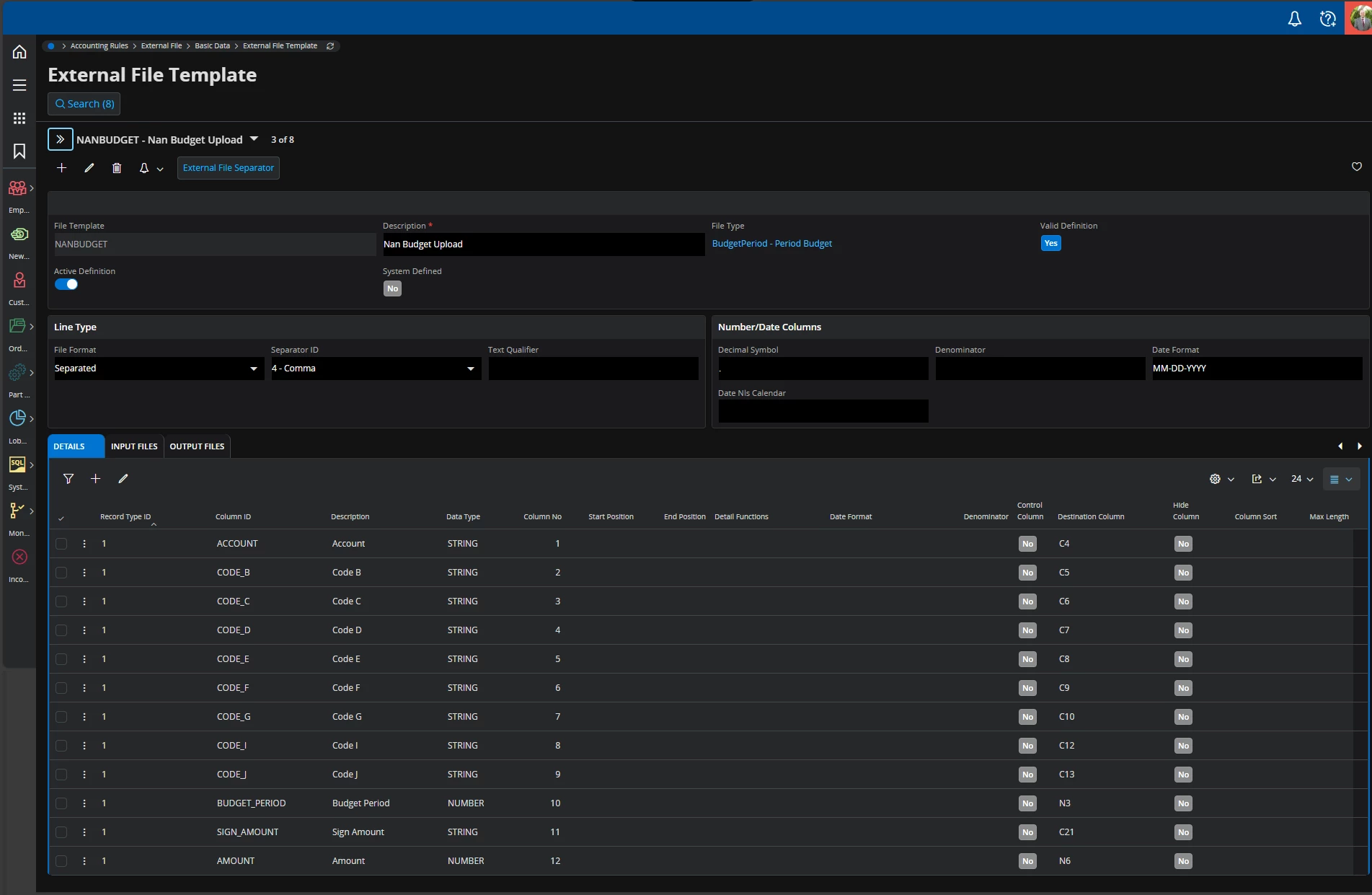
I am a bit confused why row 1 would be causing the error because there is an External File Template Control for this specific template that states Row 1 should be skipped if the first value it finds is “ACCOUNT” which is true for this excel file. Below is a screenshot of that control and also the file template as a whole -
External File Template Control with a rule stating row 1 should be skipped if a value of “ACCOUNT” is met.Full External File Template Settings
Any ideas why this input may be failing?
Best answer by Thomas Peterson
Hi,
Looks like something is wrong with the skip record, in the template control. I don’t see an issue, but the process is not working. I say this because IFS still believes that is a valid record (Unpack error).
If the skip was successful, the status would relate to skipped, I believe the actual state is unpack skipped.
First option, load the file without the header. Get the file to load then work your skip header record.
Second option delete the first cell in row 1 (ACCOUNT). Delete the cell so any formatting would also be deleted. Type some value such as Account so that it is a little different. The paste that string Account back into the skip record so they are the same.
Looks like something is wrong with the skip record, in the template control. I don’t see an issue, but the process is not working. I say this because IFS still believes that is a valid record (Unpack error).
If the skip was successful, the status would relate to skipped, I believe the actual state is unpack skipped.
First option, load the file without the header. Get the file to load then work your skip header record.
Second option delete the first cell in row 1 (ACCOUNT). Delete the cell so any formatting would also be deleted. Type some value such as Account so that it is a little different. The paste that string Account back into the skip record so they are the same.
Looks like something is wrong with the skip record, in the template control. I don’t see an issue, but the process is not working. I say this because IFS still believes that is a valid record (Unpack error).
If the skip was successful, the status would relate to skipped, I believe the actual state is unpack skipped.
First option, load the file without the header. Get the file to load then work your skip header record.
Second option delete the first cell in row 1 (ACCOUNT). Delete the cell so any formatting would also be deleted. Type some value such as Account so that it is a little different. The paste that string Account back into the skip record so they are the same.
Best regards,
Thomas
Good ideas and thoughts! I tried checking the formatting of the upload files and all fields appear to have no formatting options turned on.
I then tried to create a new file entirely just to ensure there was no formatting or file specific settings that were the issue. That new file worked totally fine…
I’m still not sure what the issue is with the original template file that was used but can verify that it doesn’t appear to be any issues with IFS.