Answer

Export External File Template

  • January 26, 2024
  • 4 replies
  • 495 views

MWitczak
Hero (Customer)
Forum|alt.badge.img+10

Is there a convenient or “proper” way to export an External File Template in IFS Apps 10?  Looking for an alternative to manually editing the template.

Best answer by dsj

Hi @MWitczak 


You can Export/Import external file templates using the filetype ExtFileExpImp.

Choose the parameter set according to your need.
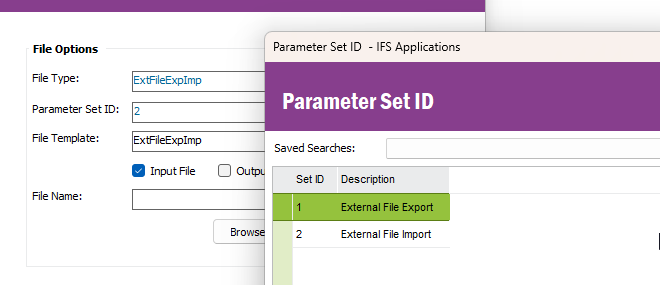
 

Hope it helps!

Damith

4 replies

dsj
Ultimate Hero (Partner)
Forum|alt.badge.img+22
  • Ultimate Hero (Partner)
  • Answer
  • January 27, 2024

Hi @MWitczak 


You can Export/Import external file templates using the filetype ExtFileExpImp.

Choose the parameter set according to your need.


Hope it helps!

Damith


DMTCCAN
Sidekick (Customer)
Forum|alt.badge.img+6
  • Sidekick (Customer)
  • March 17, 2025

Hello,

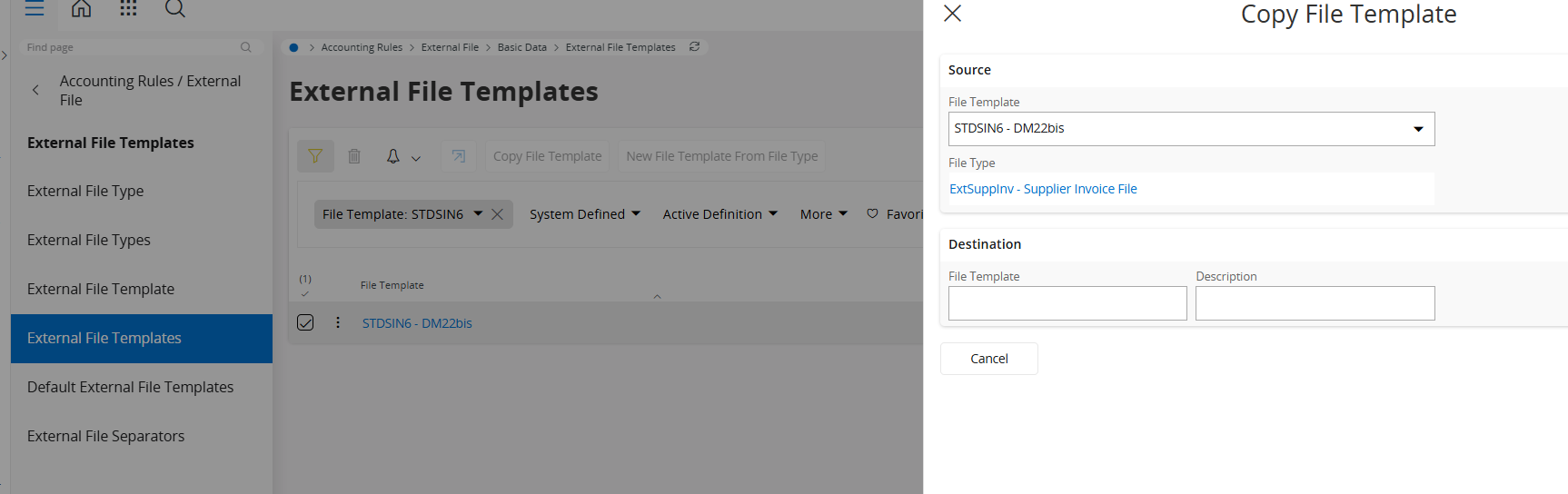
I am facing the same issue but in IFS Cloud !

I have not exactly the same information on my screen.


 Thank you for your help.


Christophe


dsj
Ultimate Hero (Partner)
Forum|alt.badge.img+22
  • Ultimate Hero (Partner)
  • March 17, 2025

Hi ​@DMTCCAN 


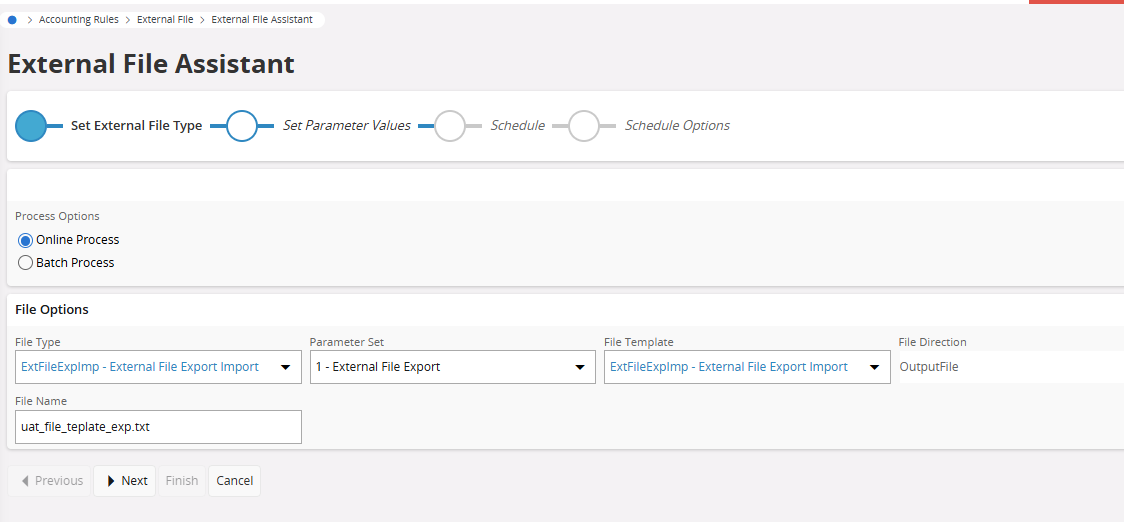
You can use the External file Assistant for export/import file templates in IFS Cloud

File Type= ExtFileExpImport

To export, use Parameter set 1

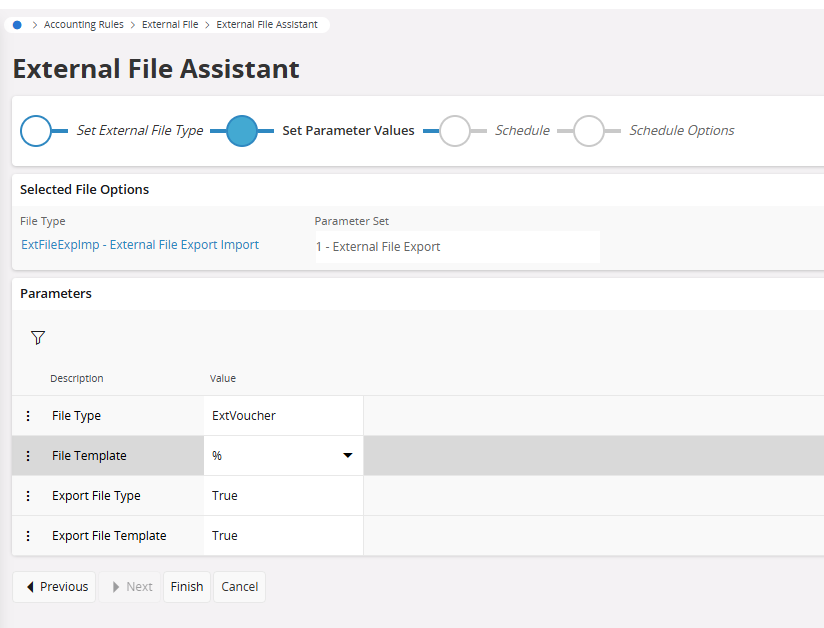
In the next step, choose the file type and template needs to be exported

This would download a file containing the file type and template definitions

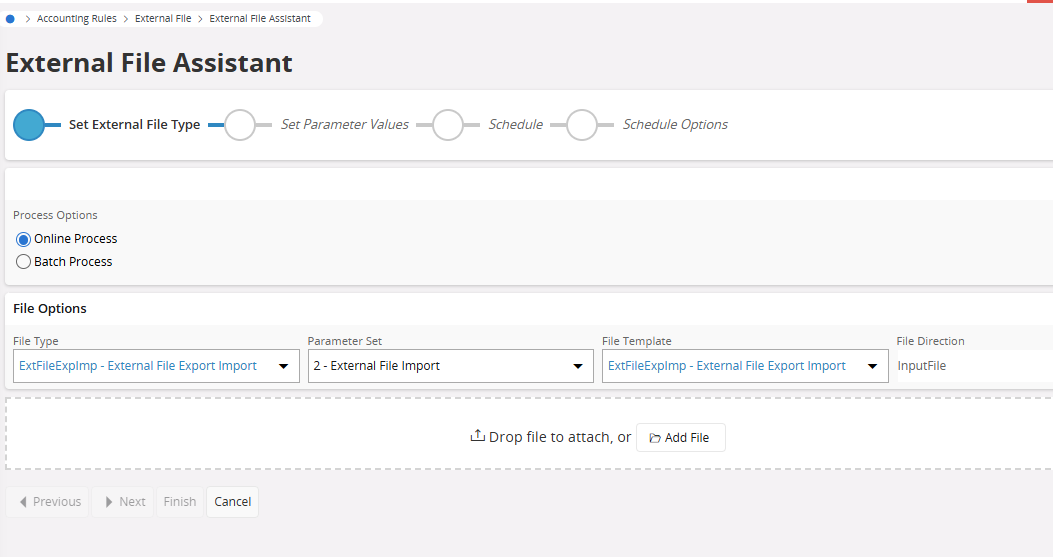
Then login to the other environment and use the External file assistant and file type ExtFileExpImport

Set the Parameter set = 2. Then add the file exported in the previous step.


Hope it helps!

Damith


DMTCCAN
Sidekick (Customer)
Forum|alt.badge.img+6
  • Sidekick (Customer)
  • March 17, 2025

Hello,

It was working.

Thanks a lot !


Christophe