


Question

Error on Project demand screen based on M1 stock account code part demand setup

  • May 18, 2026
  • 1 reply
  • 10 views

Forum|alt.badge.img+6
  • Sidekick (Partner)

Dear All,

One of our customer having problem on the code part demand setup. Below are the details.

Customer using one of other code part (other than GL) base for cost element mapping.

M1 posting control mapped against stock balance account with cost element code part mapping.

Now, business, do not want to see the inventory cost on the project monitoring screen. Hence, they blocked cost element code part and enable Exclude from Project follow up checkbox, as they still want to have the Project code part on the M1 posting. However, with the new setup, they are getting an error on project demand screen, as system trying to validate the inventory part and its relevant cost element code part connection on M1 posting type which is missing.

Can anybody, see a solution how can we solve this without changing the checkbox Exlude project followup?
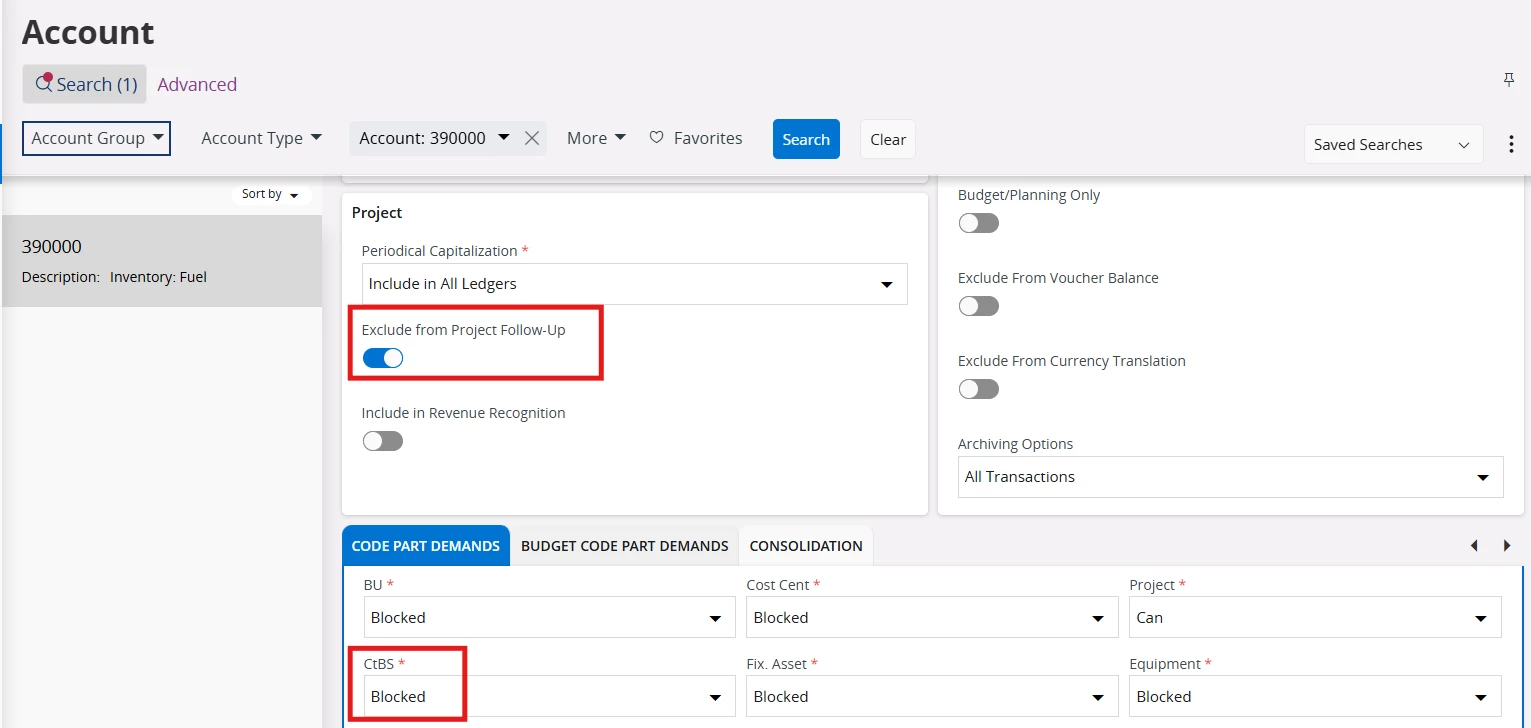

 

1 reply

Forum|alt.badge.img
  • Do Gooder (Customer)
  • May 19, 2026

Hi, 

Yes, if the blocked code part is one of the requirements for the project-related pre-posting, then the system will give the error that you are encountering. Therefore, you will need to enable it.

Coming back to your original question, if the company does not want to see the inventory cost in Project Monitoring, please check whether you can map the same account in M62 as used in M1. This way, the DR and CR entries will nullify each other, and the inventory cost will not be reflected in Project Monitoring.

However, in this scenario, Control Type AC1 for M62 might not work, especially if the M1 account is linked to either the location or the accounting group or any control type other than AC1. In that case, you will need to map M62 accordingly to ensure that the M1 and M62 accounts for the inventory issue remain the same. Please share whether this resolved the issue?
