Question

Customer Order - status delivered but hasn't invoiced?

  • August 24, 2026
  • 7 replies
  • 59 views

Forum|alt.badge.img+9

Why would this be?


How can I create the invoice?

How can I resolve to prevent this happening again?  

7 replies

Forum|alt.badge.img+10
  • Hero (Customer)
  • August 24, 2026

Could you please provide a bit more context?

Are you trying to create an invoice automatically, or is the invoice generation failing?

Also, what type of customer order are you using? how is the stop step defined ?


Nikila Dis
Superhero (Employee)
Forum|alt.badge.img+14
  • Superhero (Employee)
  • August 25, 2026

Hi ​@SMcLees,

Please review the following details.

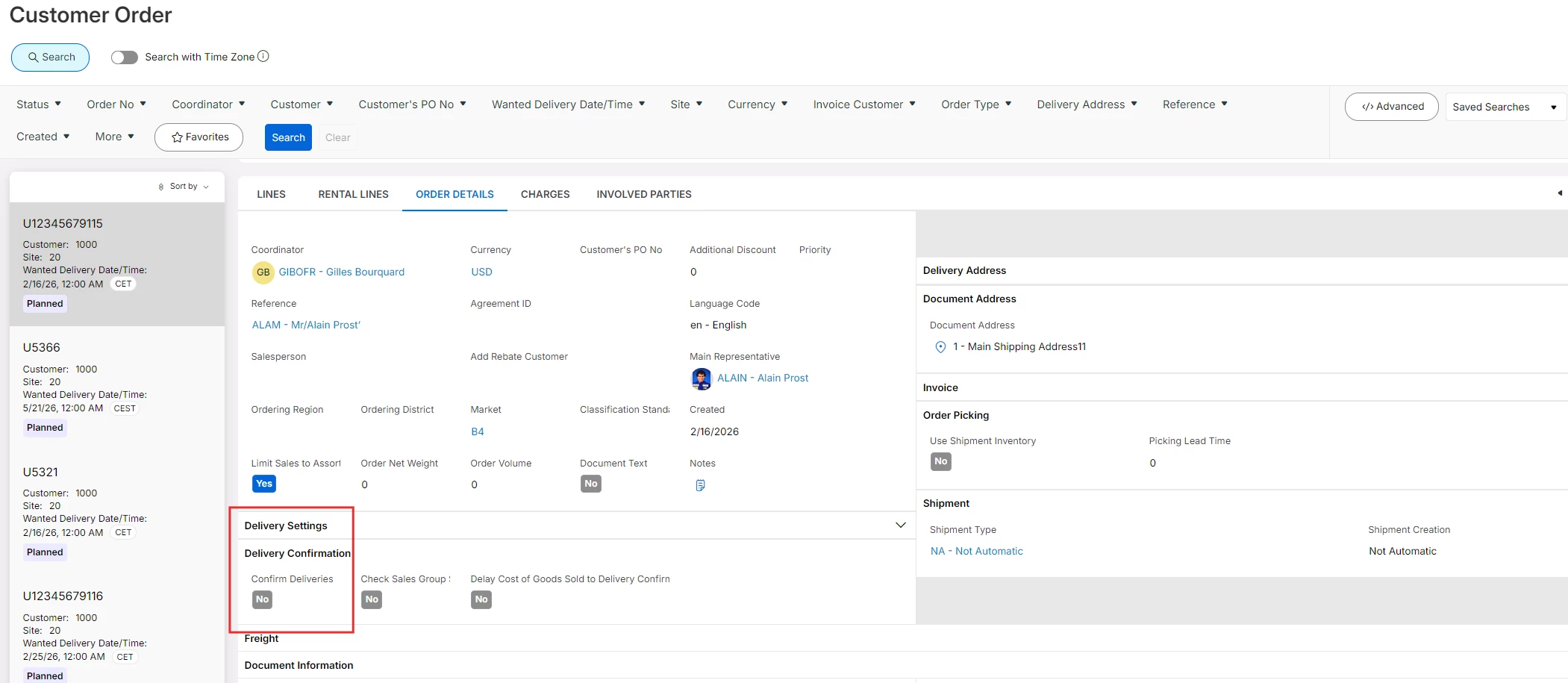
  • Delivery Confirmation – If Order Details → confirm Deliveries is enabled on the Customer Order, the delivery must be confirmed before the quantity becomes available for invoicing.
  • Blocked for Invoicing – Check whether the Customer Order/customer is blocked from invoicing. Orders blocked from invoicing will not be picked up by the invoice process.
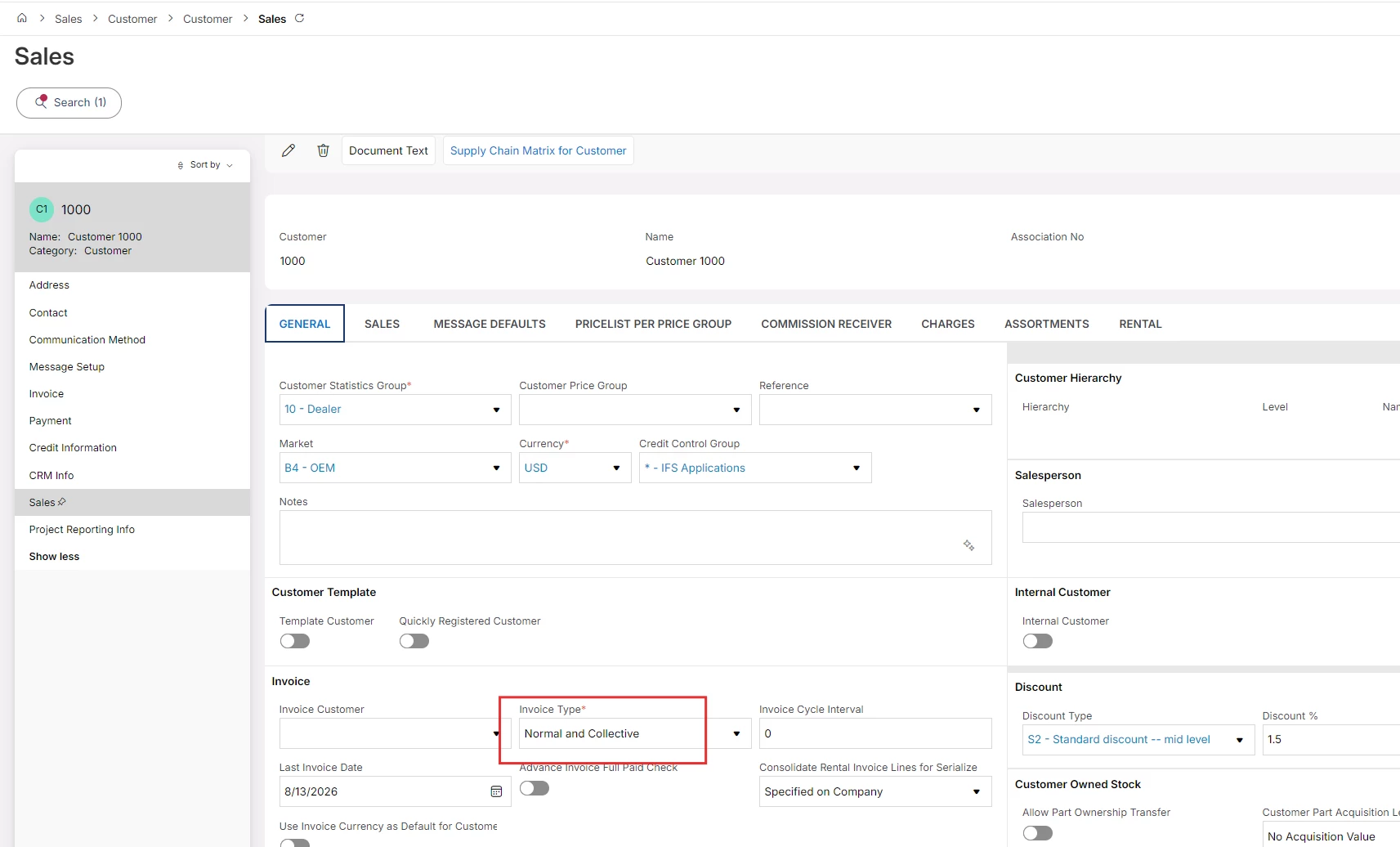
  • Customer Invoice Type – Confirm whether the customer is configured for Normal Invoice or Collective Invoice. Collective invoicing follows a different creation process.
  • Order Type / automatic invoicing setup – IFS can invoice customer orders manually or automatically depending on the Order Type configuration. Therefore, delivery itself does not always trigger invoice creation automatically.
  • Create Customer Order Invoice – Try searching for the order from the Create Customer Order Invoice page. If it appears there, it is invoiceable but the invoice creation process simply has not yet been executed.

Regards,

Nikila Dissanayake


Forum|alt.badge.img+9
  • Author
  • Sidekick (Customer)
  • August 25, 2026

Could you please provide a bit more context?

Are you trying to create an invoice automatically, or is the invoice generation failing?

Also, what type of customer order are you using? how is the stop step defined ?


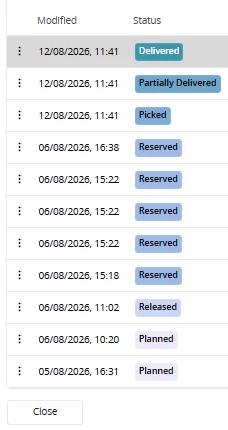
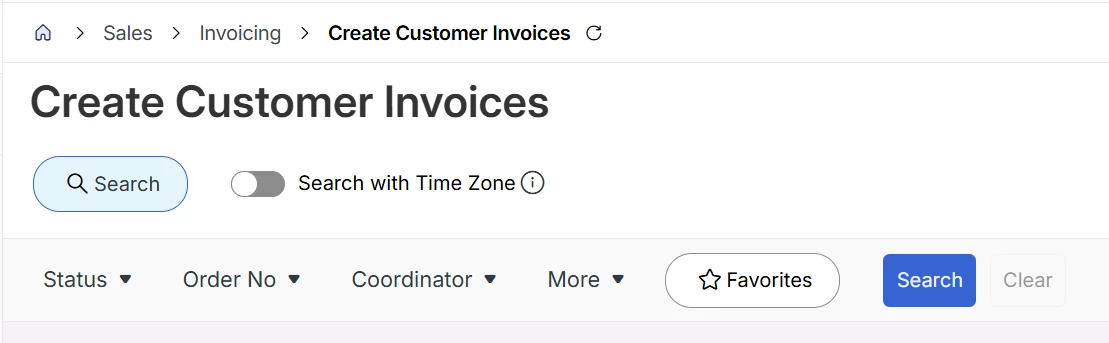
This is status of order -however when going to Create invoice screen that is blank and doesn’t have any options to create invoice 


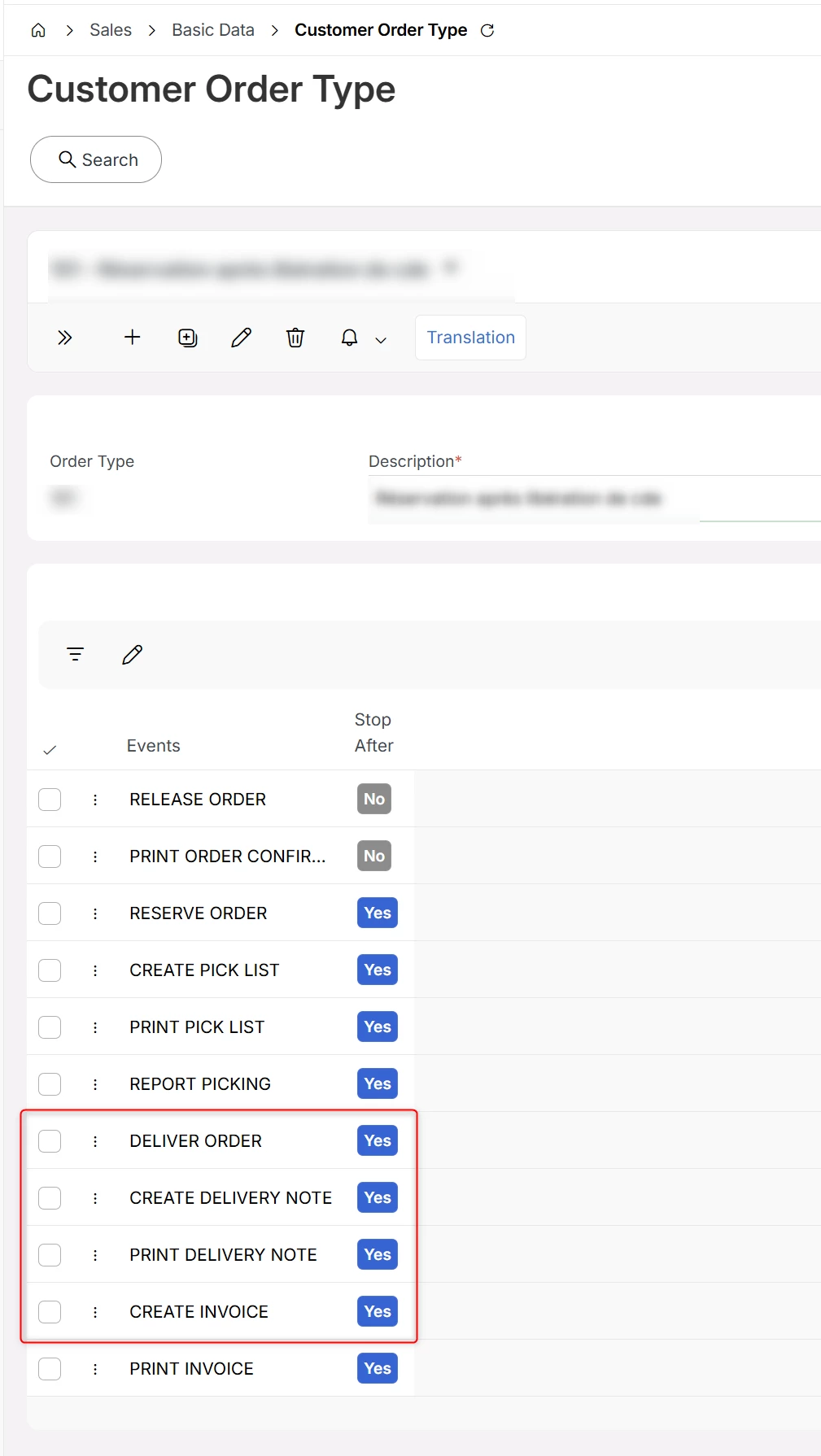
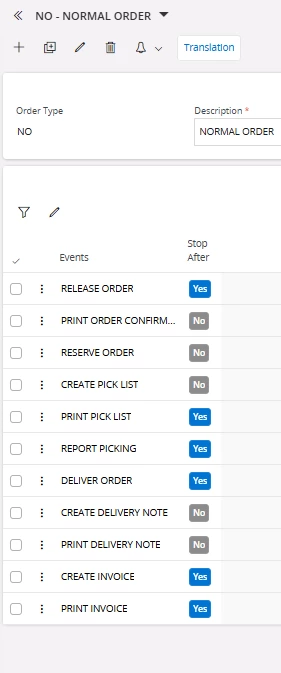
This is Order type being used


Nikila Dis
Superhero (Employee)
Forum|alt.badge.img+14
  • Superhero (Employee)
  • August 25, 2026

Hi ​@SMcLees,

From the screenshots, the Order Type NO – NORMAL ORDER appears to be correctly configured for invoicing. CREATE INVOICE is included in the order flow and Stop After is set to Yes. In IFS, the Create Invoice event is used to create a customer invoice for delivered customer order lines.

First, please check whether an invoice has already been created automatically. Since CREATE INVOICE is included in the order type flow, invoice creation may already have been triggered depending on how the order flow was processed. You can verify this by checking Customer Invoices or Customer Order Invoices using the relevant Order No.

Also, please check the quantities on the Customer Order Line. Open the order and compare the Delivered Qty and Invoiced Qty. If the full delivered quantity has already been invoiced, there will be no remaining quantity available for invoicing, and therefore nothing will be shown on the Create Customer Invoices page.

The main quantities to check are:

  • Delivered Qty
  • Invoiced Qty
  • Qty to Invoice / remaining invoiceable quantity

In addition please check whether Delivery Confirmation is required and (shipment status if available)


Customer Invoice Type

Regards,

Nikila Dissanayake


Forum|alt.badge.img+9
  • Author
  • Sidekick (Customer)
  • August 25, 2026

We think we have discovered the issue with some data missing from the customer

Hi ​@SMcLees,

From the screenshots, the Order Type NO – NORMAL ORDER appears to be correctly configured for invoicing. CREATE INVOICE is included in the order flow and Stop After is set to Yes. In IFS, the Create Invoice event is used to create a customer invoice for delivered customer order lines.

First, please check whether an invoice has already been created automatically. Since CREATE INVOICE is included in the order type flow, invoice creation may already have been triggered depending on how the order flow was processed. You can verify this by checking Customer Invoices or Customer Order Invoices using the relevant Order No.

Also, please check the quantities on the Customer Order Line. Open the order and compare the Delivered Qty and Invoiced Qty. If the full delivered quantity has already been invoiced, there will be no remaining quantity available for invoicing, and therefore nothing will be shown on the Create Customer Invoices page.

The main quantities to check are:

  • Delivered Qty
  • Invoiced Qty
  • Qty to Invoice / remaining invoiceable quantity

In addition please check whether Delivery Confirmation is required and (shipment status if available)


Customer Invoice Type

Regards,

Nikila Dissanayake


order - this has been amened, but how do we get it to create invoice stage now?


Forum|alt.badge.img+10
  • Hero (Customer)
  • August 26, 2026

Based on your provided customer order type, the creation of an invoice must be done manually

You can achieve this by going to the create customer invoices page and searching for your customer order


Marcel.Ausan
Ultimate Hero (Partner)
Forum|alt.badge.img+22
  • Ultimate Hero (Partner)
  • August 27, 2026

@SMcLees agree with ​@N.GEORGI . Your order type is set to stop after delivery. This means you need to manually create the invoice:

  • Create Customer Invoice - if your customer is set for normal and collective invoices
  • Create Collective Customer Invoice - if your customer is set for collective invoice only