
How can I change the due date on a customer invoice if the correction is due to incorrect payment terms in the customer profile?

Solved
Customer Invoice Due Date
 +2
+2Best answer by Shehan Almeida
Hi Paul,
You can go to the customer invoice ,select RMB and then select ‘installment Plan and discounts’
Here you can change the Current Due date filed and save the changes.
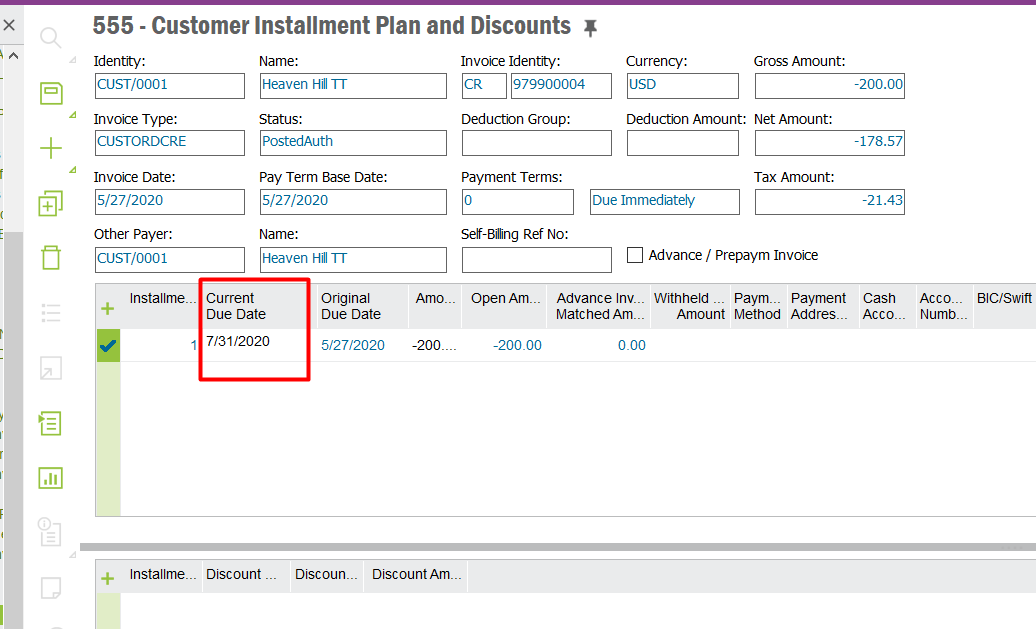
Hope this helps.
Shehan Almeida.



Enter your E-mail address. We'll send you an e-mail with instructions to reset your password.