Question

CUST_AGE_ANALYSIS_REP – adding Open Amount and Currency to Quick Report

  • September 23, 2026
  • 1 reply
  • 11 views

Forum|alt.badge.img+1

Hi,

I am working with IFS Cloud and the operational report CUST_AGE_ANALYSIS_REP.

The report stores the generated data in a result table, and I have created a Quick Report based on this table. I now need to add two columns that are available in Customer Analysis:

  • Open Amount

  • Currency

However, these fields are not stored in the result table generated by CUST_AGE_ANALYSIS_REP, so they are not available as columns in the Quick Report.

What would be the recommended approach in this case?

 

1 reply

Furkan Zengin
Ultimate Hero (Partner)
Forum|alt.badge.img+21
  • Ultimate Hero (Partner)
  • September 23, 2026

Hello ​@ifsuser0897 

Use customer open balance history window directly. There you will see all data required and can be exported to excel natively.

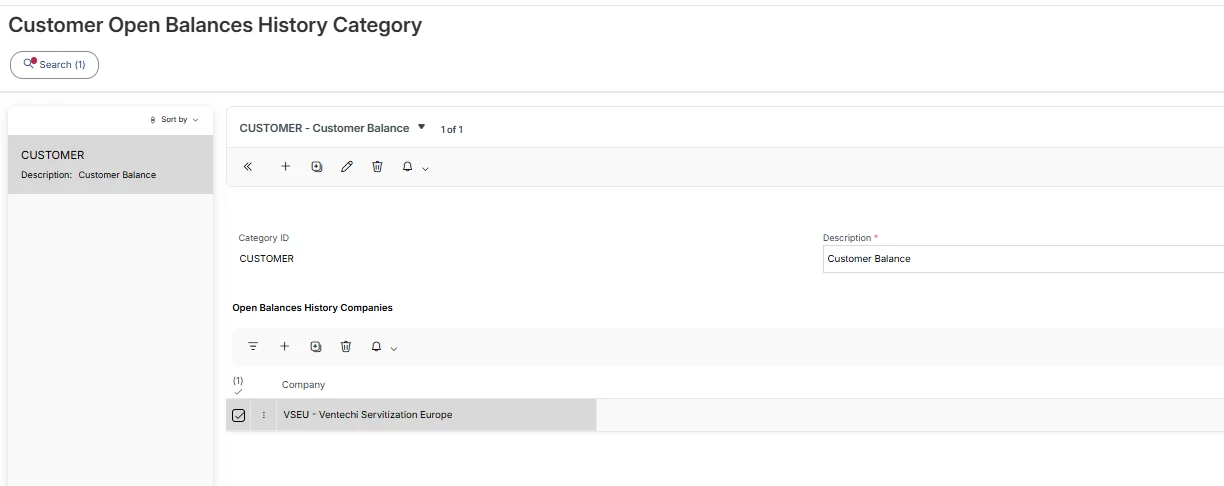
Navigate to Customer Open Balances History Category window and create a new balance category similar to below and add your company/companies.


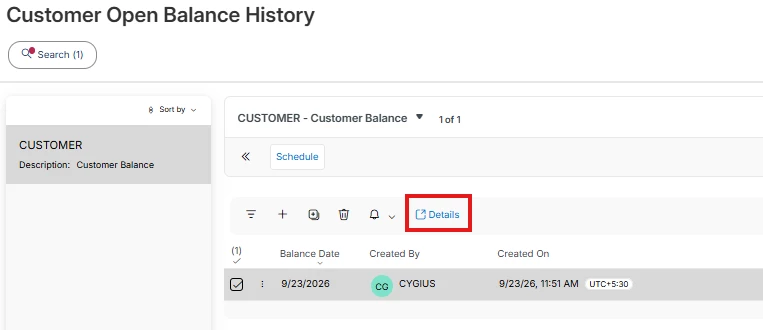
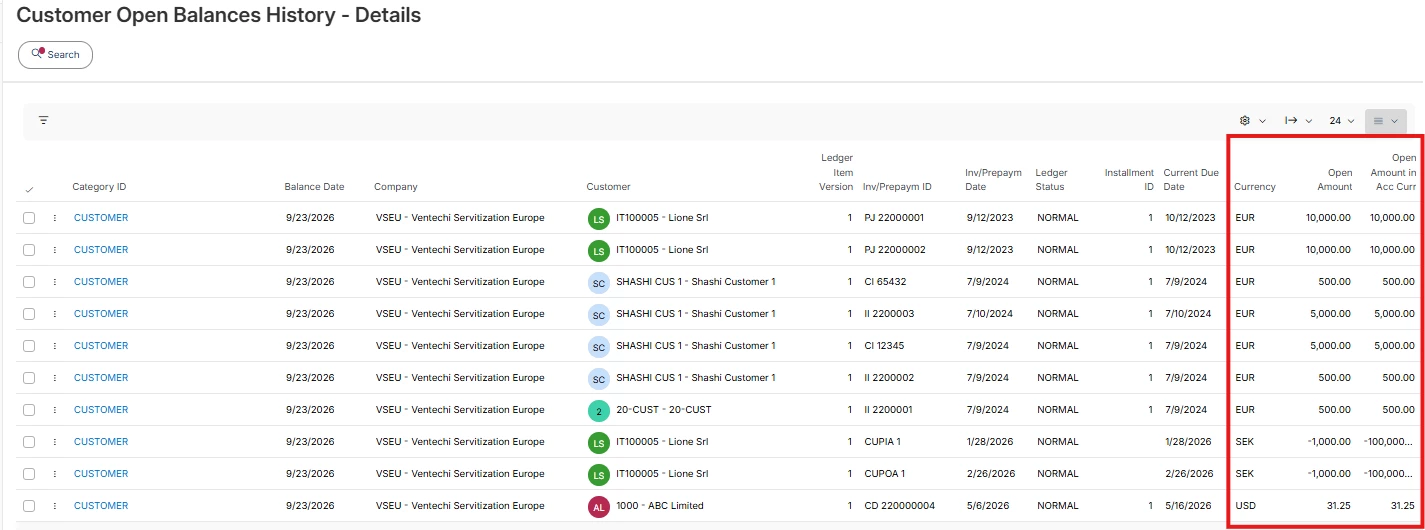
Once you have the category created, navigate to Customer Open Balance History and add a balance date. The date is equal to the analysis date on the customer ledger age analysis report. Once the record is saved, you can go to details and export to excel.


Here you can see how it looks like. You can build a quick report based on this view.


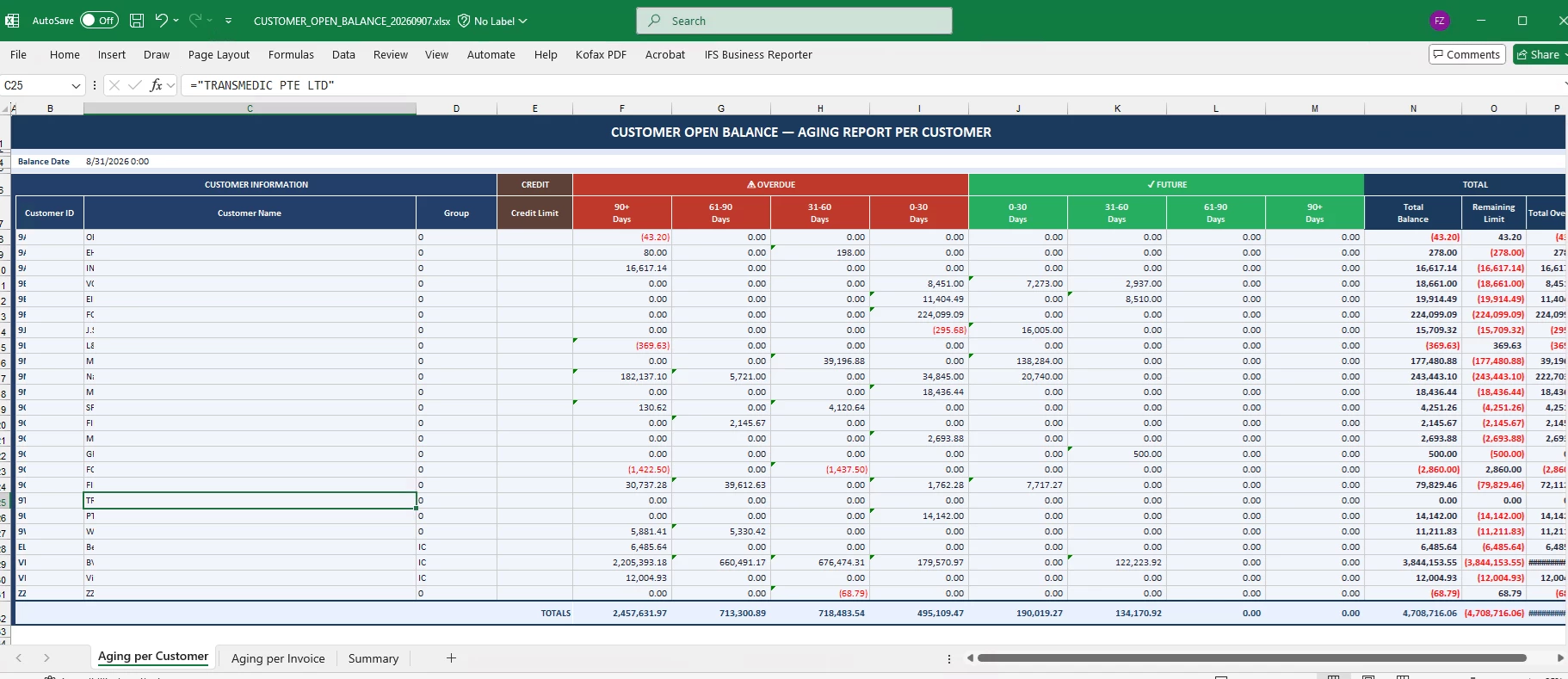
Additionally, you can built business reporter reports natively works in excel capturing data directly from IFS


Hope this helps