


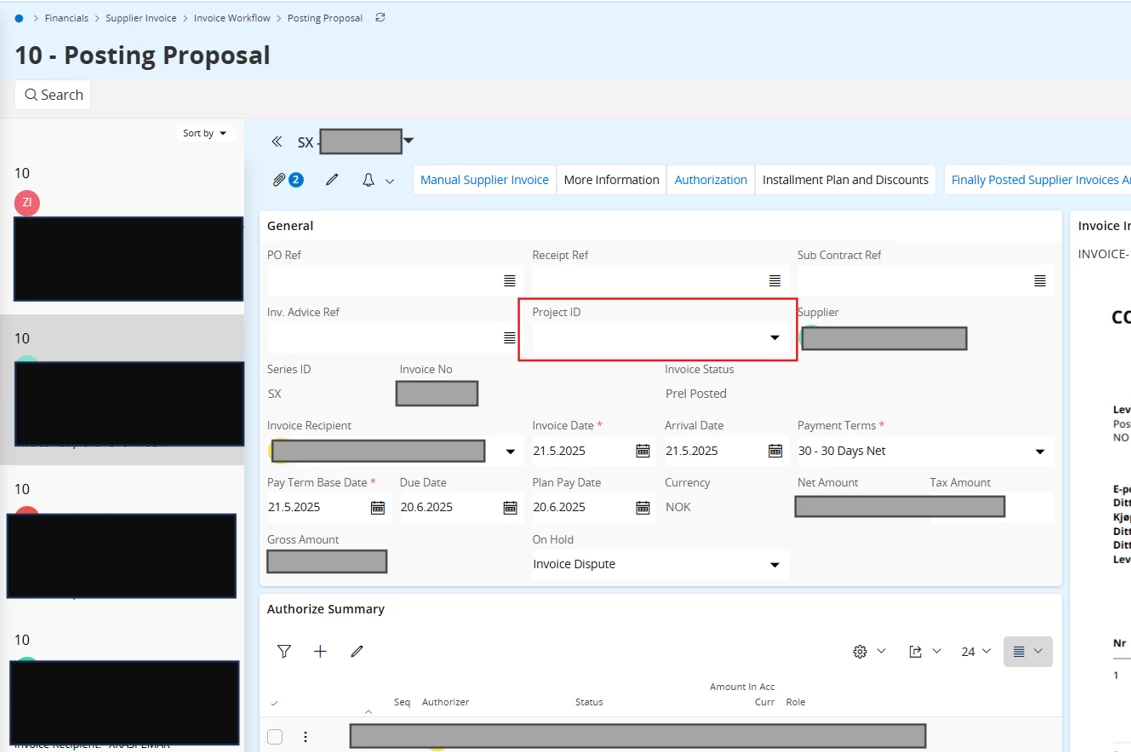
In IFS Cloud, we receive most supplier invoices electronically and they are processed automatically and created as preliminary invoices (I-voucher). Since suppliers only provide PO numbers, these are without a Project ID. We then manually enter the project ID on the invoice by adding the Project ID in the Posting Proposal Head or on the Posting Lines.
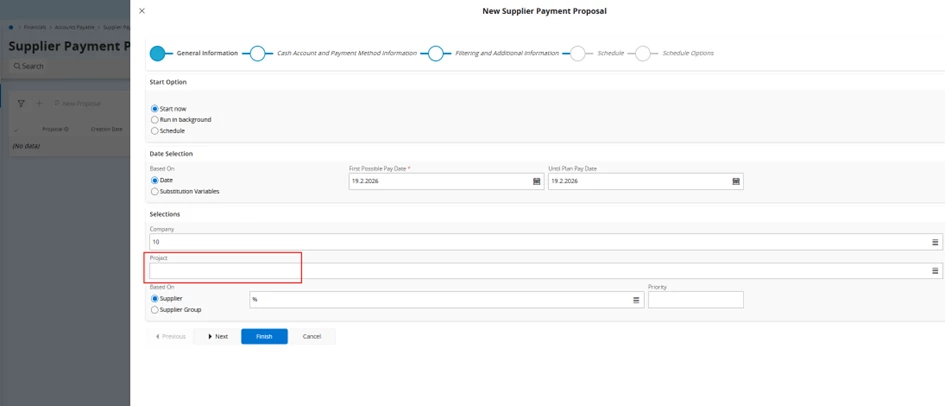
When we then try to create a Supplier Payment Proposal and using the "Project ID" selection parameter, the system fails to find these invoices. It seems the payment proposal filter is only looking at the initial invoice state and is completely ignoring the project data we added during the posting stage. This makes us unable to create Supplier Payment Proposals for a single project. Often we want to be able to create a Supplier Payment Proposal for a single project, so we can track the payments and have all payments for a project on a single payment order.
Steps to Reproduce
-
An electronic invoice is automatically created (I-voucher) with no Project ID.
-
We manually add the Project ID to the Posting Proposal or the Posting Line .
-
We open New Supplier Payment Proposal and enter that specific Project ID in the filter in the wizard.
-
The proposal is created, but the invoice is missing.
The Functional Gap This makes the project-based payment functionality useless for any company using automated invoice entry. If the project isn't there at the exact second the invoice is created, it seems there are no way to use the project-ID as a condition for the payment proposal.