Solved

Cash Customer Repayment Check for Credit Card Refunds

  • January 6, 2023
  • 2 replies
  • 179 views

Forum|alt.badge.img+5

How can I CASH a Credit Card Refund that shows up in Customer Repayment Check?  There is no RMB to Cash the payment.  The payment is currently in a Printed Status.   There is no help how to do this for Credit Card Refunds.

Best answer by Shehan Almeida

Hi Janai,


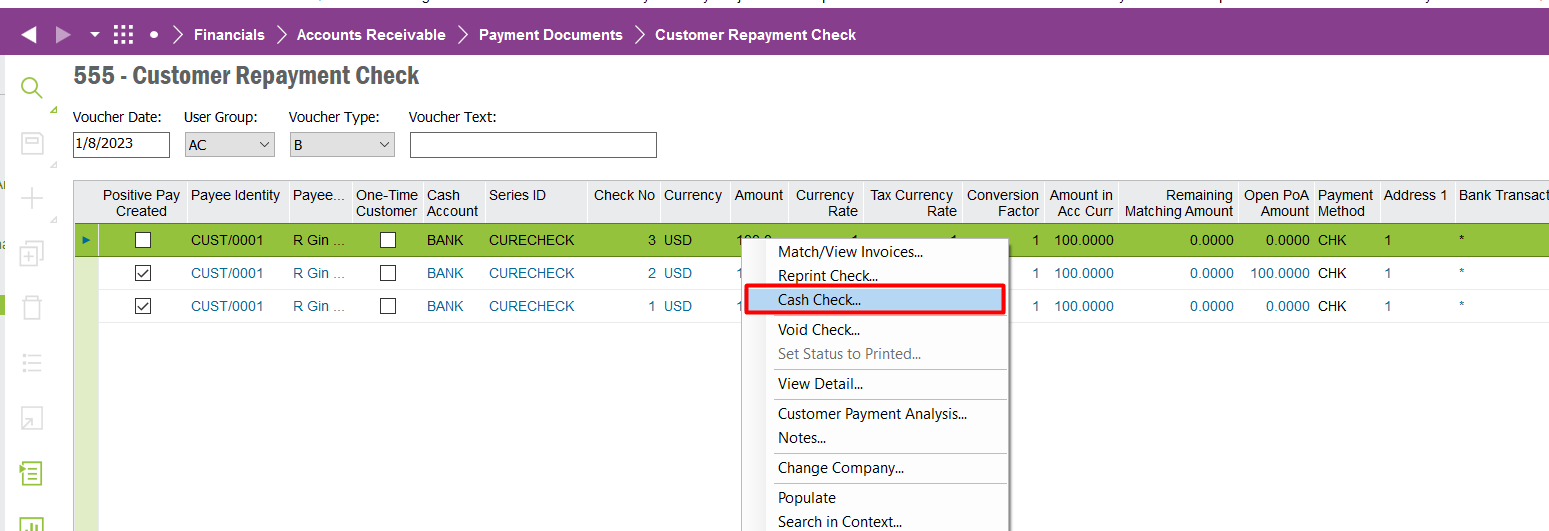
Cashing option is available for customer re-payment checks depending on how you have configured the payment documents for customer re-payment checks.

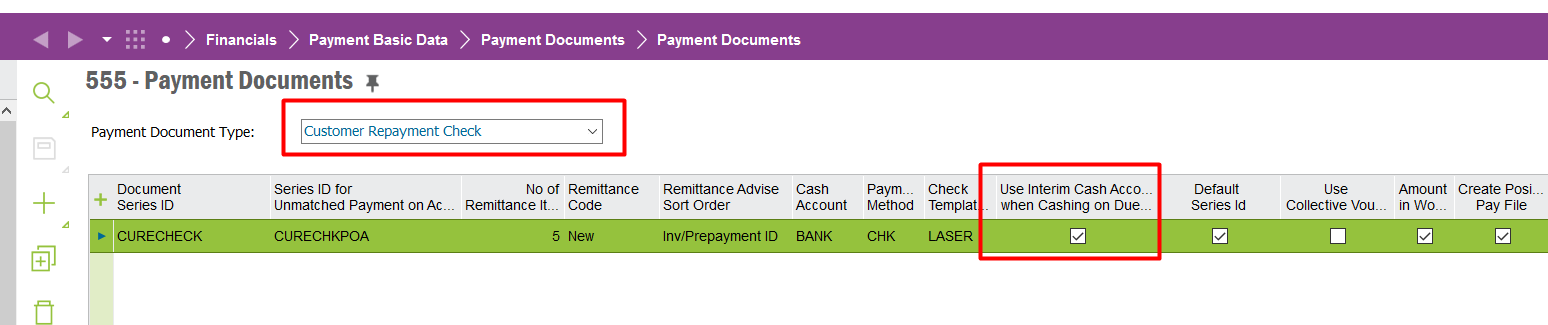
For payment document ‘Customer Repayment Check’ you have to select the check box ‘use Interim cash account..’ then it will enable the cash option.
 See the below example from core..


Hope this helps.


Shehan Almeida,

2 replies

Furkan Zengin
Ultimate Hero (Partner)
Forum|alt.badge.img+21
  • Ultimate Hero (Partner)
  • January 7, 2023

Hello @Janani Munasinghe 


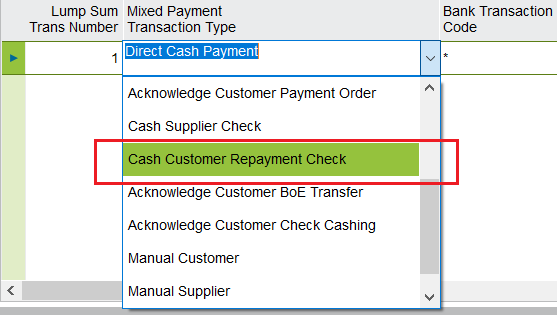
Try cashing on mixed payment. Select mixed payment transaction type Cash Customer Repayment Check and select the check from payment document no field.


Hope this helps


Shehan Almeida
Superhero (Partner)
Forum|alt.badge.img+18
  • Superhero (Partner)
  • Answer
  • January 8, 2023

Hi Janai,


Cashing option is available for customer re-payment checks depending on how you have configured the payment documents for customer re-payment checks.

For payment document ‘Customer Repayment Check’ you have to select the check box ‘use Interim cash account..’ then it will enable the cash option.

 See the below example from core..


Hope this helps.


Shehan Almeida,