Question

Book Invoices on Finished Work Task No

  • Dec 16, 2021 9:32 AM UTC
  • 9 replies
  • 252 views

Forum|alt.badge.img+4

Dear all,

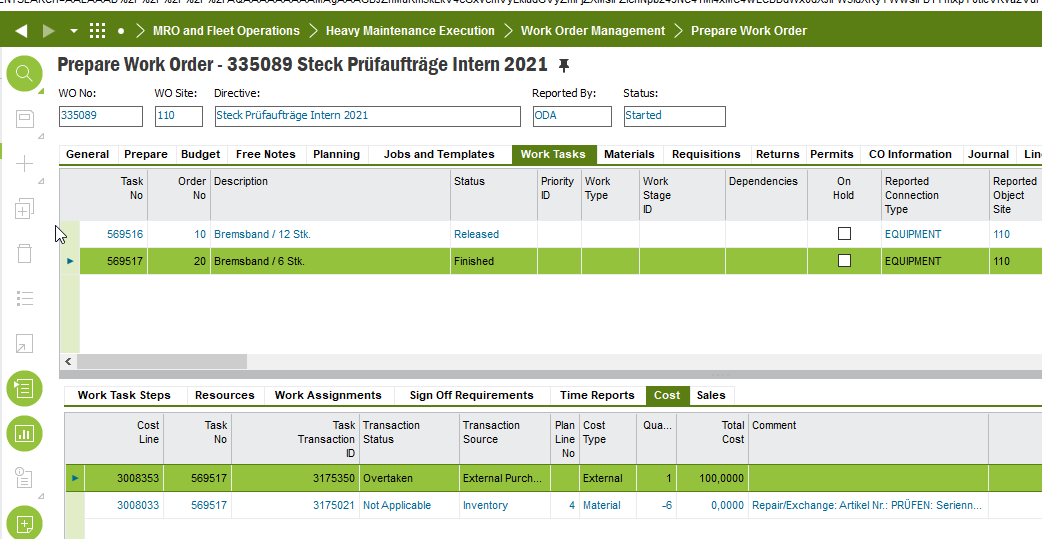
why is it possible to connect a Finished Work Task No with a supplier invoice?

The Invoice will be shown in the Cost Tab: 
 

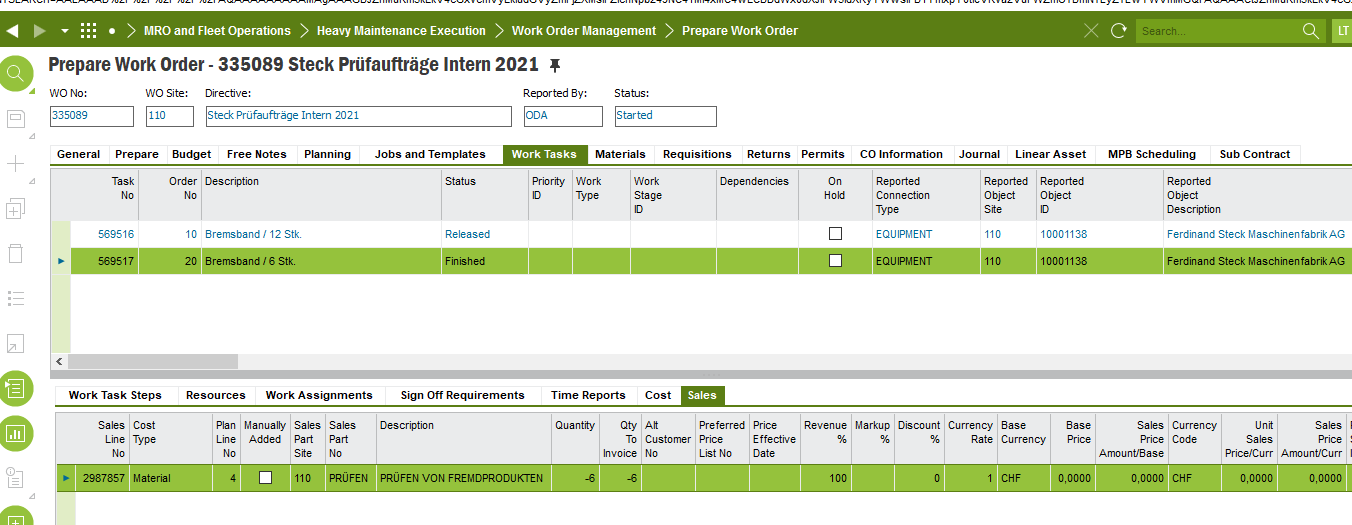
But not in Tab “Sales”:
We work with IFS10 Update 13


Best regards,
Linda 

This topic has been closed for replies.

9 replies

Thommy
Hero (Employee)
Forum|alt.badge.img+12
  • Hero (Employee)
  • Dec 17, 2021 2:39 PM UTC

Hi @DMIFSLITS,

Are you connecting the work task to a manual supplier invoice or a supplier invoice coming through a purchase flow connected to the work task?


Forum|alt.badge.img+4
  • Author
  • Do Gooder (Customer)
  • Dec 20, 2021 6:54 AM UTC

Hi,

this example was a supplier invoice without a purchase connection. 


Best regards,

Linda 


Thommy
Hero (Employee)
Forum|alt.badge.img+12
  • Hero (Employee)
  • Dec 20, 2021 1:31 PM UTC

Hi,

I just tested this with a supplier invoice without purchase connection, and can confirm same behavior as you have seen,

I would say that this is incorrect. If one would like to connect the work task to such an invoice then the work task should need to be reopened again (so any additional sales lines should need to be handled before closing the work task again).

Please report this to support so we can do an investigation to see how we can correct this flow.


Forum|alt.badge.img+4
  • Author
  • Do Gooder (Customer)
  • Dec 23, 2021 11:11 AM UTC

Hi,

okay thanks. I will create a new support case next year.

Thanks and br Linda  


Forum|alt.badge.img+4
  • Author
  • Do Gooder (Customer)
  • Jan 12, 2022 8:18 AM UTC

I created a support Case: G2308919


Forum|alt.badge.img+3
  • Do Gooder (Customer)
  • Jul 28, 2022 4:48 PM UTC

How do you connect the work task to manual supplier invoice without a purchase connection? 


Thanks,

Ivy


Forum|alt.badge.img+3
  • Do Gooder (Customer)
  • Jul 28, 2022 4:59 PM UTC

Figured out now. Thanks


Nethmini Kosvinna
Superhero (Partner)
Forum|alt.badge.img+18

Hi ,

This issue is fixed in app10 UPD 16. 

In UPD 14 & 15 you will not see finished work tasks in the LOV ( of the posting proposal window) , but you can manually add the WT number without any error . In UPD 16, it is not even possible to add a finished work task manually, it will pop up an error message when you try to save the record.

Thanks,

Nethmini 


Forum|alt.badge.img+3
  • Do Gooder (Customer)
  • Jul 29, 2022 4:07 PM UTC

Thanks! Good to know.