Question

Bank Reconciliation - Automatic Transaction Matching

  • Sep 29, 2021 3:56 PM UTC
  • 3 replies
  • 612 views

Forum|alt.badge.img+7


Hello, 


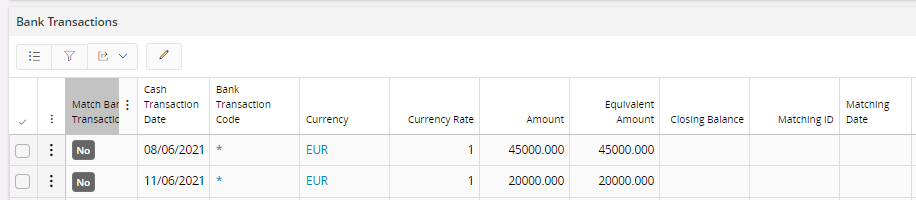
I’m trying to perform an Automatic Matching in Bank Reconciliations. The bank file is uploaded without errors and all transactions are there. But nothing is happening after I press the Automatic Matching button. 

 

All data are matching, but the Automatic Matching button not working. I’m using IFS Aurena version 10.

Any thoughts? 

This topic has been closed for replies.

3 replies

Chirantha
Hero (Partner)
Forum|alt.badge.img+8
  • Hero (Partner)
  • Sep 29, 2021 6:52 PM UTC

Hi,

You need to set up your basic data to enable the automatic matching. In other words, you should set up matching attributes. Otherwise, the system does not know that which transactions are to be matched.


Best Regards,
Chirantha. 


Forum|alt.badge.img+7
  • Author
  • Sidekick (Partner)
  • Sep 30, 2021 10:26 AM UTC

Thanks for you answer @Chirantha! 

Where should I set up this? Thanks once again!

Best regards


Chirantha
Hero (Partner)
Forum|alt.badge.img+8
  • Hero (Partner)
  • Sep 30, 2021 10:32 AM UTC

Hi,

There are two types of parameters. Mandatory and optional. You can skip mandatory ones as they will anyway be considered. 

To set the optional ones...

You may navigate to Cash Account basic data/Payment Institute/Payment type Group per institute and use RMB option “ Attributed for Auto Matching”.

Hope you would be able to configure this.


Best regards,
Chirantha.