


Question

Automatic Vouchers set to Not Approved

  • February 24, 2026
  • 2 replies
  • 31 views

Forum|alt.badge.img+3

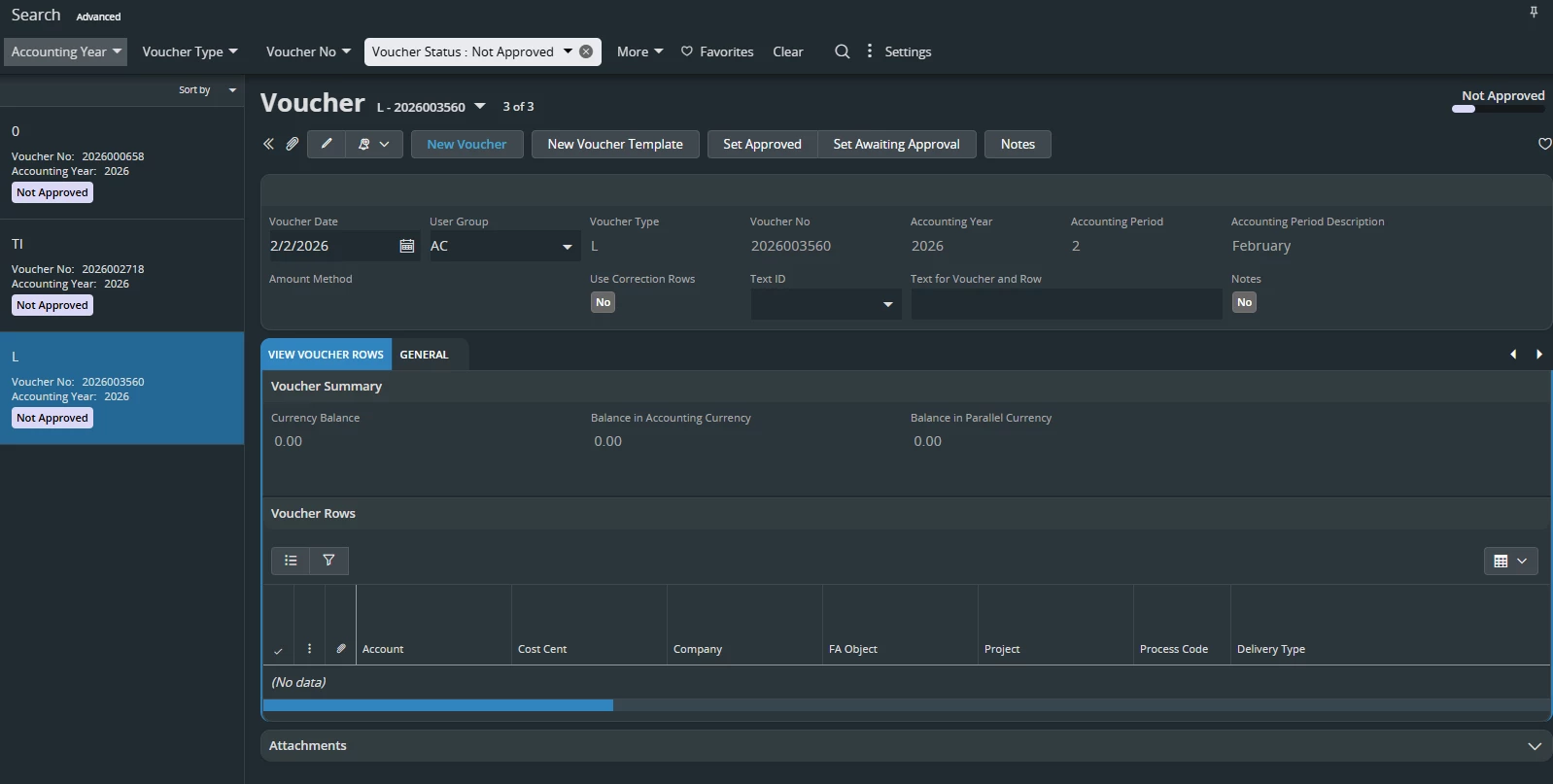
We have three vouchers that are stuck in the GL hold table, and we are not able to post because they are in Not Approved Status. We are not able to approve because they are Automatic Background Job Vouchers and they have no voucher rows on the Vouchers themselves and no voucher errors. And we are trying to close period two for this but keep getting an error because of these vouchers.

The three voucher types are 0, TI, and L. We noticed that when these background jobs ran, they errored out because server went down. I re-executed the jobs to see if that would let us approve them or clear them out but was unsuccessful. Anybody have any ideas on how to fix this.



2 replies

Forum|alt.badge.img+19
  • Superhero (Employee)
  • February 25, 2026

Hi, 

As a temporary solution, please try to change the voucher date. Change the date to a future date in the next accounting period.  

That may allow you to close current the period.   Then we can work a more permanent solution. I’m suspecting you need to enter a call center case for a more permanent solution.


Forum|alt.badge.img+3
  • Author
  • February 25, 2026

Hi, 

As a temporary solution, please try to change the voucher date. Change the date to a future date in the next accounting period.  

That may allow you to close current the period.   Then we can work a more permanent solution. I’m suspecting you need to enter a call center case for a more permanent solution.

I did try that but I am unable to change the voucher date or do any edits to these vouchers
