


Solved

Automatic Tolerance Posting Not Created with PO Matching on Manual Supplier Invoice

  • November 25, 2025
  • 4 replies
  • 89 views

Forum|alt.badge.img+6

Hi, 

The automatic tolerance posting creation on the Posting Proposal when a PO is matched against an invoice with a different price doesn’t seem to work in Cloud 25.1. 
Or may be we are missing something. Could someone assist to verify what is missing? 

I have tested this for POs with an Inventory Part line, Non Inventory part line and a No part line as well. Non of the scenarios created automatic tolerance posting lines on the Posting Proposal. 

Here is an example from a No Part Line PO matched against an Invoice with a different price:

The Tolerance is enabled on the Supplier for PO Matching on the Invoice tab: 
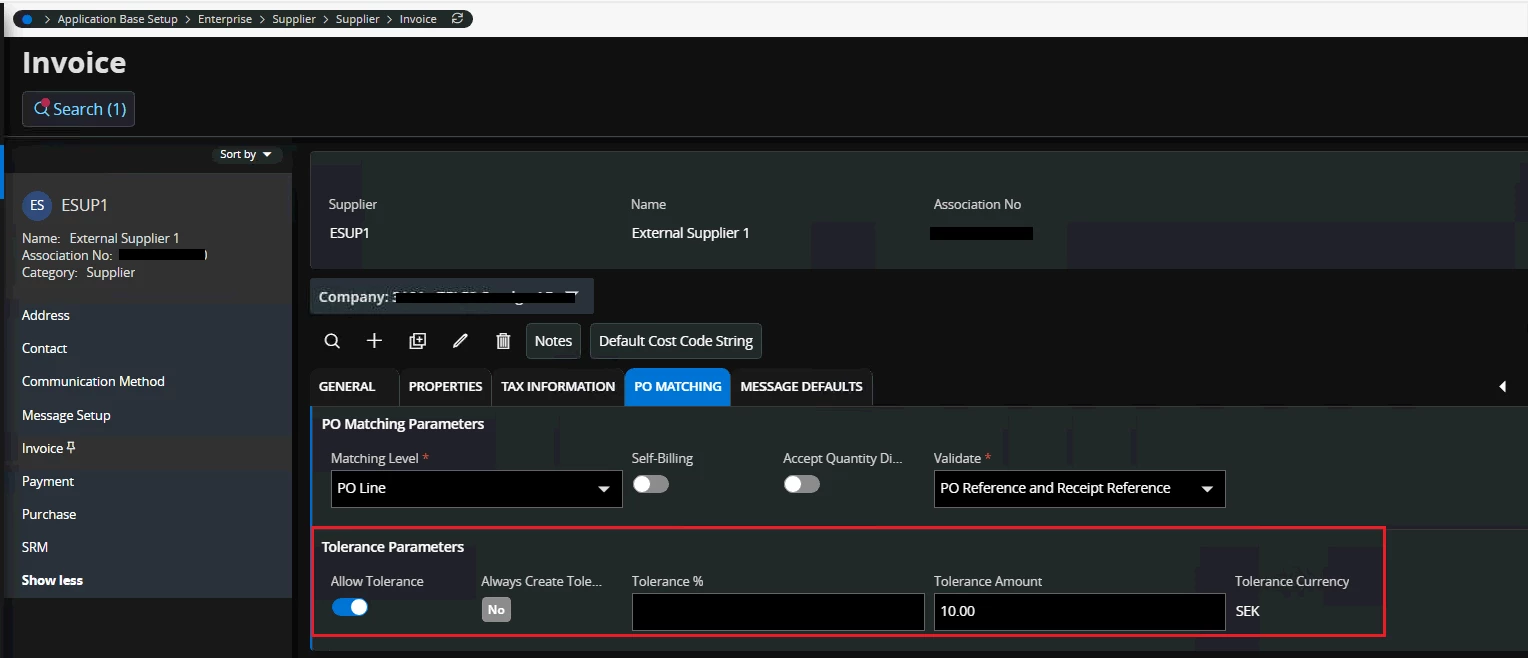
 

On the company level too, the following setup is done:
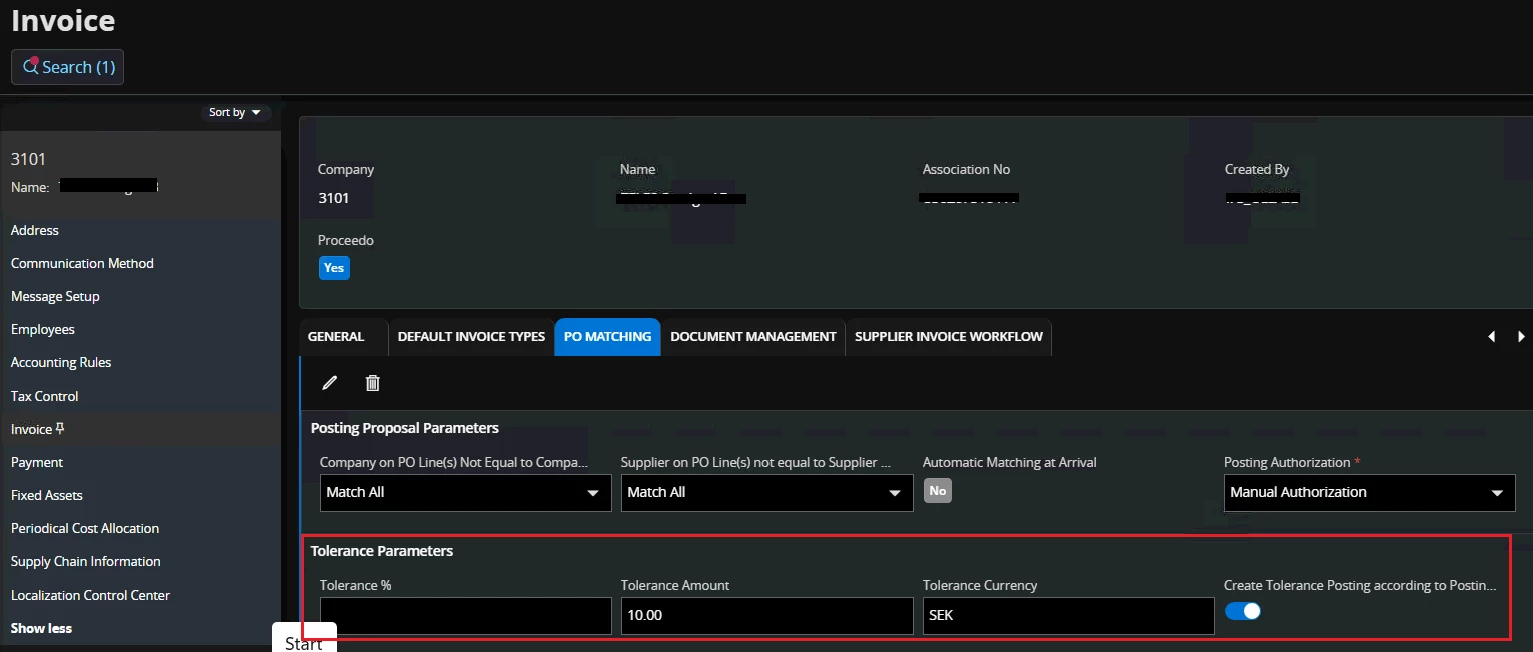

A PO with a no part line exists for 20000 sek in Closed status:


The Invoice is Created for 20009 sek which is within the allowed tolerance amount. 
The Match PO Receipts per line is performed and the PO Receipt is matched. The Remaining amount is shown as 9 as below:


However, no automatic tolerance posting is created using M93 even though the invoice price difference is within the allowed tolerance amount:
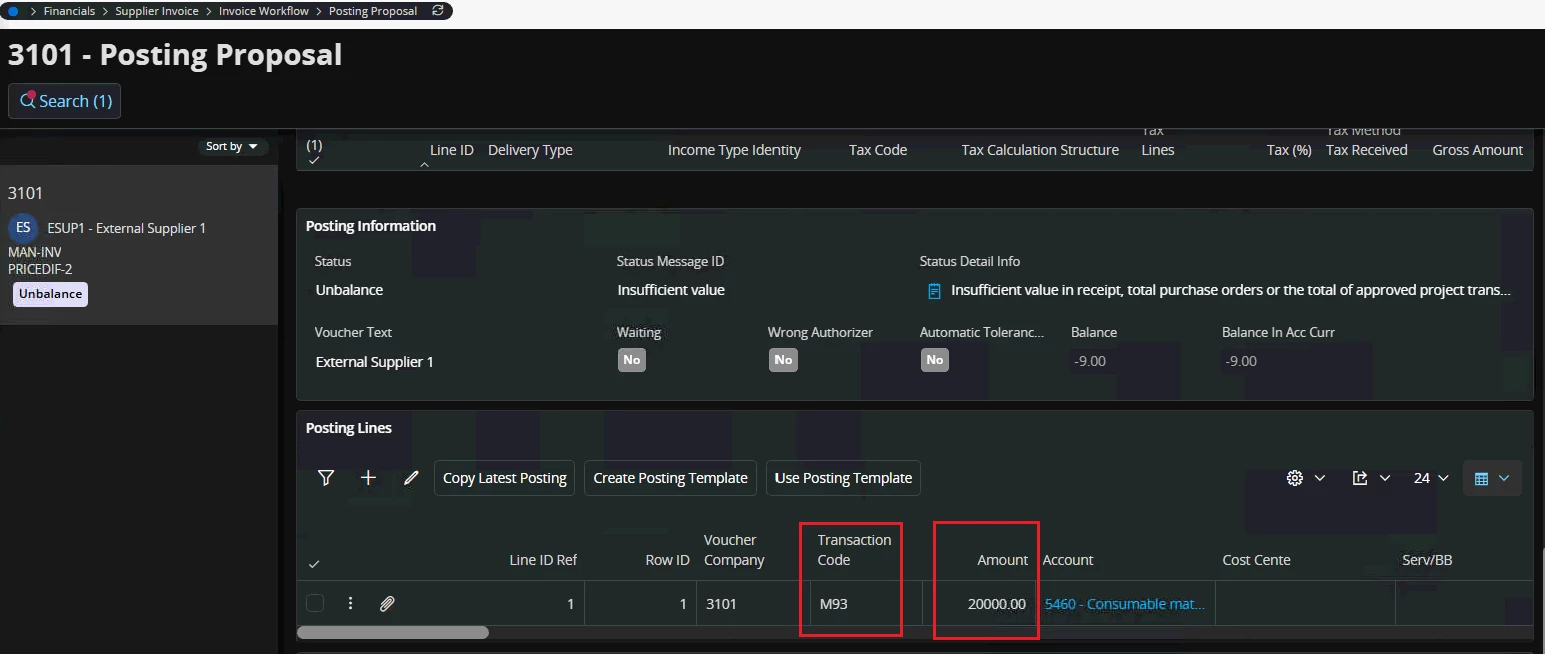
 

Are we missing anything here or could it be a Bug?  Any input regarding above is much appreciated :). 


BR,
Peshala. 

 

Best answer by lisvse

Hi, 

According to RnD investigations the “Accept Quantity Difference” must be TRUE if you don’t enter any Invoice Quantity on the invoice line. Or the correct invoice quantity must be entered on the invoice line. 

Best regards, 

Linda

4 replies

Forum|alt.badge.img+16
  • Hero (Customer)
  • November 25, 2025

Hello,
If I remember well, tolerance postings are generated only in case of automatic matching (performed by the system on posting proposal creation or once proposal PO reference/receipt reference is changed or when new receipts are matched by scheduled task). 
Doing manual matching you should manually resolve discrepancies.


lisvse
Hero (Employee)
Forum|alt.badge.img+10
  • Hero (Employee)
  • November 26, 2025

Hi, 


Something is strange here. Please reach out to support and we will have a look. 


Best regards, 

Linda


lisvse
Hero (Employee)
Forum|alt.badge.img+10
  • Hero (Employee)
  • Answer
  • January 8, 2026

Hi, 

According to RnD investigations the “Accept Quantity Difference” must be TRUE if you don’t enter any Invoice Quantity on the invoice line. Or the correct invoice quantity must be entered on the invoice line. 

Best regards, 

Linda


Forum|alt.badge.img+6
  • Author
  • Sidekick (Employee)
  • January 8, 2026

Hi, 

According to RnD investigations the “Accept Quantity Difference” must be TRUE if you don’t enter any Invoice Quantity on the invoice line. Or the correct invoice quantity must be entered on the invoice line. 

Best regards, 

Linda


Thank you Linda! It works when this checkbox is set to TRUE on the Invoice > PO matching tab of the Supplier. 


BR,
Peshala.


