Question

421 - Sub-contracting Overhead Cost

  • Nov 10, 2026 9:28 PM UTC
  • 3 replies
  • 28 views

audreyS
Sidekick (Partner)
Forum|alt.badge.img+10

Hello,


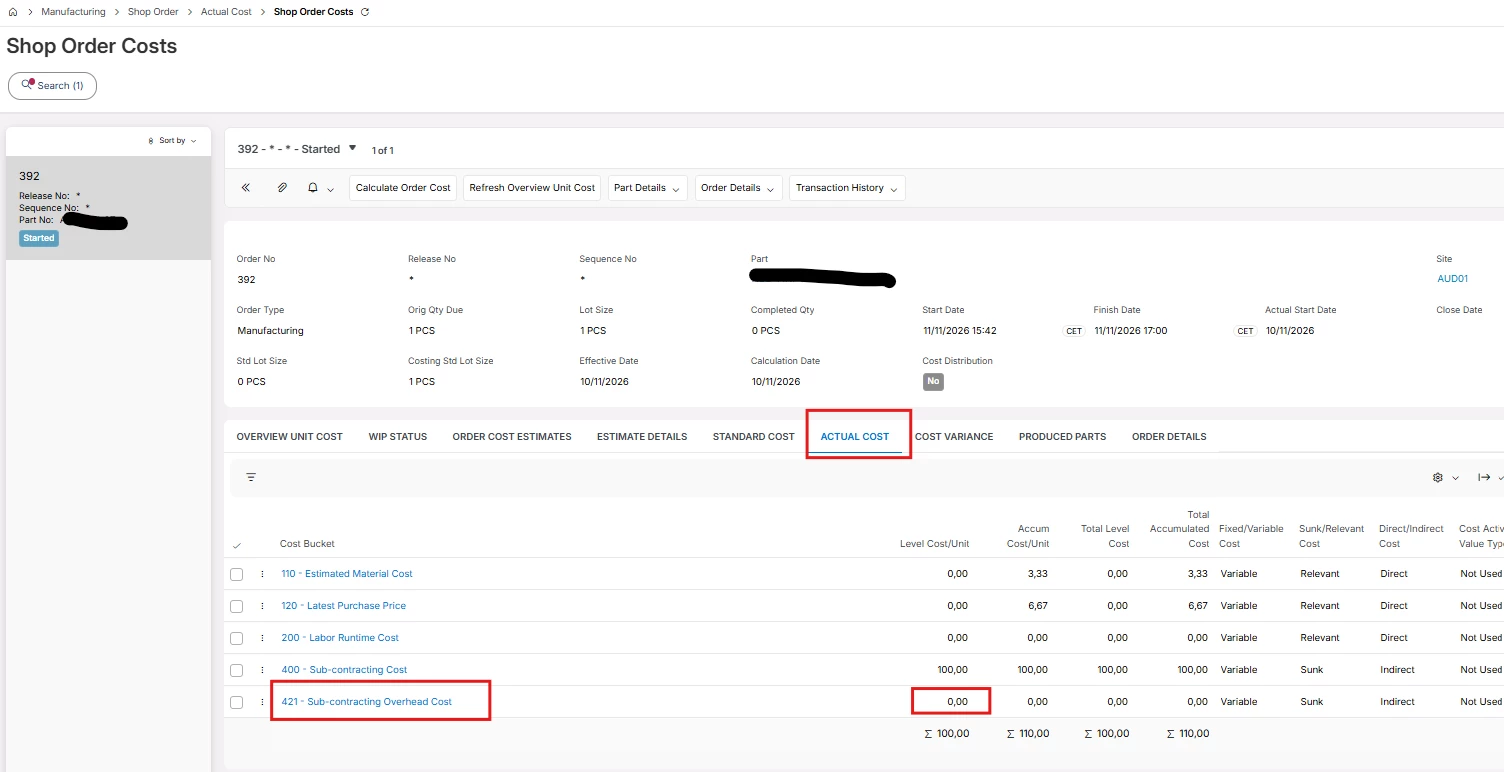
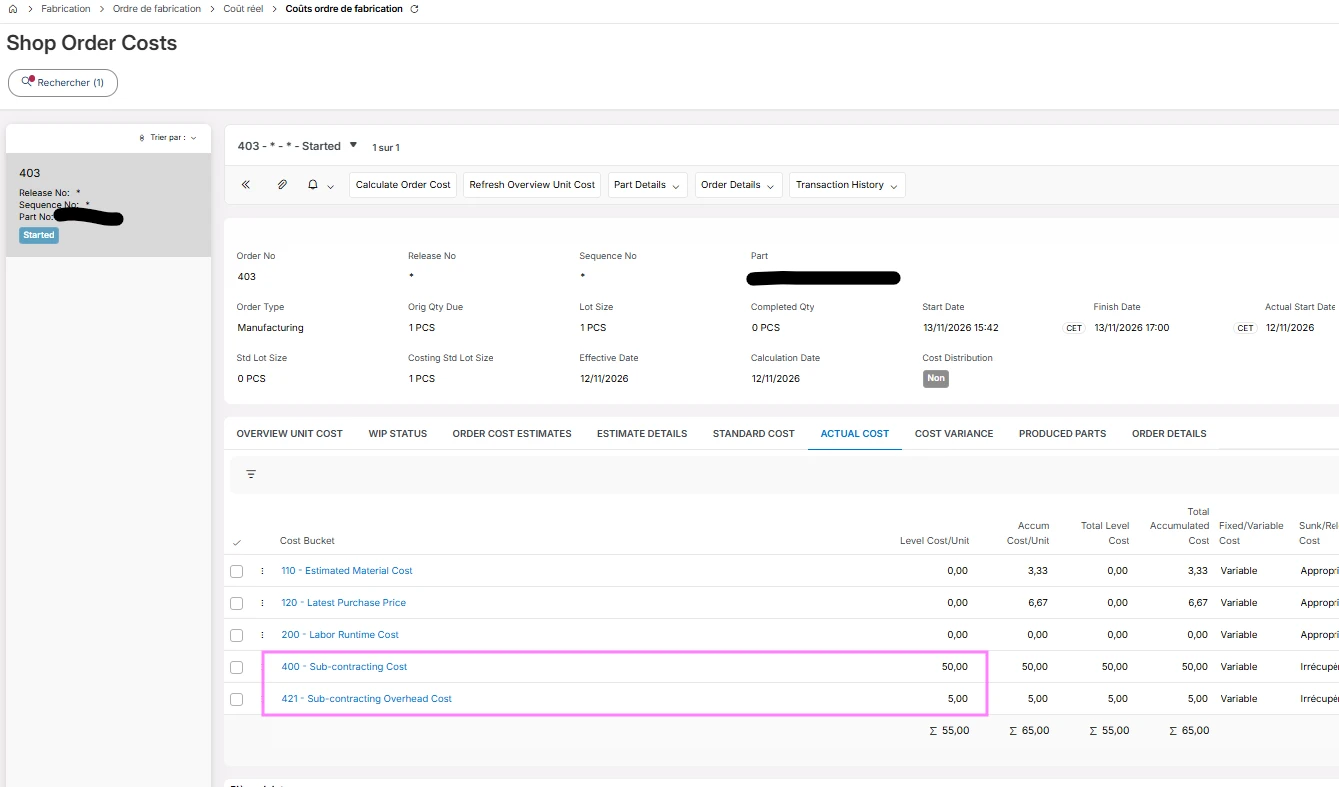
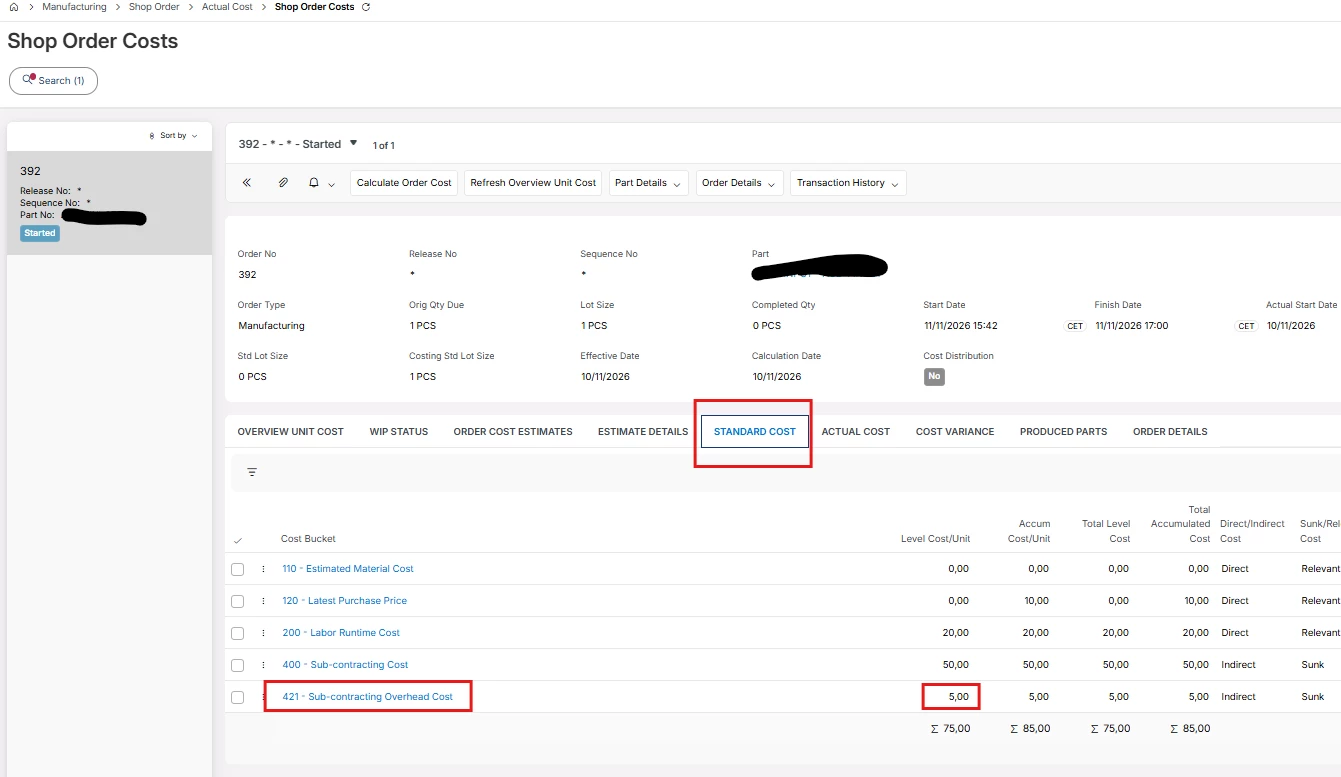
I need help—I don't understand how Section 421 works. In Standard Cost, it correctly displays the data I entered in the “Outside Operation Costs” field, but in Actual Cost, it doesn't show anything. How should I proceed? Please help.


3 replies

Forum|alt.badge.img+20

Hi, 

I have not tested since apps 10.   But the following should still apply as the functionality does not change very much. 

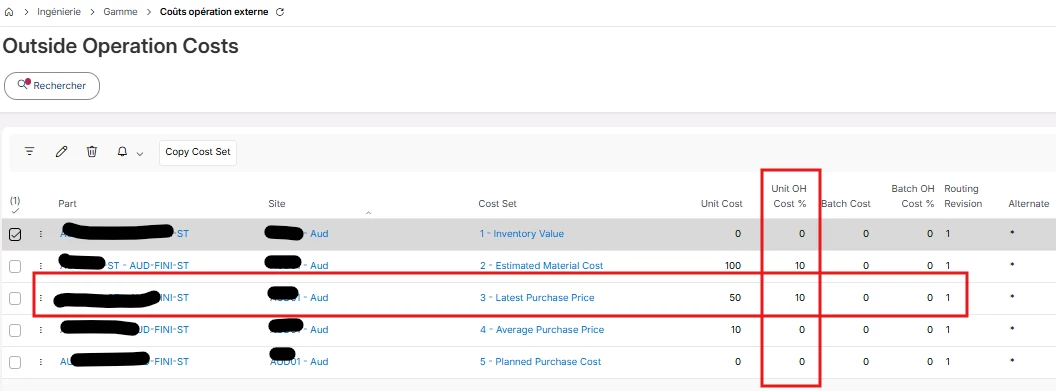
In you first screen showing the cost for the different cost sets.  Cost set 1, had no value for unit and OH cost.   Cost set 1 is what we refer to as the inventory value.   You need cost in cost set 1 for the actuals. 

Typically, you can’t enter values in cost set 1.  You copy some other cost set into cost set 1. 


For example, take cost set 2, 3, 4 or 5, select that record and use the option to copy the cost / cost set.  Copy this to cost set 1 so that you have cost in cost set 1.   Then when processing a shop order, that outside operation part’s cost will flow to actual.   Right now, that part has 0 value for cost set 1 / inventory value. 

Sample of what it should look like. 


audreyS
Sidekick (Partner)
Forum|alt.badge.img+10
  • Author
  • Sidekick (Partner)
  • Nov 12, 2026 4:14 PM UTC

hi ​@Thomas Peterson 


I just realized that Type 1 has to be set—either manually or automatically when copying costs to Cost Type 1. See screenshot. 


Thank you


Forum|alt.badge.img+20

Hi, 

Maybe consider marking this as solved so others do not allocate time to review / work the item.