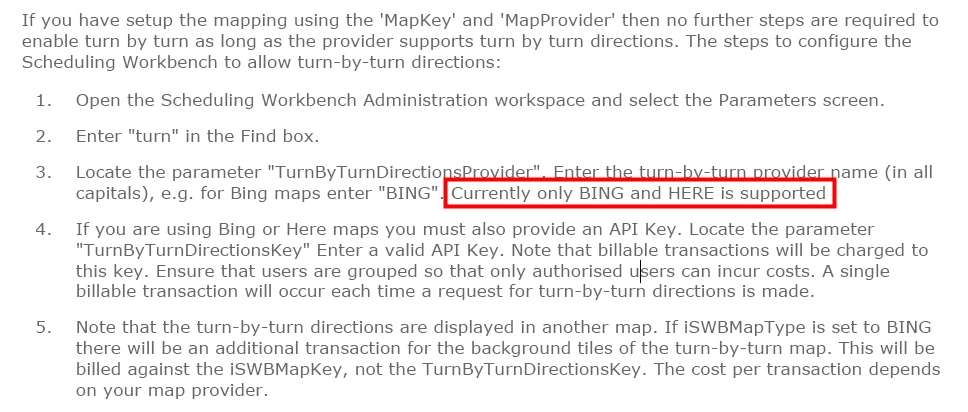
Hello,
Is it correct that nothing appears if I click on ‘Travel Details’? Is there some parameter to be set?
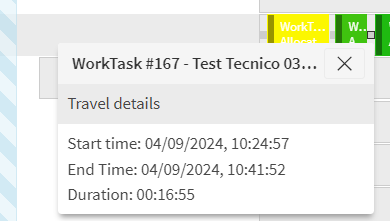
In addition:
Using Google Maps distance between activity is:
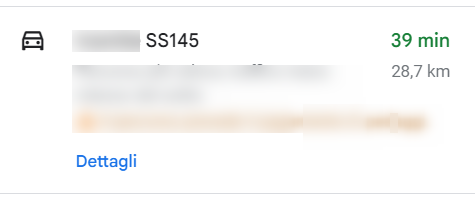
I’m using HTM, but I think something is wrong.
Could someone Help Me?



 +7
+7Hello,
Is it correct that nothing appears if I click on ‘Travel Details’? Is there some parameter to be set?
In addition:
Using Google Maps distance between activity is:
I’m using HTM, but I think something is wrong.
Could someone Help Me?
Best answer by Alexander Heinze
Hi Stefania, you need to provide a Bing Maps key for the PSO parameter “TurnByTurnDirectionsKey”.
Enter your E-mail address. We'll send you an e-mail with instructions to reset your password.