Question

Task with status New can be seen in PSO as DO NOT Schedule

  • July 16, 2026
  • 7 replies
  • 26 views

Forum|alt.badge.img+8

Hi Experts.

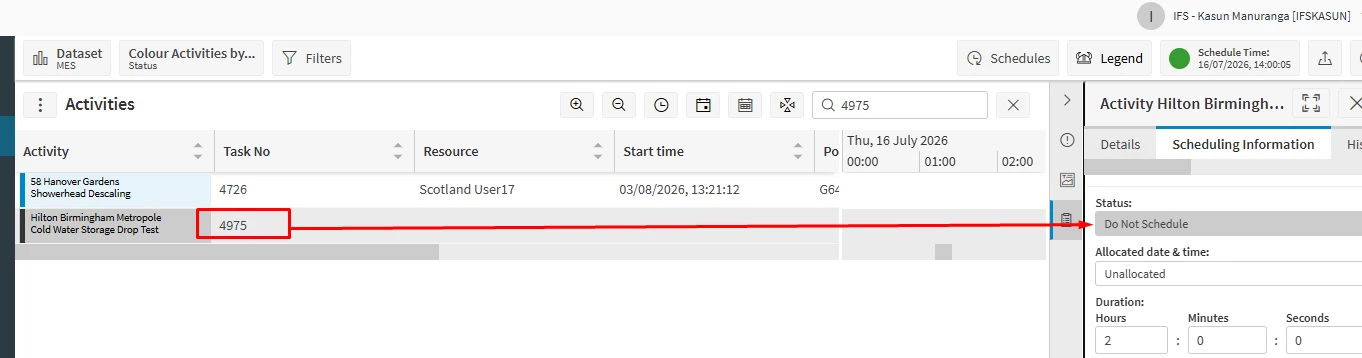
When I created a Request, I notice that some Tasks are transferred to PSO with the status "DO NOT Schedule" immediately after creation. However, this does not happen for all Tasks—only for some of them.



I have also verified that the "Manually Schedule" flag is not set to TRUE for these Tasks.
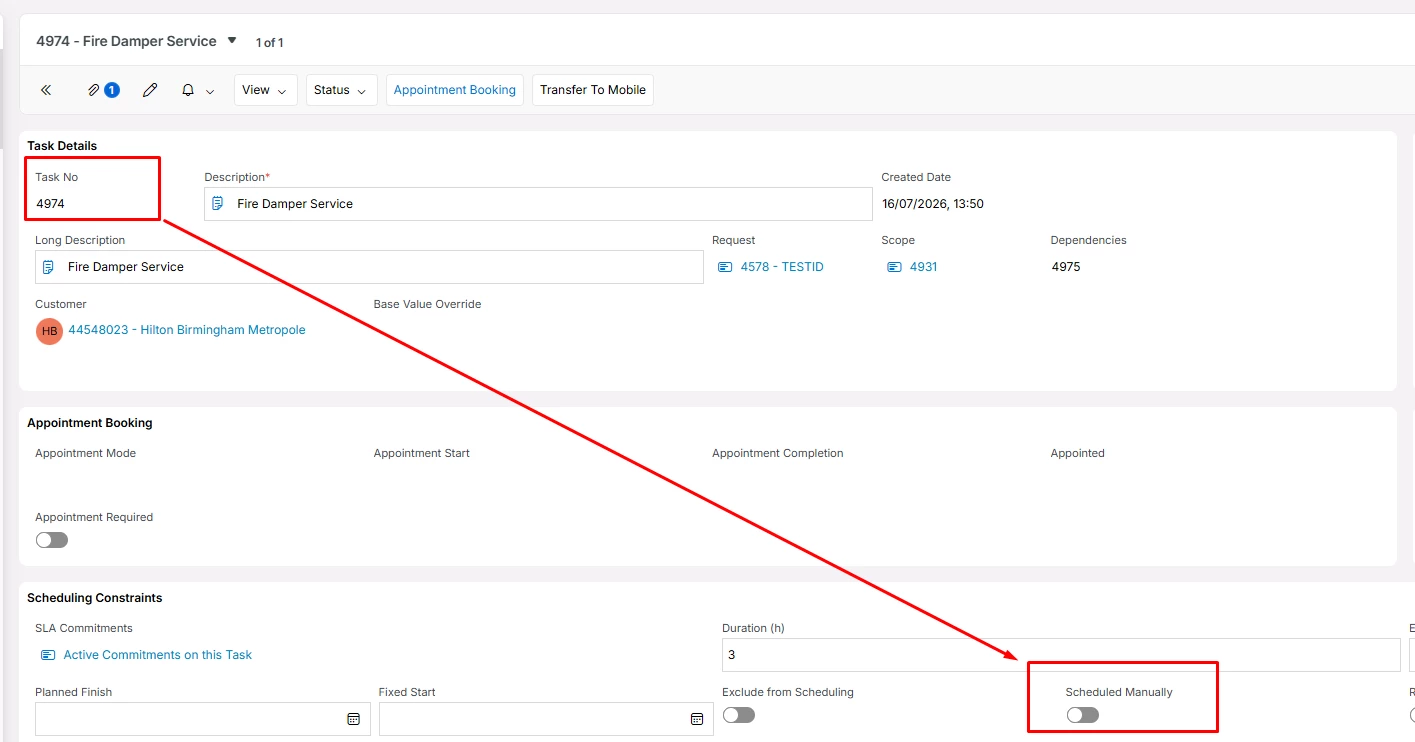


I still can see these tasks in PSO as Do not Schedule.
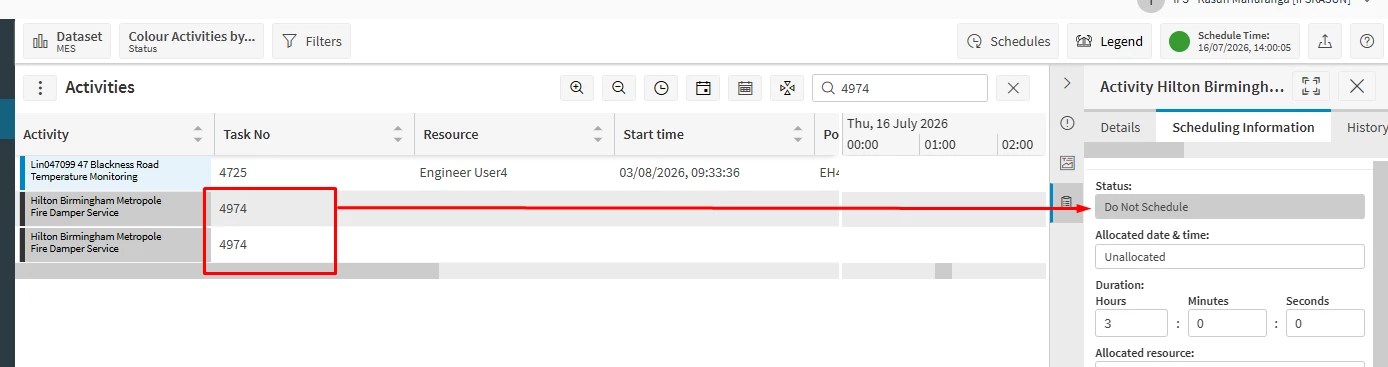
 

As I noted this only happens for tasks having Dependncies only.

Question is how we can setup is so all NEW tasks appear in PSO in as  "DO NOT Schedule" activities? I cannot find the exact toggle or an option that it will do the as above for all Tasks but not just for few?


Thanks

KM



7 replies

Forum|alt.badge.img+2
  • Do Gooder (Partner)
  • July 16, 2026

Hi ​@KAMANUK 

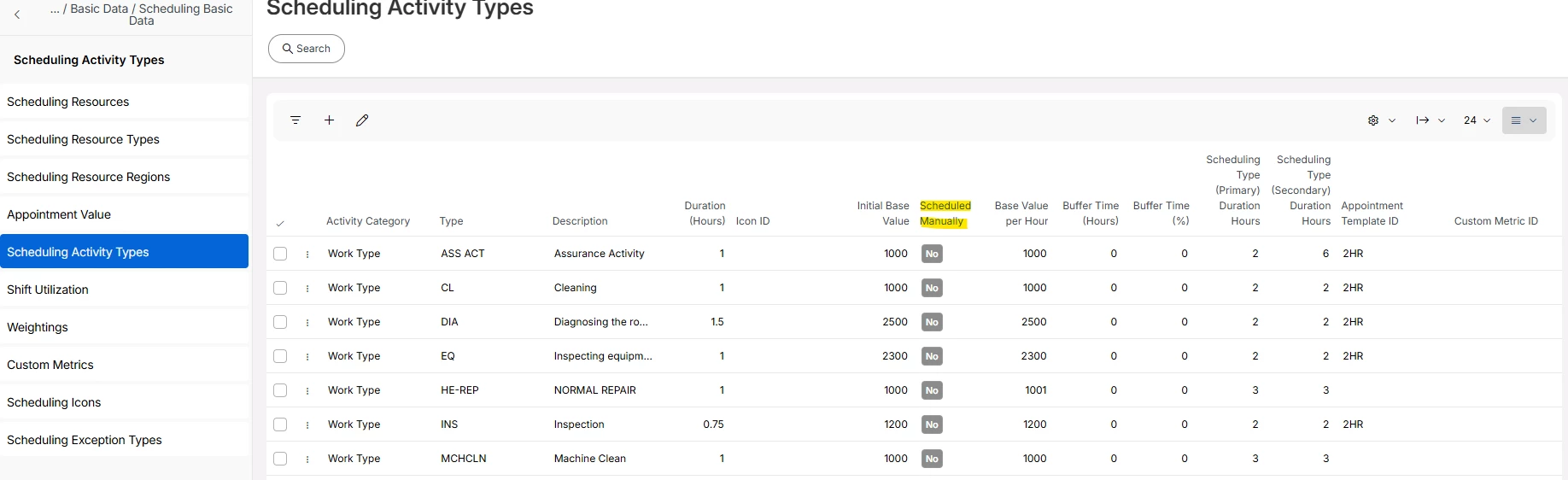
I think we can set it for different activity types by using the Scheduled Manually flag within the Scheduling Activity Types screen (ervice Management > Basic Data > Service Work Basic Data > Service Scheduling Basic Data > Scheduling Basic Data > Scheduling Activity Types)


Forum|alt.badge.img+8
  • Author
  • Sidekick (Partner)
  • July 16, 2026

Hi ​@WESALK ,

Thanks!

Actually we don't want to schedule these tasks manually, so we have not set up Scheduling Activity Types with the Scheduled Manually flag set to TRUE.

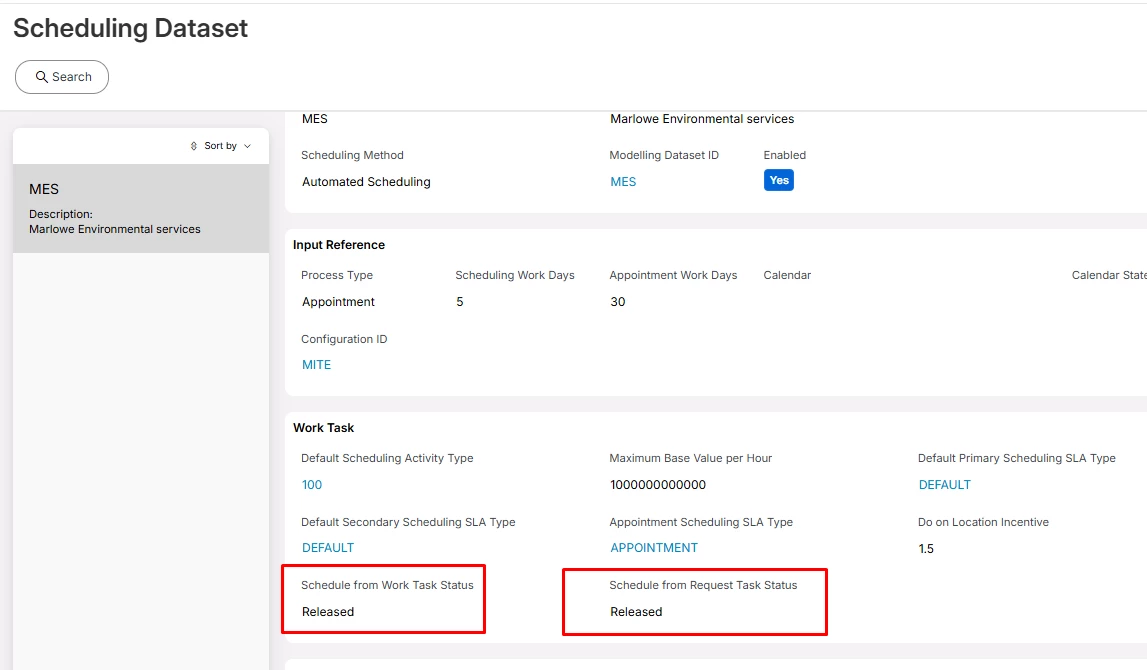
I'm trying to understand why these tasks are visible in PSO with a Do Not Schedule status while they are still in NEW status. Normally, tasks are transferred to PSO only when they are Released, which is how we have configured the dataset as well.


Thanks,

KM


Forum|alt.badge.img+2
  • Do Gooder (Partner)
  • July 16, 2026

@KAMANUK 

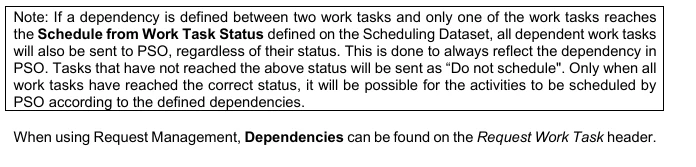
I guess the reason you see tasks in NEW status in PSO with Do Not Schedule is because of Task Dependencies. According to the documentation “Scheduling Demystified”, Normally, a task is transferred to PSO only when it reaches the status defined in your Scheduling Dataset (for example, Released).

However, when Task Dependencies exist, if one task in the dependency chain reaches the required status, all dependent tasks are also transferred to PSO, even if they are still in NEW status. This ensures PSO has visibility of the entire dependency chain.

Tasks that are still in NEW status are transferred with the Do Not Schedule flag. This:

  1. Makes the dependent tasks visible in PSO.
  2. Preserves the Task Dependencies
  3. Prevents PSO from scheduling those tasks until they reach the required status.

Once the task is Released in IFS Cloud, the Do Not Schedule flag is removed, and PSO can schedule the task while respecting the Task Dependencies.


Forum|alt.badge.img+8
  • Author
  • Sidekick (Partner)
  • July 16, 2026

Hi ​@WESALK,

Thanks again. As you can see in the first picture there are two tasks but none of the Task is released but all in NEW status. This transfer happens soon the request is created means all NEW.

In above explanation it says if one of the Task released then it happens but here its not? Did I undersood it correctly!

Thank You for helping,

KM


Alexander Heinze
Ultimate Hero (Employee)
Forum|alt.badge.img+25

Hi ​@KAMANUK,

Thanks again. As you can see in the first picture there are two tasks but none of the Task is released but all in NEW status. This transfer happens soon the request is created means all NEW.

In above explanation it says if one of the Task released then it happens but here its not? Did I undersood it correctly!

Thank You for helping,

KM

Are your 2 tasks standalone or do they have a dependency? And what’s the “Schedule from Request Task Status” on your Scheduling Dataset?


Forum|alt.badge.img+8
  • Author
  • Sidekick (Partner)
  • July 16, 2026

Hi ​@Alexander Heinze 

They have dependancies.


dataset:


Thanks,

KM


Alexander Heinze
Ultimate Hero (Employee)
Forum|alt.badge.img+25

I tried this in 26.1.0 and see the same behavior: 2 new tasks, no dependency → not sent to PSO. 2 new tasks w/ dependency → both sent to PSO as Do Not Schedule. You could argue whether they should only be sent if one of them is released, but that the current design.

Back to your question: “Question is how we can setup is so all NEW tasks appear in PSO in as  "DO NOT Schedule" activities? ” → You can’t. Unless you define “New” as the “Schedule from” status on the Scheduling Dataset, but Do Not Schedule would be derived from the individual tasks.

What’s the use case behind your question?