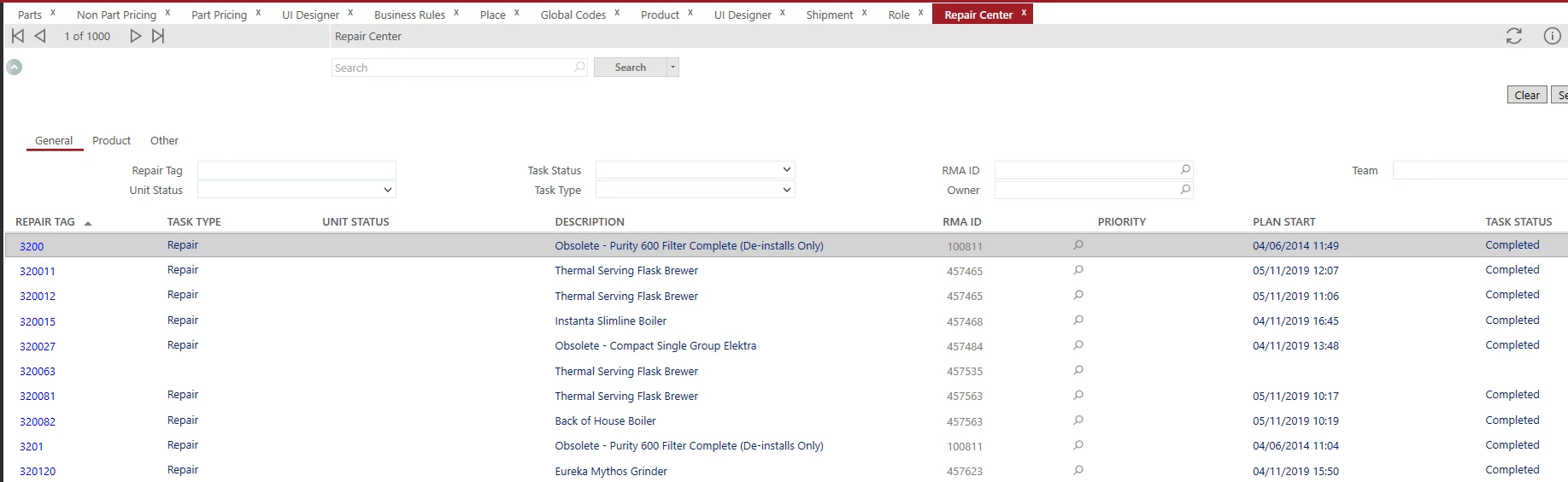
I tried to set a sort order on the FSM Repair Centre Screen in the usual way in Primary Table Constraints Editor and noticed it did not work (screen shown below). On loading the baseline screen I then noticed none of the column sorts work when you click each of the column headers. This will likely be why my sort configured in Primary Table Constraints Editor did not work. Have any of you come accross this before and is there a fix? We are on U27.
Thanks,
Barry
Best answer by Morris
Hi @MWAMAITTEAM,
I believe the issue you are running into is that the fields on the search result list view are not coming from the primary table for the screen, which in this case its the ‘repair_center_view’ you can see this on other screens too, for example the request screen you can sort using any of the fields except for Name which is place.name.
If you were to add repair_center_view.task_status to the repair center result list, you would then be able to sort on task_status. You could add the field and make it hidden and the sorting would still work. The baseline repair_center_view has the following fields that match with 2 of the fields that are on the original search result list (Unit_status and task_status). If you wanted to allow sorting on any of the other fields then you would need to modify the view to include those additional fields and then add them to the search result list. In my screen shot you can see that I have unit status on the list twice and I am using it for sorting and I am also using task status for sorting, but you only see it once, as I have made the second one invisible.
I believe the issue you are running into is that the fields on the search result list view are not coming from the primary table for the screen, which in this case its the ‘repair_center_view’ you can see this on other screens too, for example the request screen you can sort using any of the fields except for Name which is place.name.
If you were to add repair_center_view.task_status to the repair center result list, you would then be able to sort on task_status. You could add the field and make it hidden and the sorting would still work. The baseline repair_center_view has the following fields that match with 2 of the fields that are on the original search result list (Unit_status and task_status). If you wanted to allow sorting on any of the other fields then you would need to modify the view to include those additional fields and then add them to the search result list. In my screen shot you can see that I have unit status on the list twice and I am using it for sorting and I am also using task status for sorting, but you only see it once, as I have made the second one invisible.
Thank you Morris. I was trying to sort on Repair Tag which was also available form the repair_center_view so on adding it to the list view form there I was able to so the required sorts.