Question

PSO 6.11 distance penalty

  • September 21, 2023
  • 3 replies
  • 37 views

Forum|alt.badge.img+7

Hi 
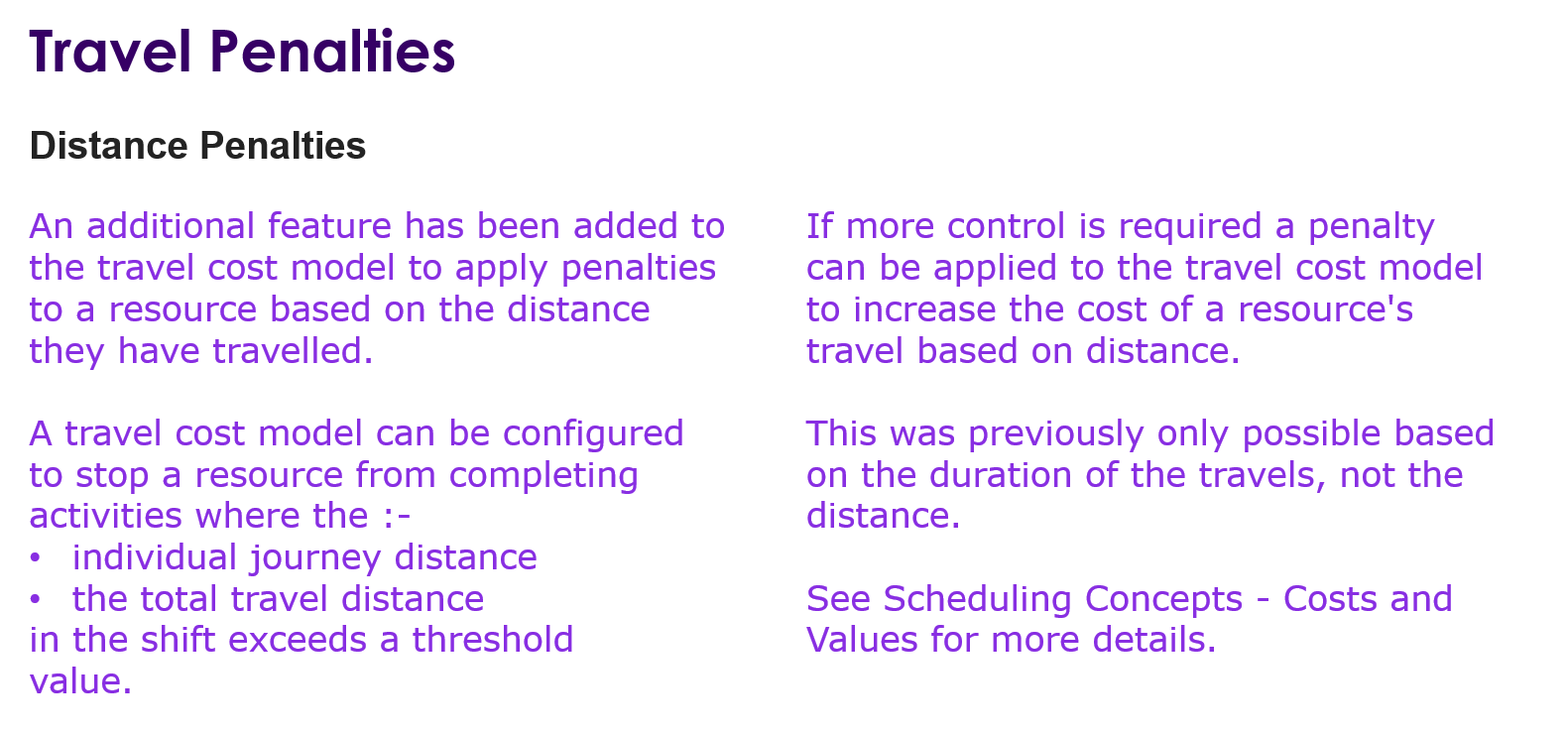
In PSO 6.11 how to set distance penalty in travel cost model?
How can I see difference in workbench after distance  penalty is applied to particular resources?

3 replies

Alexander Heinze
Ultimate Hero (Employee)
Forum|alt.badge.img+23
  • Ultimate Hero (Employee)
  • September 21, 2023

Does that help?

Depending on your setup you should see that longer travels are eliminated or these jobs get assigned to resources w/o penalties, maybe remote jobs can even no longer be allocated.


Forum|alt.badge.img+3
  • Do Gooder (Employee)
  • September 21, 2023

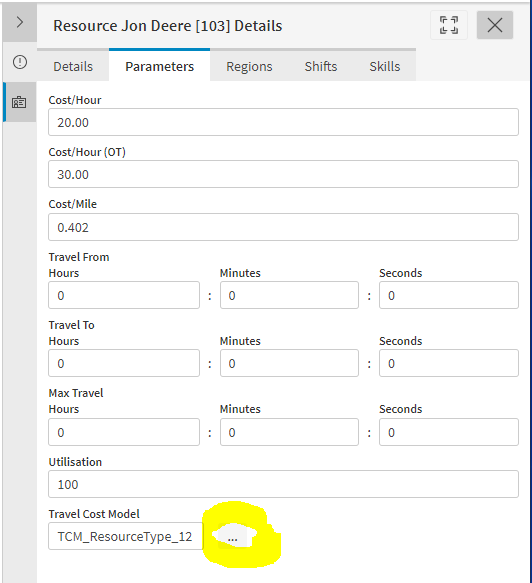
In the Resource Details, I believe if you click the “...” beside the Travel Cost Model in the Parameters tab, you’ll see which parameters apply, including the travel penalties.


Marzio
Do Gooder (Employee)
Forum|alt.badge.img+2
  • Do Gooder (Employee)
  • December 26, 2024

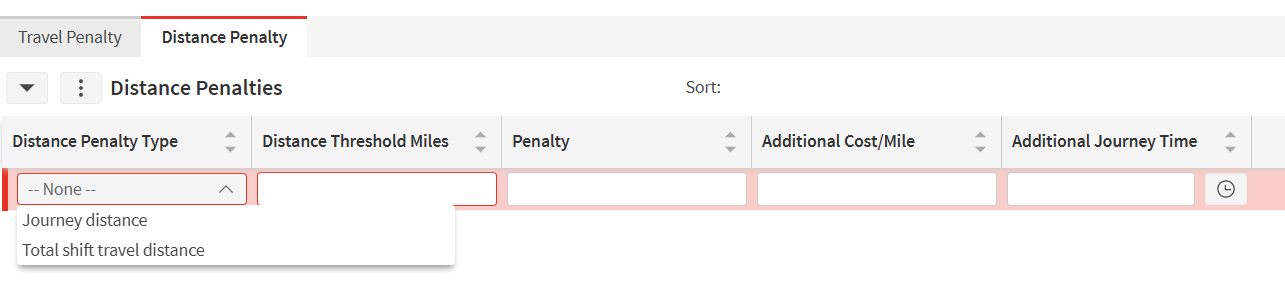
PSO menu > Planning > Resource Data > Travel Cost Models

Once the travel cost model has been created, you can select the row and it will show 2 tabs, one called Travel Penalty and the other called Distance Penalty.

Go to the Distance Penalty tab and you will be able to add a line with the specific penalty. You have 2 types of distance penalties, journey distance and total shift travel distance. Select the one that suits for your use case