Question

New attributes values from ifs cloud to PSO

  • October 11, 2022
  • 3 replies
  • 250 views

Forum|alt.badge.img+3

Hi Community,

How can i send from cloud news attributes values to PSO?

Is it possible to set up new attributes values?


Examples:

1-From a Prepare work order => Send Object information to Activity details, Activity tooltip in PSO

2-From a Task, send Long Description information to Activity details, Activity tooltip in PSO

3-From Absence details, send Absence Type in description in Private activity to display it on the workbench PSO

From menu Scheduling Dataset in cloud, it’s possible to set-up attributes values but it’s limited to a few values


Thank you for your help

 

3 replies

Forum|alt.badge.img+7
  • Do Gooder (Employee)
  • October 4, 2023

When defining a Scheduling Dataset, you can define values that become entries in the ‘additional_attribute’ entity using the ‘Attributes’ tab on the Dataset.

These entries are included in Load and Change files, and can then be used in the Lists to configure tool tips etc.

Defining values to send as an ‘additional_attribute’.
If you want to use a value that is not in the pre-defined list, you will need to add a line with an attribute value of #CUSTOM_VALUE# and define a Custom Value Expression. 
For example...
 

Scheduling Dataset page

In the examples above, there are Task and Resource values added.

  • For a standard field on a Task, you can use the format
    Jt_Task_API.Get_Latest_Start(#TASK_SEQ#)
    where ‘Latest_Start’ is the field name, and (#TASK_SEQ#) is the key to retrieve the record
  • For a custom field on a Task, you can use the format
    jt_task_cfp.get_cf$_assigned_to(jt_task_api.get_objkey(#TASK_SEQ#))
    where ‘assigned_to’ is the name of the Custom attribute on the entity

Similarly for Resources, you can use the format:

  • resource_api.get_resource_type(#RESOURCE_SEQ#) for a standard field
  • resource_cfp.get_cf$_customattribute(resource_api.get_objkey(#RESOURCE_SEQ#)) for a custom field

For other entities similar formats would apply.

You can find the details needed in the following pages

  • Function/API name - ‘Entity’ page / packages tab
  • Standard attribute names/field names - ‘Entity Details’ page
  • Custom Field Names - ‘Entity Configuration’ page
     

Kamel Bennour
Do Gooder (Partner)
Forum|alt.badge.img+2
  • Do Gooder (Partner)
  • October 25, 2024

Hi, thanks for your demo, but how to get customer name from task?

Thank you for your help

Best regards


Forum|alt.badge.img
  • Do Gooder (Partner)
  • April 10, 2026

Hi,


I have been utilizing the ‘Appointment Start’ and ‘Appointment Complete’ fields from the Request Task – Scheduling and Allocation screen and passing them to PSO as custom attributes. However, I have observed that the values being transmitted to PSO contain only the date component, whereas the API used for passing these custom values includes both date and time for these fields.

Could you please assist in clarifying whether this behavior is expected, or if it might be due to a configuration issue on my end or a potential bug within IFS?

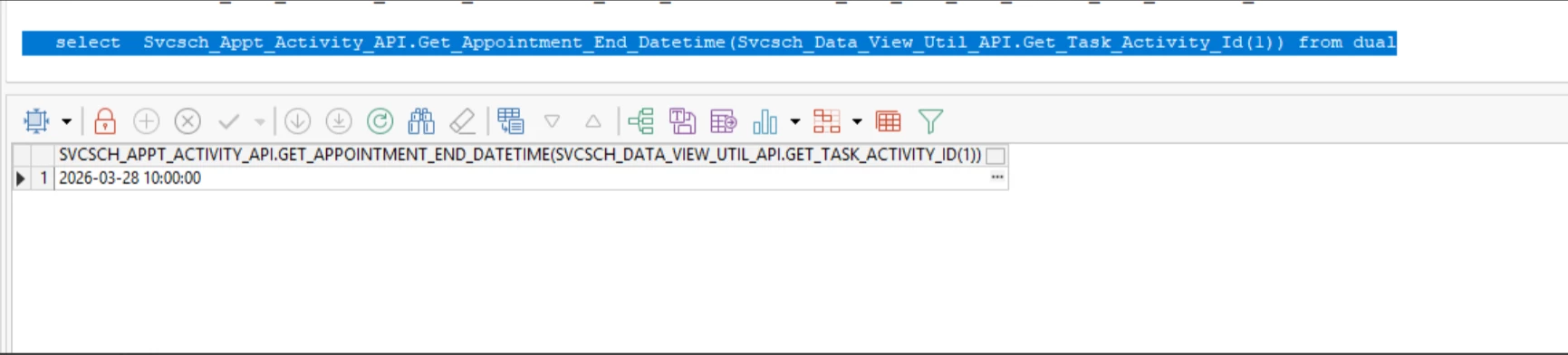
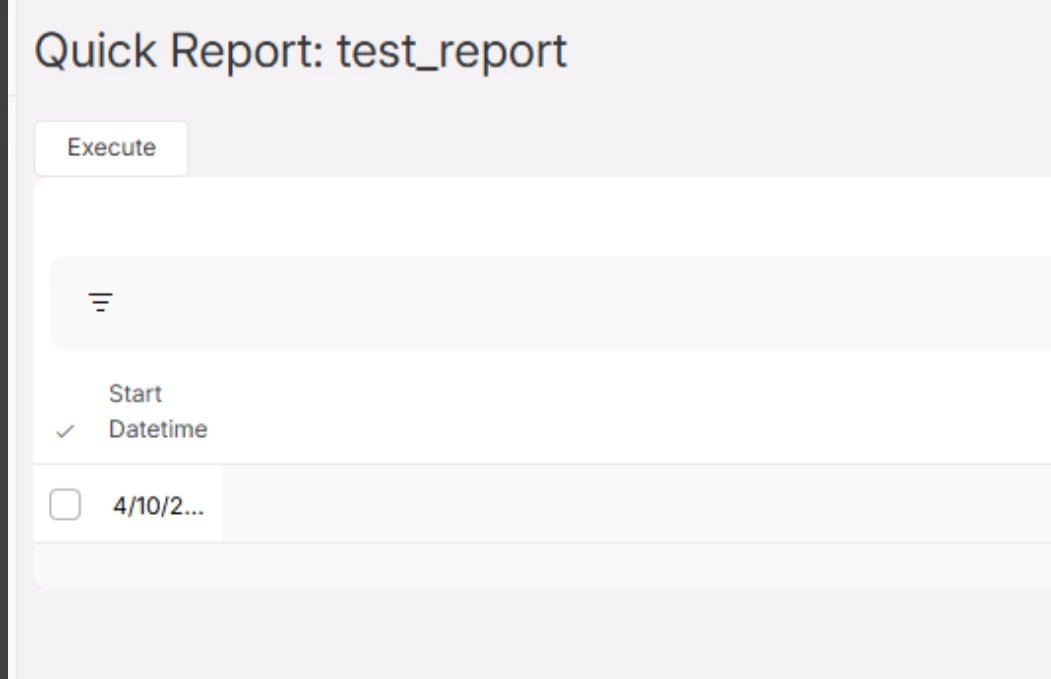
Also for your reference I am sharing the screenshot where we tested the api in dev and got both date and time whereas when the same api is called in quick reports for validating, only date is populated.

dev details for the API
​​​​​

details on the quick reports for validating