

Question

Manual PSO drag and drop issue

  • June 28, 2026
  • 4 replies
  • 29 views

kasunhp
Hero (Partner)
Forum|alt.badge.img+10

Hi All,


We use PSO for manual scheduling. I have an issue with manually committing an activity to a resource in PSO. 

I want to commit an activity as shown below. 67 to Technician. The activity duration is less than the half of the shift time.
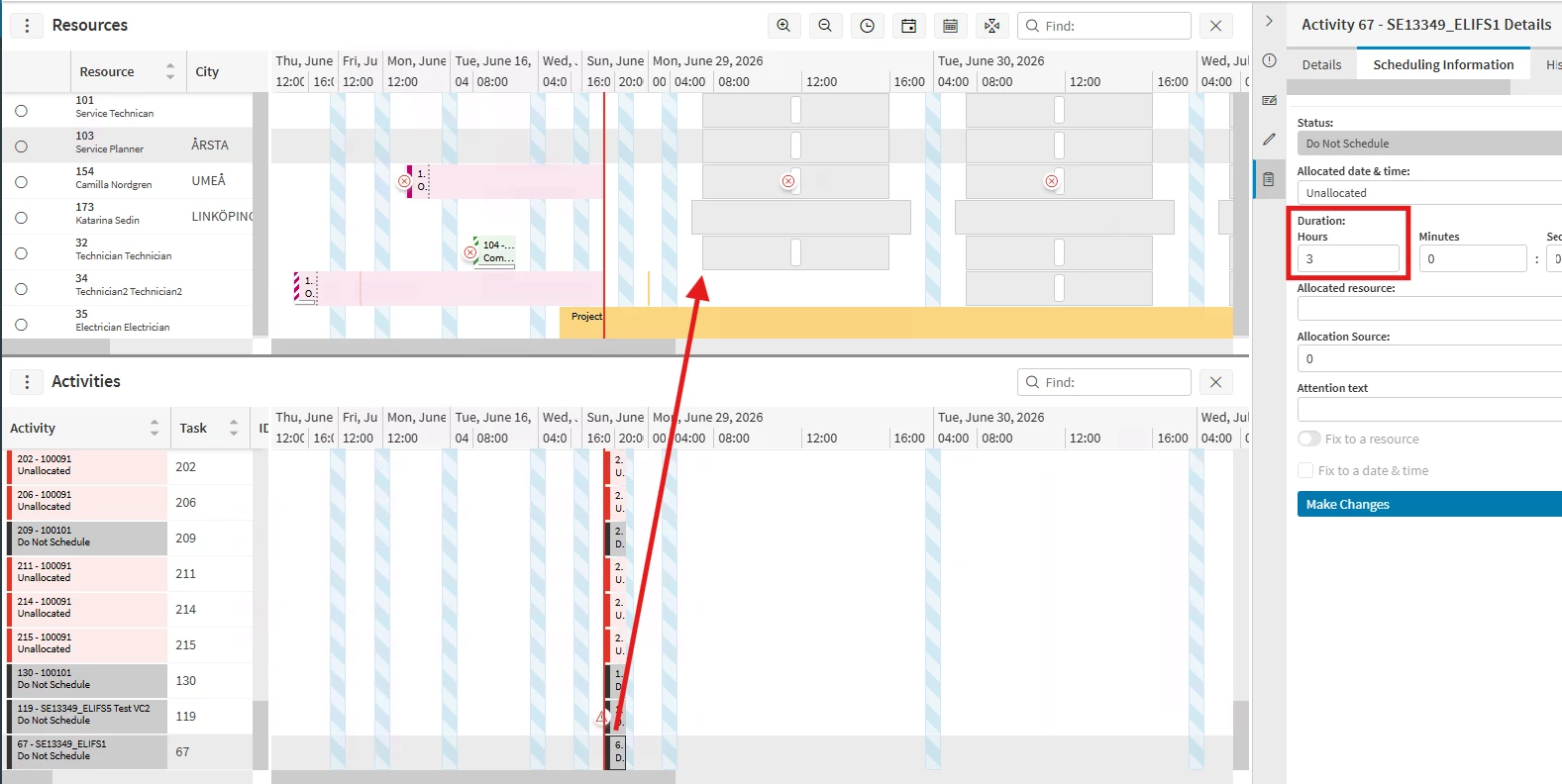


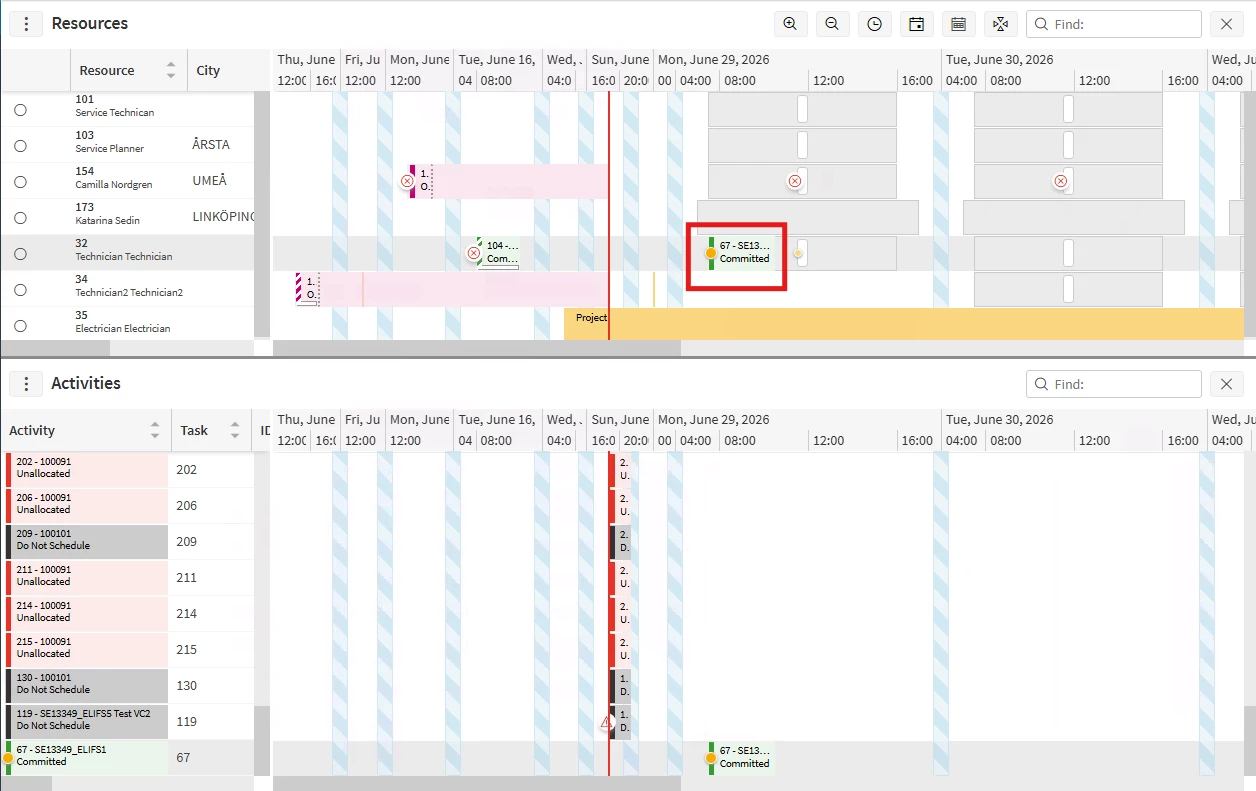
When I dragged and drop an activity to the start of shift in the PSO gannt, the activity is in the begining of the shift. But still processing. 

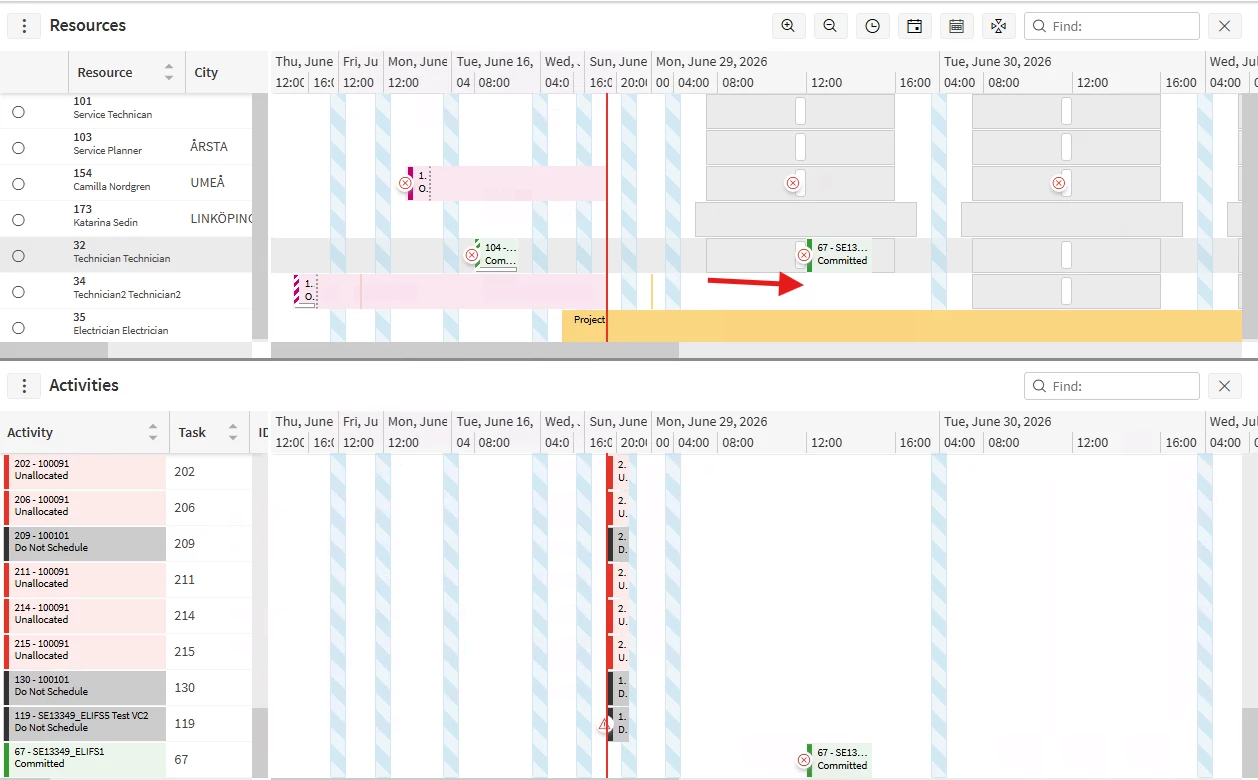
Then after few seconds, the activity it is pushed towards after the break. 


Can you provide any reason for this behavior? We are using manual process type dataset since we want to schedule activities manually.
 

TIA.

4 replies

Forum|alt.badge.img+2
  • Do Gooder (Partner)
  • June 28, 2026

Hi ​@kasunhp
 

It appears that the DSE is throwing a scheduling exception for the activity. Could you share any additional details about that exception? That information may help identify the root cause.

Also, could you confirm whether the breaks in this scenario are implicit or explicit? The scheduling behavior differs depending on the break type, and there are specific rules which are applied for breaks by the DSE that may have an effect in the behavior you're seeing.

One additional observation based on the screenshots: I can see another activity in Committed status that is assigned to the same resource and is scheduled for a time in the past, prior to the activity you manually committed. Under normal circumstances, we wouldn't expect a committed activity to remain scheduled behind the current time. As a troubleshooting step, you could try removing that past activity and then recommitting the activity in question to see whether it is scheduled as expected.

That said, it's difficult to determine the exact cause without reviewing the underlying data and configuration in more detail. Additional information, such as the scheduling exception and relevant activity details, would help narrow down the issue.


kasunhp
Hero (Partner)
Forum|alt.badge.img+10
  • Author
  • June 28, 2026

Hi ​@WESALK 


Thanks for your input. 


I added this parameter. I will check behavior. 


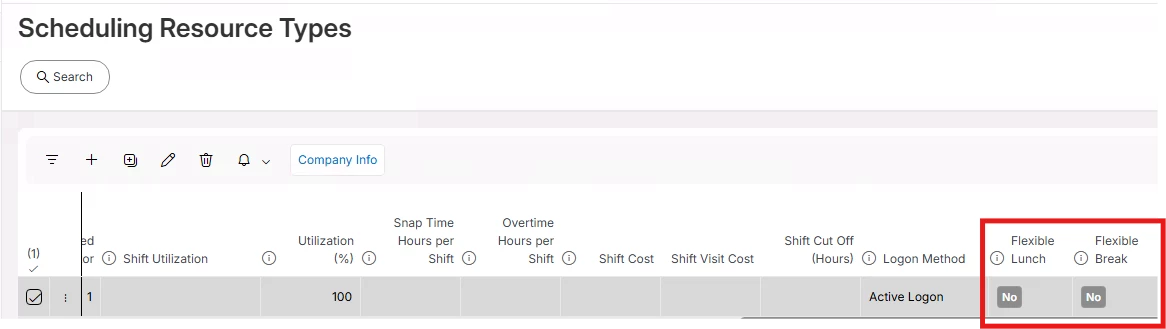
Any idea on this? Breaks in SRT.


Further, is there any setting to stop pushing work if the duration of work is longer than the time between shift start and break start?


Forum|alt.badge.img+2
  • Do Gooder (Partner)
  • June 29, 2026

Hi ​@kasunhp 

  1. I believe that the Flexible Lunch and Flexible Break parameters are only considered when explicit breaks are configured. Since you are using implicit breaks, these parameters are effectively ignored, as implicit breaks are scheduled flexibly anyway within the defined break window if possible.
  1. By default, if a task is not splittable, the DSE will not schedule it if its duration exceeds the available time between the shift start and the break start. In other words, the task cannot be placed in the period before the break if it cannot be completed before the break begins.

If you have long-duration tasks that need to span across a break, you should configure them as splittable. This allows the DSE to schedule part of the task before the break and resume it afterward.

More information regarding this is available in the PSO documentation Scheduling Concepts -Split Activities.


kasunhp
Hero (Partner)
Forum|alt.badge.img+10
  • Author
  • June 29, 2026

@WESALK 


I already sat this setting and tried with “Allow Multi Visits” also. Still splitting didn’t happen. That is why I asked is there any more settings.