Question

Issue with Hierarchical Travel Matrix (HTM) Configuration in PSO

  • November 23, 2023
  • 5 replies
  • 196 views

Forum|alt.badge.img+4

Hello everyone,

I followed the provided instructions to install the Hierarchical Travel Matrix (HTM) in PSO. However, when I attempted to test if it is working properly through the compare tab, I only received results from the straight-line distance.
Here are the steps I took after the installation:

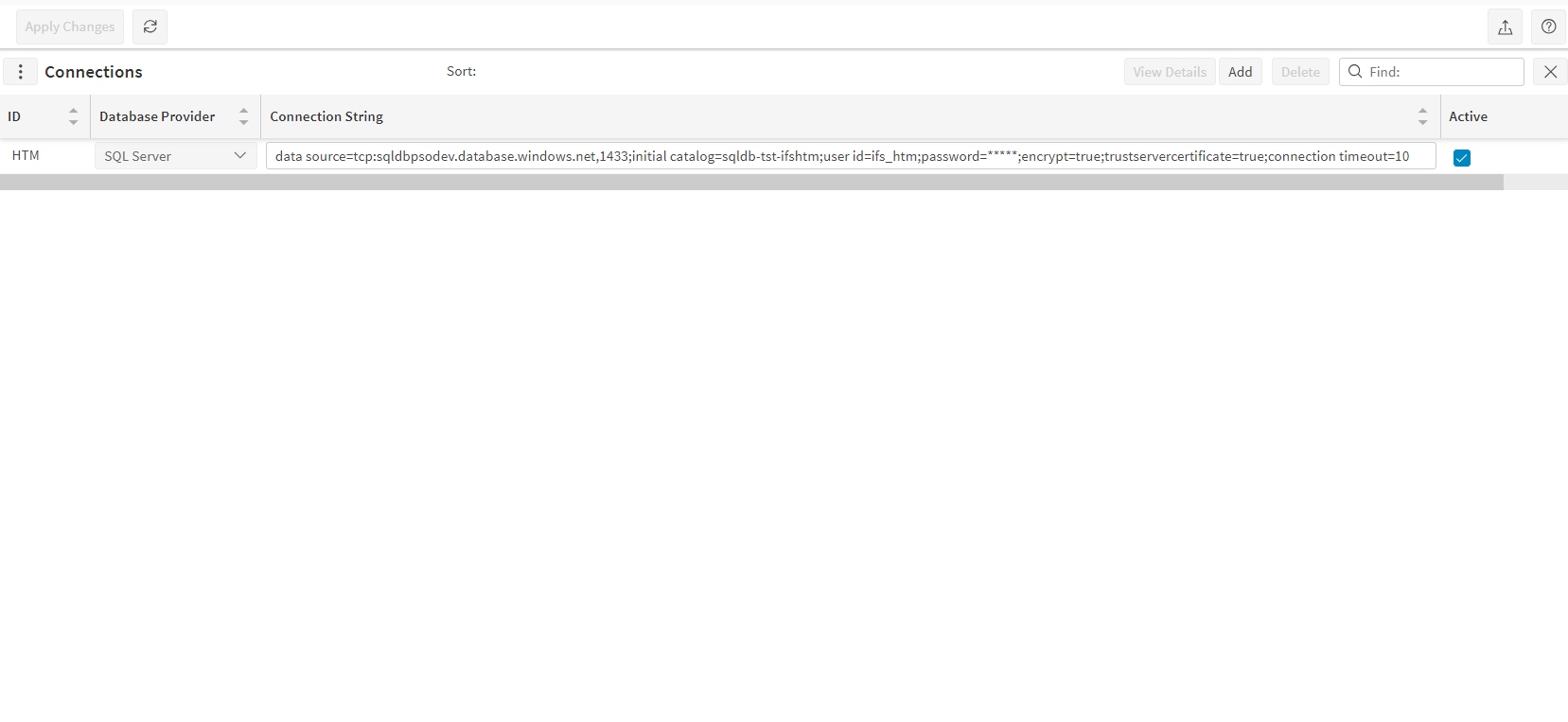
  1. Created a new HTM connection through the Connections form.
  2. Added "BAL" in the value field for the HierarchicalDatabaseMatrixId parameter.
  3. Entered "Hierarchical Travel Matrix" in the field of the TravelCalculationOption parameter.
  4. Chose the "Straight Line On Error" parameter (I have tested even without this parameter checked).
  5. Enabled the HTM connection.
     
    HTM Connection

Please note that no errors were encountered during the entire process - not even in events.

So, I would like to ask if the above procedure seems correct.
Is there a way to verify if HTM has been configured correctly?

Any insights or guidance

 would be greatly appreciated.

Thank you!

5 replies

roklde
Superhero (Employee)
Forum|alt.badge.img+27
  • Superhero (Employee)
  • November 23, 2023

Hi @elenpel !

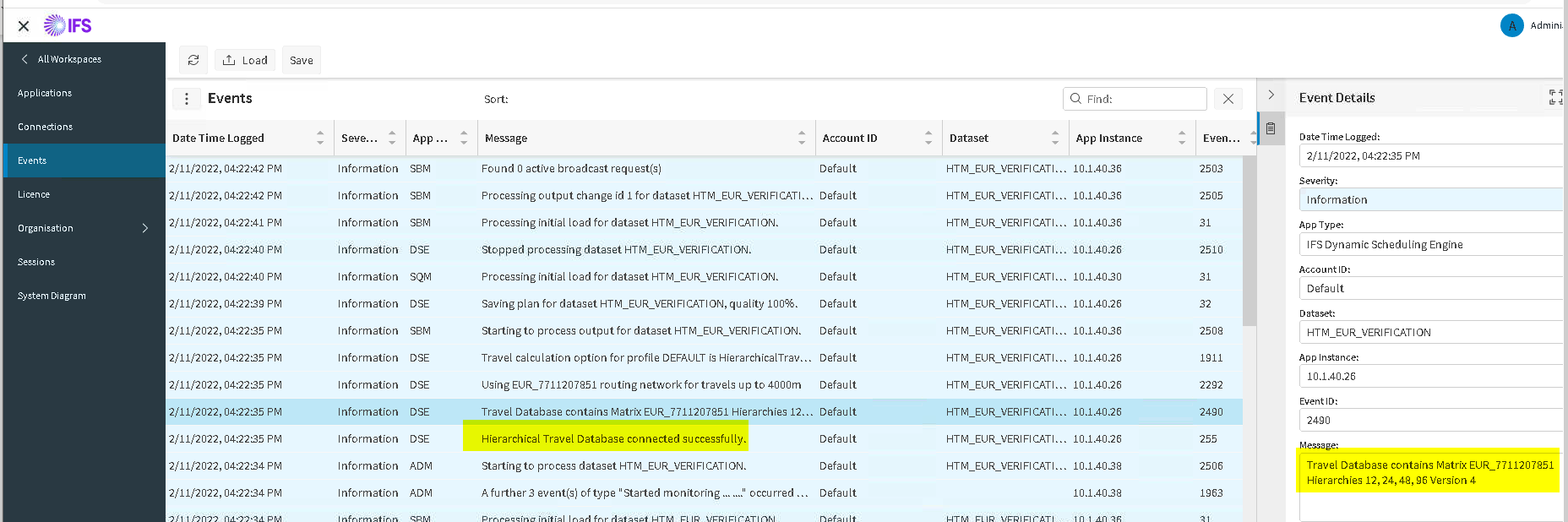
Did you try sending the corresponding verification file (which is supplied with the HTM installation files)? This should produce information messages inside the Events like this:


Try also restarting all PSO Services after you made the configuration.

Also note if this is an Azure SQL DB that IP Whitelisting for the PSO Servers may be required, depending on your Azure SQL DB Firewall settings.

Best regards
Roman


Forum|alt.badge.img+4
  • Author
  • Do Gooder (Partner)
  • November 23, 2023

Hello @roklde,

Thank you for your response! Could you please provide the analytical steps for sending the verification file?

Also, how should I configure the Azure SQL DB Firewall settings?

Thank you!


roklde
Superhero (Employee)
Forum|alt.badge.img+27
  • Superhero (Employee)
  • November 27, 2023

You can input the verification file with the “Import” function available in the Administration Workspace.

The SQL Azure DB Firewall can be configured within the Azure Portal. See also here:
https://learn.microsoft.com/en-us/azure/azure-sql/database/firewall-configure?view=azuresql

Best regards
Roman


Forum|alt.badge.img+1
  • Do Gooder (Partner)
  • August 12, 2026

@roklde 

Hi Roman,

I am experiencing the exact same issue with the HTM installation.

I am also receiving the same event messages as shown in your example, confirming that the HTM setup appears to be successful:

  1. Connection established through the Connections configuration in PSO.
  2. Added "EUR" as the value for the HierarchicalDatabaseMatrixId parameter (the file is installed)
  3. Entered "Hierarchical Travel Matrix" as the value for the TravelCalculationOption parameter.
  4. Enabled the HTM connection.

I also restarted all PSO applications and services after completing the configuration to ensure that all changes were applied.

However, when I tried to verify the setup using the Compare tab, the results only reflected the straight-line distance calculation. It does not appear that the Hierarchical Travel Matrix is being used.


Thanks,
Botan


roklde
Superhero (Employee)
Forum|alt.badge.img+27
  • Superhero (Employee)
  • August 13, 2026

Hi ​@FLEBOTANS,

it’s possible that the calculation is falling back to straigt-line because there is no HTM data for the area you are testing. In that case you would see some information messages / warnings in the Events - did you check for this?

Best regards
Roman