Question

IFS Cloud Quich Report as datasource for lobby element

  • March 24, 2025
  • 6 replies
  • 77 views

Forum|alt.badge.img+9

Hello,


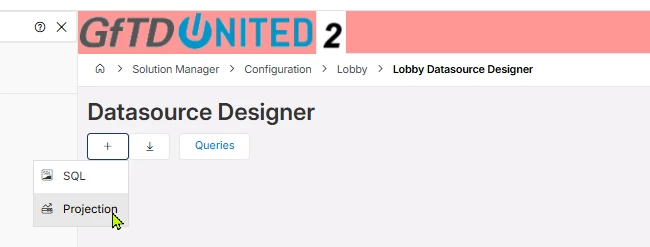
does anyone know if in IFS Cloud a Quick Report (projection) can be used as a Datasource for a lobby element?


Thank you!


BR Herbert

6 replies

TLAKLK
Hero (Employee)
Forum|alt.badge.img+7
  • Hero (Employee)
  • March 25, 2025

Hi hgruben,


Could you please give some more information for your question? And what is the product version?


Best Regards,

Thilina Lakshitha.


Forum|alt.badge.img+9
  • Author
  • Sidekick (Customer)
  • September 30, 2026

Well the question is: Can I use a Quick Report as an input in the Datasource Designer and if yes HOW?
 

Thanks 


Forum|alt.badge.img+10
  • Hero (Partner)
  • September 30, 2026

​@hgruben  You have to create a datasource using the information sources (IAL) that can be used to do whatever query you want. Its a bit of cumbersome/overcomplicated setup but it works.


Forum|alt.badge.img+9
  • Author
  • Sidekick (Customer)
  • September 30, 2026

Hi kvbe,

do you have an example?

Thanks


Forum|alt.badge.img+10
  • Hero (Partner)
  • September 30, 2026

You can create an IAL view through Solution Manager / Reporting and Analysis / Information Access Layer / IAL Object. If you use that in a lobby element, remember to make sure to prefix it with &IAL./&IFSINFO. 

You can also use the Query Designer to build data sources for lobbies, depending on how complex your requirements are.  

So process is:

  • Create the IAL.
  • Create a Quick Information Source utilising the IAL.
  • Create the Lobby Data Source with the newly generated QIS view.
 

Link
Superhero (Customer)
Forum|alt.badge.img+23
  • Superhero (Customer)
  • September 30, 2026

Hi ​@hgruben 

there is no option to use a Quick Report as a data source for a lobby.

The best way is an IAL.