Solved

How to make resource name available in PSO

  • February 27, 2026
  • 9 replies
  • 44 views

Forum|alt.badge.img+2

Dear all,

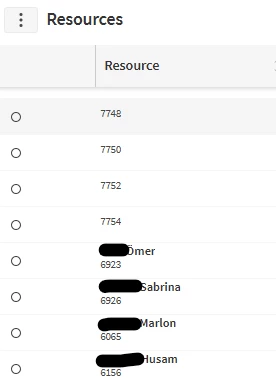
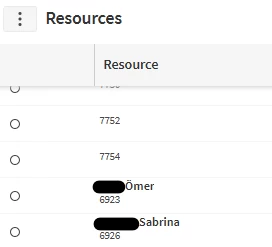
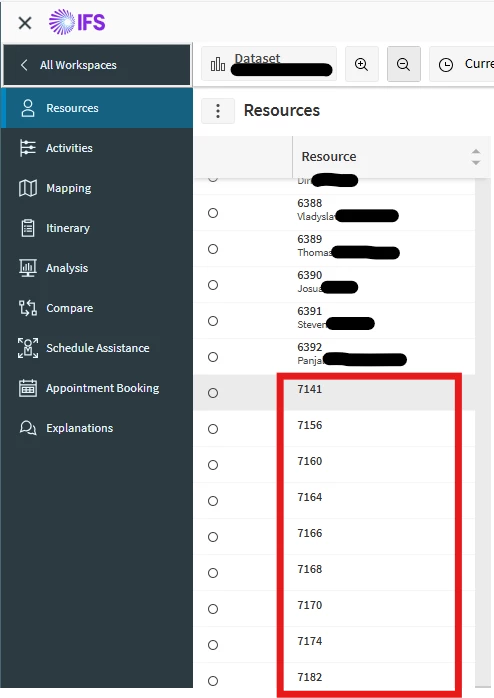
What shall I do do get the resource names from IFS-Cloud visible in PSO? In some cases, the names appear, in other cases not. Which configuration is necessary in IFS? What do I have to configure?

 

Best answer by Alexander Heinze

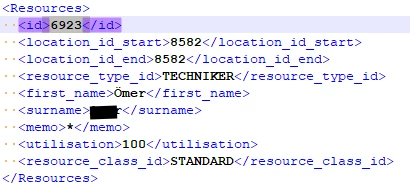
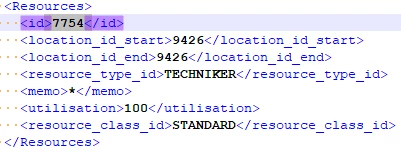
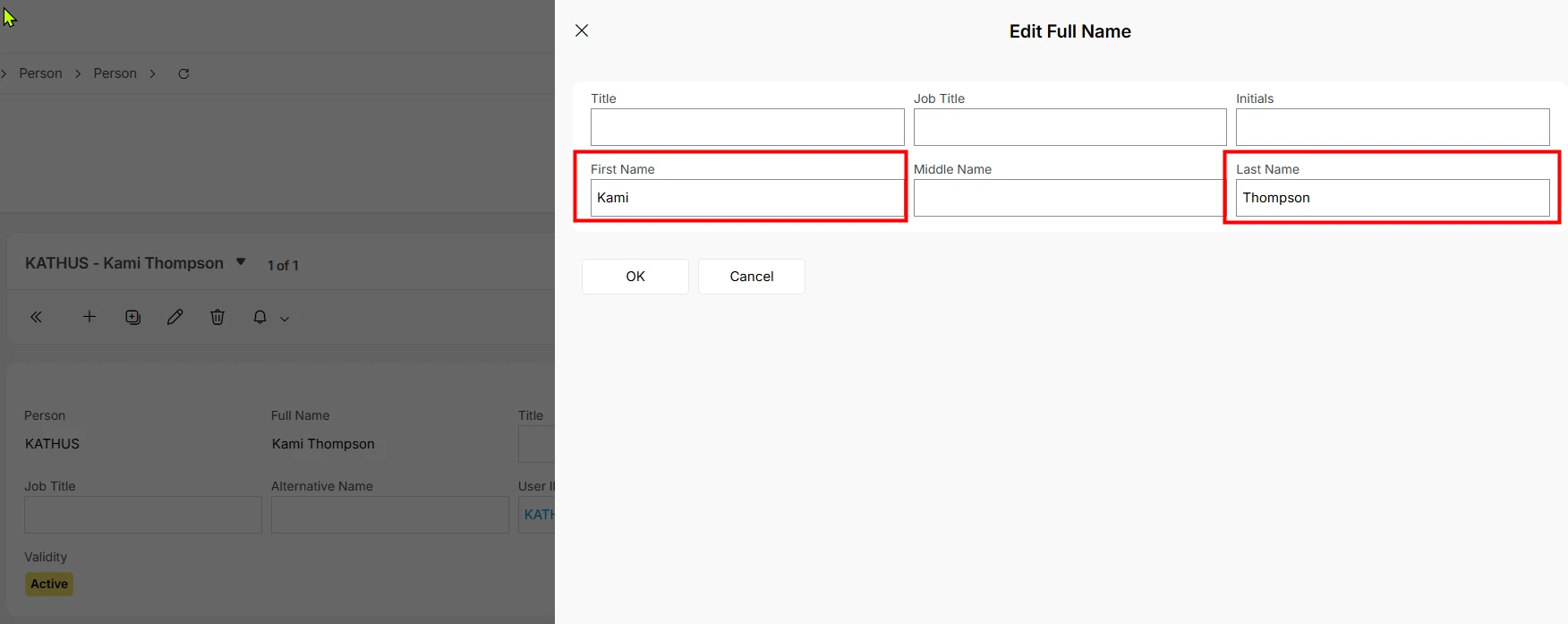
Hard to do a remote diagnosis. Can you look at your existing resources in that resource group and find the difference between 6923 and 7754? Drill down from the resource to the underlying person record and see if something is missing there. Select “Edit Full Name” on the person, these are the fields that are sent to PSO:
 

9 replies

Alexander Heinze
Ultimate Hero (Employee)
Forum|alt.badge.img+25
  • Ultimate Hero (Employee)
  • February 27, 2026

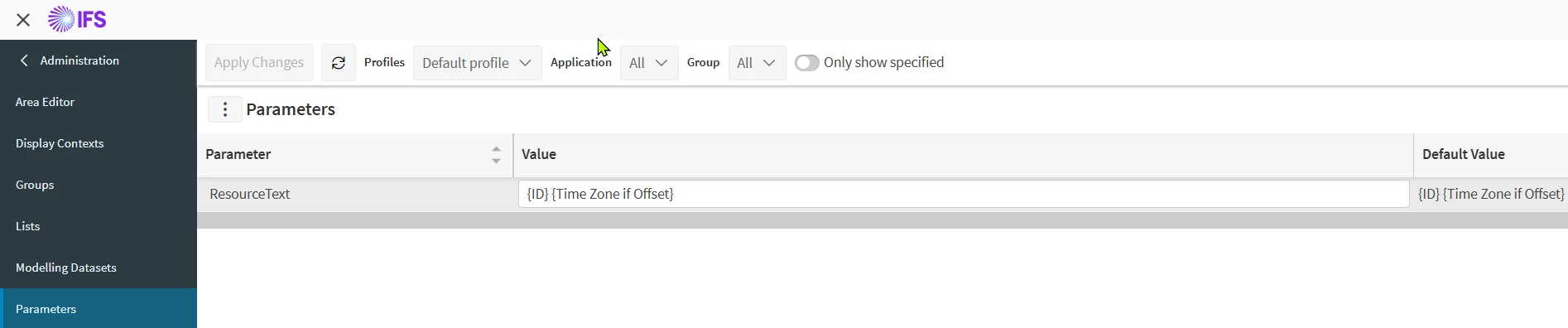
PSO>Administration>Organization>Parameters:


Forum|alt.badge.img+2
  • Author
  • Do Gooder (Customer)
  • February 27, 2026

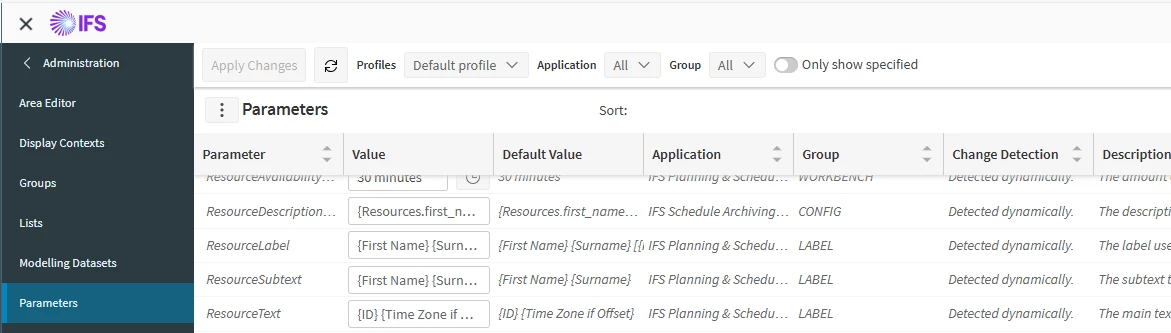
These parameters are set:

In IFS-Cloud Scheduling Dataset I “Send Full Load”, 

In PSO I refreshed Schedule Time

But Nothing changed.

New Idea: How can I automatically add many Users to PSO (because these users without name are not registered in PSO)?


Alexander Heinze
Ultimate Hero (Employee)
Forum|alt.badge.img+25
  • Ultimate Hero (Employee)
  • February 27, 2026

See my screenshot above, your parameter ResourceText is still set to {ID} {Time Zone if Offset}. Try something like {First Name} {Surname}. The change becomes effective immediately, no load or change message required.

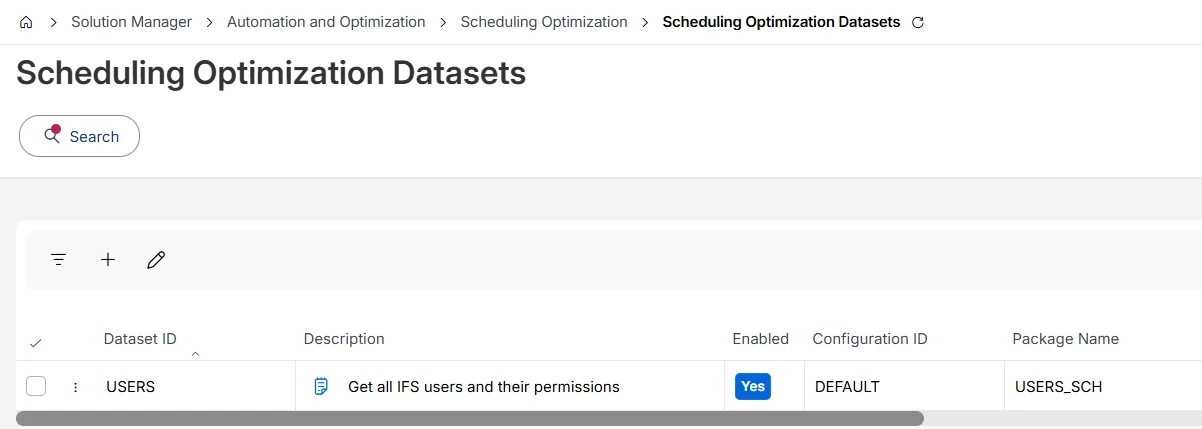
If an IFS Cloud user has the permission set “FNDSCH_RUNTIME” or “FNDSCH_ADMIN” it will automatically be sent to PSO. This is achieved by the following dataset:


Once you added new users or gave them the permission sets, run “Send Changes” or “Send Reset”.


Forum|alt.badge.img+2
  • Author
  • Do Gooder (Customer)
  • February 28, 2026

The behaviour of PSO works as designed.

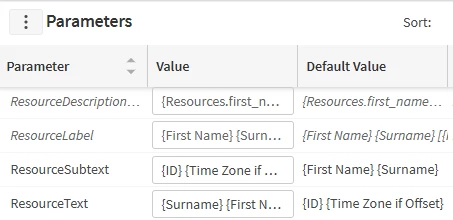
I have changed the value to:

Unfortunately the result is the same

I believe that this has something to do with the resource setup/configuration in ifs-cloud. But I don’t know what I have to change.

I have to fix this for about many resources.


Bhanuka Abeygoonawardana
Hero (Employee)
Forum|alt.badge.img+9

Hi ​@Michael_B,

I suspect that, since only some resources appear in PSO with only the resource ID, they were created via data migration or API/integration jobs, where the display name was not fully resolved at creation time. PSO does not calculate or enrich resource names, and it only displays what is sent from IFS Cloud.

When resources are created using the IFS Assistant (standard UI), the system correctly links the resource to the associated person and resolves the name automatically.

Please check in IFS Cloud that the Service Resource is correctly connected to a Resource Person and that the resource description/person name is populated. After correcting this, resend the Resources dataset to PSO so the name is updated.


Alexander Heinze
Ultimate Hero (Employee)
Forum|alt.badge.img+25

You can also send a LOAD from IFS Cloud, then in PSO go to Archive>Audit and find that LOAD message. In there you will find all the attributes sent by IFS Cloud. It looks like some of your resources are correctly populated with first name and last name, others aren’t. It would be possible that 7748 is for example a bucket resource, but it’s possible to assess that from your screenshot.


Forum|alt.badge.img+2
  • Author
  • Do Gooder (Customer)
  • March 2, 2026

I made a LOAD and got the xml-data

LOAD:

How can a fix this? Where?

Names are not sent from IFS-Cloud to PSO.


Alexander Heinze
Ultimate Hero (Employee)
Forum|alt.badge.img+25
  • Ultimate Hero (Employee)
  • Answer
  • March 2, 2026

Hard to do a remote diagnosis. Can you look at your existing resources in that resource group and find the difference between 6923 and 7754? Drill down from the resource to the underlying person record and see if something is missing there. Select “Edit Full Name” on the person, these are the fields that are sent to PSO:


Forum|alt.badge.img+2
  • Author
  • Do Gooder (Customer)
  • March 2, 2026

Thank you very much.

That was the solution