Question

FSM Report multiple Task_Id through string field

  • Sep 10, 2024 11:28 AM UTC
  • 8 replies
  • 70 views

Forum|alt.badge.img+5

I developed this report on Visual Studio 2017 with FSM extension.

The idea was to give to user some possibilities to generate the report.

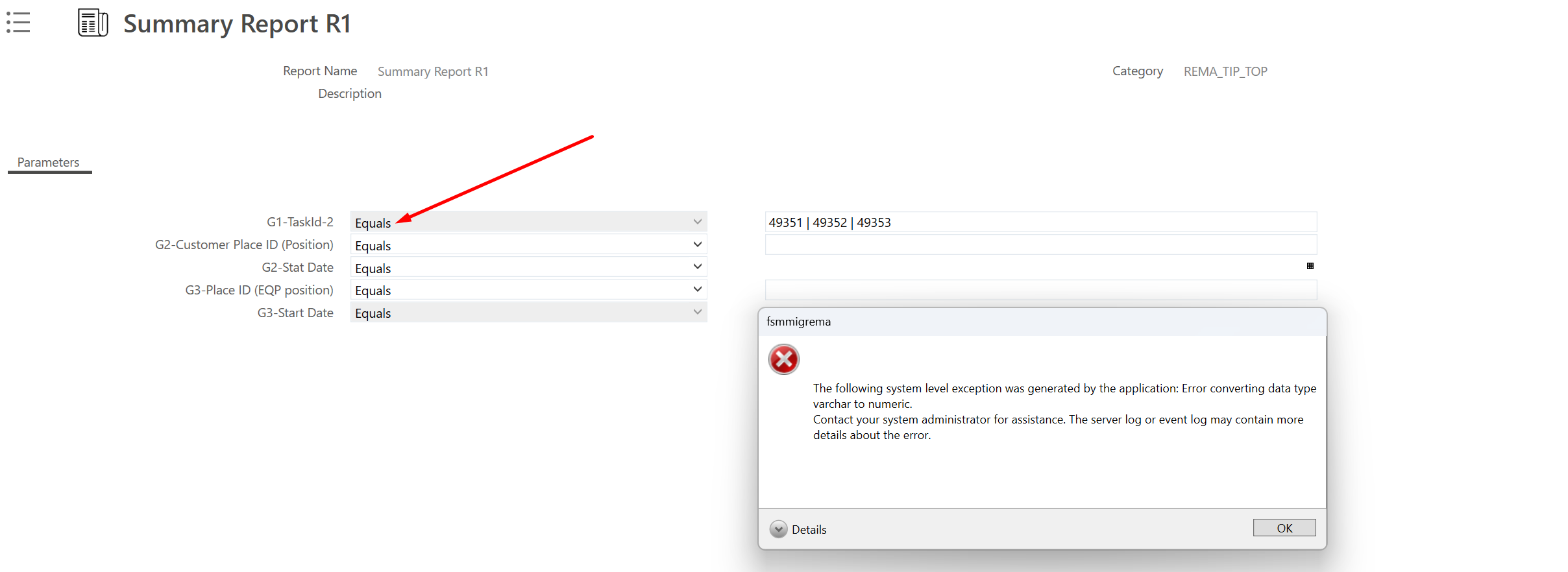
It is working fine as the picture below. 
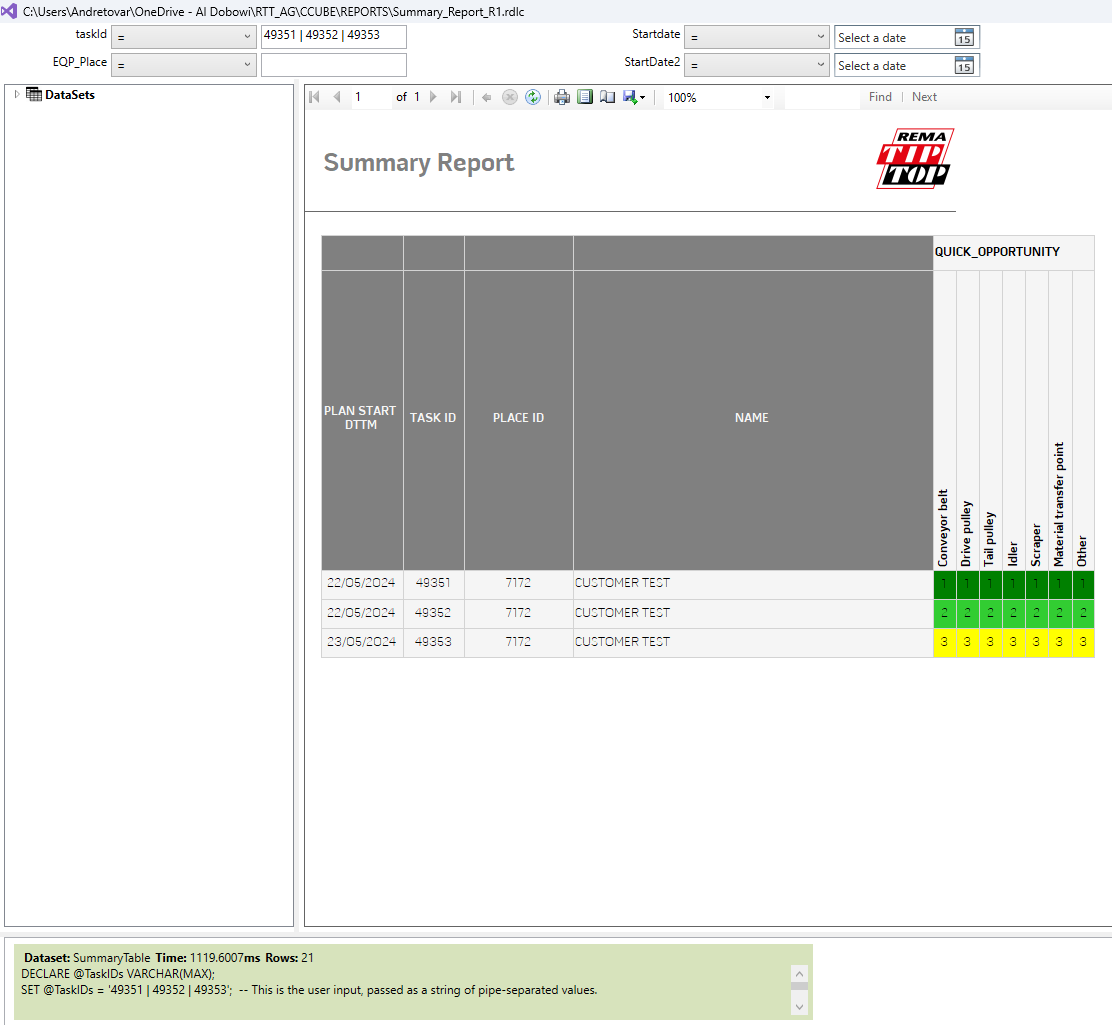

After setting up the Report admin registry for this report. 
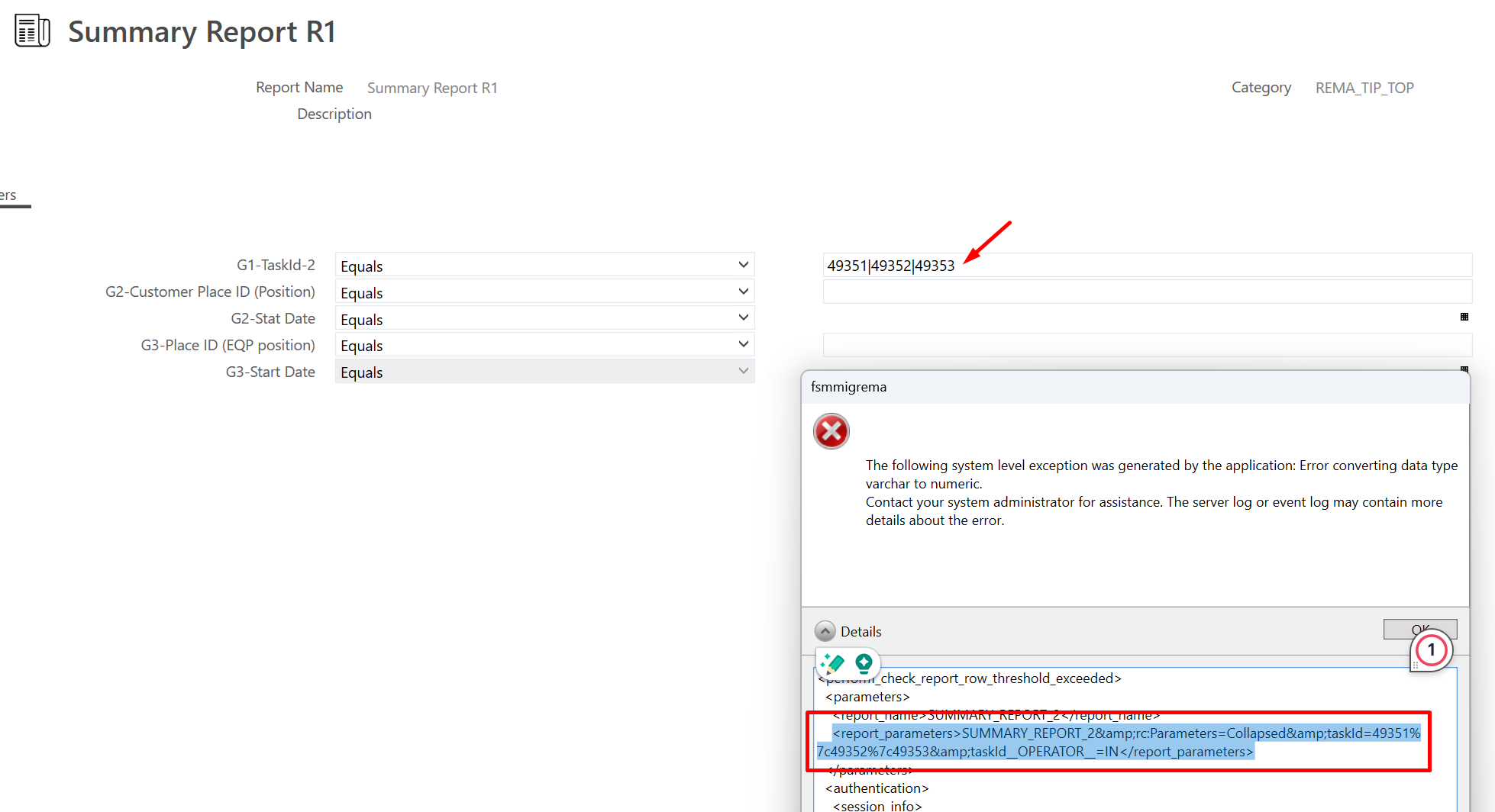
I getting this error for the same filter:
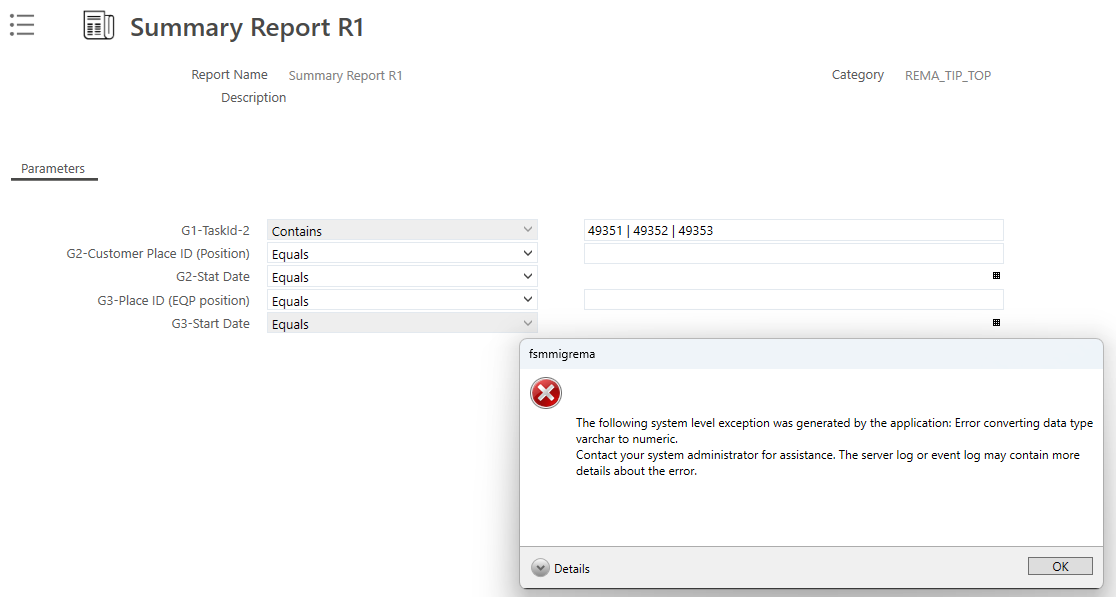
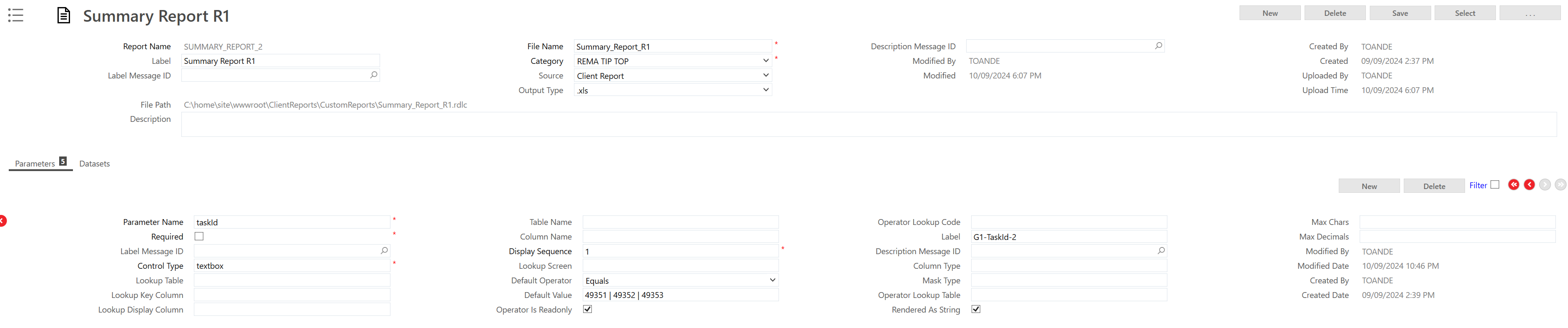
 The task_id field is setup like:
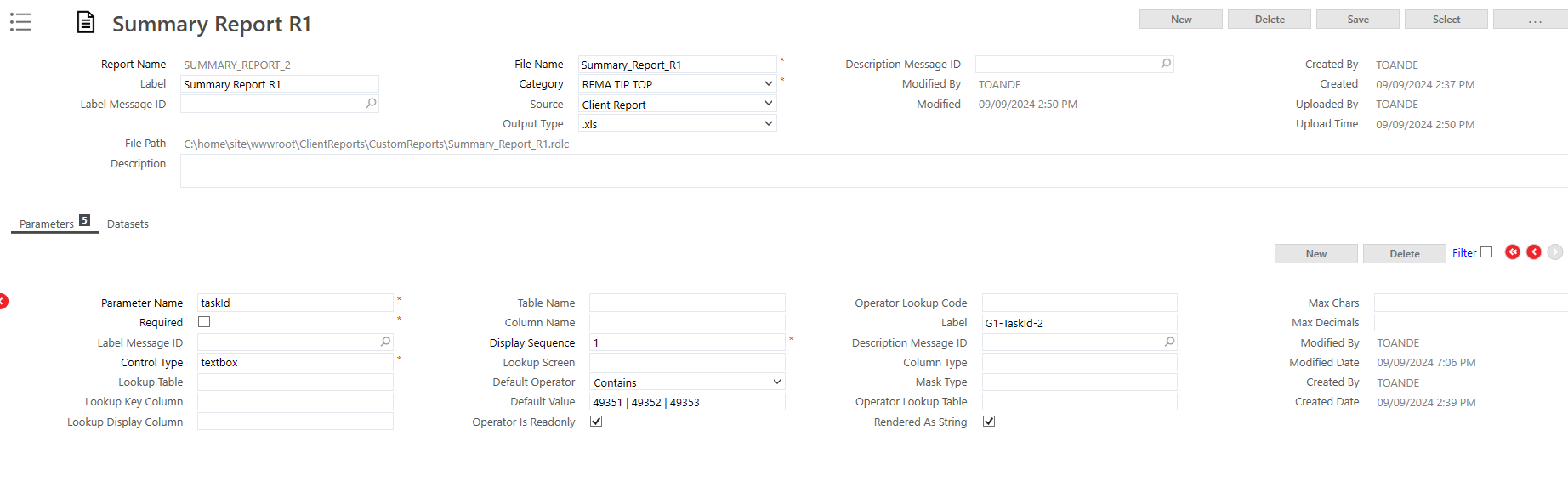
 

What should I do to fix this issue ?

8 replies

Forum|alt.badge.img+10
  • Hero (Employee)
  • Sep 10, 2024 1:19 PM UTC

Hi @RTTATOVAR ,

I believe you need to change the operator from contains to equal. As an example the baseline task report you would use equal 245|264  to get both tasks.


Regards,

Morris


Forum|alt.badge.img+5
  • Author
  • Do Gooder (Customer)
  • Sep 10, 2024 6:51 PM UTC

Same problem.
I don't think it is a SQL exception because Visual Studio was able to export a report. I don't get it.


Shneor Cheshin
Superhero (Employee)
Forum|alt.badge.img+28
  • Superhero (Employee)
  • Sep 10, 2024 11:03 PM UTC

@RTTATOVAR 

I believe you need to set the taskid as numeric (int), and not varchar

Cheers!


Forum|alt.badge.img+5
  • Author
  • Do Gooder (Customer)
  • Sep 11, 2024 3:56 AM UTC

The purpose of doing this is to apply a similar filtering as we can do through the web client. It allows the user to combine multiple task_ids into the report.


If filled with only one task_id, it works, but that's not the intention.


Shneor Cheshin
Superhero (Employee)
Forum|alt.badge.img+28
  • Superhero (Employee)
  • Sep 11, 2024 4:28 AM UTC

@RTTATOVAR 

Thanks for the clarifications.

Do you have space characters in the parameters? Looks like from the screenshot.

Cheers!


Forum|alt.badge.img+5
  • Author
  • Do Gooder (Customer)
  • Sep 11, 2024 10:20 AM UTC

Thank you @Shneor Cheshin for your fast reply.
Even without space.


Shneor Cheshin
Superhero (Employee)
Forum|alt.badge.img+28
  • Superhero (Employee)
  • Sep 11, 2024 11:14 PM UTC

@RTTATOVAR 

I am out of ideas. The only thought is a product bug or compatibility issue.

What version of FSM do you run?

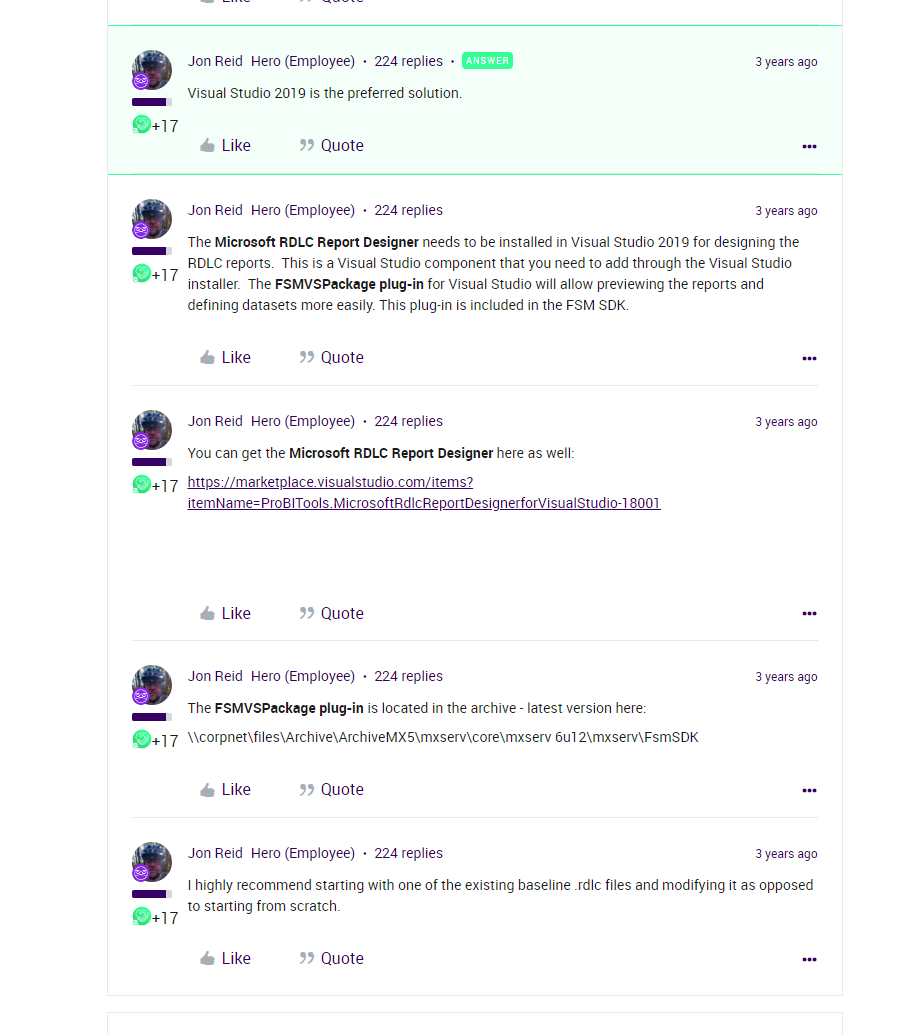
According to R&D VS 2019 is the preferred version for developing a report

Reports Support with FSM | IFS Community

Cheers!


Forum|alt.badge.img+6
  • Hero (Partner)
  • Sep 12, 2024 2:53 AM UTC

@RTTATOVAR in your query in RDLC, 

rather than declaring it as a variable using ‘SET’

can you try to use it directly in the where query. Also use the ‘equal’ as the operator

Something like below


where task.task_id ##TaskID $$TaskId OR @TaskId is null