Question

FSM 6.27 - How I can check executed process user wise

  • February 9, 2026
  • 6 replies
  • 23 views

Forum|alt.badge.img+1

Hi

We are using IFS FSM 6.27, I want to check the executed processes by users , something like background process of IFS 10 or cloud version.


6 replies

Shneor Cheshin
Superhero (Employee)
Forum|alt.badge.img+28
  • Superhero (Employee)
  • February 12, 2026

Hi ​@mzislamsec 

Can you please elaborate? I am not clear with your requirements.

What processes? What users? What is the workflow?

Cheers!


Forum|alt.badge.img+1
  • Author
  • Do Gooder (Customer)
  • February 12, 2026

Hi @Shneor Cheshin

I have been working with IFS for the past couple of years, including IFS Applications 10 and IFS Cloud. In those versions, I regularly used the Solution Manager window.

Currently, I would like to track user activity and administrative functions in IFS FSM 6.27. Could you please assist me by providing the relevant administrator documentation for this version?

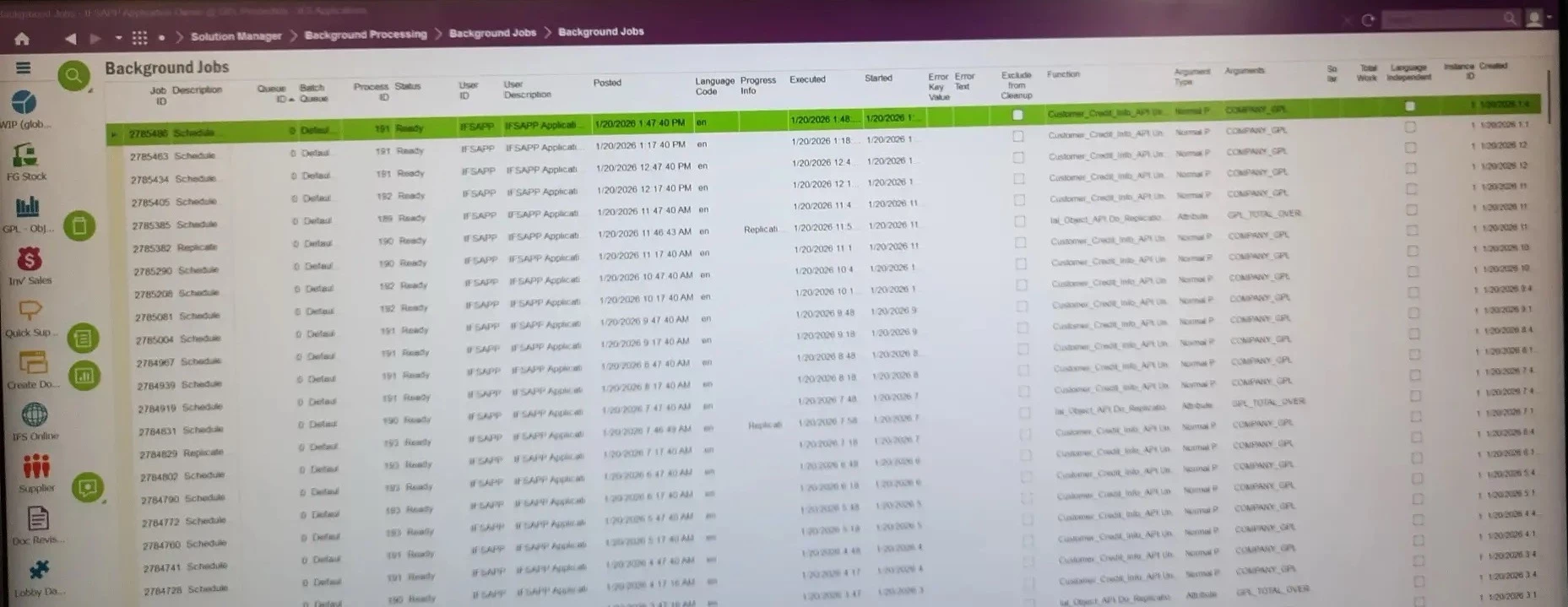
For your reference, I have attached a screenshot of the Solution Manager window (Background Jobs) of IFS App10 to clarify my understanding.

Thank you for your support, and I look forward to your response.


Shneor Cheshin
Superhero (Employee)
Forum|alt.badge.img+28
  • Superhero (Employee)
  • February 12, 2026

Hi ​@mzislamsec 

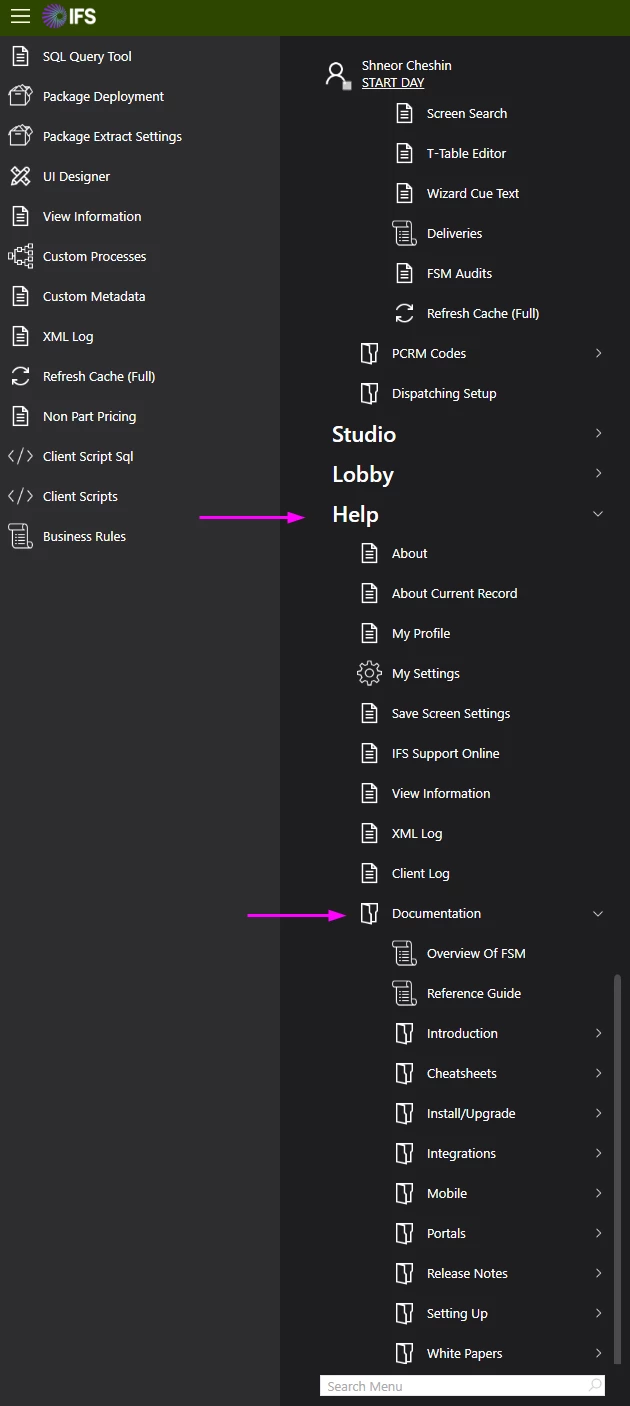
Documentation could be found under the ‘Help’ menu item in the smart client


About your issue, if you explain what you want to achieve, we might be able to help you.

Cheers!


Forum|alt.badge.img+1
  • Author
  • Do Gooder (Customer)
  • February 12, 2026

Can I check FSM both mobile and web users' activities?


Shneor Cheshin
Superhero (Employee)
Forum|alt.badge.img+28
  • Superhero (Employee)
  • February 12, 2026

Hi ​@mzislamsec 

What do you mean by activities?

There’s a table named person_login_history that you might use for logged-in users. And person_mobile might give you some insights into the mobile users.

But if you want anything specific, you might need to build your own solution.

Cheers!


JuniSihombing
Hero (Customer)
Forum|alt.badge.img+11
  • Hero (Customer)
  • February 20, 2026

Hi ​@mzislamsec ,

you can use Run Log.


Hope it answers your question.


Cheers,

~Juni