Solved

FSM 6.13 - AdHoc Report Datetime Format

  • Oct 22, 2021 1:40 PM UTC
  • 4 replies
  • 225 views

ZRZJOLIVEIRA
Do Gooder (Partner)
Forum|alt.badge.img+7

Hi,


Is it possible to change the datetime format for the AdHoc reports extracted from FSM?

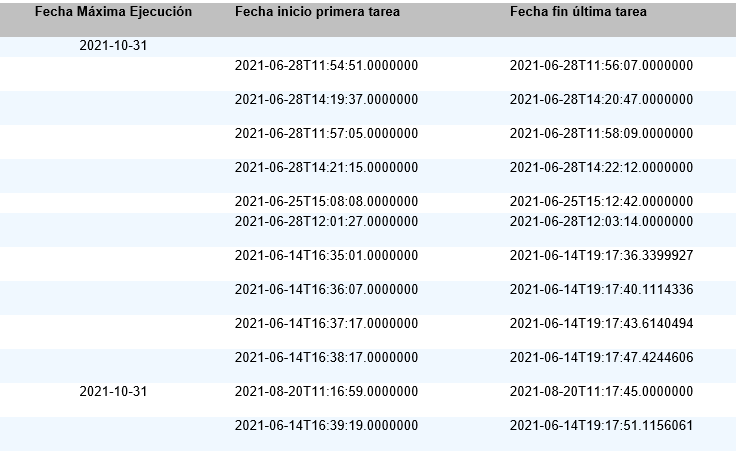
The image below shows the result, but it’s easy to work with this formats at excel
 

Best regrds,

Best answer by Hushan Hasarel

Hi João,


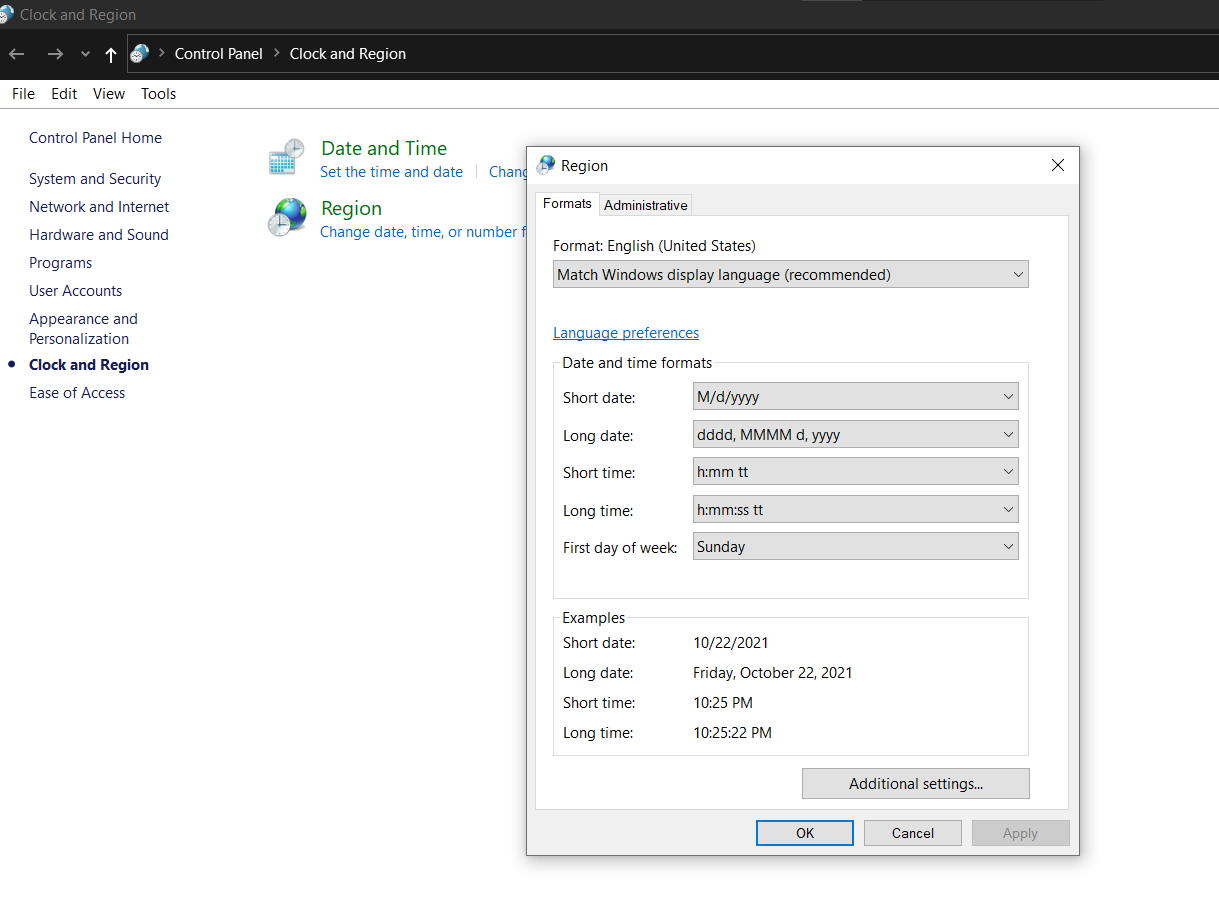
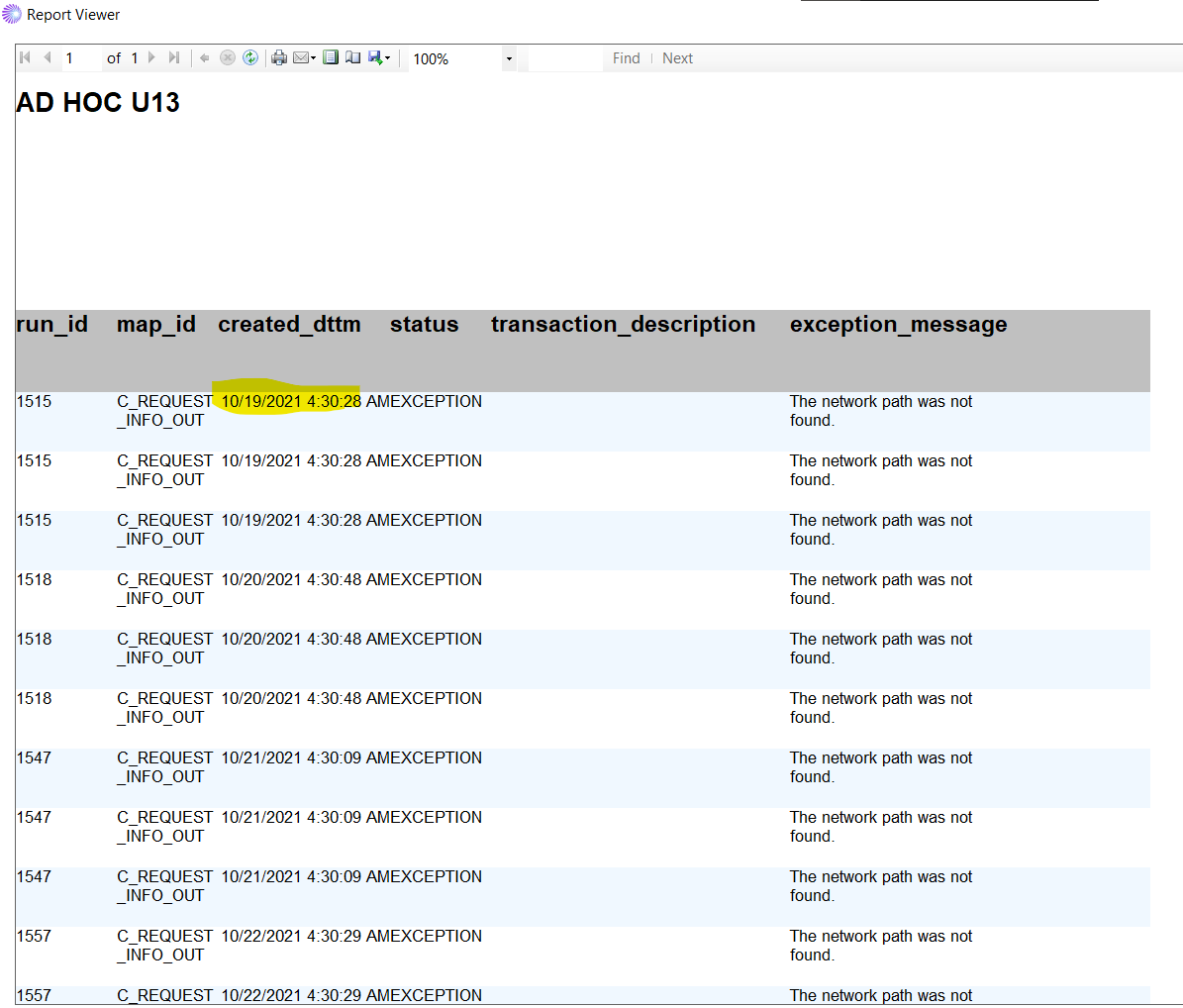
As I know, you can’t change the datetime format in Ad Hoc reports from FSM. But it changes the format to that format used by the client computer’s regional date time formats. You can go to the control panel → Clock and Region and if you change the date and time format from there, I think ad hoc report will show the same format.


Thanks & Best Regards,

Hushan Hasarel

View original

4 replies

Hushan Hasarel
Hero (Employee)
Forum|alt.badge.img+12
  • Hero (Employee)
  • Answer
  • Oct 22, 2021 4:59 PM UTC

Hi João,


As I know, you can’t change the datetime format in Ad Hoc reports from FSM. But it changes the format to that format used by the client computer’s regional date time formats. You can go to the control panel → Clock and Region and if you change the date and time format from there, I think ad hoc report will show the same format.


Thanks & Best Regards,

Hushan Hasarel


ZRZJOLIVEIRA
Do Gooder (Partner)
Forum|alt.badge.img+7
  • Author
  • Do Gooder (Partner)
  • Nov 8, 2021 4:04 PM UTC

Hi @Hushan Hasarel ,


This works for datetime field, but not for string (even with a masktype).


Thank you,


SanjeewaJ
Superhero (Employee)
Forum|alt.badge.img+15
  • Superhero (Employee)
  • Nov 8, 2021 5:47 PM UTC

Hi @ZRZJOLIVEIRA ,

Why don't you create a database view having all the fields to be included in the report with correct formatting. Since database functions have much more flexibility both in oracle and sql server.

/Sanjeewa


JuniSihombing
Hero (Customer)
Forum|alt.badge.img+11
  • Hero (Customer)
  • Jan 20, 2022 1:32 PM UTC

Hi @SanjeewaJ ,

if we cannot create a new view with correct format of the date-field, is there any other option?

e.g. is there any possibility to convert the date-field in design-time?


Best regards,

~Juni


@drooij