Question

DB Task Schedule "Remove completed/Incompleted jobs"

  • December 16, 2025
  • 7 replies
  • 72 views

Forum|alt.badge.img+5

We are looking for a way to “take back” Work Assignments which have been transferred to the mobile app (MWO). Currently the only way open to us is by the App User to actively send it back.

We have several cases now where going via the app is no longer possible.

We have recently upgraded to 25R1 and I was hoping to use the DB Task Schedule "Remove completed/incomplete jobs” for exactly this case. But it seems to not removed the “transferred” as expected for incomplete jobs

  1. Can anyone give me the technical description? I cannot find this job in the usual place (https://docs.ifs.com/techdocs/25r1/030_administration/020_bckgrnd_processing/020_database_tasks/110_predef_db_tasks/)
    My current setup: I would have expected it to clean up any assignments older then 200 days.
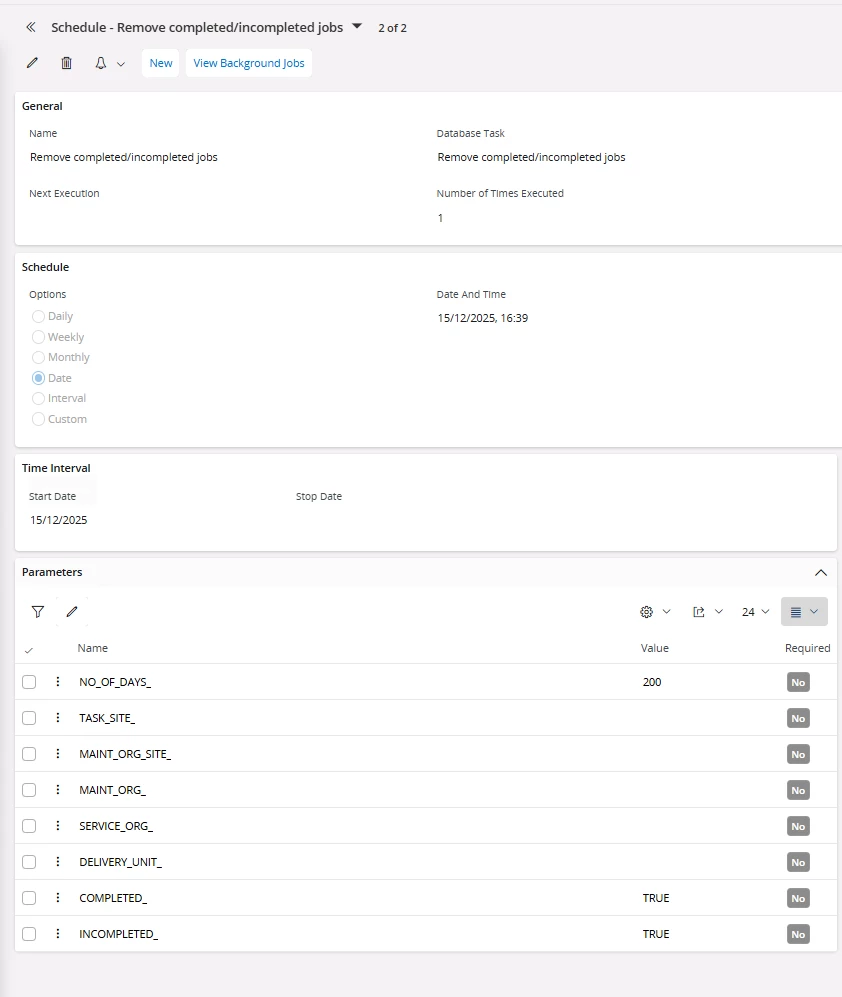

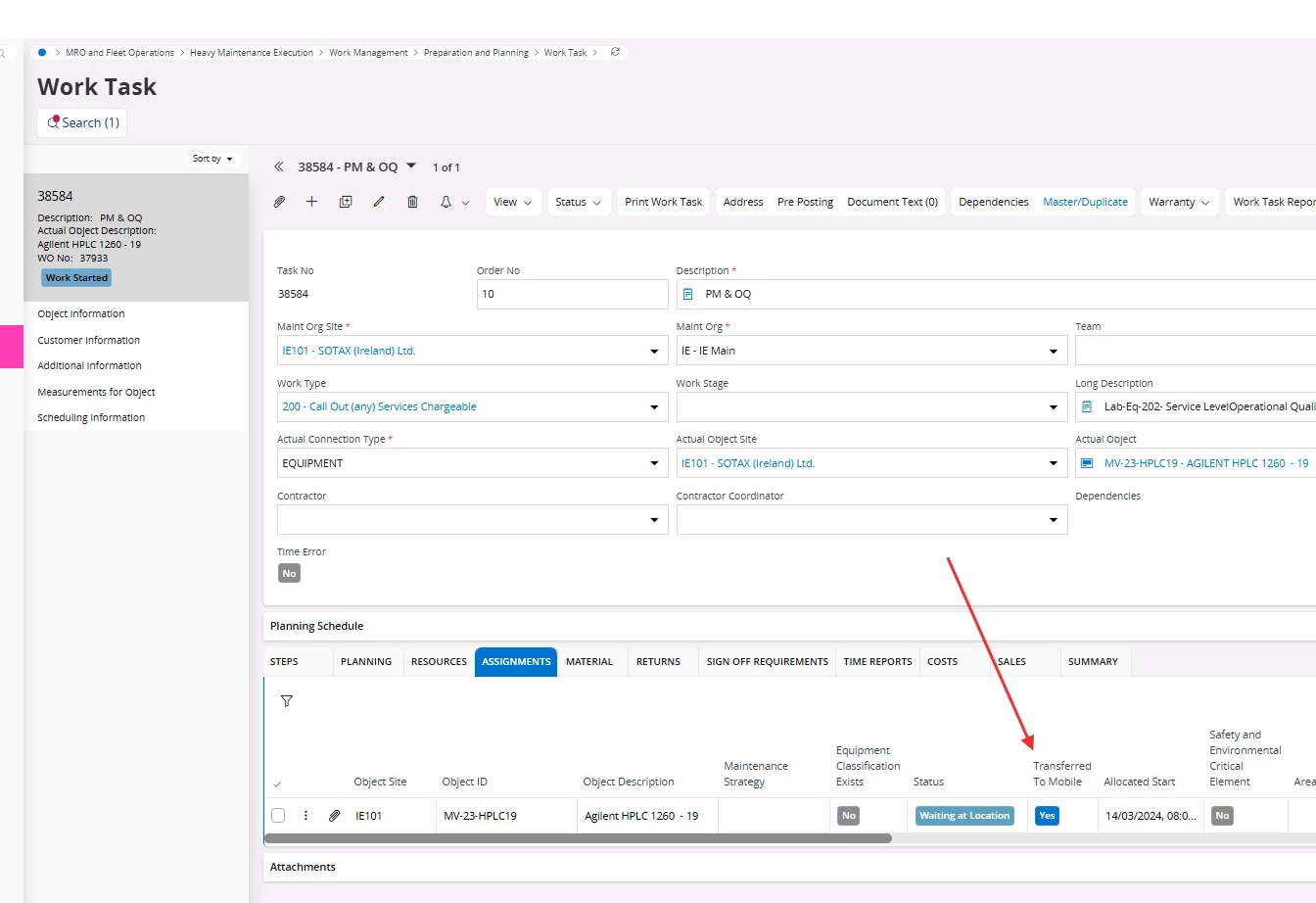
But for example this assignment remains “transferred”: 
  1. Does anyone know of a different way to take back transferred work assignments?

Thank you very much in advance. Any input on this subject is highly appreciated.

BR, Catherine

 

7 replies

Alexander Heinze
Ultimate Hero (Employee)
Forum|alt.badge.img+25
  • Ultimate Hero (Employee)
  • December 16, 2025

The database schedule task Remove complete/incomplete jobs can be used to remove completed and/or incomplete work assignments from MWO if they are older than the defined attribute NO_OF_DAYS_. In your case the assignment is in status “Waiting at location” i.e. still in progress.

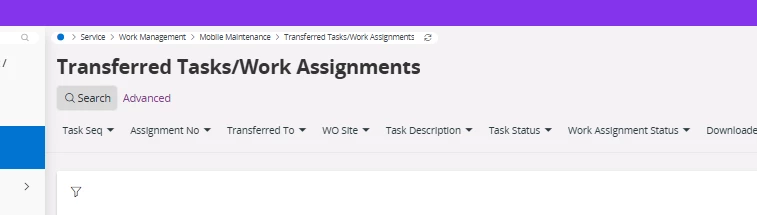
Something you could try is the “Transferred Tasks/Work Assignments” page, which allows you to incomplete an assignment, which also removes it from MWO (could only test this in 25R2 though).

On the Dispatch Console there is also a “Recall from Mobile” command, but it’s only possible to recall an assignment up to the status “Accepted”, start travel or start work will disable this functionality.


For more details: https://community.ifs.com/service-touch-apps-mwo-mro-43/ifs-cloud-mwo-service-demystified-25r2-63813?fid=43&tid=63813


  • March 3, 2026

We have used this functionality and it did work with removing the assignments that were transferred to mobile as the count of Transferred Tasks/Work Assignments went from 1000+ to a few hundred. 

However, since we pre-dispatch (transfer to mobile) the day or the Friday before the work day...it had removed all those transferred assignments to our MWO users that were only in an assigned status also so I had to stop the scheduled task. 

I guess my question to IFS as I did try to look in the documentation is how the define INCOMPLETED  and COMPLETED options. Is Incompleted the Assignment status of “Incomplete” or statuses not in a Closed/Work Done/Completed and still considered an open status (Assigned/Work Started/Waiting at location).


  • Superhero (Employee)
  • March 4, 2026

We have used this functionality and it did work with removing the assignments that were transferred to mobile as the count of Transferred Tasks/Work Assignments went from 1000+ to a few hundred. 

However, since we pre-dispatch (transfer to mobile) the day or the Friday before the work day...it had removed all those transferred assignments to our MWO users that were only in an assigned status also so I had to stop the scheduled task. 

I guess my question to IFS as I did try to look in the documentation is how the define INCOMPLETED  and COMPLETED options. Is Incompleted the Assignment status of “Incomplete” or statuses not in a Closed/Work Done/Completed and still considered an open status (Assigned/Work Started/Waiting at location).


Hi ​@DSL_Em 

If it’s removing anything but incompleted or completed jobs, that’s a defect. Which version are you seeing this on?


  • March 4, 2026

Hi ​@anmise , 

We are currently on 24.2.9. Are you able to clarify if it’s based on the assignment status = Incomplete or if the “incompleted” assignment status counts as the unclosed statuses (e.g. Assigned, Accepted, etc.).

Thanks!


  • Superhero (Employee)
  • March 4, 2026

Hi ​@anmise , 

We are currently on 24.2.9. Are you able to clarify if it’s based on the assignment status = Incomplete or if the “incompleted” assignment status counts as the unclosed statuses (e.g. Assigned, Accepted, etc.).

Thanks!


It should be looking for assignments in status Incompleted or Completed, nothing else. 


  • March 5, 2026

Hi ​@anmise,
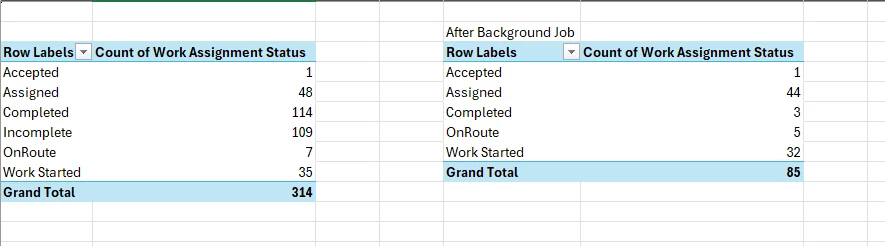
So I recently cloned our UAT environment from our PRD environment. I exported the Transferred Tasks/Work Assignments list, then ran the database task with the default days set to 0.5 and both COMPLETED and INCOMPLETED set to TRUE. While it didn’t remove all...it did remove items in other statuses. 

No other users were using the UAT environment, but you can see the Assigned, OnRoute, and Work Started count have also changed by a few. 

When I did a check on the ones no longer on the list, the assignment status didn’t change but they were not marked as No on Transferred to Mobile.


  • Superhero (Employee)
  • March 6, 2026

Hi ​@anmise,
So I recently cloned our UAT environment from our PRD environment. I exported the Transferred Tasks/Work Assignments list, then ran the database task with the default days set to 0.5 and both COMPLETED and INCOMPLETED set to TRUE. While it didn’t remove all...it did remove items in other statuses. 

No other users were using the UAT environment, but you can see the Assigned, OnRoute, and Work Started count have also changed by a few. 

When I did a check on the ones no longer on the list, the assignment status didn’t change but they were not marked as No on Transferred to Mobile.

That is very strange. I checked the code and it requires work assignment state to be either COMPLETED or INCOMPLETED

  • ei.rowstate = 'COMPLETED' when completed_ = 'TRUE', OR
  • ei.rowstate = 'INCOMPLETED' when incompleted_ = 'TRUE'

It also only looks for assignments that have been “kept” on the device

  •  mwo.keep_return = 'KEEP'.

If it did in fact remove “Assigned/OnRoute/Work Started” records, the only explanations I can come up with are

  • those records are actually completed/incompleted in the database (state mismatch), or
  • someone/something changed those assignments after the export.

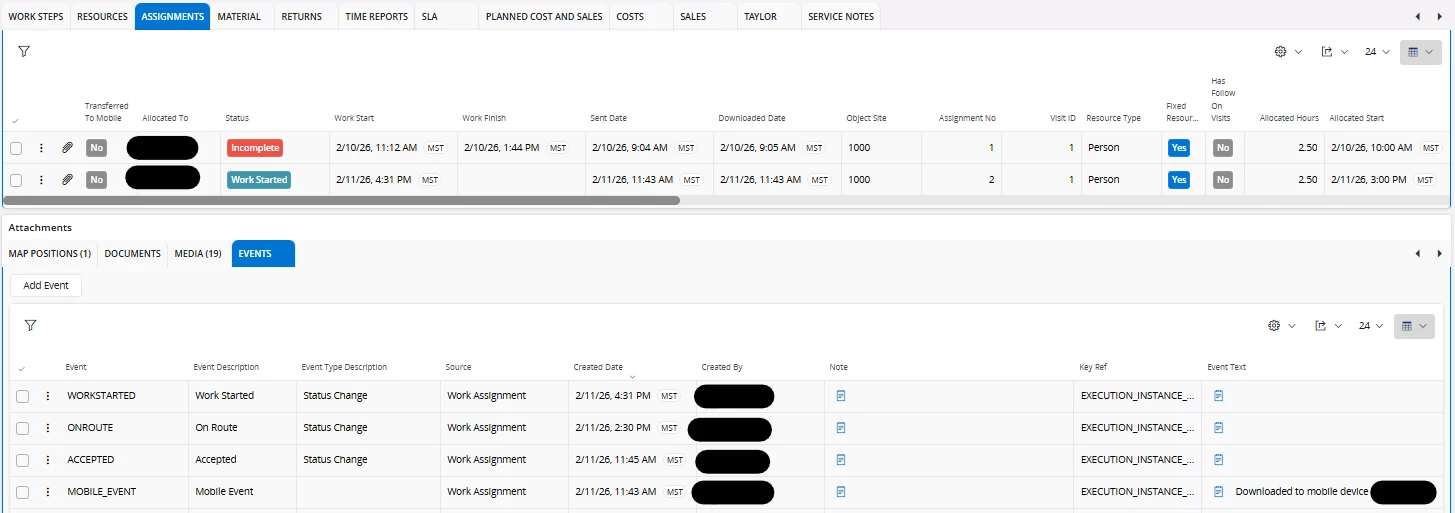
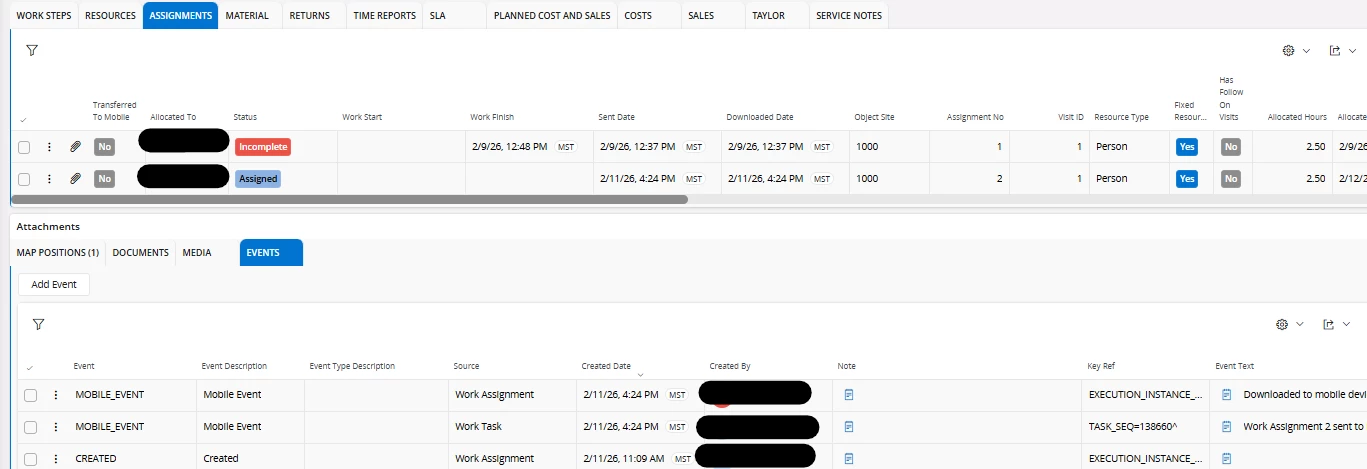
On the assignments you see changed, is there anything in the event log?