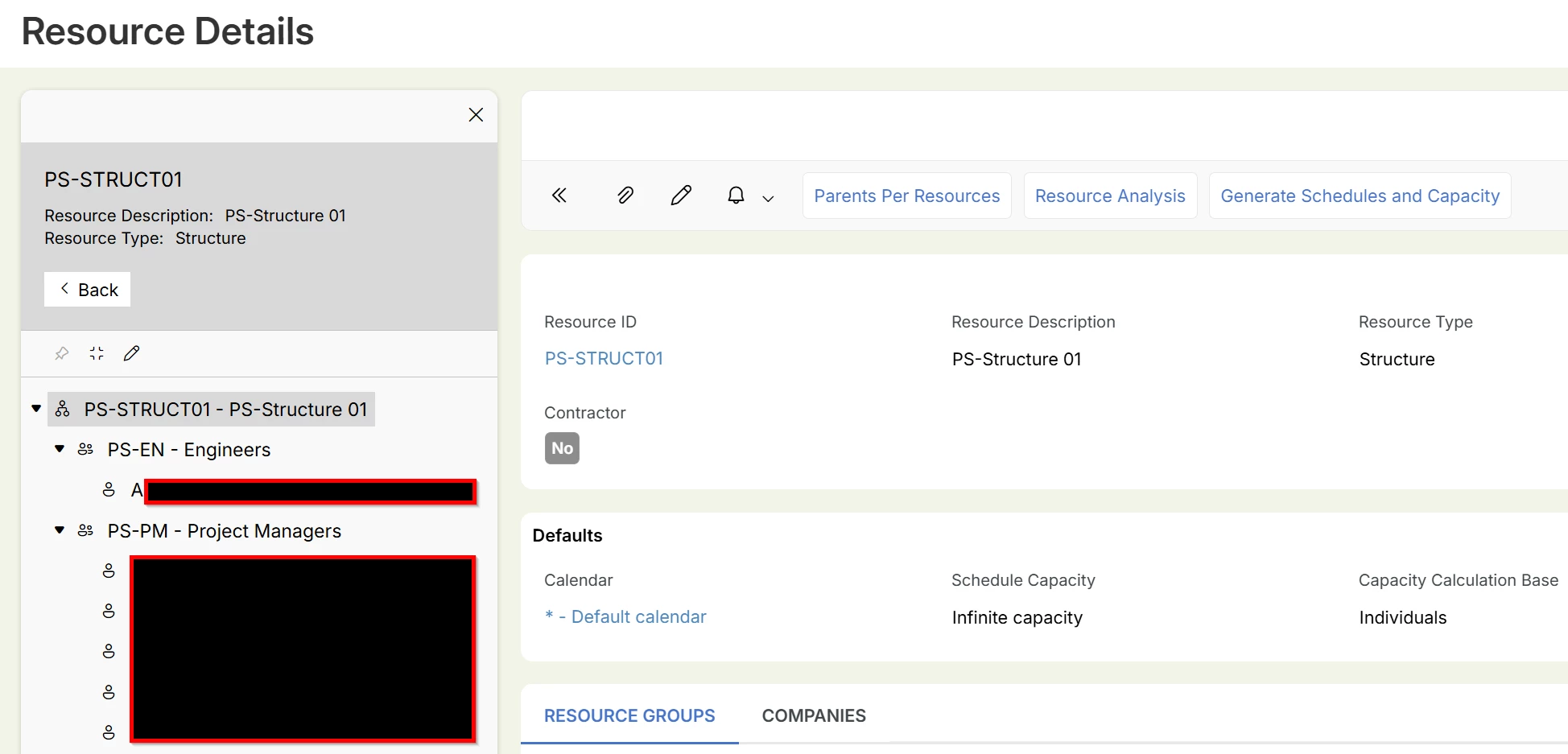
We are analyzing the behavior of the “Include Structure” option in IFS Cloud, specifically in the following pages:
- New Miscellaneous Resource Allocation
- New Resource Relocation
- Generate Resource Schedules and Capacity
During validation, we observed that enabling or disabling the “Include Structure” option changes the selection results and the number of records displayed in subsequent steps. However, the exact filtering logic and scope of this option are not clearly understood.
IFS confirmed that this behavior is due to hierarchical expansion when “Include Structure” is enabled; however, detailed logic and scope remain unclear in these scenarios.
Clarifications Required
-
Hierarchy Definition
- How is the hierarchy derived when this option is enabled?
- What relationships are considered (e.g., parent-child resources, teams, organizational structure)?
-
Behavior with Single Resource Selection
- In pages like Generate Resource Schedules and Capacity, where typically only a single resource is selected:
- How does hierarchy expansion work in this context?
- What additional resources are included?
- In pages like Generate Resource Schedules and Capacity, where typically only a single resource is selected:
-
Scope and Consistency
- Does the behavior vary depending on the page, field, or context where the option is used?
While this is not a defect, the lack of clarity:
- Makes it difficult to clearly explain behavior to business users
- Can lead to unexpected results during execution
- Creates ambiguity in resource-based processing
Any inputs, documentation references, or examples from the community would be highly appreciated.