Question

Cannot create a new service location

  • Dec 18, 2024 6:17 PM UTC
  • 7 replies
  • 122 views

ethanfiggs
Sidekick (Partner)
Forum|alt.badge.img+4

In other cloud environments I have a create new button on this screen:
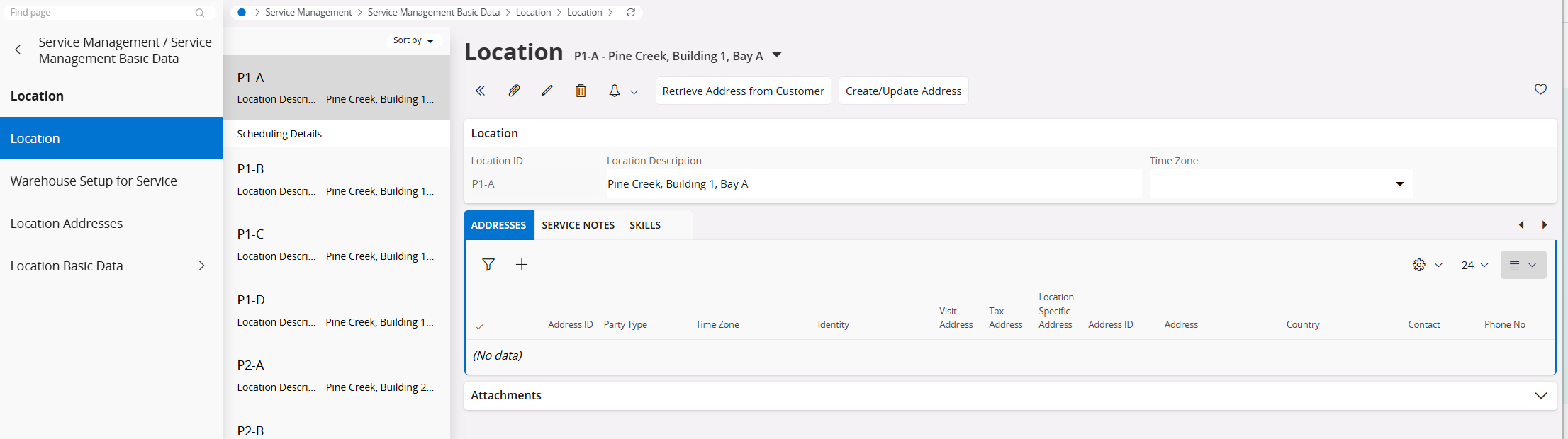
I have looked through the permission sets and the projection LocationHandling is granted with the correct grants.
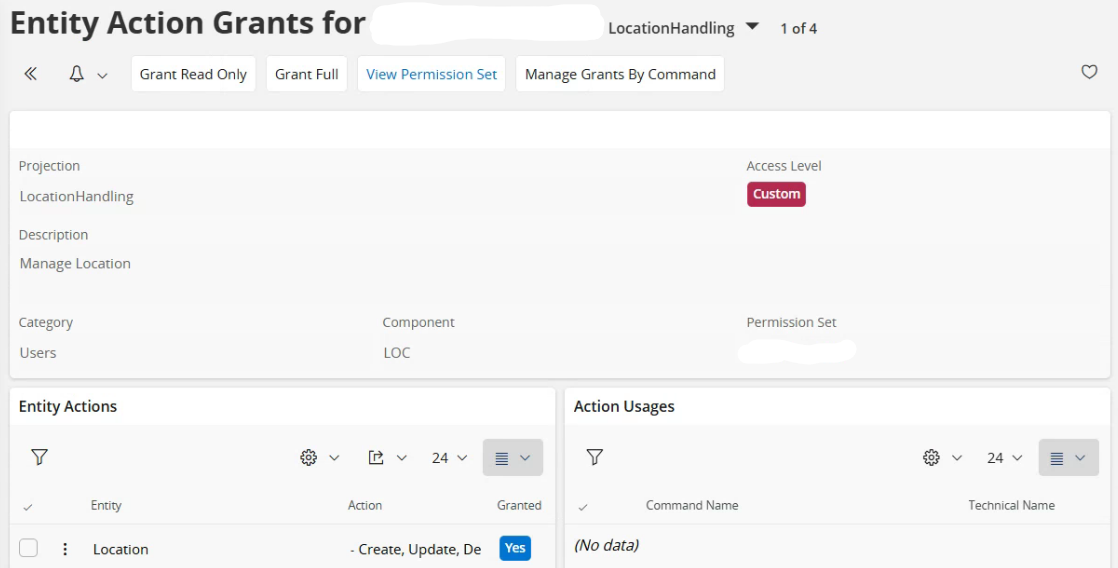
Any ideas on what I could be missing here?

Thanks in advance.

7 replies

wrprabash
Hero (Partner)
Forum|alt.badge.img+10
  • Hero (Partner)
  • Dec 18, 2024 6:31 PM UTC

In other cloud environments I have a create new button on this screen:

I have looked through the permission sets and the projection LocationHandling is granted with the correct grants.

Any ideas on what I could be missing here?

Thanks in advance.

Hi Ethan,


Maybe worth try grant full access and check (remember to refresh security catch )

Best Regards,

Roshan


ethanfiggs
Sidekick (Partner)
Forum|alt.badge.img+4
  • Author
  • Sidekick (Partner)
  • Dec 18, 2024 7:22 PM UTC

Granting Full and refreshing security cache still provides that same outcome.


ethanfiggs
Sidekick (Partner)
Forum|alt.badge.img+4
  • Author
  • Sidekick (Partner)
  • Dec 18, 2024 9:34 PM UTC

Iv also identified that the new button opens a dialog screen in other cloud environments and this is considered an assistant related to CreateNewLocationAssistant. This is not a projection but is there another way to ensure this is granted so it appears on the page?


ethanfiggs
Sidekick (Partner)
Forum|alt.badge.img+4
  • Author
  • Sidekick (Partner)
  • Dec 18, 2024 10:32 PM UTC

Further investigation has revealed two ways to accomplish this:

  1. Creating a new record using the “+” button:

    I’ve identified that this "+" icon can be enabled through the Page Designer functionality by selecting the "Enabled" checkbox


  1. Creating a new record using the Assistant or “New” button:

However, I am still unsure how to enable the “New” button or activate the Assistant instead of the “+” icon for creating new records.


If anyone knows what I might be missing or how to control the enabling/disabling of the Assistant button, please share!


Thanks,

Ethan


Alexander Heinze
Ultimate Hero (Employee)
Forum|alt.badge.img+25

Have you looked at the conditions of the “New” button? In 24R2 there is no condition, but in some older releases the button is conditionally enabled.


ethanfiggs
Sidekick (Partner)
Forum|alt.badge.img+4
  • Author
  • Sidekick (Partner)
  • Dec 19, 2024 12:49 PM UTC

this is 23R3. Still trying to identify how we can control the assistant to create a new location. I have not looked at the conditions; Can you enlighten me on where I can find these?


Alexander Heinze
Ultimate Hero (Employee)
Forum|alt.badge.img+25

Here’s an example from 22R2 where we still had a condition:

In 24R2 this condition no longer exists.