


Answer

Bundle Tasks not displayed in Dispatch Console and Resource Monitoring Gantt

  • December 3, 2025
  • 7 replies
  • 27 views

Forum|alt.badge.img+7

Hi all,

when creating a Bundle Task and assigning this to a Resource via the “Assign Work” site, it is not displayed in the Dispatch Console or the Resource Monitoring Gantt.
For normal Request Work Tasks this works fine.

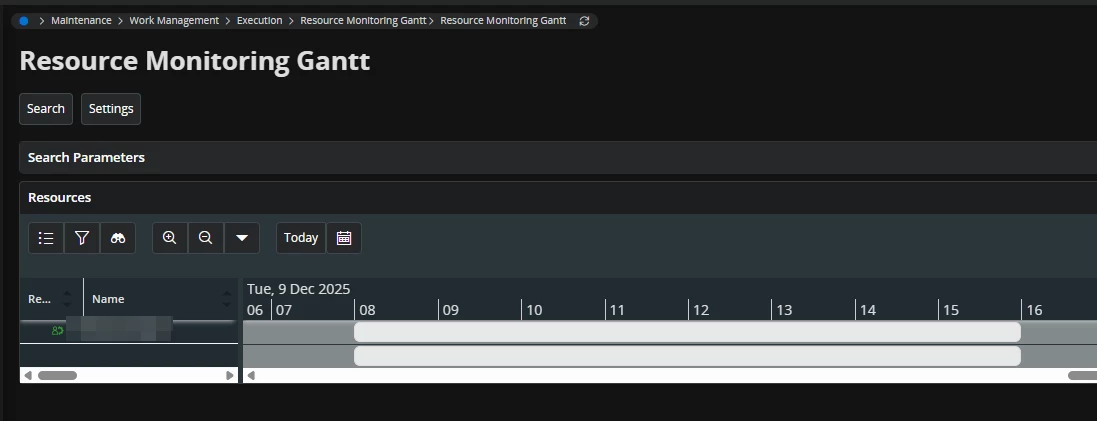
 

Assignment of Bundle Task
No display of the assignment in the Resource Monitoring Gantt

Is this a Bug or intended?


Regards,
Chris

Best answer by Alexander Heinze

The Resource Monitoring Gantt page has been deprecated in 24R2.

7 replies

Alexander Heinze
Ultimate Hero (Employee)
Forum|alt.badge.img+23
  • Ultimate Hero (Employee)
  • December 3, 2025

Does your bundle task have the correct dataset, a map position, and a resource demand?


Forum|alt.badge.img+7
  • Author
  • Do Gooder (Customer)
  • December 3, 2025

Does your bundle task have the correct dataset, a map position, and a resource demand?

Thanks for your quick reply.

The Dataset and the Resource demand are set up correctly.
If by “map position” you mean a location, then also yes.

I have to correct the initial Post: The Bundle Task is now visible in the Dispatch Console but still not in the Resource Monitoring Gantt.

Regards,
Chris


Alexander Heinze
Ultimate Hero (Employee)
Forum|alt.badge.img+23
  • Ultimate Hero (Employee)
  • Answer
  • December 3, 2025

The Resource Monitoring Gantt page has been deprecated in 24R2.


Forum|alt.badge.img+7
  • Author
  • Do Gooder (Customer)
  • December 3, 2025

OK, thats unfortunate.
Additional Question:
When a Resource is relocated, is it possible to show an assignment in the original and the relocated scheduling dataset?

Thanks.


Alexander Heinze
Ultimate Hero (Employee)
Forum|alt.badge.img+23
  • Ultimate Hero (Employee)
  • December 3, 2025

You want to see the assignment in both datasets? That is not possible. Would that not be counter-intuitive for a dispatcher?


Forum|alt.badge.img+7
  • Author
  • Do Gooder (Customer)
  • December 4, 2025

The way we use it at the moment is to e.g. relocate a technician to another entity and the Team Leader / Dispatcher of this entity then creates the RWT.
But then the original Dispatcher only has the information in his dataset, that the resource was relocated.
But not, to where and what the Request is.
As the technicians also want to have a look at the upcoming weeks and the Work Calendar in the MWO App only shows already transferred Tasks, they have to check multiple datasets. To know where to look we currently use the Misc allocations to get some information in the original dataset.


Alexander Heinze
Ultimate Hero (Employee)
Forum|alt.badge.img+23
  • Ultimate Hero (Employee)
  • December 4, 2025

For the dispatcher the use of MRA sounds like a reasonable approach. For the technician, what about creating a mobile integration link to a page similar to “Scheduled Work Tasks”, filtered to the MWO user? You could show committed activities or even all activities, the latter however would be rather volatile information as PSO may re-schedule anytime.

