Question

view attached document

  • September 28, 2026
  • 8 replies
  • 95 views

Forum|alt.badge.img+11

User is given the respective permission set to be able to see the attachement panel but user is not able to VIEW the attached document. is there any specific grant that allows this?

 

8 replies

Asitha Rajapaksha
Hero (Employee)
Forum|alt.badge.img+7

Hi,

My guess is that the user doesn't have view access to the document revision itself even though they have access to attachment panel.. 

Users can get access to a document through few ways, please read below

https://docs.ifs.com/ifsclouddocs/26r1/lang/en/?openpage=https://docs.ifs.com/ifsclouddocs/26r1/lang/en/CreateAndMaintainDocument/AboutDocumentAccess.htm


Forum|alt.badge.img+11
  • Author
  • Hero (Partner)
  • September 29, 2026

Hi Asitha,

thanks for the reply. Yes, this seems to be the problem.

How do i give access for all documents? 


Link
Superhero (Customer)
Forum|alt.badge.img+23
  • Superhero (Customer)
  • September 29, 2026

Hi ​@FPayab 

why do you want to give everyone access to all documents?

Typically, only an administrator has this privilege.

But I know two options:

1. Grant all document classes to the user

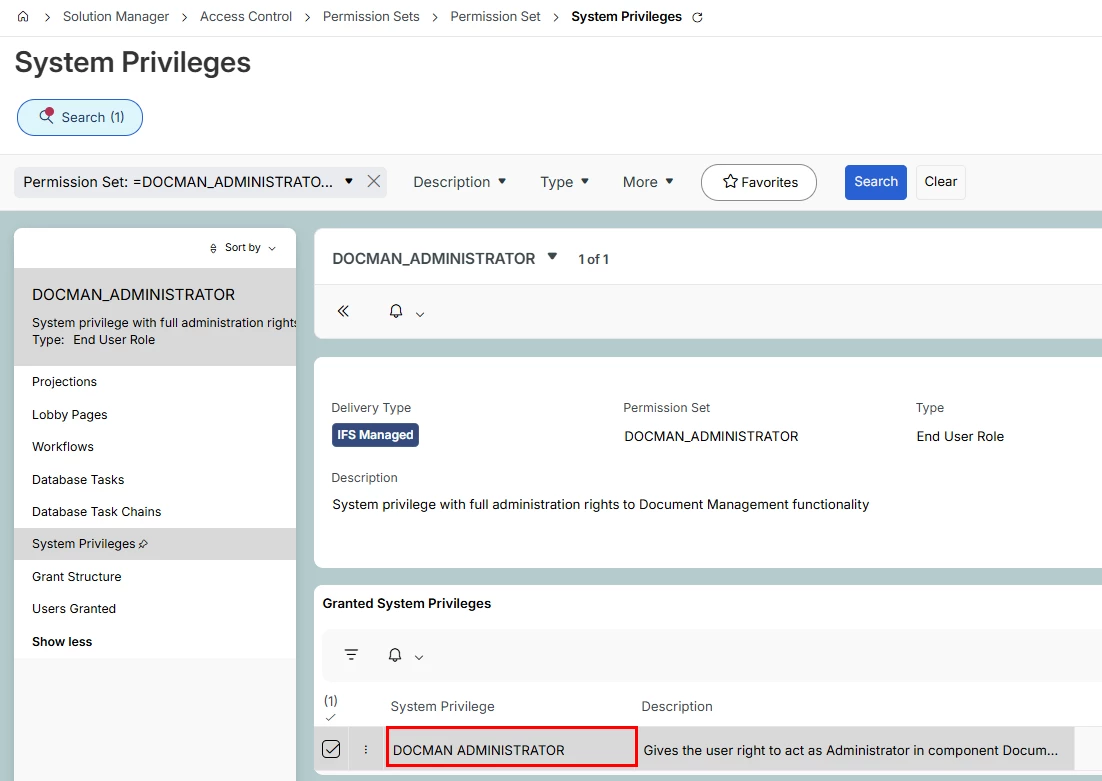
2. define the permission set of the user as “Docman Administrator”.

For example:


Asitha Rajapaksha
Hero (Employee)
Forum|alt.badge.img+7

​@Link is correct those are the possible options. however note that if you grant docman administrator. system privilege the granted user becomes an administrator to all documents and the user can check in/check out any document and also unreserve any document checked out by any user.

So ideally you would grant the access to specific set of class from document access template page so that particular user gets access to only the specific documents created from that specific class


Forum|alt.badge.img+11
  • Author
  • Hero (Partner)
  • October 20, 2026

​@Link is correct those are the possible options. however note that if you grant docman administrator. system privilege the granted user becomes an administrator to all documents and the user can check in/check out any document and also unreserve any document checked out by any user.

So ideally you would grant the access to specific set of class from document access template page so that particular user gets access to only the specific documents created from that specific class

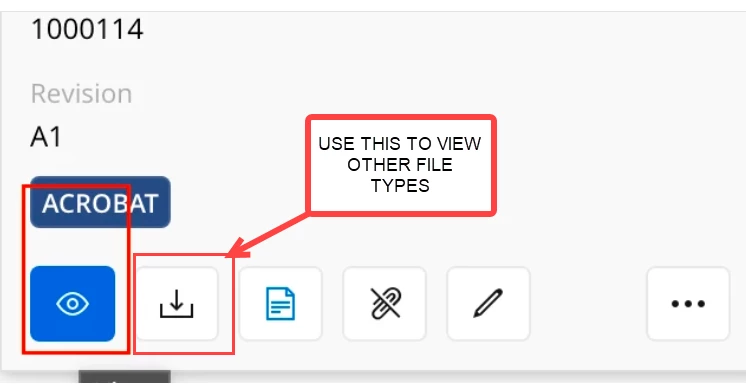
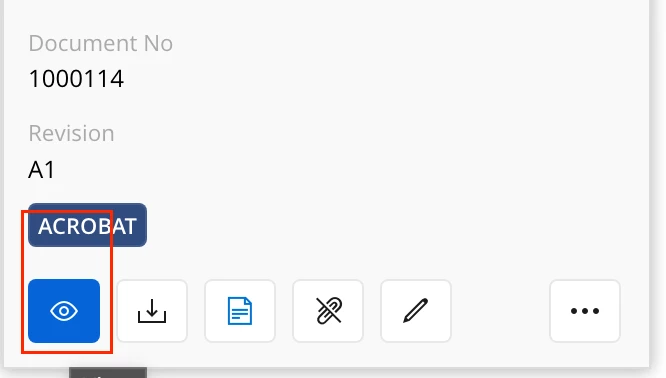
Access is not the issue. The issue is how to allow users to only View/Preview the attachments in objects. the card view eye icon does not appear unless you give the user the Docman Administrator rights.


matt.watters
Ultimate Hero (Partner)
Forum|alt.badge.img+26
  • Ultimate Hero (Partner)
  • October 20, 2026

​@FPayab 

Granting the DOCMAN_ADMINISTRATOR system privilege is not the solution for providing View access to a user. As mentioned in prior replies, this privilege should be granted to only a select few in the company.

  1. Revoke the system privilege from the user.
  2. On the Document Revision for document 1000114, in the Access tab add this Person and grant only View access.
  3. Login as this User.
  4. Either through an attachment panel or at the document revision page, the View command should be available for this User.

Going forward, best practice is to use Person Groups on Access Templates for each Document Class. If you want to provide all users View access for a Document Class, assign View access to Person ID '*' on the Access Templates. For this to work, though, Person * cannot be connected to a User.

And recall that the ‘Eye’ icon is available only for certain file extensions as documented in this post..

https://community.ifs.com/document%2Dmanagement%2Ddocman%2D248/supported%2Dfile%2Dextensions%2Din%2Dthe%2Dimage%2Dviewer%2Din%2Difs%2Dcloud%2Daka%2Dpreview%2Dfeature%2Dused%2Dby%2Ddocman%2Dand%2Dmedia%2D39262?tid=39262&fid=248


Forum|alt.badge.img+11
  • Author
  • Hero (Partner)
  • October 20, 2026

​@FPayab 

Granting the DOCMAN_ADMINISTRATOR system privilege is not the solution for providing View access to a user. As mentioned in prior replies, this privilege should be granted to only a select few in the company.

  1. Revoke the system privilege from the user.
  2. On the Document Revision for document 1000114, in the Access tab add this Person and grant only View access.
  3. Login as this User.
  4. Either through an attachment panel or at the document revision page, the View command should be available for this User.

Going forward, best practice is to use Person Groups on Access Templates for each Document Class. If you want to provide all users View access for a Document Class, assign View access to Person ID '*' on the Access Templates. For this to work, though, Person * cannot be connected to a User.

And recall that the ‘Eye’ icon is available only for certain file extensions as documented in this post..

https://community.ifs.com/document%2Dmanagement%2Ddocman%2D248/supported%2Dfile%2Dextensions%2Din%2Dthe%2Dimage%2Dviewer%2Din%2Difs%2Dcloud%2Daka%2Dpreview%2Dfeature%2Dused%2Dby%2Ddocman%2Dand%2Dmedia%2D39262?tid=39262&fid=248

Yes Matt, this is not the solution but i already tried the view access to user, the user is able to see the attachment but the eye icon to preview the attachment is not displayed. 


matt.watters
Ultimate Hero (Partner)
Forum|alt.badge.img+26
  • Ultimate Hero (Partner)
  • October 20, 2026

​@FPayab What is the file extension of the document in question?

In the post to which I provided a link, it is explained that the ‘Eye’ icon is shown only for documents file extensions PNG, JPEG, JPG, BMP, GIF, TIF, TIFF, MP3, WMA, MP4, WMV, WEBM, OGG, TXT, PDF. For all other file types of documents for which you have View access you are to use the ‘Download’ icon and then view in the associated application (Word, Excel, etc.)