Solved

"Shared" document repository type in Cloud 25R1

  • July 25, 2025
  • 10 replies
  • 321 views

Chamath Kuruppuarachchi
Hero (Partner)
Forum|alt.badge.img+13

Hi All,

As mentioned in several community posts, IFS is phasing out the shared document repository type with the introduction of support for file storage across multiple locations.

According to the IFS documentation, although shared repositories are being deprecated, it is still possible to enable them manually. Customers may continue to use this functionality until IFS releases full support for multiple file storage locations.

I would like to inquire whether any other customers or partners have manually enabled shared repositories and are currently utilizing this setup. Any insights or shared experiences would be greatly appreciated.

Thanks,

Chamath

Best answer by Amila Samarasinghe

Hi ​@Chamath Kuruppuarachchi 

We have few customers who opted to manually enable the shared repo type. Their main pain point is not having the support to multiple file storage locations in FS. They simply refuse to keep all their documents in a single folder due various reasons. They would continue to use this until IFS provide the full support for multiple locations in FS.

BR,


10 replies

Amila Samarasinghe
Superhero (Partner)
Forum|alt.badge.img+14

Hi ​@Chamath Kuruppuarachchi 

We have few customers who opted to manually enable the shared repo type. Their main pain point is not having the support to multiple file storage locations in FS. They simply refuse to keep all their documents in a single folder due various reasons. They would continue to use this until IFS provide the full support for multiple locations in FS.

BR,


kavinduxo
Hero (Partner)
Forum|alt.badge.img+9
  • Hero (Partner)
  • July 25, 2025

Hi All,

As mentioned in several community posts, IFS is phasing out the shared document repository type with the introduction of support for file storage across multiple locations.

According to the IFS documentation, although shared repositories are being deprecated, it is still possible to enable them manually. Customers may continue to use this functionality until IFS releases full support for multiple file storage locations.

I would like to inquire whether any other customers or partners have manually enabled shared repositories and are currently utilizing this setup. Any insights or shared experiences would be greatly appreciated.

Thanks,

Chamath

Also, ​@Chamath Kuruppuarachchi, if you have noticed, IFS Cloud only allows you to choose between Database or File Storage options for storing digital signature documents, not any other shared repositories. So, we can hope that shared repositories will be fully deprecated soon.

BR,
Kavindu


Chamath Kuruppuarachchi
Hero (Partner)
Forum|alt.badge.img+13

Hi ​@Chamath Kuruppuarachchi 

We have few customers who opted to manually enable the shared repo type. Their main pain point is not having the support to multiple file storage locations in FS. They simply refuse to keep all their documents in a single folder due various reasons. They would continue to use this until IFS provide the full support for multiple locations in FS.

BR,


Thank you for the confirmation Amila. This is what I was looking for. 


Forum|alt.badge.img+11
  • Hero (Employee)
  • August 4, 2025

The Shared Repositories are hidden in 25R1 but can be re-activated if absolutely necessary (for example multiple SMB locations needed).

I have tested Shared Repositories including multiple locations in 25R1 now, and I have a working demo system where this is configured.

The implementation uses a “non-optimal password encryption” that fails on some passwords. If it does, the password used for the share needs to be changed to a less complex one, iterate until you find a working password.


Forum|alt.badge.img+8
  • Sidekick (Customer)
  • September 29, 2026

​@SamiL 

Hi Samil


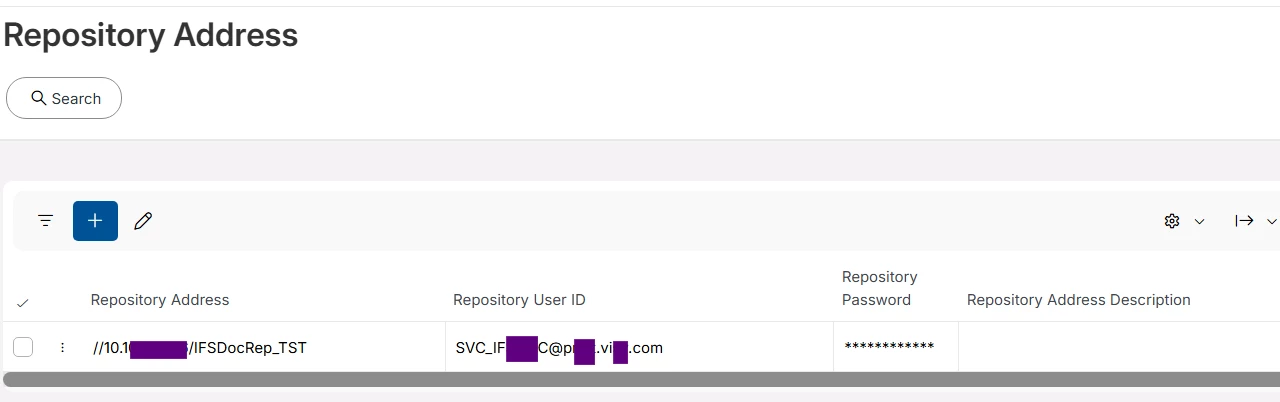
We are currently upgrading from IFS Applications 10 to IFS Cloud 25R2 SU8 and are still facing challenges configuring connectivity to the shared document repository.

We can see the following error in the OData logs.

Same Shared repository can be accessed via IFS 10 successfully.

Could you please provide a sample of how the username and password should be configured for the shared repository?

Additionally, if possible, could you share an example of the password format or any specific requirements that worked in your environment? This would help us validate whether our configuration is correct and assist with troubleshooting the connectivity issue.

Also, after configuring the shared repository details, are there any additional steps required, such as Middle-tier restart, etc.

Any guidance would be greatly appreciated.

Thanks in advance for your help.

Regards,
Thilochana


Forum|alt.badge.img+11
  • Hero (Employee)
  • September 29, 2026

Hi,

I wrote earlier “The implementation uses a “non-optimal password encryption” that fails on some passwords. If it does, the password used for the share needs to be changed to a less complex one, iterate until you find a working password.”

Did you try a simple alphanumeric password?  Like hello123 just so that you see it works with that?

Unfortunately the demo system mentioned above is no more.


Forum|alt.badge.img+8
  • Sidekick (Customer)
  • September 30, 2026

​@SamiL  Thanks Samil. We’ll check based on your input.


Forum|alt.badge.img+8
  • Sidekick (Customer)
  • October 1, 2026

​@SamiL ​@Mathias Dahl 

Hi Samil

It worked with a shorter password that contained only uppercase letters, lowercase letters, and numbers, but it failed when special characters were included.

I really appreciate your help. Based on your input, I was able to obtain permission to test using a simpler password.

However, the issue still remains, as our organization does not support the use of such simple passwords in production. I will follow up with Support to investigate this further.


Thanks 

Thilochana


Forum|alt.badge.img+11
  • Hero (Employee)
  • October 1, 2026

You’re welcome.

Please post the support ticket number here so I can follow.

If this was really the deprecated shared repositories I’m not expecting support to fix that.
The current supported functionality is File Storage, even though it still doesn’t contain the multi-server support.
The password stack might be the same though, please ask support to verify if they can use complex passwords on Remote Deployment File Storage.


Forum|alt.badge.img+8
  • Sidekick (Customer)
  • October 8, 2026

Thanks ​@SamiL 

Support Case is CS0568555.

IFS 10 does not provide a File Storage repository option. Therefore, a File Storage type repository can only be configured after migrating to IFS Cloud.

Given this, shouldn't Shared type repositories continue to be fully supported until all documents have been migrated to a File Storage type repository following the transition to IFS Cloud?

Considering the increasingly stringent cybersecurity policies enforced by the organisation, this limitation creates a challenge for us during the migration journey.

For your information, we have managed to identify a long password that works successfully; however, it does not contain any special characters.

Our internal IT and Cyber Security teams have raised concerns regarding this application behaviour, as it appears inconsistent with modern password security standards. We believe this limitation should be addressed. At a minimum, clear documentation and communication should be provided outlining the supported password requirements, including any restrictions on password length or special characters, to avoid confusions.


Regards

Thilochana