


Question

How to distribute the document for new user

  • March 5, 2026
  • 4 replies
  • 24 views

Forum|alt.badge.img+5

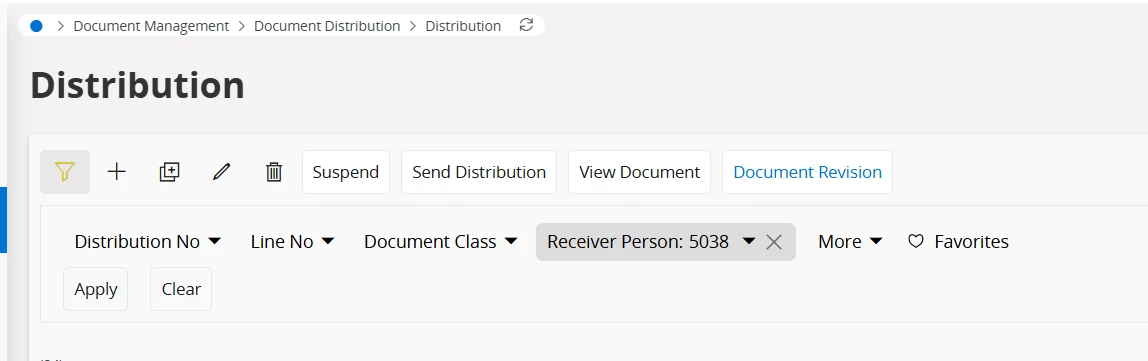
How can we distribute the same documents to another user? If we duplicate them, do we need to change the user ID in each document? Is there any way to do this quickly? For example, if there are 50 documents, we would have to change the user ID 50 times.


4 replies

matt.watters
Ultimate Hero (Partner)
Forum|alt.badge.img+26
  • Ultimate Hero (Partner)
  • March 5, 2026

@MGDMONALI Using the Distribution page you would have to change the Receiver Person for each new row.

Have you looked at creating the distribution for this set of documents from the Document Revisions page? If you can find the set of documents, you can assign the Receiver Person for all of them in the Document Distribution assistant.


Forum|alt.badge.img+5
  • Author
  • Do Gooder (Customer)
  • March 5, 2026

@MGDMONALI Using the Distribution page you would have to change the Receiver Person for each new row.

Have you looked at creating the distribution for this set of documents from the Document Revisions page? If you can find the set of documents, you can assign the Receiver Person for all of them in the Document Distribution assistant.

Thanks! This will work and save time. Is there any other way to do it more faster. 


matt.watters
Ultimate Hero (Partner)
Forum|alt.badge.img+26
  • Ultimate Hero (Partner)
  • March 5, 2026

I am not aware of a faster method.


Forum|alt.badge.img+5
  • Author
  • Do Gooder (Customer)
  • March 5, 2026

I am not aware of a faster method.

No worries! thank you
