Question

Document Revision - Letter date works different than custom made date field

  • June 24, 2026
  • 4 replies
  • 30 views

Forum|alt.badge.img+1

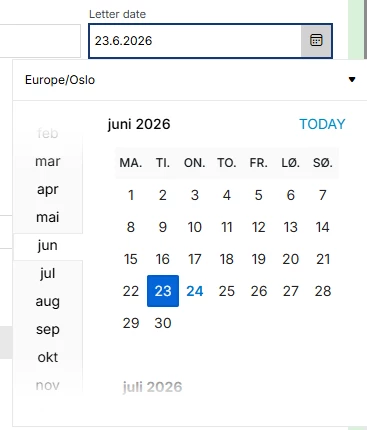
In Doucument Revision we have added a custom field for ‘Contract Date’. This date field works a little different than standard field ‘Letter Date’ - the date has to be set, which requiers an additional click:
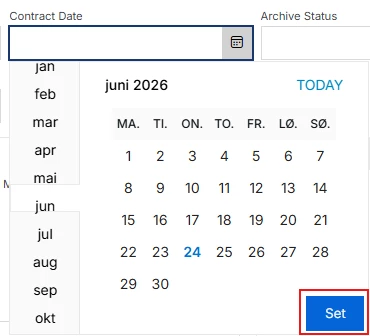
Any ideas on how to avoid this extra ‘Set’, so the field works the same way as ‘Letter Date’:

 

4 replies

Abdul
Superhero (Partner)
Forum|alt.badge.img+20
  • Superhero (Partner)
  • June 24, 2026

Hi ​@HAFJASO,

Yes, it is possible. 

Please refer to the screenshots below.

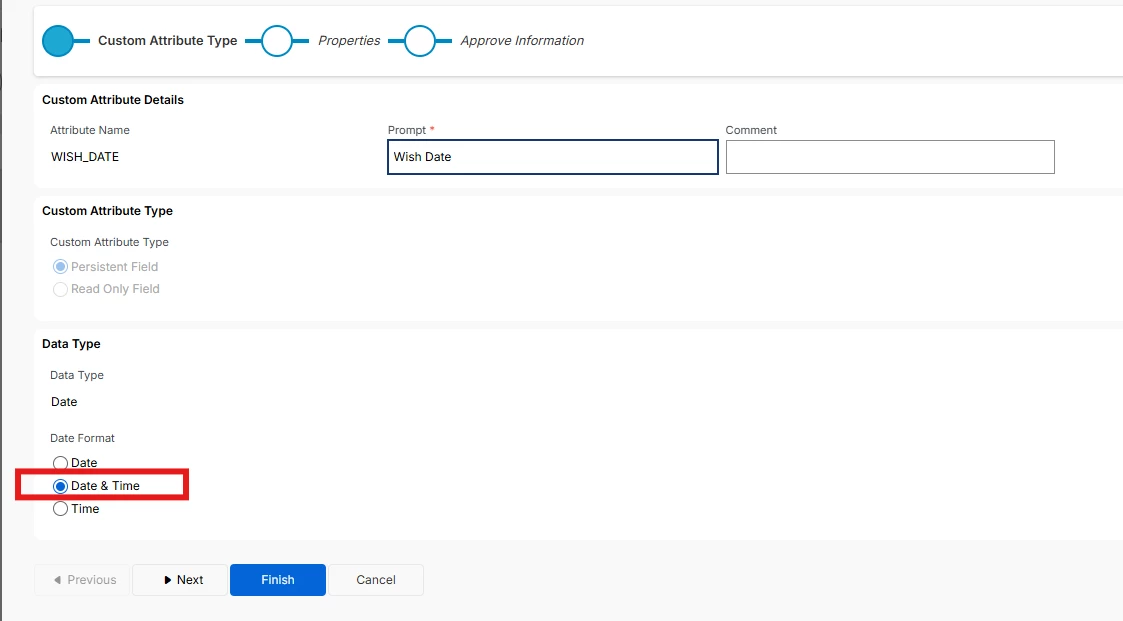
  1. Configure Custom Field with Date Format Date & Time.
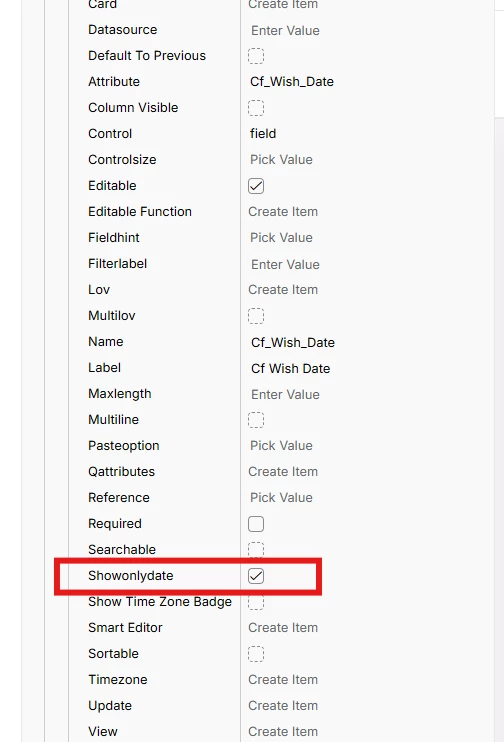
  1. Enable Showonlydate option for the custom field in page designer.


Regards

Abdul Rehman


Forum|alt.badge.img+1
  • Author
  • Do Gooder (Customer)
  • June 25, 2026

Thanks for your reply ​@Abdul 🙂

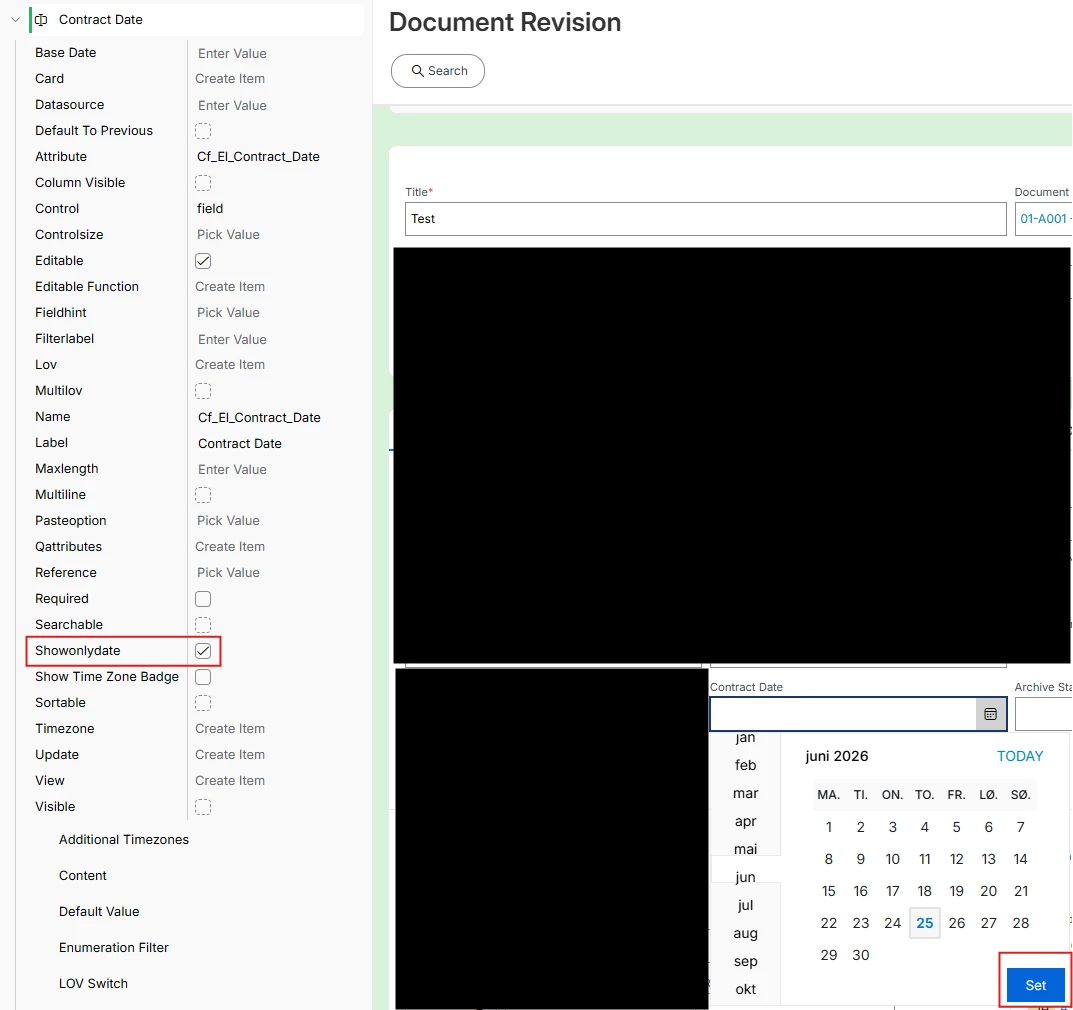
Showonlydate is enabled. We still have to click ‘Set’:


Abdul
Superhero (Partner)
Forum|alt.badge.img+20
  • Superhero (Partner)
  • June 25, 2026

Hi ​@HAFJASO,

Can you please confirm whether your custom field is created with Date & Time format (Step 1 in my last comment)?


Forum|alt.badge.img+1
  • Author
  • Do Gooder (Customer)
  • June 25, 2026

Hi ​@Abdul,

I will check with our developer and come back to you.

Have a nice day!