Solved

Document Revision - Document Copy

  • Oct 25, 2024 11:06 AM UTC
  • 4 replies
  • 136 views

Forum|alt.badge.img+6

Hi All,

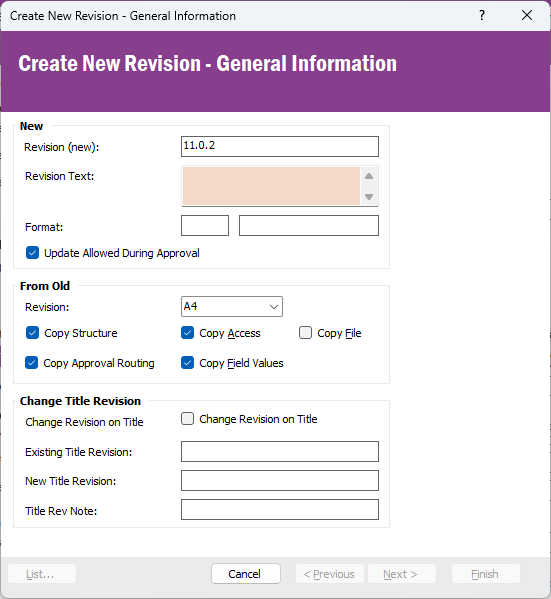
When I create a document revision, the document copy default is ticked, but we want to change that. How can we do that?

 

Best answer by Thilini Kumarasinghe

Hi @Hurremoglu 

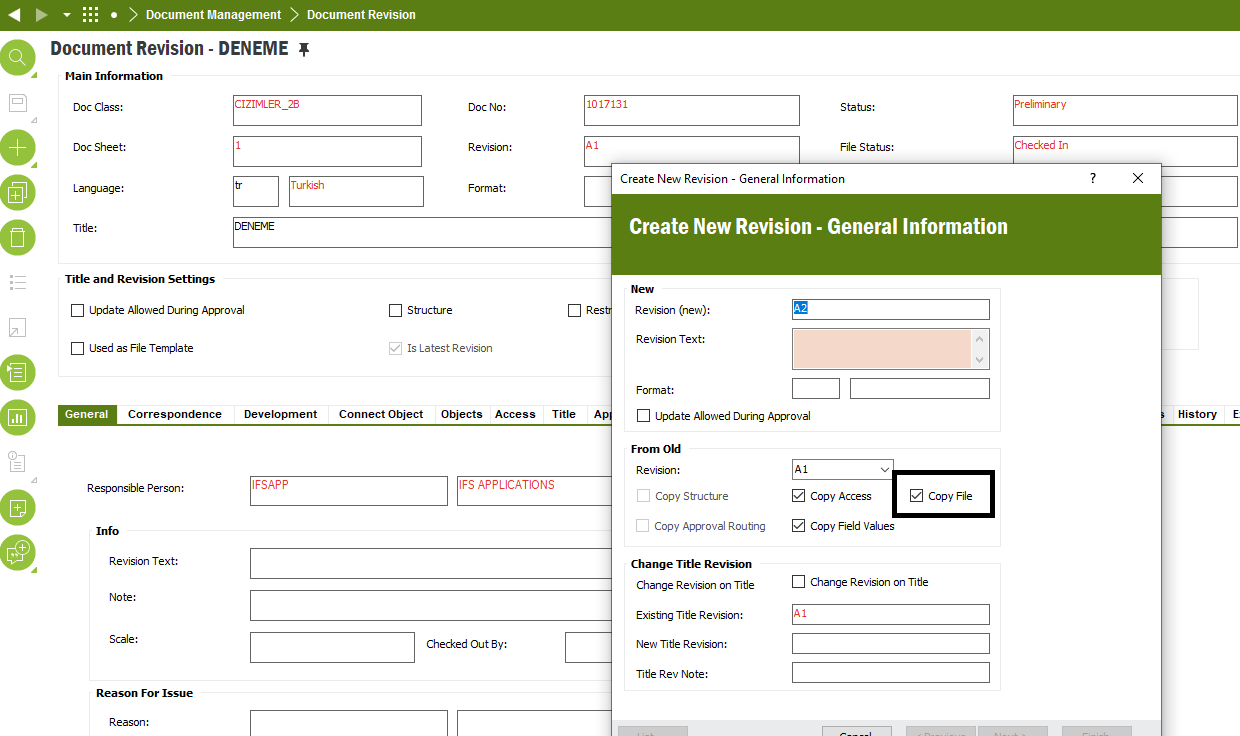
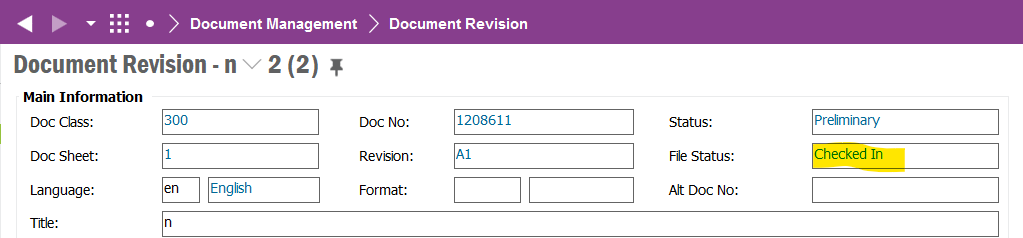
To me, it seems, if you have a file checked in, this option is selected by default and if no files checked in, this is off. This option is not included in the document default value parameters list, hence we cannot control it.
 

Best Regards,

Thilini

View original

4 replies

Thilini Kumarasinghe
Ultimate Hero (Employee)
Forum|alt.badge.img+21

Hi @Hurremoglu 

To me, it seems, if you have a file checked in, this option is selected by default and if no files checked in, this is off. This option is not included in the document default value parameters list, hence we cannot control it.


Best Regards,

Thilini


Forum|alt.badge.img+6
  • Author
  • Sidekick (Customer)
  • Oct 25, 2024 12:26 PM UTC

Hi @Thilini Kumarasinghe ,

Thank you for this valuable information .


Best Regards.


Forum|alt.badge.img+11
  • Hero (Employee)
  • Oct 25, 2024 9:24 PM UTC

Hi.  The help for this field shows -


If the old revision document has an attached file, this field will be made available. If the check box is selected, the file will be copied to the new revision.


If you don't want the attached file to be coped to the new revision, you can uncheck the box.


The same applies to any of the fields under the “From Old” section.


  • If a checkbox is selected, you can uncheck it.
  • If a checkbox is not selected, you cannot check it.


Thanks!  Jane


Forum|alt.badge.img+6
  • Author
  • Sidekick (Customer)
  • Oct 28, 2024 7:35 AM UTC

Hi @Jane Perry ,

I this know thanks anyway.


Best Regards.