


Question

Document Defaults per Object - Cloud - Doc Class issue

  • August 12, 2026
  • 1 reply
  • 22 views

Forum|alt.badge.img+8

On the Document Defaults per Object page, in the documentation for the page, I was trying to follow an example given to set up a Default Document Class on a specific page (ManSuppInvoice) based on a specific Document Class and the Users default company. (INVOICES_#COMPANY#)  
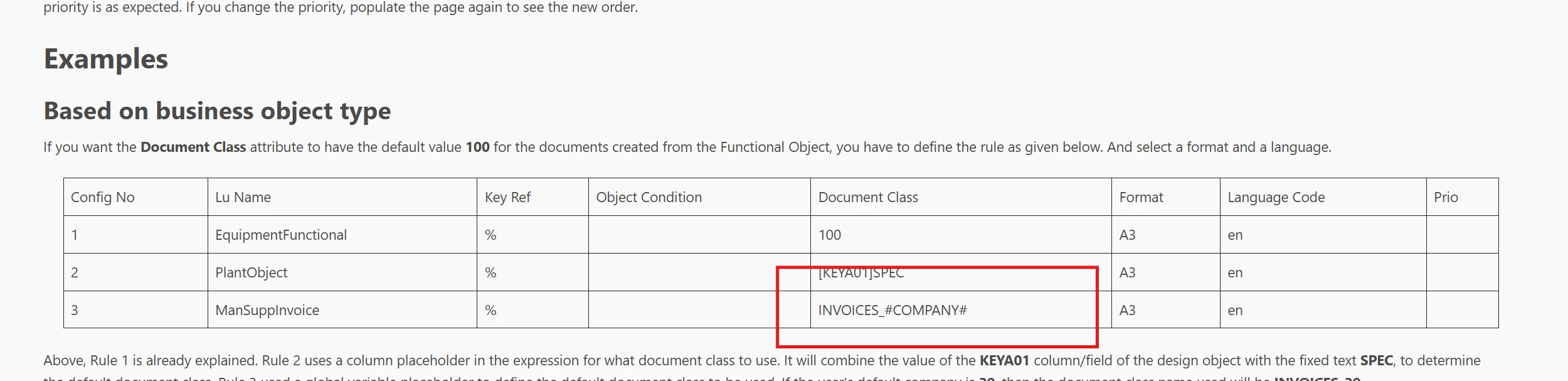
 

The field for the Doc Class is a drop down menu and I can only select Doc Classes, i cannot manually enter any document classes.   


I tried the same thing in Apps 10 and I can manually enter the entire INVOICE_#COMPANY# in the Document Class field.   


Is this a bug or is there a way to update the Document Defaults per Object page to allow a manual entry for the Doc Class?

1 reply

Asitha Rajapaksha
Hero (Employee)
Forum|alt.badge.img+7

hey ​@CorGreggB 

This may be either a missed implementation or an intentional design or a limitation introduced when transitioning to IFS Cloud. As it is not clear which applies here, I would recommend raising a support Issue for further investigation. There appears to be a discrepancy between the documented behavior and the system behavior, and a support case will allow the appropriate R&D team to determine whether this is a product defect, a documentation issue, or an intended limitation that requires clarification.

