Solved

Delete Obsolete Files in Document Revision

  • June 17, 2026
  • 3 replies
  • 21 views

Forum|alt.badge.img+1

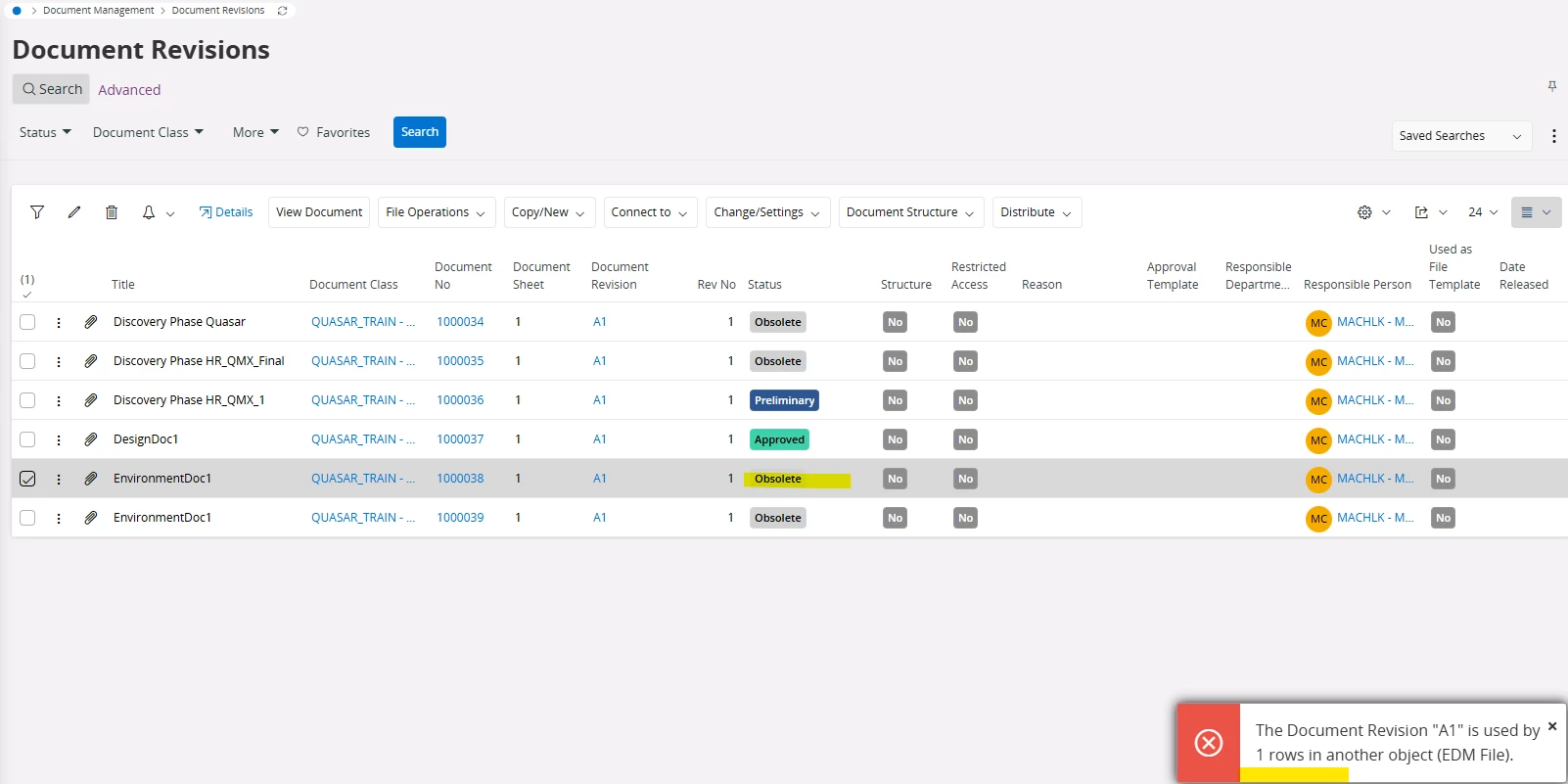
Please guide me through to get rid of following error and to succeed with the deletion of this record.
Thanks/

 

Best answer by Amila Samarasinghe

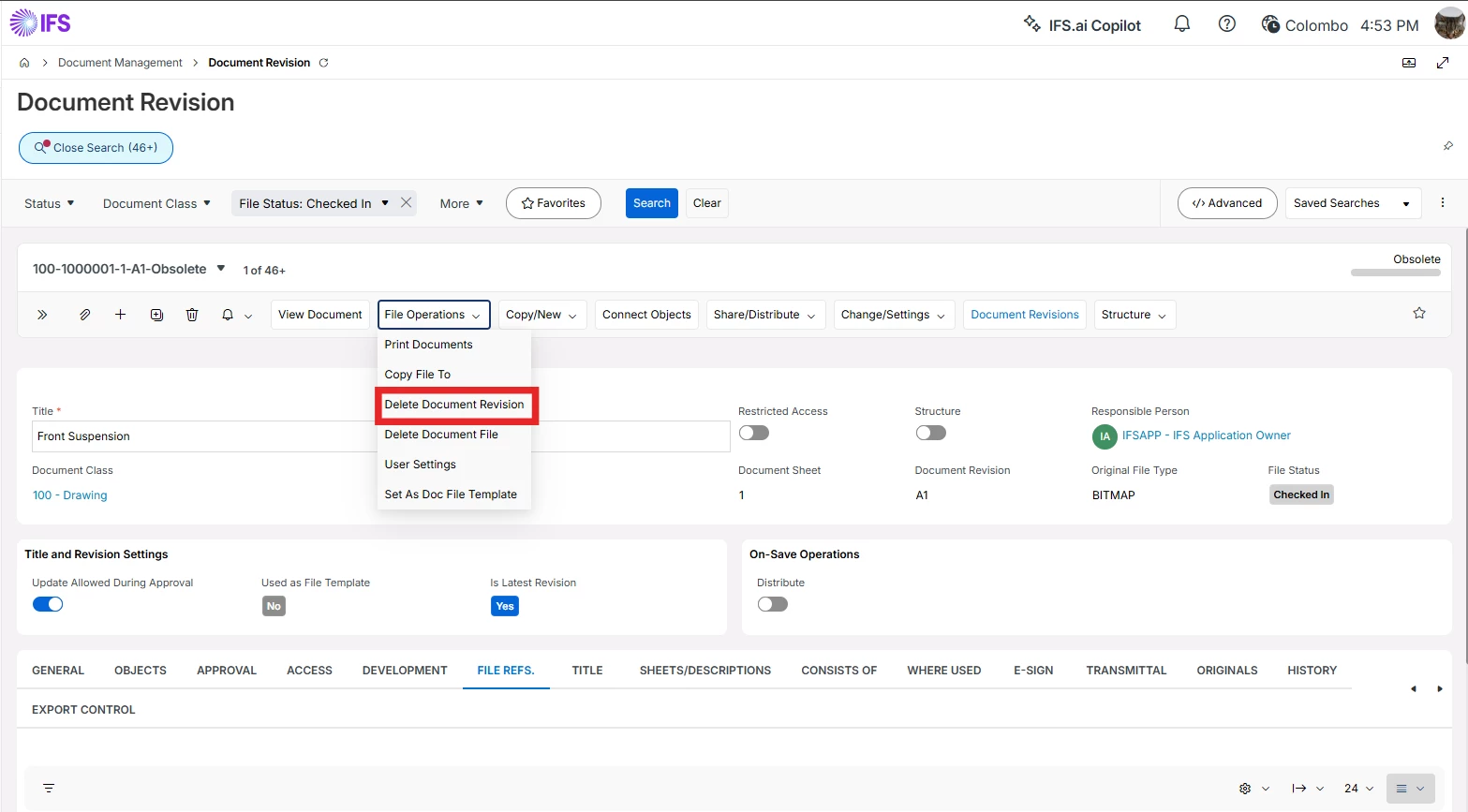
Hi ​@Maaya Check if there is an option under File operations menu to delete document file. If not you need to navigate to the Document Revision page, then go to the file refs tab and then delete the record there first and then try to delete the document revision.

3 replies

Amila Samarasinghe
Superhero (Partner)
Forum|alt.badge.img+14

Hi ​@Maaya Check if there is an option under File operations menu to delete document file. If not you need to navigate to the Document Revision page, then go to the file refs tab and then delete the record there first and then try to delete the document revision.


Asitha Rajapaksha
Hero (Employee)
Forum|alt.badge.img+7

That error is valid because there is a file reference existing for the document revision. For obsolete document revisions there should be a command named “ Delete document revision” this should delete both document revision and its file reference


Forum|alt.badge.img+1
  • Author
  • Do Gooder (Partner)
  • June 17, 2026

Thank you.