


Afternoon,
I’ve seen this asked a few times however, I still can’t find any examples to fulfil this requirement. I’m wondering if someone can help.
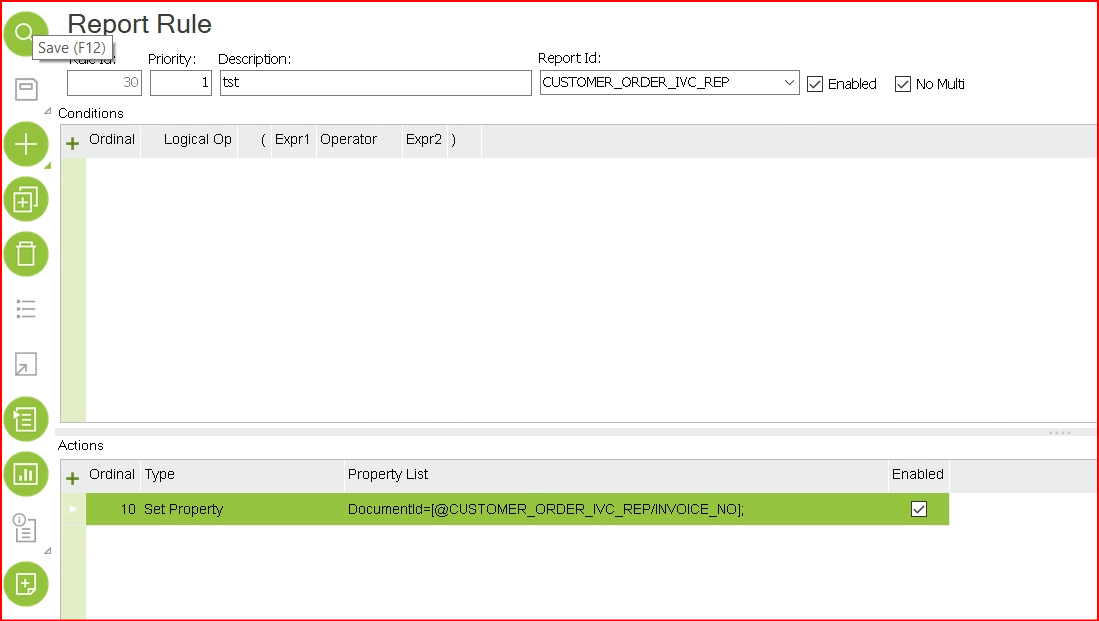
I’m attempting to rename the Customer Invoice (CUSTOMER_ORDER_IVC_REP) to the invoice_No. Instead of the file returning as a blank name.pdf it would instead display 12345678.pdf(an Invoice number).
Please note, we’re using a crystal report instead of the default IFS report (I suspect most customers are)
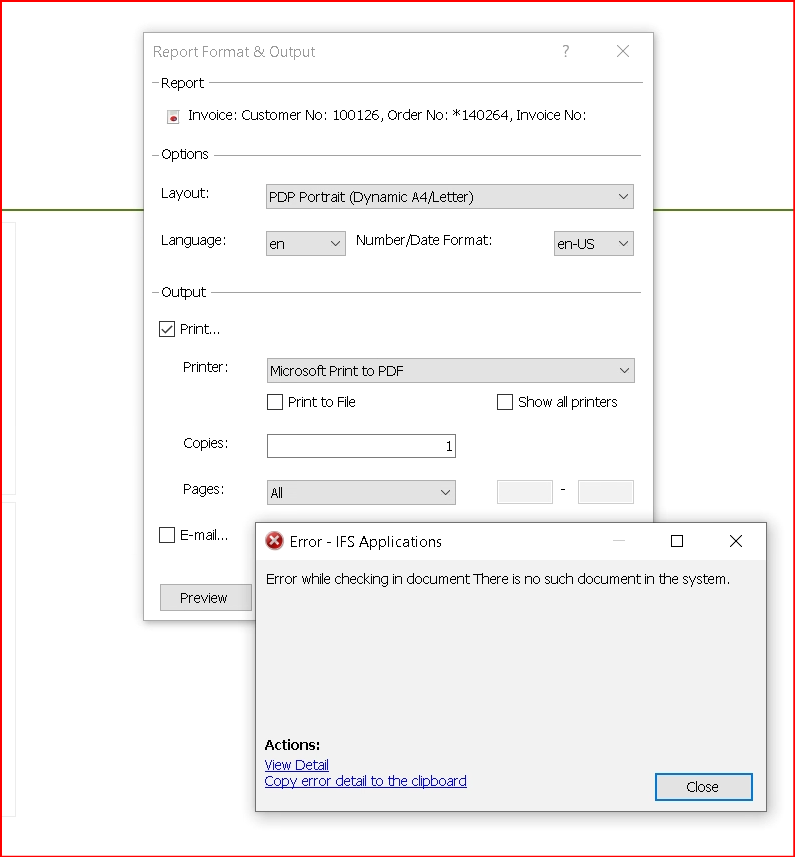
When I attempt to click ‘Print’ on the report format & Output and click ok I seem to get an issue.
I thought the configuration below would work however, it seems to report an issue:
Config:
Issue I’m receiving:
Any ideas on to fulfil this requirement?


