

Solved

Change the Document revision from Released status to Preliminary status

  • Oct 15, 2024 6:28 AM UTC
  • 2 replies
  • 148 views

Forum|alt.badge.img+7
  • Sidekick (Partner)

Hi All,

We need to change the status from Released to Preliminary for this document as the file needs corrections in the same revision.  Please advice.
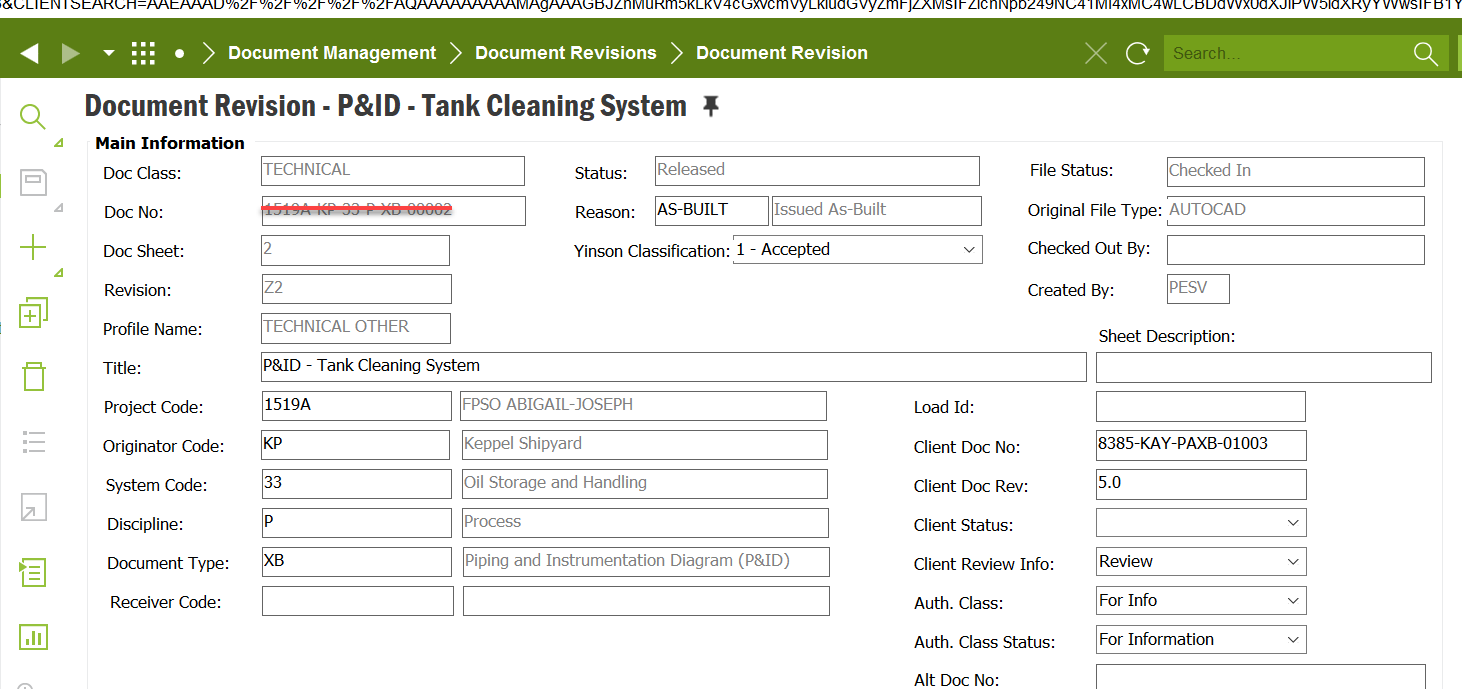
 

Thank you

 

Best answer by Mathias Dahl

It's not possible to do that. What you can do is to copy the whole document, including connected objects and the file, then remove the old one. The document number will be different though. If that's not an option you can ask someone with access to the database to update the ROWSTATE column in DOC_ISSUE_TAB to Preliminary for this document.

View original

2 replies

Mathias Dahl
Superhero (Employee)
Forum|alt.badge.img+33
  • Superhero (Employee)
  • Answer
  • Oct 15, 2024 6:56 AM UTC

It's not possible to do that. What you can do is to copy the whole document, including connected objects and the file, then remove the old one. The document number will be different though. If that's not an option you can ask someone with access to the database to update the ROWSTATE column in DOC_ISSUE_TAB to Preliminary for this document.


Forum|alt.badge.img+7
  • Author
  • Sidekick (Partner)
  • Oct 16, 2024 2:26 PM UTC

It's not possible to do that. What you can do is to copy the whole document, including connected objects and the file, then remove the old one. The document number will be different though. If that's not an option you can ask someone with access to the database to update the ROWSTATE column in DOC_ISSUE_TAB to Preliminary for this document.

@Mathias Dahl  Thank you.

