Question

How to control the display of a number with commas in a correct positon.

  • March 5, 2026
  • 3 replies
  • 40 views

Forum|alt.badge.img+2

In IFS cloud, how do u control the display of a number, example 3,000.00, show the commas in the correct positions across all forms?

3 replies

Abdul
Superhero (Partner)
Forum|alt.badge.img+20
  • Superhero (Partner)
  • March 6, 2026

Hi ​@chfschradj,

Please refer to the discussion below.

https://community.ifs.com/getting-started-with-ifs-132/commas-on-fields-on-a-page-65757


Regards 

Abdul Rehman 


matt.watters
Ultimate Hero (Partner)
Forum|alt.badge.img+26
  • Ultimate Hero (Partner)
  • March 6, 2026

@chfschradj please note the response provided by ​@Abdul pertains only to the display of currency values. There is no thousands (comma) separator yet for numeric fields.

Some related posts.

An idea has been accepted.


Lingesan08
Hero (Partner)
Forum|alt.badge.img+9
  • Hero (Partner)
  • April 2, 2026

In IFS cloud, how do u control the display of a number, example 3,000.00, show the commas in the correct positions across all forms?

@chfschradj ,

In IFS Cloud, the display format for numbers (e.g., 3,000.00) is controlled by regional/locale settings, not by individual form configuration.

 Where the formatting comes from

Number formatting (thousand separator, decimal separator) is driven by:

1. User Language / Locale

  • Determines:
    • , as thousand separator
    • . as decimal separator

2. Browser / Client Regional Settings

  • Aurena (web UI) uses:
    • Browser locale (e.g., en-US, en-GB, de-DE)

3. IFS User Settings

  • Language settings in IFS also influence formatting

 How to Configure

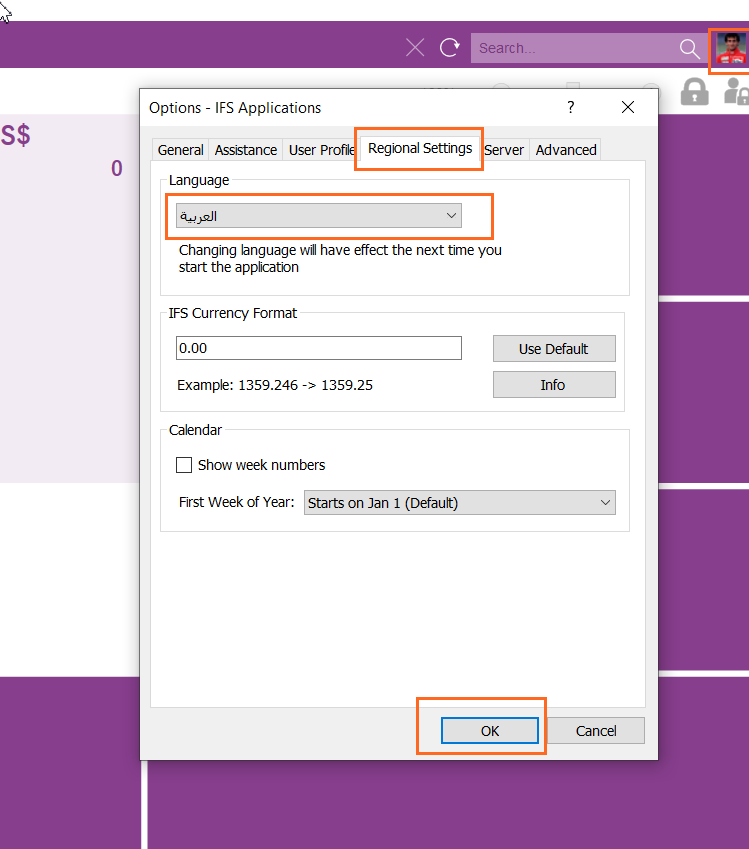
 Step 1: Set User Language in IFS

Go to:
User → Preferences


https://docs.ifs.com/techdocs/ale/020_lifecycle/070_self_service_options/010_updating_lng/images/change_lang_page.png


https://uploads-eu-west-1.insided.com/ifs-en/attachment/487e8a53-cbf7-42e6-9374-e0d38e76b0c6.png


https://docs.ifs.com/techdocs/Foundation1/050_development/022_user_interface/030_aurena_dev/images/aurena-web-application-20190513.png

Set:

  • Language = English (United States) (for 3,000.00 format)

 Step 2: Check Browser Locale

For example in Chrome:


https://i.sstatic.net/4pXVs.png


https://i.sstatic.net/LEjVG.png


https://i.sstatic.net/UH8YY.png

Ensure:

  • Preferred language = en-US

 Step 3: Verify System Behavior

After change:

  • Refresh Aurena
  • Numbers should display like:
    • 3,000.00 (US format)
    • or 3.000,00 (EU format)