Question

How to control the display of a number with commas in a correct positon.

  • March 5, 2026
  • 3 replies
  • 49 views

Forum|alt.badge.img+2

In IFS cloud, how do u control the display of a number, example 3,000.00, show the commas in the correct positions across all forms?

3 replies

Abdul
Superhero (Partner)
Forum|alt.badge.img+20
  • Superhero (Partner)
  • March 6, 2026

Hi ​@chfschradj,

Please refer to the discussion below.

https://community.ifs.com/getting-started-with-ifs-132/commas-on-fields-on-a-page-65757


Regards 

Abdul Rehman 


matt.watters
Ultimate Hero (Partner)
Forum|alt.badge.img+26
  • Ultimate Hero (Partner)
  • March 6, 2026

@chfschradj please note the response provided by ​@Abdul pertains only to the display of currency values. There is no thousands (comma) separator yet for numeric fields.

Some related posts.

An idea has been accepted.


Forum|alt.badge.img+9
  • Hero (Partner)
  • April 2, 2026

In IFS cloud, how do u control the display of a number, example 3,000.00, show the commas in the correct positions across all forms?

@chfschradj ,

In IFS Cloud, the display format for numbers (e.g., 3,000.00) is controlled by regional/locale settings, not by individual form configuration.

 Where the formatting comes from

Number formatting (thousand separator, decimal separator) is driven by:

1. User Language / Locale

  • Determines:
    • , as thousand separator
    • . as decimal separator

2. Browser / Client Regional Settings

  • Aurena (web UI) uses:
    • Browser locale (e.g., en-US, en-GB, de-DE)

3. IFS User Settings

  • Language settings in IFS also influence formatting

 How to Configure

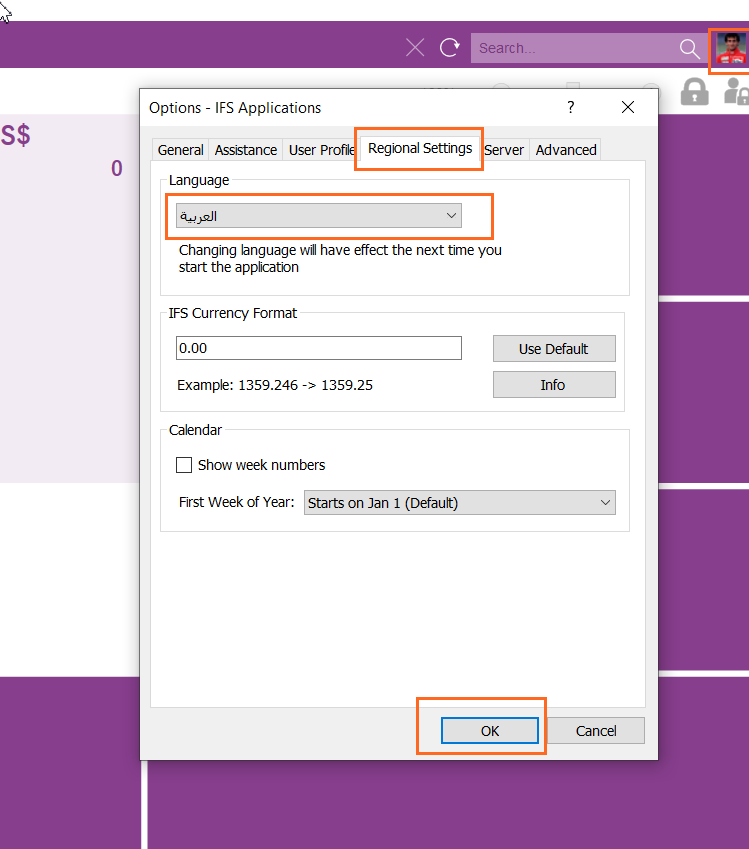
 Step 1: Set User Language in IFS

Go to:
User → Preferences


https://docs.ifs.com/techdocs/ale/020_lifecycle/070_self_service_options/010_updating_lng/images/change_lang_page.png


https://uploads-eu-west-1.insided.com/ifs-en/attachment/487e8a53-cbf7-42e6-9374-e0d38e76b0c6.png


https://docs.ifs.com/techdocs/Foundation1/050_development/022_user_interface/030_aurena_dev/images/aurena-web-application-20190513.png

Set:

  • Language = English (United States) (for 3,000.00 format)

 Step 2: Check Browser Locale

For example in Chrome:


https://i.sstatic.net/4pXVs.png


https://i.sstatic.net/LEjVG.png


https://i.sstatic.net/UH8YY.png

Ensure:

  • Preferred language = en-US

 Step 3: Verify System Behavior

After change:

  • Refresh Aurena
  • Numbers should display like:
    • 3,000.00 (US format)
    • or 3.000,00 (EU format)