Answer

Email Order

  • October 18, 2021
  • 4 replies
  • 213 views

Forum|alt.badge.img+6

Hi,


Can anyone assist on letting me know how to enable ‘Email order’ available on PO header RMB.


Regards.

Best answer by Asela Munasinghe
@Vchandna


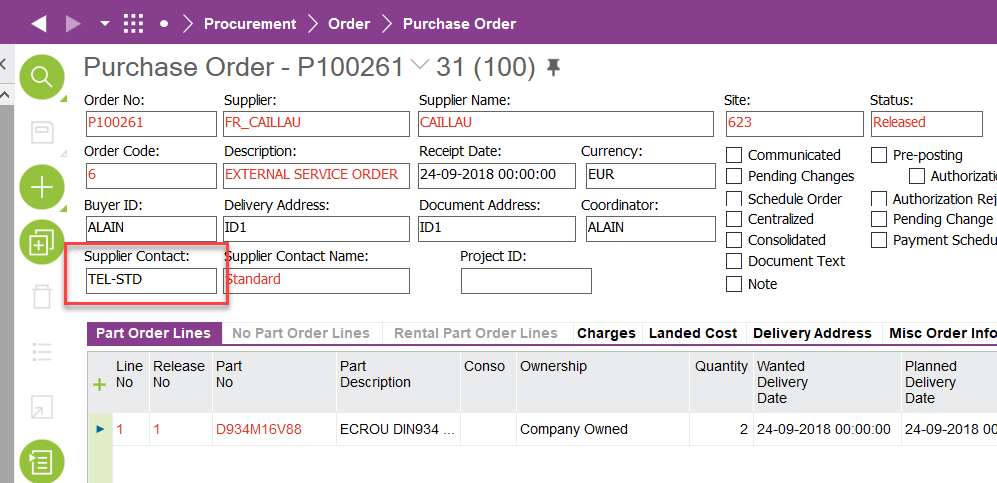
  1. Supplier Contact in the PO header should be filled with a value for email address. 
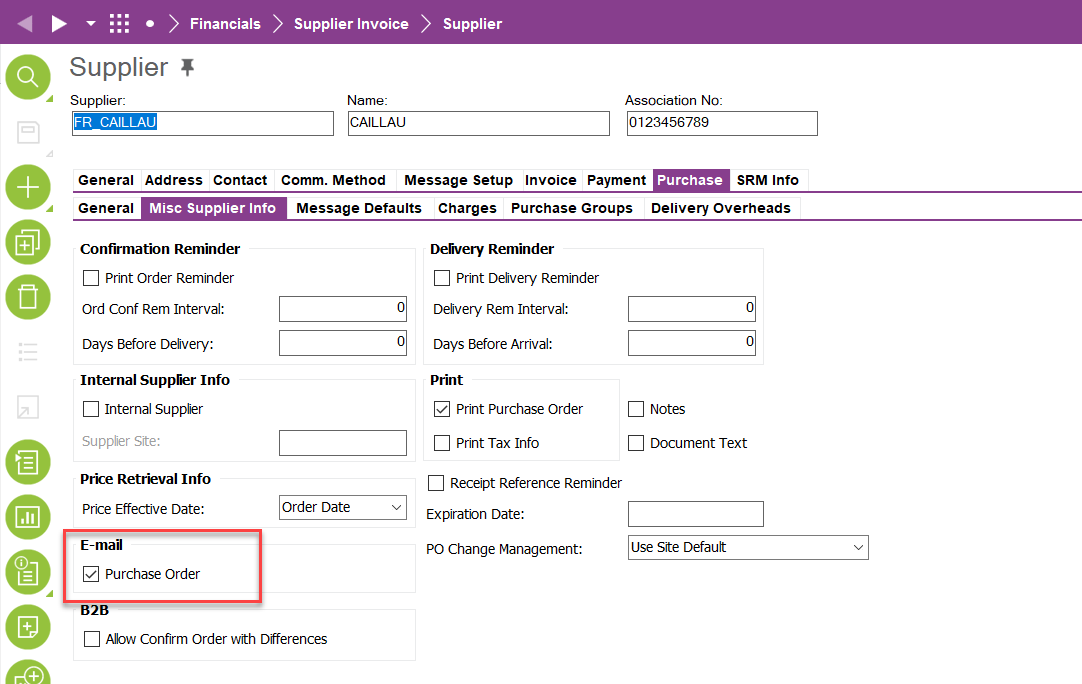
  1. ‘Purchase Order’ should be checked in the Supplier > Purchase > Misc. Supplier Info
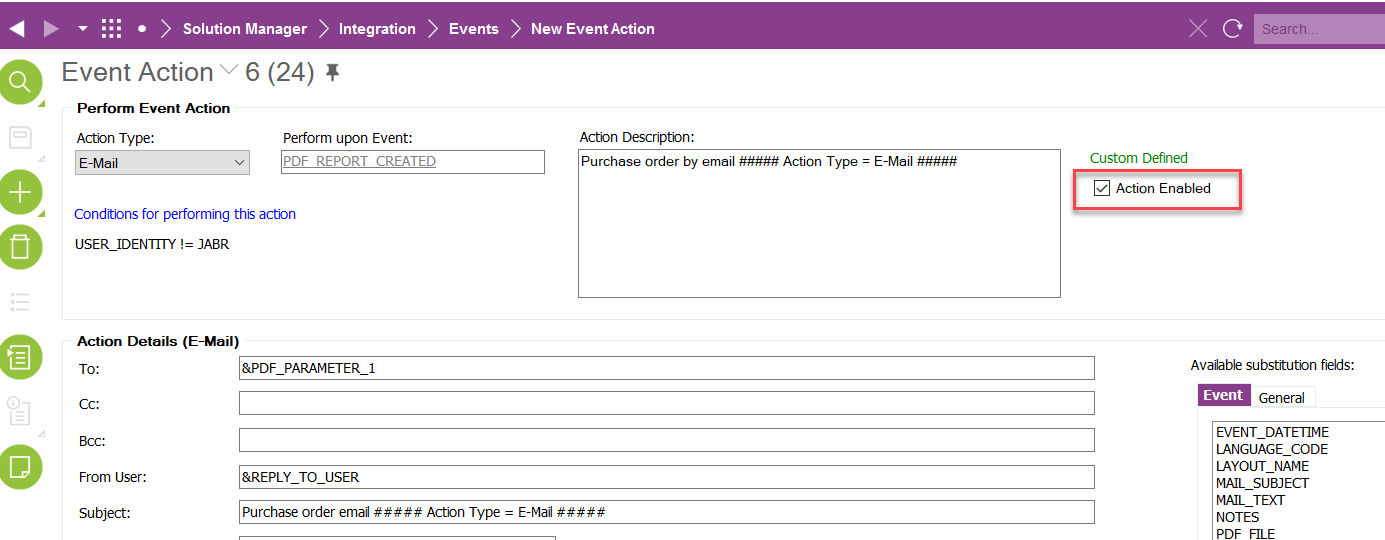
  1. The Event PDF_REPORT_CREATED should be setup with the rule via IFS/Connect


This topic has been closed for replies.

4 replies

Asela Munasinghe
Superhero (Customer)
Forum|alt.badge.img+23
  • Superhero (Customer)
  • Answer
  • October 18, 2021

@Vchandna


  1. Supplier Contact in the PO header should be filled with a value for email address. 
  1. ‘Purchase Order’ should be checked in the Supplier > Purchase > Misc. Supplier Info
  1. The Event PDF_REPORT_CREATED should be setup with the rule via IFS/Connect


Forum|alt.badge.img+20
  • Superhero (Employee)
  • October 18, 2021

HI @Vchandna ,

Following link might also assist you since it has screen captures.


Asela Munasinghe
Superhero (Customer)
Forum|alt.badge.img+23

@Vchandna Please ignore the step numbers above, it should be 1,2,3 instead of all 1s


Asela Munasinghe
Superhero (Customer)
Forum|alt.badge.img+23

@Vchandna


  1. Supplier Contact in the PO header should be filled with a value for email address. 
  1. ‘Purchase Order’ should be checked in the Supplier > Purchase > Misc. Supplier Info
  1. The Event PDF_REPORT_CREATED should be setup with the rule via IFS/Connect


@Vchandna did this reply help clarify your question? Please let me know, thanks.