Question

Edit customer contact

  • February 11, 2021
  • 11 replies
  • 455 views

Forum|alt.badge.img+6

Hi,

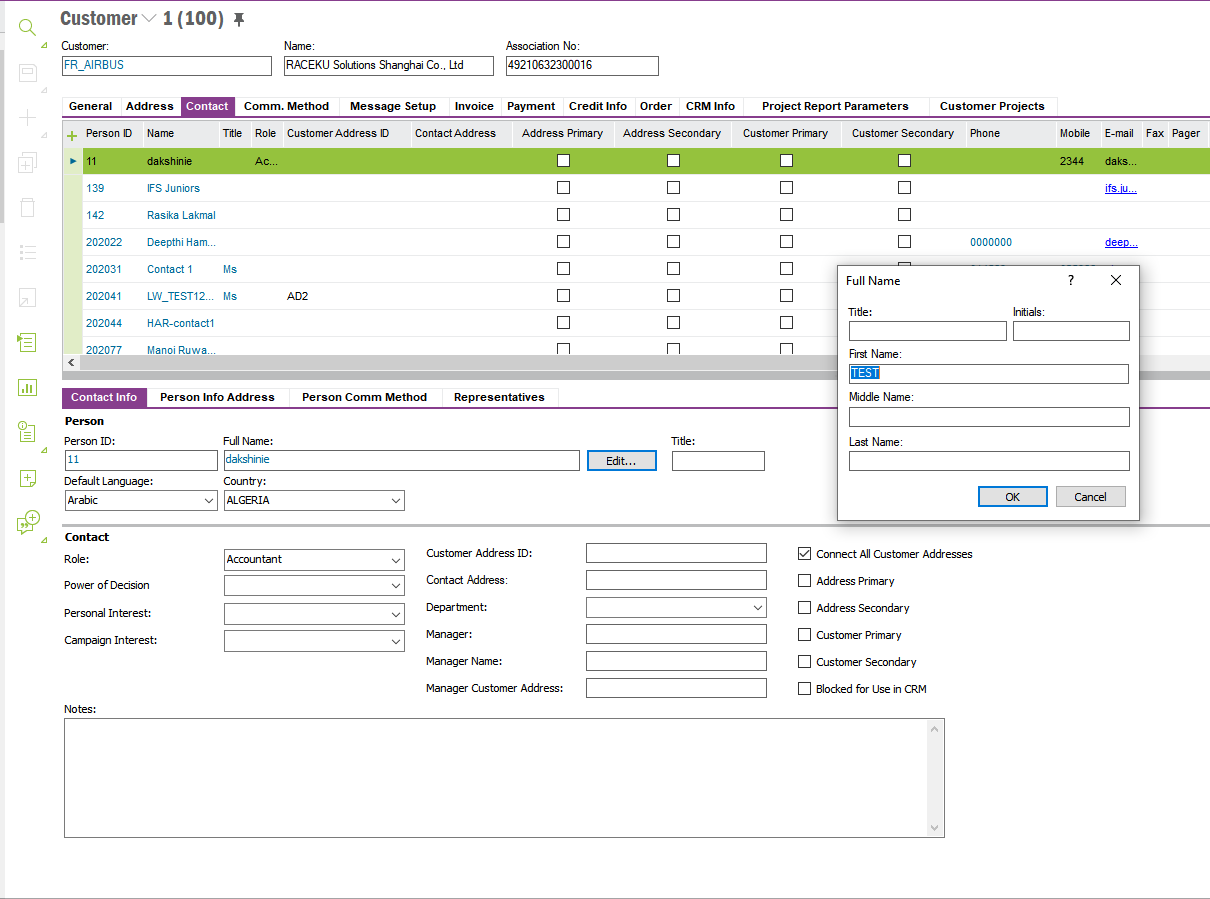
In IFS documentation I can read that contact created on customer can be updated both from person and customer contact level. From customer contact it should be possible to do by RMB > Edit > Full name dialog box. Unfortunately under RMB > EDIT I do not have such option. Could that be that I am missing something in permision sets? If so - could You tell what?


Thank You,

Bernadeta

This topic has been closed for replies.

11 replies

Mohamed Infaz
Hero (Employee)
Forum|alt.badge.img+10
  • Hero (Employee)
  • February 11, 2021

Hi Bernadeta,

Can you kindly let me know which IFS version you are trying this? 


Mohamed Infaz
Hero (Employee)
Forum|alt.badge.img+10
  • Hero (Employee)
  • February 11, 2021

Isn’t the Edit box enabled for you?


Forum|alt.badge.img+6

Hi,


I am using IF Application 10, update 8.


Forum|alt.badge.img+6

Hi,

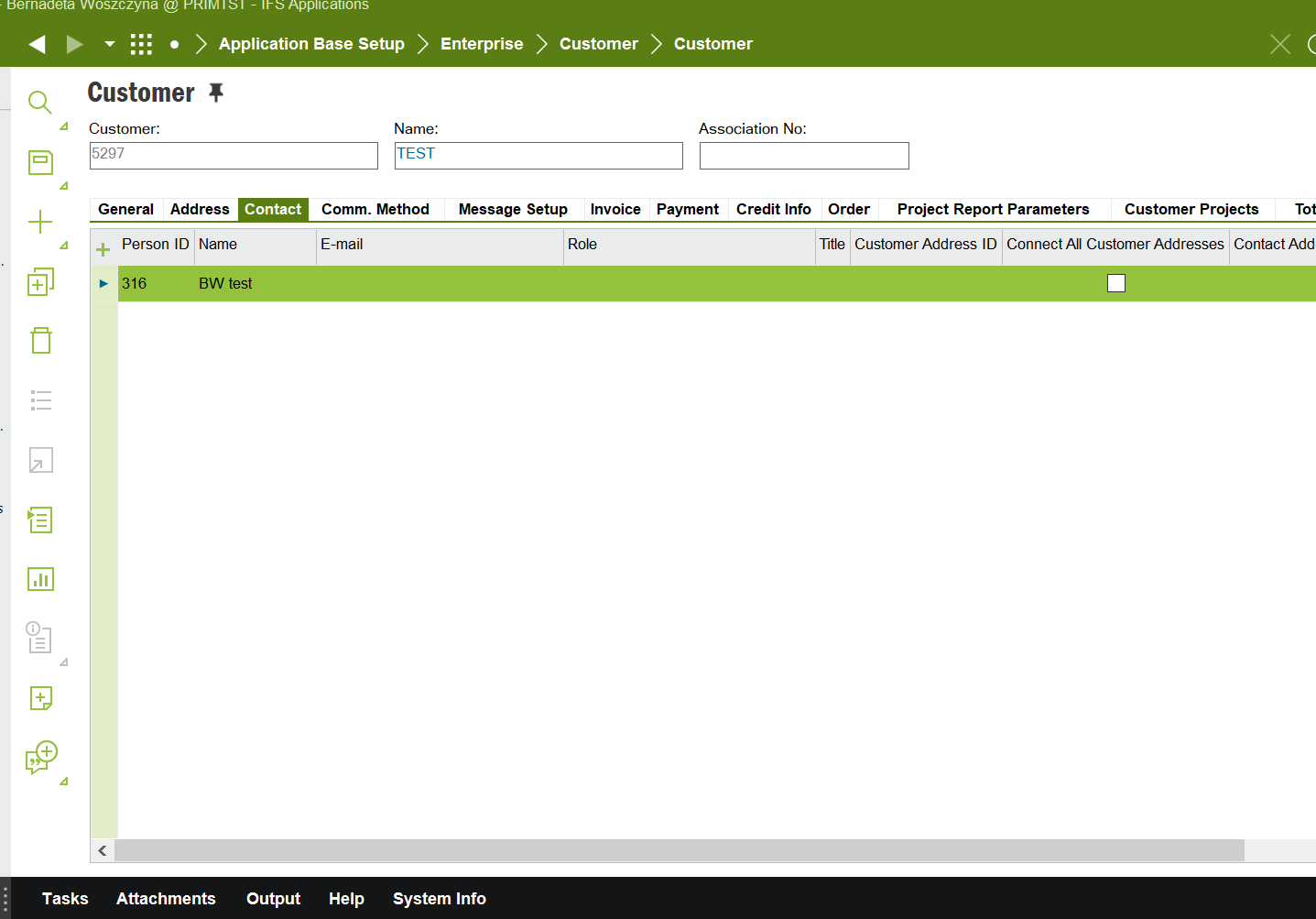
That is the issue - I can not see the box with contact info, person info, etc. Just the upper window with Person ID, name, etc.


Best regards,

Bernadeta


Forum|alt.badge.img+6

Hi,

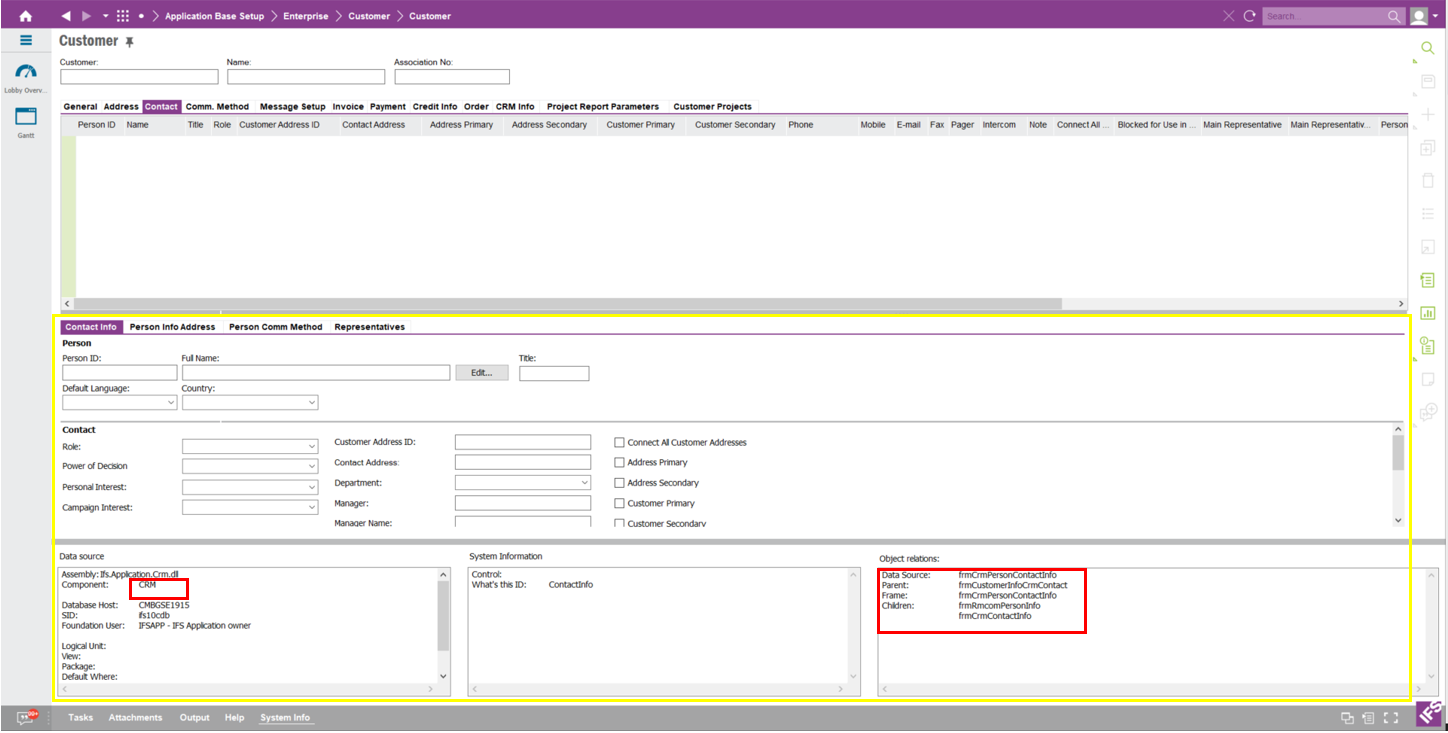
See below screen shot:


Mohamed Infaz
Hero (Employee)
Forum|alt.badge.img+10
  • Hero (Employee)
  • February 11, 2021

Hi Bernadeta,

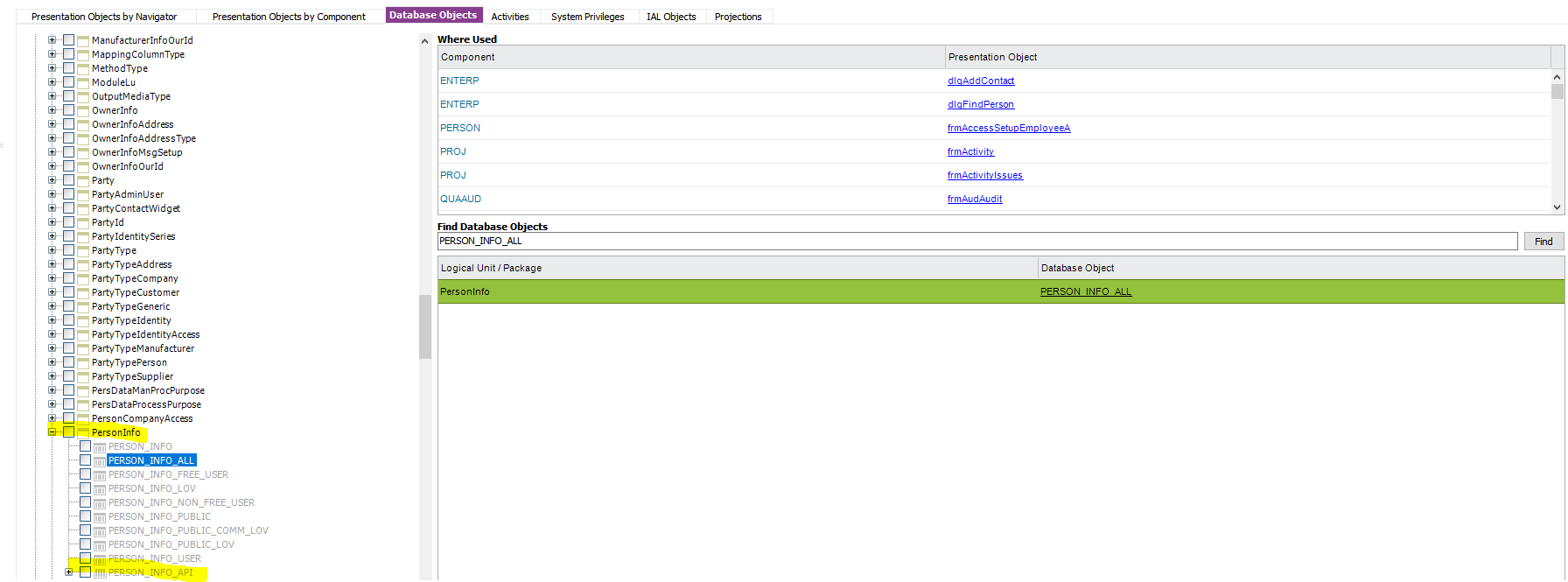
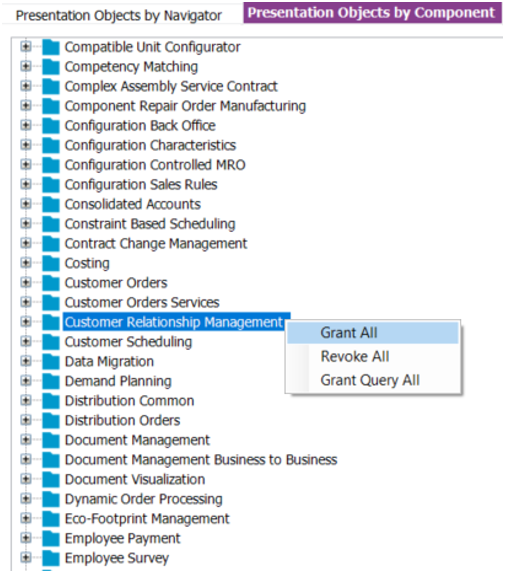
Assuming this is working for IFSAPP user, try granting this.


Mohamed Infaz
Hero (Employee)
Forum|alt.badge.img+10
  • Hero (Employee)
  • February 11, 2021

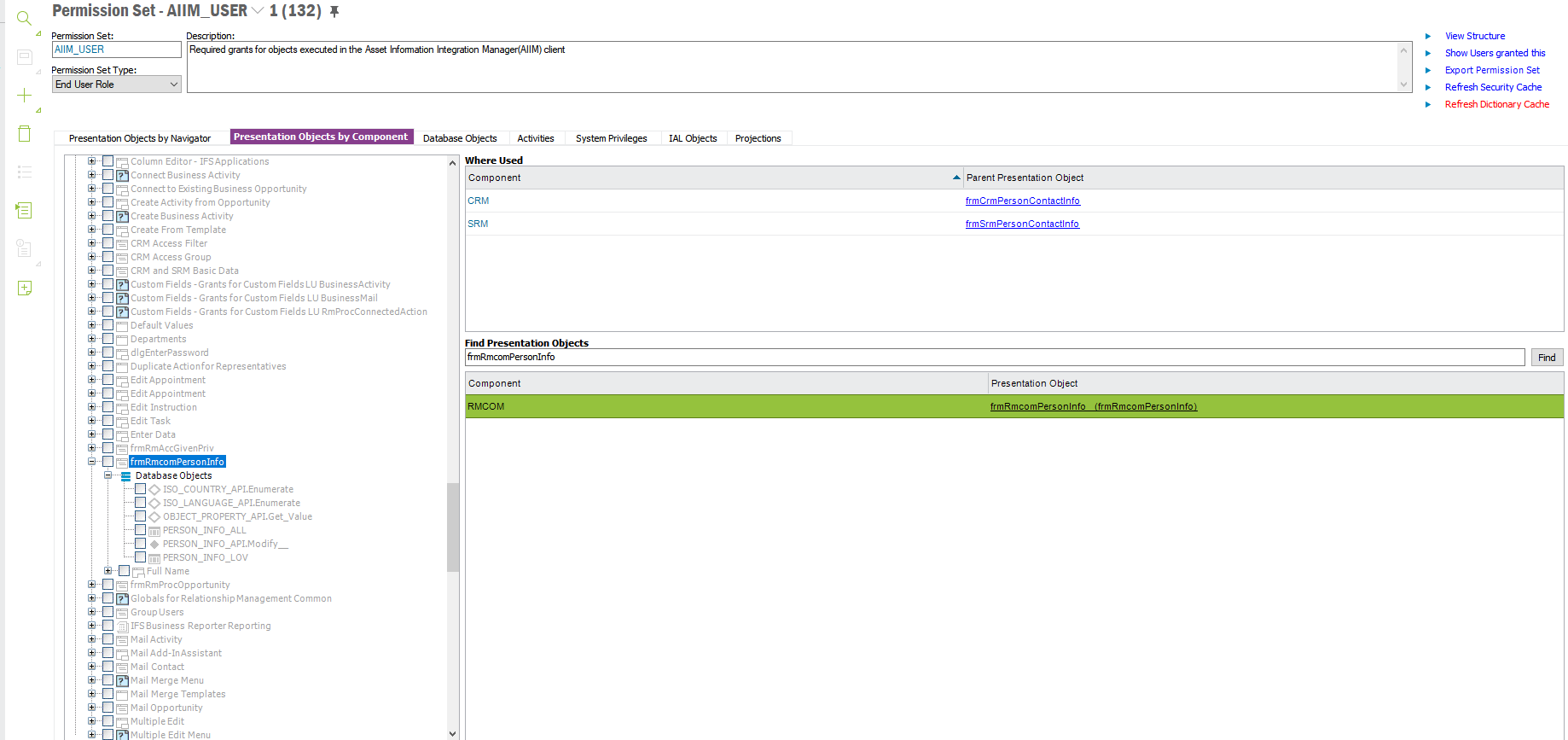
Also this particular presentation object should be granted.


Mohamed Infaz
Hero (Employee)
Forum|alt.badge.img+10
  • Hero (Employee)
  • February 15, 2021

@Bernadeta Woszczyna 

Hi, 

Did granting the objects solved your issue?


Forum|alt.badge.img+6

Hi,

I have given that to our IT dep. and now am waiting for implementation. I will let You know once done :)


Forum|alt.badge.img+6

Hi,


I have just received information from our IT that they “checked and we already have all the mentioned grants. There is that sub-tab on the screenshot that we don’t have at all.”

They ask if that could that be a different version of IFS?

Best regards,

Bernadeta


Forum|alt.badge.img+9
  • Hero (Employee)
  • May 24, 2021

Hi @Bernadeta Woszczyna 

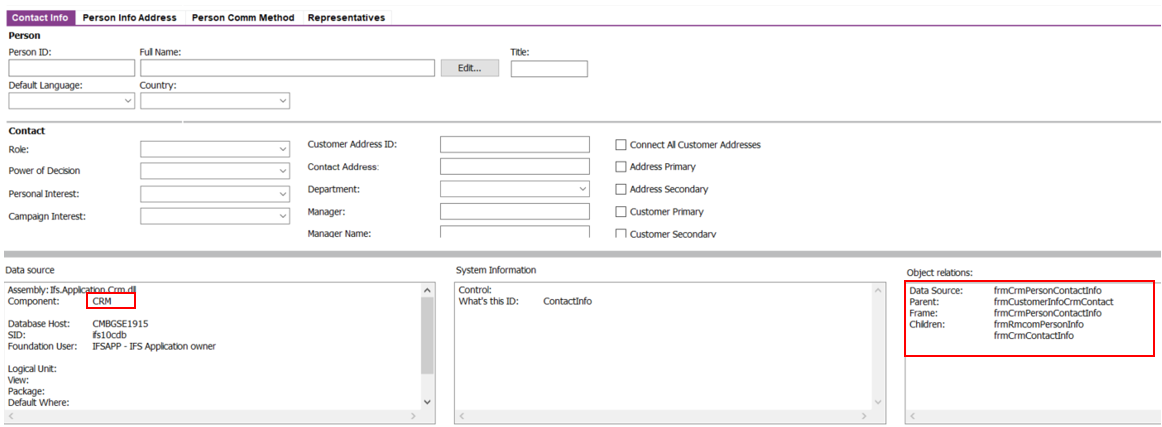
The reason that the above-mentioned issue, lower section of the Customer Contract Tab Attached to the CRM Component (CRM – Customer Relation Management). if we want to use the lower section of the Customer Contract Tab we must install the CRM component/module.

Example from Our Environments

The Customer Contract Tab attached to the CRM Component


Kindly please check CRM is installed in your application. if it's installed you can Enable/Grant access to the presentation objects for relevant Users.


Hope this can help to resolve your issue.

Thanks & Regards
Shan