Hi,
how/where is it possible to rename (translate) the pdf? This is the emailed order confirmation/App10. Would be nice to have this in the local language:
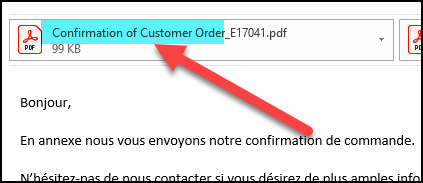
Thank you, advise appreciated!



 +6
+6Hi,
how/where is it possible to rename (translate) the pdf? This is the emailed order confirmation/App10. Would be nice to have this in the local language:
Thank you, advise appreciated!
Best answer by EntNadeeL
Hi,
how/where is it possible to rename (translate) the pdf? This is the emailed order confirmation/App10. Would be nice to have this in the local language:
Thank you, advise appreciated!
Hi
You can add a report rule as below.
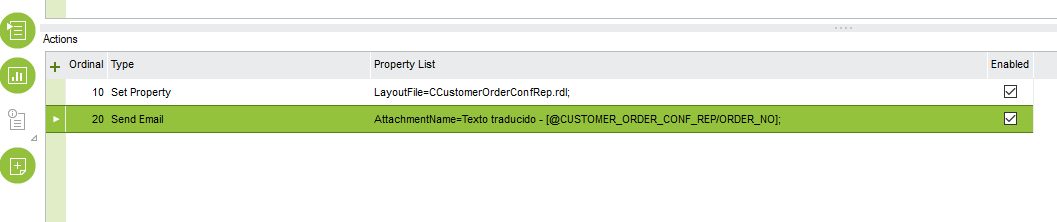
Add title in your language for ‘Texto traducido’.
Hope this helps.
Regards,
Enter your E-mail address. We'll send you an e-mail with instructions to reset your password.